
Douk Audio BS-1
Contents
Douk Audio BS-1 Bass Shaker Instruction Manual
Model: BS-1 (SUC-BS-1-NEW)
1. Introduction
The Douk Audio BS-1 Bass Shaker is a high-performance tactile transducer designed to enhance your audio experience by converting low-frequency sound waves into physical vibrations. This device allows you to feel the bass, adding a new dimension to movies, music, and gaming. This manual provides essential information for the proper installation, operation, and maintenance of your BS-1 Bass Shaker.
2. Safety Information
Please read and understand all safety instructions before operating this product. Retain this manual for future reference.
- Power Requirements: Ensure the connected amplifier meets the power requirements of the BS-1 Bass Shaker (50W nominal power at 6 ohms). Exceeding recommended power may damage the unit.
- Ventilation: Ensure adequate ventilation around the unit to prevent overheating. Do not cover the heat sink.
- Placement: Install the bass shaker in a stable location. Avoid placing it where it could fall or cause injury.
- Moisture: Do not expose the unit to water or excessive moisture. This product is not waterproof.
- Children: Keep out of reach of children.
- Servicing: Do not attempt to service the unit yourself. Refer all servicing to qualified personnel.
3. Package Contents
Verify that all items are present in your package:
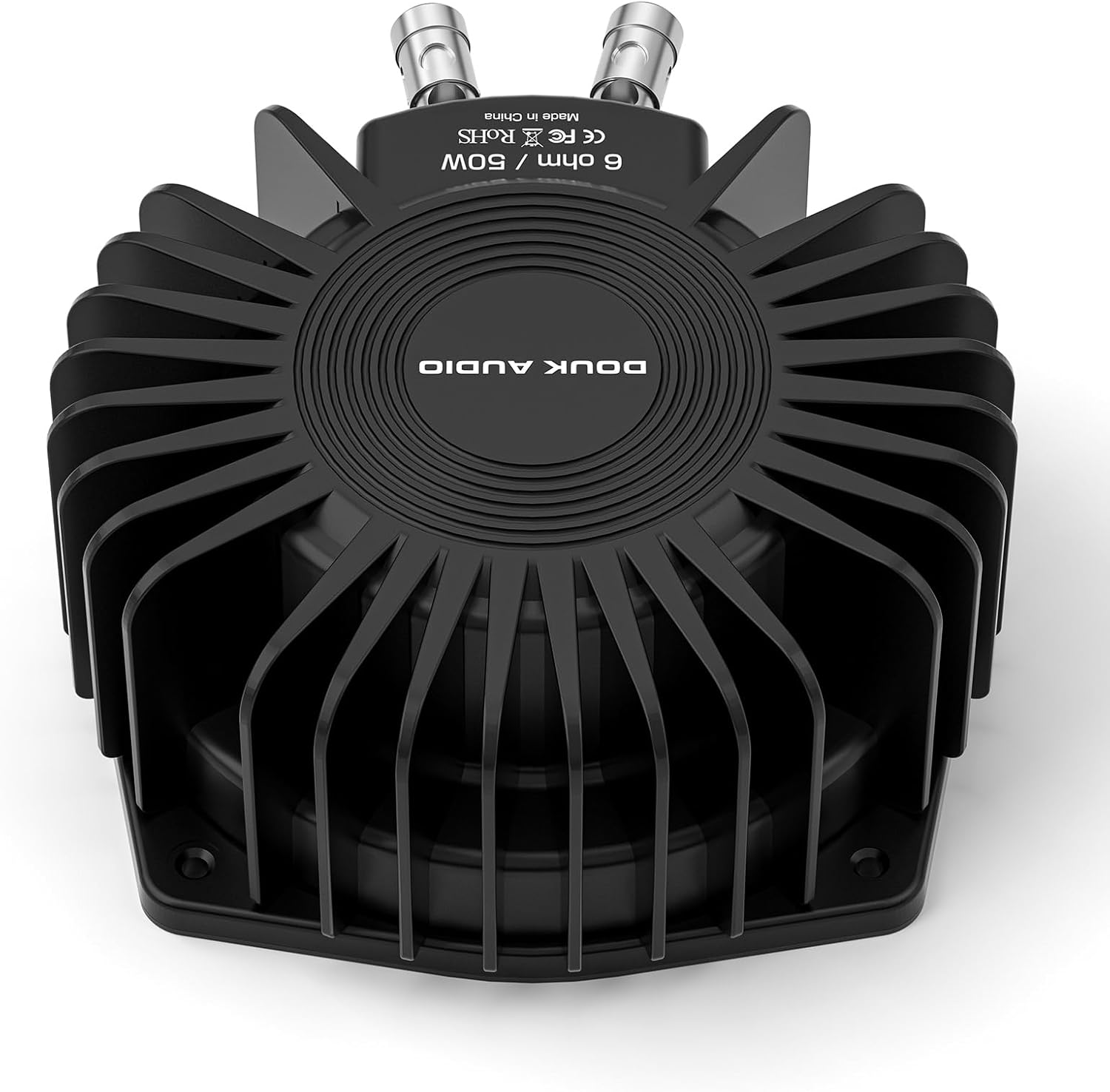
- 1 × Douk Audio BS-1 Bass Shaker
4. Product Features
- Enhanced Tactile Immersion: Converts low-frequency audio signals into physical vibrations, allowing users to feel bass rather than just hear it.
- High Power Output: Delivers 50 watts of nominal power at 6 ohms, providing a strong and engaging tactile experience.
- Optimized Design: Features a redesigned heat sink for improved output efficiency and chrome-plated pure copper terminals for enhanced durability and corrosion resistance.
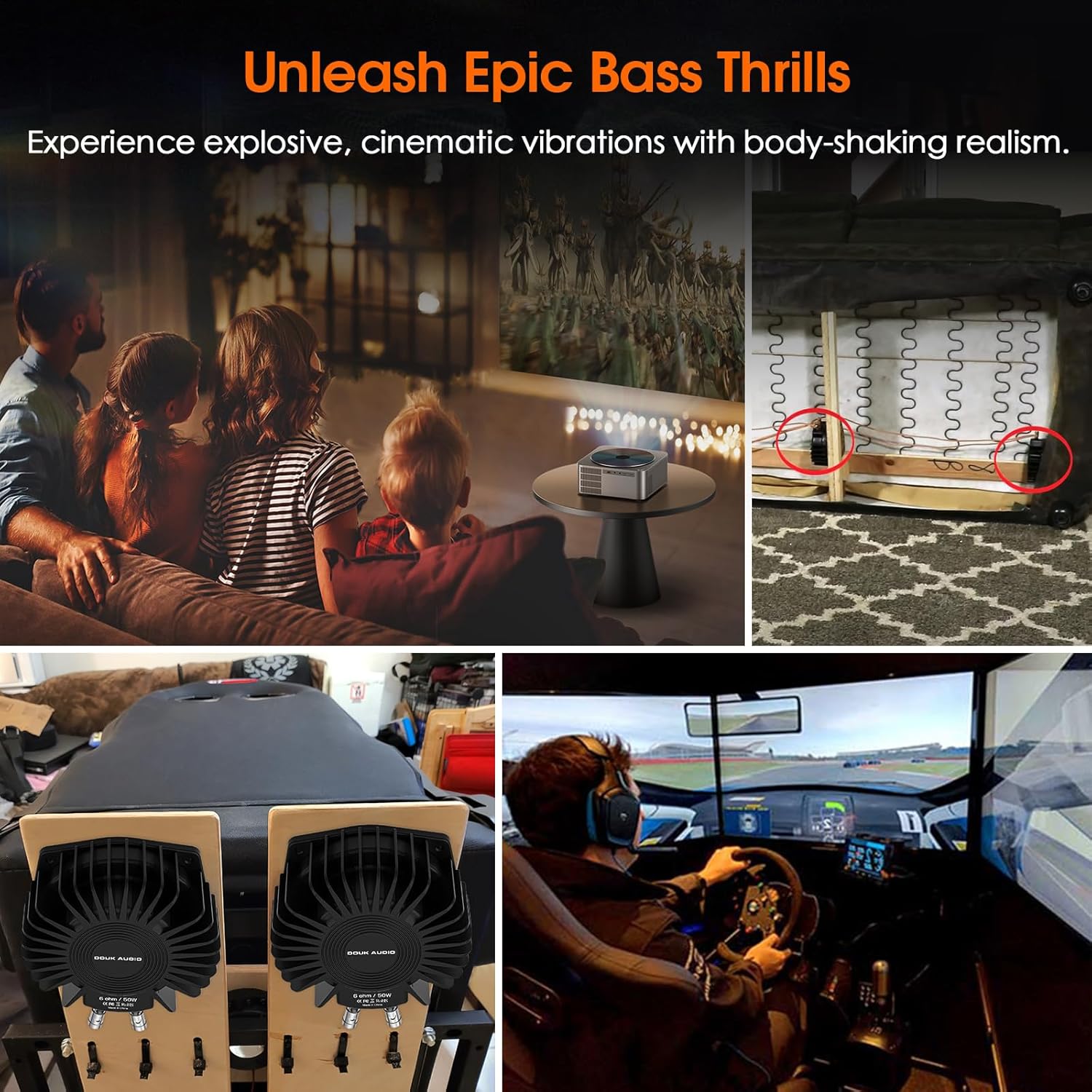
- Versatile Application: Suitable for home theater systems, gaming chairs, car audio setups, and other environments where tactile feedback is desired.
- Non-Overloading Bass: Unlike traditional subwoofers, the BS-1 provides tactile bass without significantly increasing audible loudness, allowing for immersive experiences at lower sound volumes.

5. Setup and Installation
Proper installation is crucial for optimal performance of your Douk Audio BS-1 Bass Shaker.
5.1. Required Equipment
- Audio Amplifier (compatible with 6-ohm impedance, 50W per shaker)
- Speaker Wire
- Mounting Hardware (screws, bolts, etc., suitable for your mounting surface)
5.2. Placement Recommendations
For the most effective tactile feedback, install the BS-1 Bass Shaker directly onto the surface you wish to vibrate.
- Seating: Mount the shaker directly to the frame of your sofa, chair, or gaming seat. Ensure the seating is not rigidly fixed to the floor, as this can dampen vibrations.
- Platforms: For sim rigs or dedicated home theater seating, consider mounting the shaker to a platform that the seat rests on.
- Avoid Rigid Surfaces: Do not mount the shaker directly to a concrete floor or a wall, as this will significantly reduce the perceived vibration.

5.3. Wiring and Connection
The BS-1 Bass Shaker connects to an external audio amplifier.
- Power Off: Ensure your audio amplifier is powered off before making any connections.
- Connect Speaker Wire: Use appropriate gauge speaker wire to connect the BS-1 Bass Shaker's terminals to the speaker output terminals of your amplifier. Observe correct polarity (red to positive, black to negative).
- Impedance Matching: If using multiple BS-1 units, ensure your amplifier can handle the combined impedance. For example, two 6-ohm shakers wired in parallel will present a 3-ohm load to the amplifier. Consult your amplifier's manual for impedance compatibility.
- Secure Connections: Ensure all wire connections are secure to prevent intermittent operation or short circuits.

6. Operation
Once properly installed and connected, operating the BS-1 Bass Shaker is straightforward.
- Power On: Power on your audio amplifier and the connected audio source.
- Adjust Volume: Begin with the amplifier volume for the bass shaker at a low setting. Gradually increase the volume until the desired level of tactile feedback is achieved.
- Audio Source: The BS-1 will respond to low-frequency content from your audio source (movies, music, games).
- Experience Immersion: Enjoy the added dimension of physical vibration, enhancing your overall entertainment experience.

7. Maintenance
The Douk Audio BS-1 Bass Shaker requires minimal maintenance to ensure long-term performance.
- Cleaning: Wipe the unit with a soft, dry cloth to remove dust. Do not use liquid cleaners or solvents.
- Inspection: Periodically check all connections for tightness and ensure no wires are frayed or damaged.
- Environment: Keep the unit in a dry environment, away from extreme temperatures.
8. Troubleshooting
If you encounter issues with your BS-1 Bass Shaker, refer to the following common problems and solutions:
| Problem | Possible Cause | Solution |
|---|---|---|
| No vibration or very weak vibration. |
|
|
| Distorted or rattling sound. |
|
|
| Unit becomes hot. |
|
|
If the problem persists after attempting these solutions, please contact Douk Audio customer support.
9. Specifications
| Feature | Detail |
|---|---|
| Model Name | SUC-BS-1-NEW |
| Brand | Douk Audio |
| Speaker Type | Tactile Transducer / Bass Shaker |
| Speaker Maximum Output Power | 50 Watts (Nominal) |
| Impedance | 6 Ohm |
| Frequency Response | Up to 200 Hz (for tactile feedback) |
| Connectivity Technology | Wired |
| Material | Metal |
| Product Dimensions (D x W x H) | 6.22" x 6.22" x 5.71" (158mm x 158mm x 145mm approx.) |
| Item Weight | 1.63 Kilograms (3.58 pounds) |
| Mounting Type | Floor Mount (or direct to seating frame) |
| Color | Black |
| Recommended Uses | For Computers, Gaming Consoles, Televisions, Home Theater |

10. Warranty and Support
10.1. Warranty Information
The Douk Audio BS-1 Bass Shaker comes with a limited warranty. Please refer to the warranty card included with your product or visit the official Douk Audio website for detailed terms and conditions. This warranty typically covers manufacturing defects under normal use.
10.2. Customer Support
For technical assistance, troubleshooting beyond this manual, or warranty claims, please contact Douk Audio customer support through their official website or the retailer where the product was purchased.
Online Resources: For additional information and support, visit the Douk Audio Store on Amazon.
Documents and downloads
Ask a question about this manual
Ask about setup, troubleshooting, compatibility, parts, safety, or missing instructions. Manuals+ will review the question and use this page’s manual context to help answer it.