
1. Introduction
This manual provides detailed instructions for the assembly, operation, and maintenance of your DEVAISE 47 Inch L Shaped Gaming Desk. Designed for versatility, this desk features integrated LED lighting, built-in power outlets, an ergonomic monitor stand, and ample storage, making it suitable for gaming, working, and general home office use.
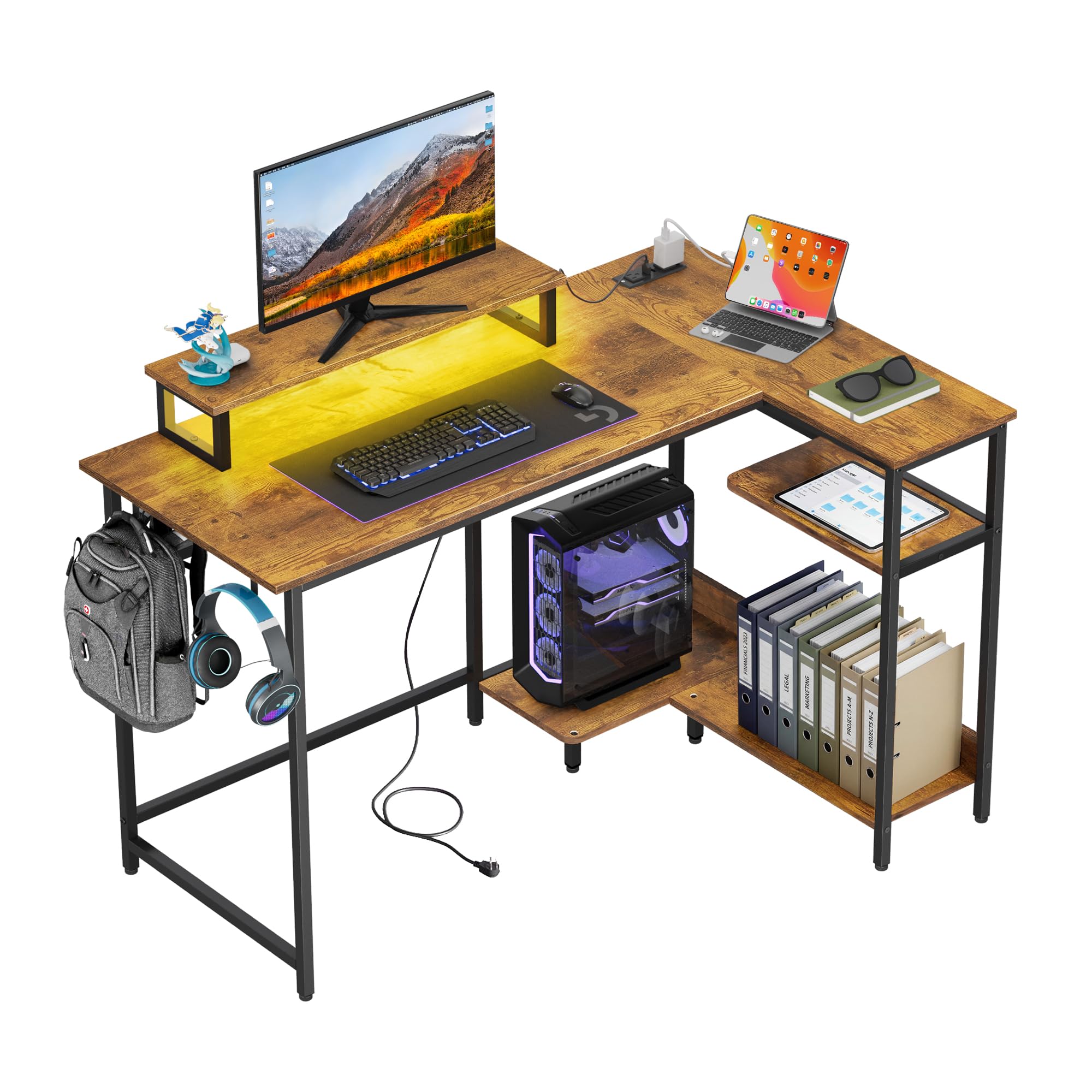
Image 1.1: Overview of the DEVAISE 47 Inch L Shaped Gaming Desk.
2. Safety Information
- Always assemble the desk according to the provided instructions.
- Do not exceed the maximum load capacity of 100 lbs.
- Keep the built-in power outlets and LED lights dry; unplug before cleaning.
- Anchor the desk to a wall if used in households with children to prevent tipping.
- Avoid abrasive cleaners, prolonged moisture, and placing hot items directly on the surface.
3. Package Contents
Before assembly, ensure all components are present and undamaged. Refer to the included parts list in your packaging. All necessary assembly tools are included.

Image 3.1: Product dimensions and weight limits for the DEVAISE L Shaped Gaming Desk.
4. Setup and Assembly
Detailed step-by-step assembly instructions are included in the product package. Assembly typically takes 30-45 minutes with the included tools. For larger sizes, two people are recommended for best results.
Follow the numbered steps carefully, ensuring all screws and fasteners are tightened securely. Do not overtighten to avoid damaging the materials.
Video 4.1: Assembly and feature overview for the DEVAISE L Shaped Gaming Desk.
5. Operating Instructions
5.1. Smart LED Lights
The desk features built-in LED lights with 31 modes and 60,000 colors, controllable via a dedicated app. These lights can help reduce eye strain and enhance your workspace ambiance. Refer to the LED light controller instructions included in your package for app download and usage details.

Image 5.1: Features of the LED lighting system, including 31 light modes, palette switch, music rhythm, and timer functions.
5.2. Built-in Power Outlets
The desk includes 2 AC outlets (125V/12A) and 2 USB ports (5V/2.1A) for convenient power access. The power cord is 4.9 feet long. Use these outlets to power your PC, monitor, phone, and other accessories directly from your desk, reducing cable clutter.

Image 5.2: Detail of the recessed power strip with AC and USB charging capabilities.
5.3. Ergonomic Monitor Stand
The integrated raised monitor stand elevates your screen to eye level, promoting a healthier posture and helping to prevent neck and back pain during extended use. This feature also maximizes workspace by providing additional storage underneath.
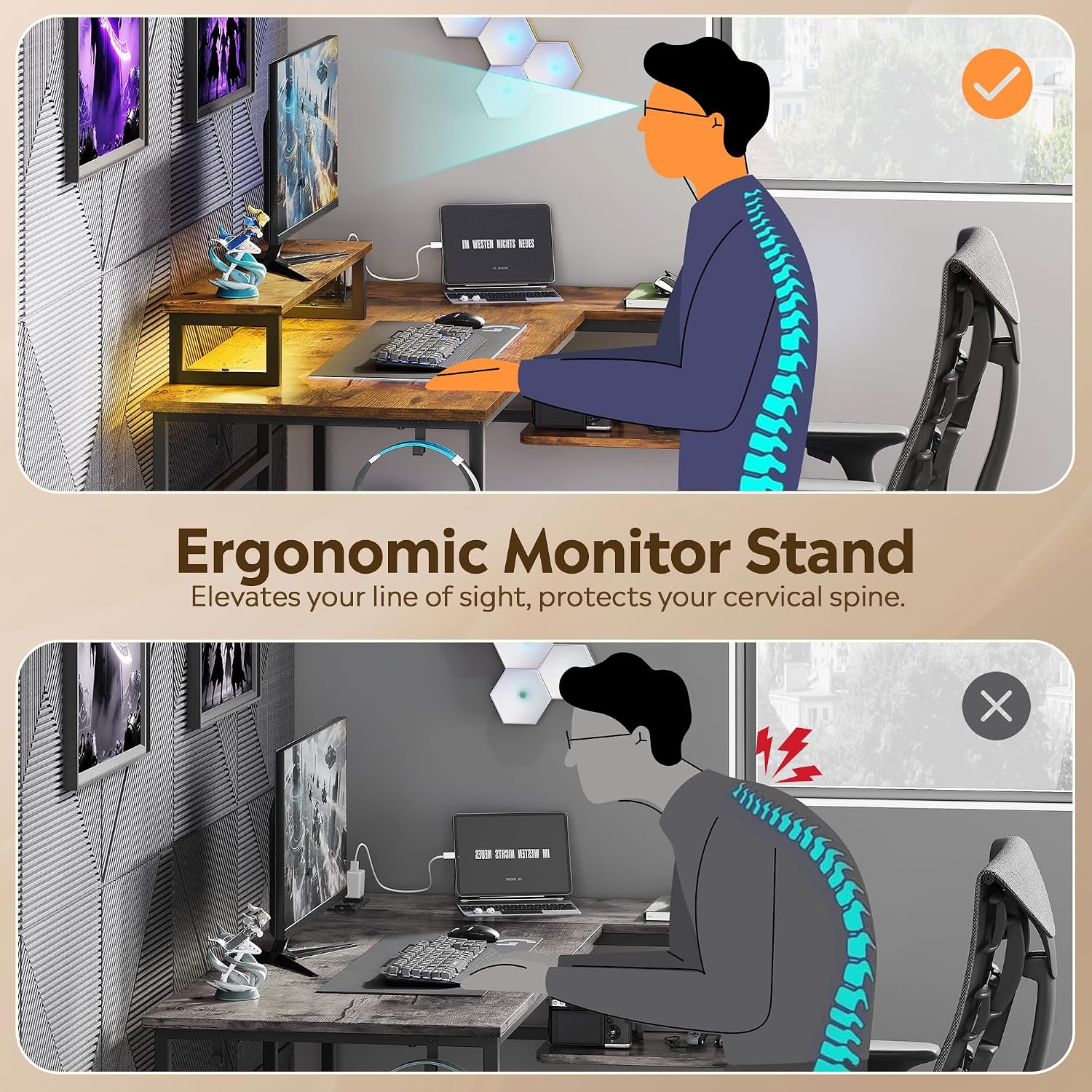
Image 5.3: Benefits of the ergonomic monitor stand for maintaining proper posture.
5.4. Storage and Features
The L-shaped design includes 2-tier under-desk shelves, ideal for storing your CPU, books, and other gear, keeping your workspace organized. The desk also features adjustable non-slip footpads for stability on uneven floors.

Image 5.4: Under-desk storage shelves for CPU and other items.

Image 5.5: Adjustable non-slip footpads for enhanced stability.
6. Maintenance and Care
To maintain the appearance and longevity of your desk, follow these care instructions:
- Wipe the desktop and metal frame with a soft, slightly damp cloth and dry immediately.
- Avoid using abrasive cleaners, as they can damage the laminated finish.
- Prevent prolonged exposure to moisture.
- Do not place hot items directly on the surface without protection.
- Keep the built-in power outlets and LED lights dry. Always unplug the desk before cleaning any electrical components.
7. Troubleshooting
If you encounter any issues with your DEVAISE L Shaped Gaming Desk, consider the following common solutions:
- Wobbling Desk: Ensure all screws are securely tightened. Adjust the non-slip footpads on the bottom of the desk legs to stabilize it on uneven surfaces.
- LED Lights Not Working: Check if the power cord for the LED lights is properly connected to the power source and the desk's control unit. Verify that the power outlet is functional. Refer to the LED light controller instructions for specific troubleshooting steps related to the app or physical controller.
- Power Outlets Not Functioning: Confirm the desk's main power cord is plugged into a live wall outlet. Check for any tripped circuit breakers. Ensure devices are properly plugged into the AC and USB ports.
- Missing Parts: If any parts are missing upon arrival, please contact DEVAISE customer support immediately with your purchase details.
8. Specifications
| Brand | DEVAISE |
| Model Number | AMGZ |
| Shape | L-Shape |
| Product Dimensions | 46.5"D x 59"W x 29.4"H |
| Color | Rustic Brown |
| Style | Modern |
| Top Material Type | Engineered Wood |
| Base Material | Engineered Wood, Metal |
| Finish Type | Laminated |
| Special Features | 2-tier Shelves, Built-In USB Outlet, Ergonomic, LED Light, Monitor Stand |
| Item Weight | 41.27 Pounds |
| Number Of Shelves | 2 |
| Maximum Weight Recommendation | 100 Pounds |
| Required Assembly | Yes |
| Included Components | Built-in Outlet |
9. Warranty and Support
This DEVAISE product comes with a Limited Warranty. For specific terms and conditions, please refer to the warranty card included in your package or visit the official DEVAISE website.
For technical support, missing parts, or any other inquiries, please contact DEVAISE customer service through the contact information provided in your product packaging or on the official DEVAISE website. Please have your model number (AMGZ) and purchase date ready when contacting support.

