
MERACH T19-Incline
Contents
MERACH T19-Incline Walking Pad Treadmill User Manual
Model: T19-Incline
Introduction
Thank you for choosing the MERACH T19-Incline Walking Pad Treadmill. This manual provides essential information for the safe and effective use of your new fitness equipment. Please read it thoroughly before operation and retain it for future reference.
Important Safety Instructions
To reduce the risk of serious injury, read all instructions before using this product. The manufacturer assumes no responsibility for personal injury or property damage sustained by or through the use of this product.
- Always place the walking pad on a flat, stable surface.
- Keep children and pets away from the equipment during operation.
- Ensure adequate clearance around the walking pad (at least 2 feet on all sides).
- Do not operate the walking pad if it has a damaged cord or plug, or if it is not working properly.
- Wear appropriate athletic footwear.
- Do not step on or off the walking pad while the belt is moving.
- The maximum user weight for this device is 300 lbs (136.08 kg).
- Unplug the walking pad from the power outlet when not in use or before cleaning/maintenance.
Package Contents
Verify that all components are present in the package:
- MERACH T19-Incline Walking Pad Treadmill
- Wireless Remote Control
- Power Cord
- User Manual (this document)
- Allen Key (for belt adjustment)
- Lubricant (for maintenance)
Setup Instructions
The MERACH T19-Incline Walking Pad Treadmill comes fully assembled. Follow these steps for initial setup:
- Unboxing: Carefully remove the walking pad from its packaging.
- Placement: Place the walking pad on a firm, level surface. Ensure there is sufficient space around the unit for safe operation. The slim profile allows for storage under a bed, sofa, or in a corner.
- Power Connection: Connect the power cord to the walking pad and then to a grounded electrical outlet.
- Remote Control: The remote control is pre-paired. Ensure the included batteries are inserted correctly.
- Initial Check: Before first use, ensure the running belt is centered and free from obstructions.

Image: The MERACH T19-Incline Walking Pad Treadmill, ready for use. Note the compact design and integrated LED display.
Operating Instructions
Powering On/Off
- To power on, locate the red power switch near the power port and flip it to the 'ON' position. The LED display will illuminate.
- To power off, flip the red power switch to the 'OFF' position.
Using the Remote Control
The wireless remote control allows you to adjust speed and switch modes.
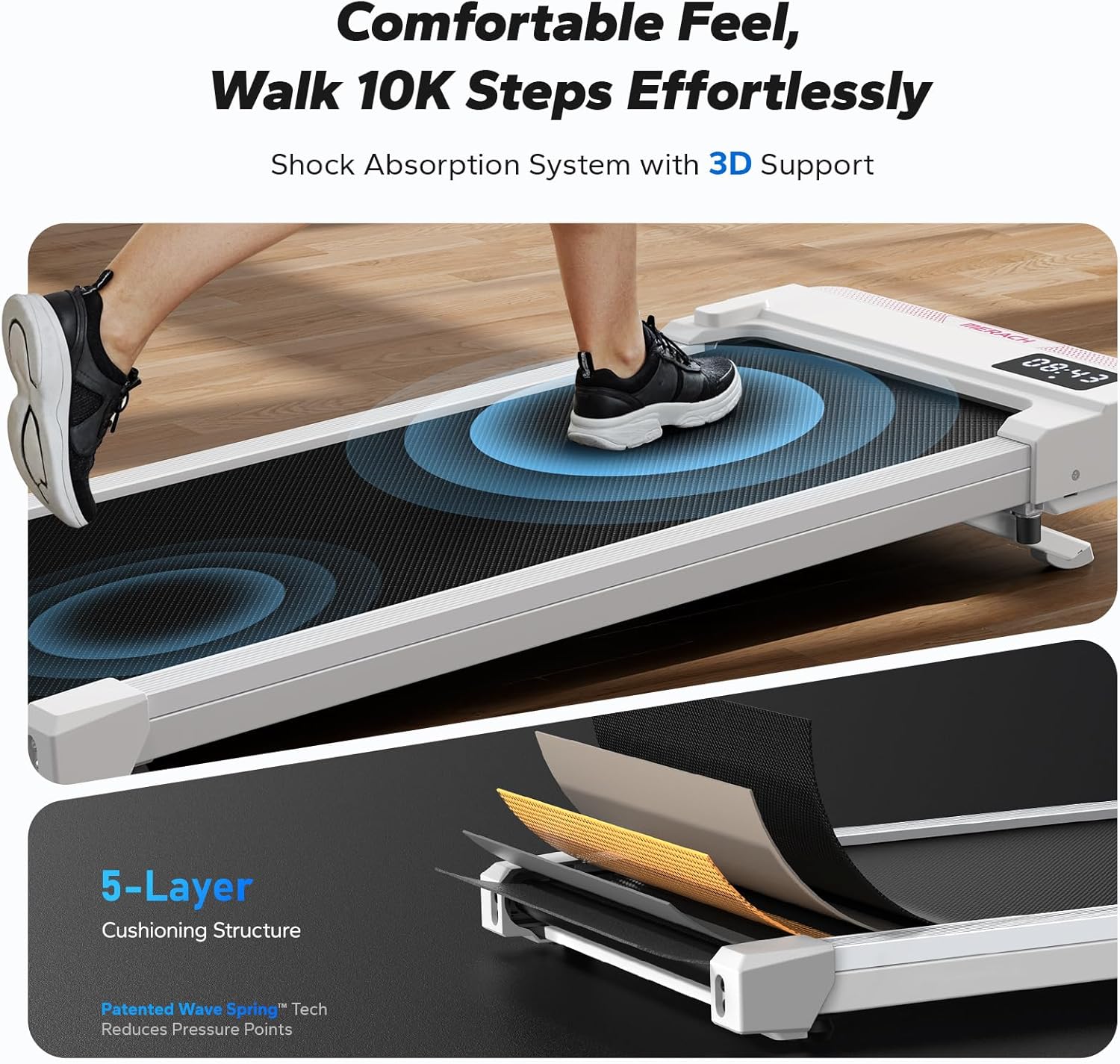
Image: The remote control for the MERACH Walking Pad, showing buttons for power, speed adjustment, and mode selection.
- Start/Stop: Press the play/pause button to start or stop the walking pad.
- Speed Adjustment: Use the '+' and '-' buttons to increase or decrease the speed. The speed range is 0.6 to 3.8 MPH.
- Mode Selection: Press the 'MODE' button to cycle through different display metrics (Time, Distance, Calories, Speed).
- Mute: Press the mute button to silence beeps.
Video: Demonstration of a walking pad in use, showing a user walking and adjusting settings with a remote control. This video illustrates the general operation and compact design of a walking pad.
Understanding the LED Display
The integrated LED display shows real-time workout data:
- Speed: Current walking/running speed (MPH).
- Distance: Total distance covered during the current session.
- Time: Duration of the current workout.
- Calories: Estimated calories burned.
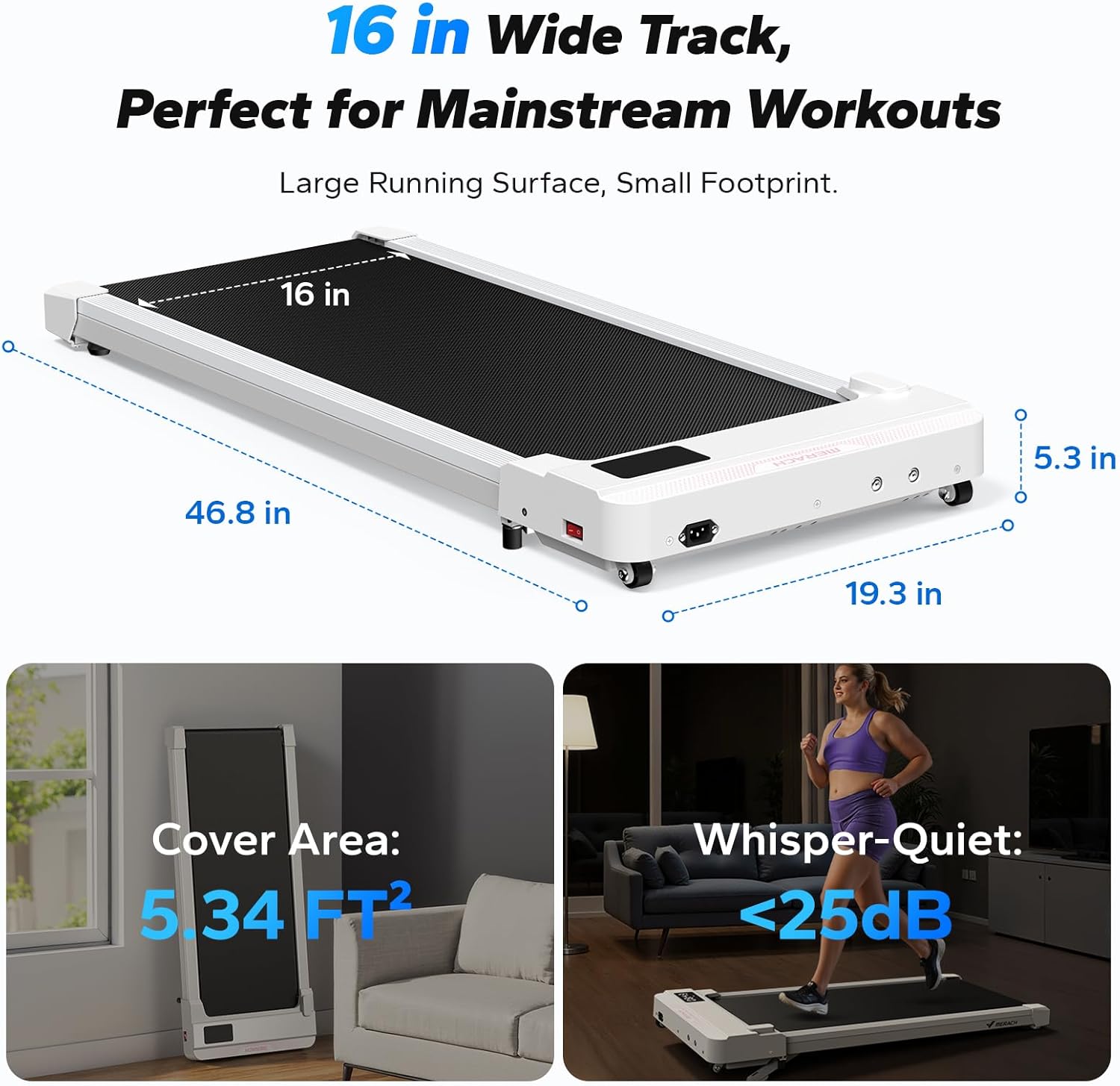
Image: Close-up of the MERACH Walking Pad's LED display showing workout metrics like time, distance, and calories.
MERACH App Connectivity
Enhance your workout experience by connecting to the MERACH fitness app via Bluetooth.
- Download the MERACH app from the App Store or Google Play.
- Enable Bluetooth on your mobile device.
- Open the MERACH app and follow the on-screen instructions to pair with your T19-Incline Walking Pad.
- The app provides access to personal trainer-led courses, tracks progress, and offers interactive features.

Image: Screenshot of the MERACH fitness app interface, displaying workout data and course options.
Incline Feature
The T19-Incline model features a fixed 5% incline to increase workout intensity and calorie expenditure.

Image: Diagram illustrating the 5% incline feature of the MERACH Walking Pad, highlighting its elevation.
Maintenance
Lubrication
Regular lubrication of the running belt is essential for optimal performance and longevity. Refer to the maintenance schedule in the included booklet, which is based on usage and user weight.
- Unplug the walking pad before applying lubricant.
- Lift the edge of the running belt and apply a small amount of the provided lubricant to the center of the deck.
- Run the walking pad at a low speed for a few minutes to distribute the lubricant evenly.
Belt Adjustment
If the running belt shifts to one side or slips, it may need adjustment. Use the provided Allen key.
- Centering the Belt: If the belt drifts to the left, turn the left adjustment bolt clockwise a quarter turn. If it drifts to the right, turn the right adjustment bolt clockwise a quarter turn. Run the walking pad at a low speed and observe. Repeat if necessary.
- Tightening the Belt: If the belt slips, turn both adjustment bolts clockwise a quarter turn simultaneously. Do not overtighten.
Cleaning
Wipe down the walking pad with a damp cloth after each use to remove sweat and dust. Do not use abrasive cleaners.
Troubleshooting
| Problem | Possible Cause | Solution |
|---|---|---|
| Walking pad does not power on. | Power cord not connected; Power switch off; Outlet issue. | Ensure power cord is securely plugged in. Flip the red power switch to 'ON'. Test the outlet with another device. |
| Belt stops or slips during use. | Belt too loose; Insufficient lubrication. | Adjust belt tension (see Maintenance). Apply lubricant to the running deck (see Maintenance). |
| Belt drifts to one side. | Belt alignment issue. | Adjust belt alignment using the Allen key (see Maintenance). |
| Remote control not responding. | Low batteries; Not paired; Power switch off. | Replace remote control batteries. Ensure the walking pad's main power switch is 'ON'. Re-pair if necessary (refer to specific pairing instructions in the full manual if provided). |
| App not connecting via Bluetooth. | Bluetooth off; App issue; Device too far. | Ensure Bluetooth is enabled on your device. Restart the app and walking pad. Move closer to the walking pad. |
Specifications
- Model: T19-Incline
- Motor: 3.0 HP Peak Power
- Speed Range: 0.6 - 3.8 MPH
- Incline: Fixed 5%
- Running Belt Dimensions: 16 x 37.4 inches (40.6 x 95 cm)
- Product Dimensions: 46.8 x 19.3 x 5.3 inches (118.9 x 49 x 13.5 cm)
- Item Weight: 17.69 kg (39 lbs)
- Maximum User Weight: 136.08 kg (300 lbs)
- Noise Level: <25 dB
- Material: Alloy Steel
- Connectivity: Bluetooth (for MERACH App)

Image: Visual representation of the MERACH Walking Pad's dimensions (46.8 in x 19.3 in x 5.3 in) and its quiet operation (<25dB).
Warranty and Support
MERACH provides a 1-year limited warranty for the T19-Incline Walking Pad Treadmill. For warranty claims, technical assistance, or customer support, please contact MERACH customer service through the retailer where the product was purchased or visit the official MERACH website.
Contact Information: Refer to your purchase documentation or the MERACH official website for the most up-to-date support contact details.
Documents and downloads
Ask a question about this manual
Ask about setup, troubleshooting, compatibility, parts, safety, or missing instructions. Manuals+ will review the question and use this page’s manual context to help answer it.