
Introduction
Thank you for choosing the OREiN Smart LED Motion Sensor Outdoor Floodlight. This manual provides essential information for the safe and efficient installation, operation, and maintenance of your new floodlight. Please read these instructions thoroughly before use and retain them for future reference.
Safety Information
- Always disconnect power before installation or servicing.
- Installation should be performed by a qualified electrician in accordance with local electrical codes.
- Do not attempt to modify the product. Any modifications may void the warranty and pose safety risks.
- Ensure the product is securely mounted to prevent it from falling.
- Avoid direct eye exposure to the light source when illuminated.
- This product is designed for outdoor use and is IP65 rated for water and dust resistance.
Package Contents
Verify that all components are present before beginning installation:
- OREiN Smart LED Motion Sensor Outdoor Floodlight
- Mounting Bracket
- Installation Screws and Wall Plugs
- User Manual
Product Overview
The OREiN Smart LED Motion Sensor Outdoor Floodlight features a 28W LED light source providing 3000 lumens of illumination. It includes an integrated motion sensor with a 180-degree detection angle and a range of up to 12 meters. The color temperature is adjustable from 2700K (warm white) to 6500K (cool white), and brightness is dimmable. Control is available via the free Aidot app (Bluetooth connectivity) or manual rotary buttons on the unit.

Figure 1: OREiN Smart LED Motion Sensor Outdoor Floodlight (Model Smart-Blanc).
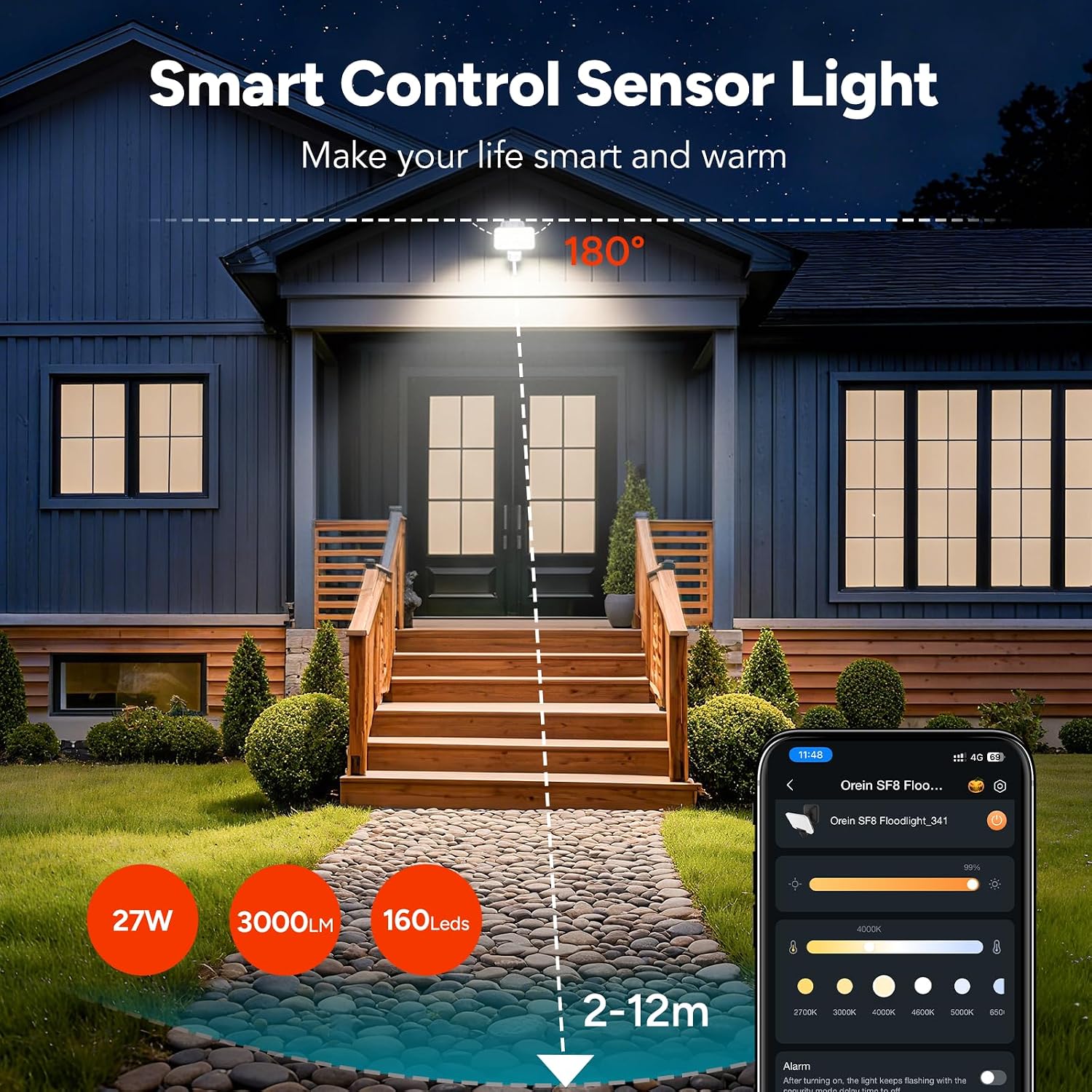
Figure 2: Overview of the floodlight's smart control and sensor capabilities, highlighting 27W power, 3000 lumens, 160 LEDs, and a 2-12m detection range with a 180-degree angle.
Setup
The OREiN Smart LED Motion Sensor Outdoor Floodlight is designed for improved installation. No assembly is required for the light unit itself.
Installation Steps:
- Choose Location: Select a suitable outdoor location for wall mounting. The recommended installation height is between 1.8 to 2.5 meters for optimal motion detection.
- Disconnect Power: Ensure the power supply to the installation area is turned off at the circuit breaker before proceeding.
- Mounting Bracket: Secure the mounting bracket to the wall using the provided screws and wall plugs. Ensure it is firmly attached.
- Wire Connection: Connect the electrical cable to the floodlight's wiring. Follow standard electrical wiring practices (Live, Neutral, Earth). Ensure all connections are secure and insulated.
- Attach Floodlight: Hang the floodlight unit onto the mounted bracket. Secure it in place with any provided fasteners.
- Restore Power: Once installation is complete and all connections are secure, restore power to the circuit.
Operating Instructions
The floodlight offers both manual and app-based control options.
Manual Control (Rotary Buttons):
On the back of the floodlight, there are three rotary buttons to adjust the infrared motion sensor settings:
- TIME: Adjusts the lighting duration after motion is detected.
- SENSE: Adjusts the motion detection distance (sensitivity).
- LUX: Adjusts the light sensitivity, determining at what ambient light level the sensor becomes active.
Switching Lighting Modes (Manual):
The floodlight supports three lighting modes, which can be cycled by a quick double-click of the manual control button (if present, or via the app):

Figure 3: Illustration of the three available lighting modes: Motion Mode, Light Mode, and Security Mode.
- Motion Mode: The light turns on in dark conditions when motion is detected.
- Light Mode: The light automatically turns on at dusk and off at dawn, providing continuous illumination.
- Security Mode: Provides instant visual alerts (flashing) for motion detected in the dark.
App Control (Aidot App)
The OREiN floodlight can be controlled via the free Aidot app, available for download on the App Store and Google Play. The app connects to the floodlight via Bluetooth, eliminating the need for a separate gateway or hub.
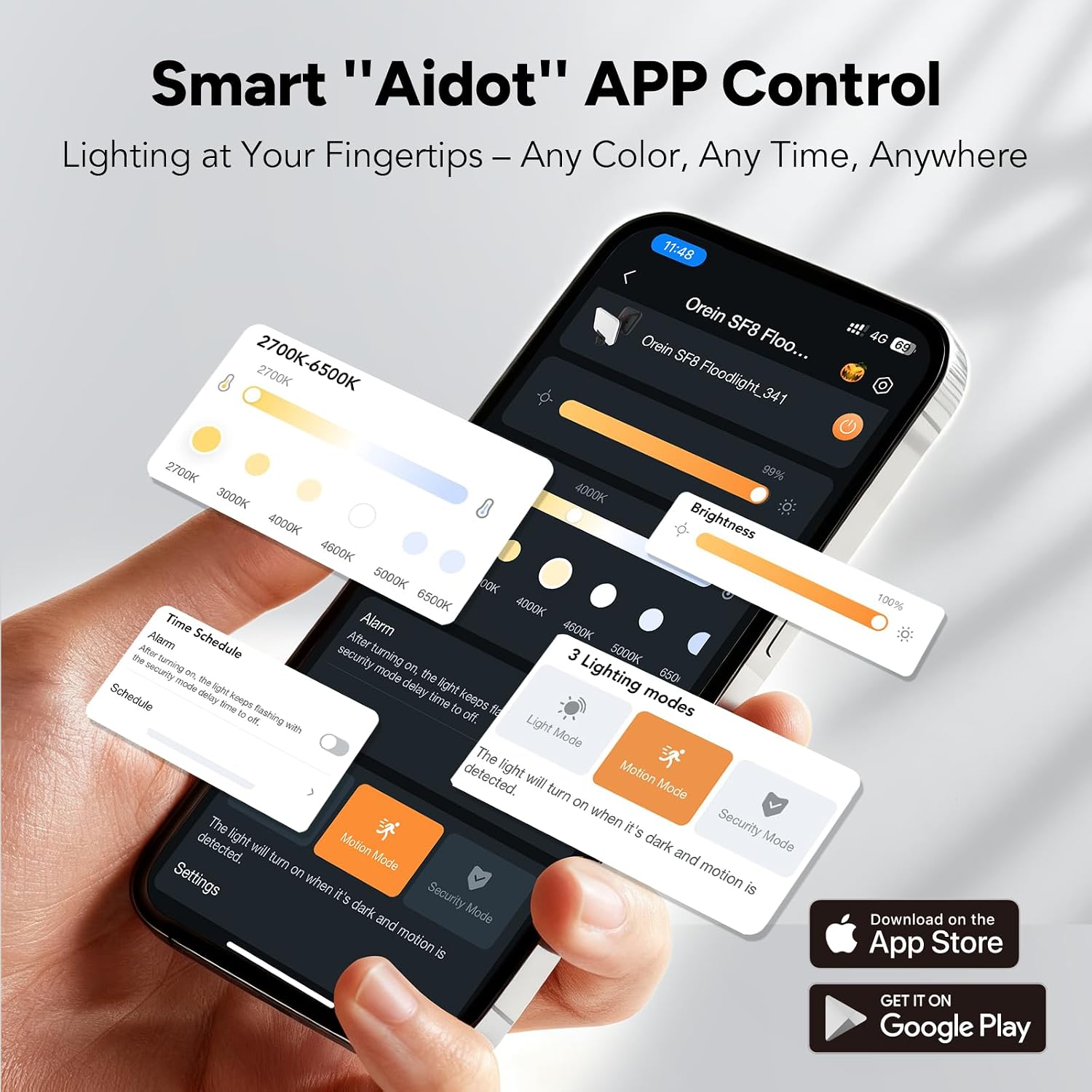
Figure 4: Aidot App interface showing controls for color temperature, brightness, and lighting modes.
App Features:
- On/Off Control: Remotely turn the light on or off.
- Brightness Adjustment: Adjust the light intensity (dimmable).
- Color Temperature Adjustment: Change the light color from warm white (2700K) to cool white (6500K).
- Lighting Mode Selection: Easily switch between Motion, Light, and Security modes.
- Smart Scheduling: Set custom schedules for the light to operate based on time or motion detection.
- Group Control: Control multiple OREiN smart floodlights simultaneously by adding them to the same group within the app. This allows for synchronized adjustments of illumination time, brightness, and lighting mode.

Figure 5: Example of group control, showing multiple floodlights linked for synchronized operation.
Connecting to the App:
- Download the "Aidot" app from your device's app store.
- Ensure Bluetooth is enabled on your smartphone.
- Power on the OREiN floodlight.
- Open the Aidot app and follow the on-screen instructions to add a new device. The app will detect nearby OREiN devices.
- Once connected, you can customize settings and control the light.
Smart Scheduling
The Aidot app allows you to create flexible schedules for your floodlight's operation. This feature enables you to automate lighting based on your preferences and security needs.
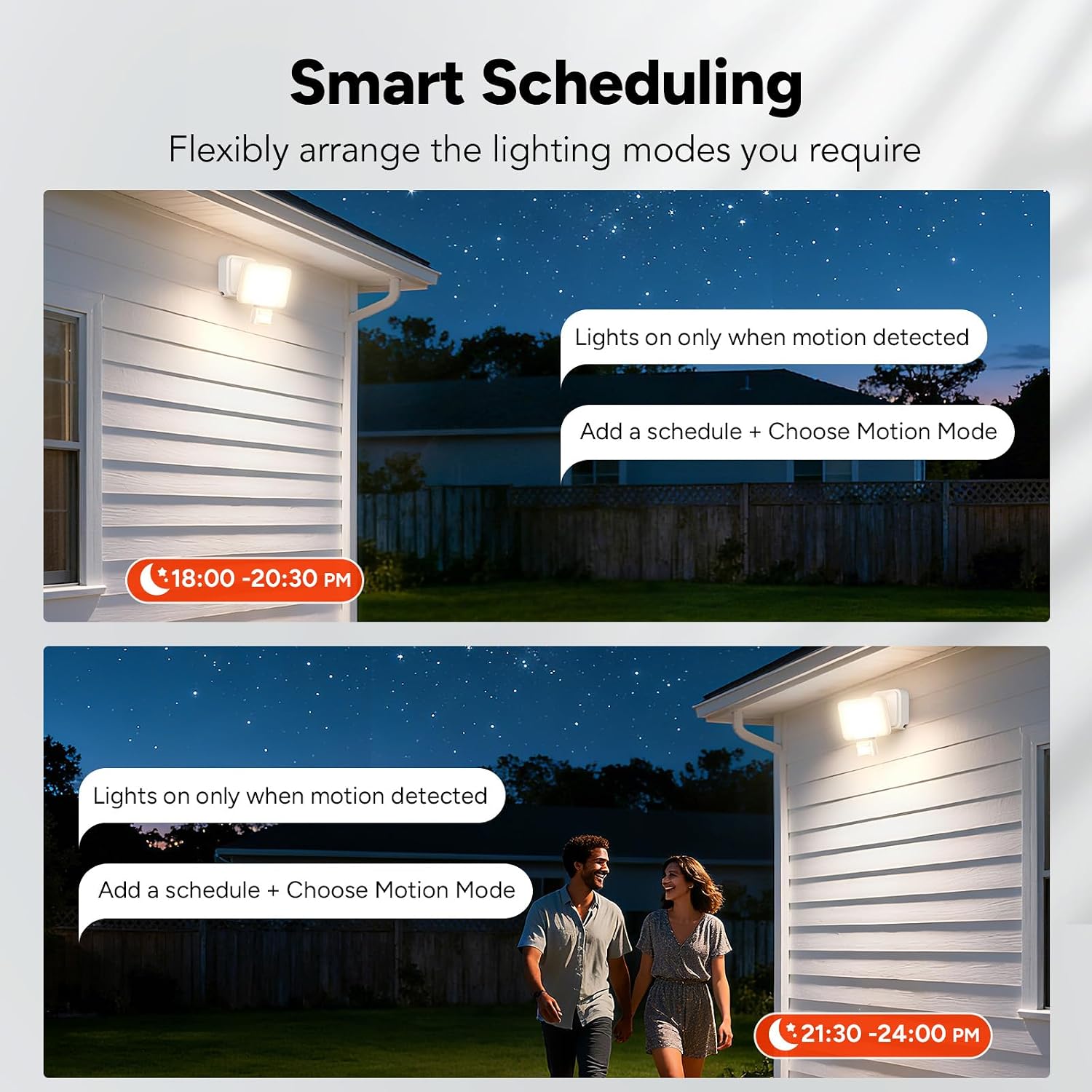
Figure 6: Examples of smart scheduling, setting lights to activate only when motion is detected during specific timeframes.
Setting a Schedule:
- Open the Aidot app and select your floodlight.
- Navigate to the "Schedule" or "Timer" section.
- Tap to add a new schedule.
- Set the desired start and end times for the schedule.
- Choose the lighting mode (e.g., Motion Mode) and other settings (brightness, color temperature) for that schedule.
- Save the schedule. The light will now operate according to your programmed settings.
Maintenance
The OREiN Smart LED Motion Sensor Outdoor Floodlight requires minimal maintenance. Regular cleaning and inspection will ensure optimal performance and longevity.
- Cleaning: Periodically clean the floodlight's surface with a soft, damp cloth. Do not use abrasive cleaners or solvents, as these can damage the finish or electronic components.
- Inspection: Regularly check the mounting and wiring for any signs of damage, corrosion, or loosening. Ensure the motion sensor lens is clear of obstructions (e.g., dirt, spiderwebs) to maintain detection accuracy.
- Power Disconnection: Always disconnect power before performing any cleaning or inspection.
Troubleshooting
| Problem | Possible Cause | Solution |
|---|---|---|
| Light does not turn on. | No power supply. Incorrect wiring. Light sensor setting (LUX) too high. | Check power connection and circuit breaker. Verify wiring connections. Adjust LUX setting to a lower sensitivity for darker conditions. |
| Light stays on continuously. | Continuous Light Mode selected. Motion sensor constantly triggered. TIME setting too long. | Switch to Motion Mode or Security Mode via app or manual control. Check for obstructions or constant movement in sensor's field of view. Reduce TIME setting. |
| Motion sensor not detecting. | SENSE setting too low. Obstruction on sensor lens. Installation height incorrect. | Increase SENSE setting. Clean the sensor lens. Ensure installation height is within 1.8-2.5 meters. |
| Cannot connect to Aidot app. | Bluetooth off. Light not powered on. App permissions not granted. | Ensure Bluetooth is enabled on your device. Verify the floodlight is powered on. Check app permissions in your phone settings. |
Specifications
- Brand: OREiN
- Model: Smart-Blanc
- Part Number: 1075225019
- Power Source: Corded Electric
- Voltage: 220 Volts
- Wattage: 28 Watts
- Luminous Flux: 3000 Lumens
- Light Source Type: LED
- Color Temperature: 2700K-6500K (Adjustable)
- Special Features: Adjustable Color Temperature, Dimmable, Motion Sensor, Waterproof
- Motion Sensor Detection Angle: 180 degrees
- Motion Sensor Detection Distance: Up to 12 meters (Adjustable)
- Control Method: App (Bluetooth), Manual Push Button
- Connectivity Protocol: Bluetooth
- Indoor/Outdoor Usage: Outdoor
- Water Resistance Level: IP65
- Material: Acrylonitrile Butadiene Styrene (ABS)
- Color: White
- Product Dimensions (L x W x H): 13 cm x 10 cm x 11 cm
- Operating Temperature: -20°C to 45°C
- Recommended Installation Height: 1.8 to 2.5 meters
- Assembly Required: No
Warranty and Support
For warranty information and technical support, please refer to the documentation included with your purchase or visit the official OREiN website. Keep your proof of purchase for warranty claims.

