
1. Product Overview
The NBCP PS5 Wired Controller is a high-performance gamepad designed for an immersive gaming experience across multiple platforms. Featuring advanced technologies like Hall Effect Triggers and dual vibration motors, it provides precise control and responsive feedback. Its durable wired connection ensures reliable, delay-free performance, making it suitable for competitive gaming.

Image: Front view of the NBCP PS5 Wired Controller in grey.
2. Key Features
- Enhanced Gaming Features: This controller includes Turbo burst functionality for rapid, continuous actions, Linear Hall-effect Triggers for precise input without stick drift, and customizable buttons for personalized gameplay.

Image: Illustration of the Turbo function, showing different speed settings (8/s, 12/s, 20/s).
- Multi-Platform Compatibility: Seamlessly compatible with PlayStation 5, PS5 Pro, PS5 Slim, PlayStation 4, and PC/Steam platforms. No additional drivers are needed for operation.

Image: Visual representation of the controller's wide compatibility across PS5, PS4, PC, Android, and Steam platforms.
- Immersive Gameplay: Experience lifelike sensations with dual vibration feedback and a built-in 6-axis gyroscope, enhancing immersion in action-packed games.
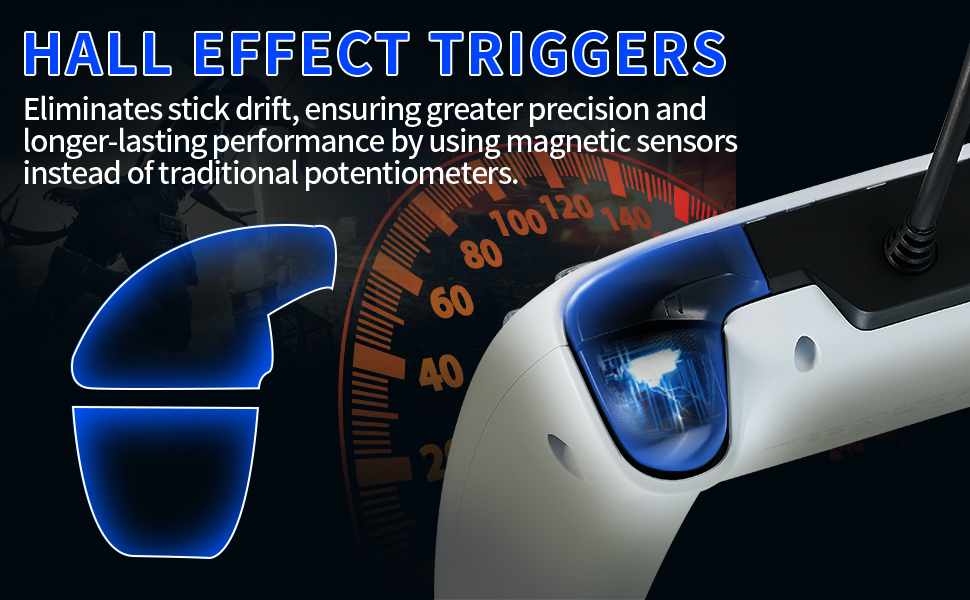
Image: Diagram showing the dual vibration motors within the controller and their effect.
- Durable Wired Connection: Comes with a 10ft (approximately 3-meter) USB cable, providing a stable, reliable, and delay-free connection, ideal for competitive gaming.
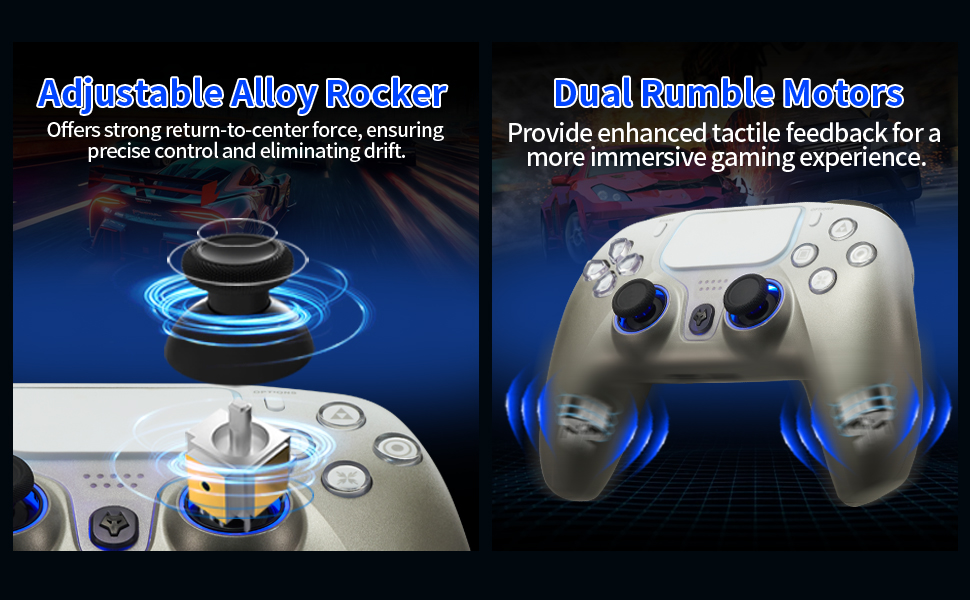
Image: Visuals highlighting the 9.8-foot USB cable and the 6-axis sensor.
- Audio Jack with Easy PS5 Setup: Features a built-in microphone and a 3.5mm audio jack for convenient in-game communication.
3. Setup Guide
3.1 Connecting the Controller
The NBCP PS5 Wired Controller connects directly to your gaming console or PC via the included 10ft USB cable. Simply plug the USB-A end into your device and the other end into the controller's port. The controller is plug-and-play, requiring no additional driver installation for most systems.
3.2 Enabling Audio on PS5
To enable audio through the 3.5mm headset jack on your PS5, follow these steps:
- Go to your PS5's Settings.
- Navigate to Accessories.
- Select Controller.
- Choose Communication Method.
- Select "Use USB Cable" to enable audio output via the 3.5mm jack.
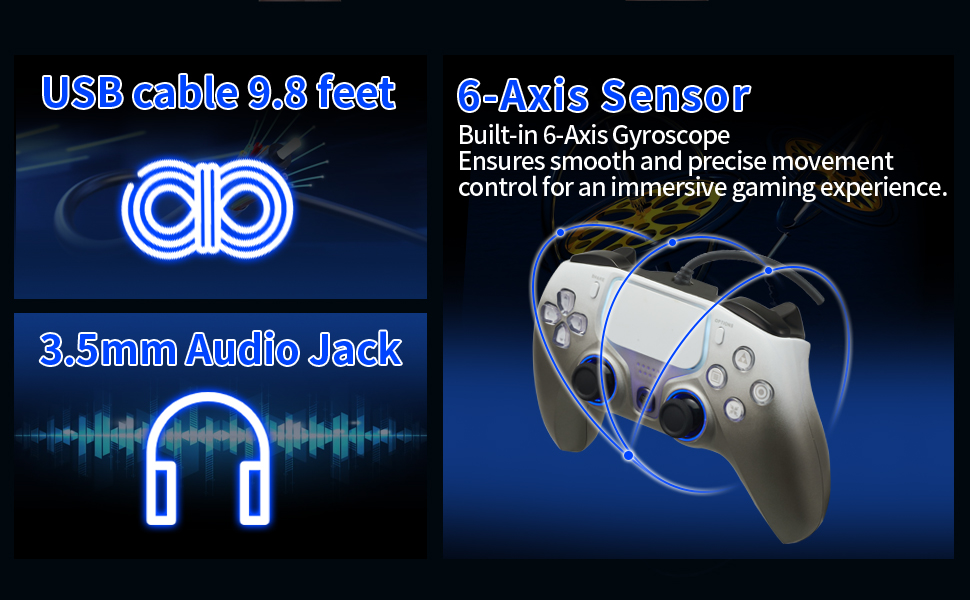
Image: Screenshot illustrating the PS5 menu navigation to enable headset audio via USB cable.
4. Operating Instructions
4.1 General Use
Once connected, the controller is ready for immediate use. Its ergonomic design ensures comfortable handling during extended gaming sessions. The responsive analog sticks provide precise control, and the one-click sharing function allows for easy content sharing.

Image: A user holding the NBCP controller, highlighting the responsive analog sticks and quick sharing feature.
4.2 Turbo Function
The Turbo function allows for rapid, continuous input of a button press. This can be activated for specific buttons to gain a competitive edge in fast-paced games. Refer to the controller's specific button mapping for Turbo activation and adjustment.

Image: Diagram explaining the Turbo functionality with different firing rates (8/s, 12/s, 20/s).
4.3 Hall Effect Triggers and Analog Sticks
The Linear Hall-effect Triggers and adjustable alloy rockers utilize magnetic sensors to eliminate stick drift, ensuring greater precision and longer-lasting performance compared to traditional potentiometers. This provides ultra-low latency and responsive gaming.

Image: Close-up view illustrating Hall Effect Technology and magnetic sensors in the triggers.

Image: Diagram showing the internal mechanism of the analog stick for drift-free performance.
4.4 Dual Vibration Motors
The integrated dual vibration motors provide precise rumble feedback, allowing you to feel every action in the game for a more immersive experience. Vibration intensity can typically be adjusted via your console's or PC's system settings.

Image: Visual representation of dual vibration motors and their intensity levels (0%, 30%, 70%, 100%).
5. Maintenance
To ensure the longevity and optimal performance of your NBCP PS5 Wired Controller, follow these maintenance guidelines:
- Keep the controller clean by wiping it with a soft, dry cloth. Avoid using harsh chemicals or abrasive materials.
- Store the controller in a cool, dry place away from direct sunlight and extreme temperatures.
- Avoid dropping the controller or subjecting it to strong impacts.
- Do not attempt to disassemble the controller, as this will void the warranty.
6. Troubleshooting
6.1 No Audio from Headset Jack
If you are not getting audio through the 3.5mm jack on your PS5, ensure that the communication method is set correctly. Go to PS5 Settings > Accessories > Controller > Communication Method and select "Use USB Cable".
6.2 Controller Not Responding
- Ensure the USB cable is securely connected to both the controller and your console/PC.
- Try connecting the controller to a different USB port on your device.
- If on PC, try restarting your computer.
- Verify that your console or PC's system software is up to date.
6.3 Buttons Sticking or Unresponsive
While the controller is designed for durability, if buttons become sticky or unresponsive, gently clean around the affected buttons with a soft, slightly damp cloth. Avoid forcing the buttons. If the issue persists, contact customer support.
6.4 Preventing Stick Drift
This controller features Hall Effect Technology designed to prevent stick drift. If you experience any unusual stick behavior, ensure the controller is clean and free from debris around the analog sticks. If issues persist, contact customer support.
7. Specifications
| Model Number | 736D-grey |
| Connectivity | Wired USB (10ft / 3m cable included) |
| Compatibility | PlayStation 5, PlayStation 4, PC, Steam |
| Special Features | Turbo burst, Linear Hall-effect Triggers, Dual Vibration, 6-axis Gyroscope, 3.5mm Audio Jack, Built-in Microphone |
| Polling Rate | 500Hz (for ultra-low latency) |
| Item Weight | 13.7 ounces |
| Package Dimensions | 6.65 x 4.61 x 3.23 inches |
8. Warranty and Support
NBCP is committed to delivering high-quality products and excellent customer service. We offer 24/7 service and step-by-step troubleshooting assistance for any issues you may encounter with your controller.
For support, please visit the official NBCP store or contact our customer service team through the platform where you purchased the product.
Note: Every NBCP controller is made from high-quality, RoHS-compliant materials and undergoes rigorous durability testing for long-lasting, safe performance.