
Introduction
This manual provides comprehensive instructions for the safe and efficient operation of your AnyTone AT-588Max VHF Mobile Ham Radio. Please read this manual thoroughly before using the device to ensure proper setup and functionality. This radio is designed for reliable communication in various mobile environments, including vehicles and off-road settings.
Package Contents
Upon unpacking, please verify that all items listed below are present and in good condition:
- AT-588MAX VHF Mobile Radio
- Microphone
- DC Power Cable with Fuse Holder
- User Manual
- Mobile Mounting Bracket
- Hardware Kit for Bracket

Image: Contents of the AnyTone AT-588Max package, including the radio unit, microphone, power cable, mounting bracket, and hardware.
Product Overview
Front Panel Controls
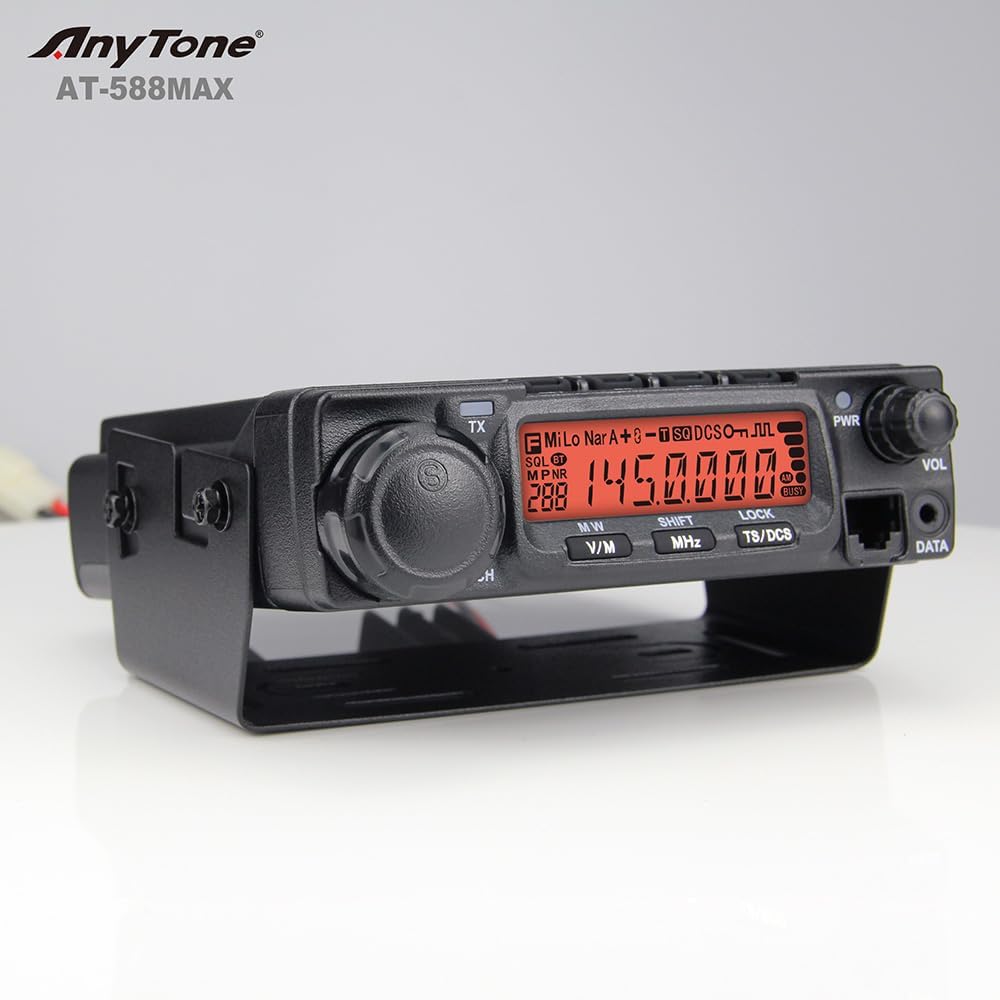
Image: Front view of the AnyTone AT-588Max radio, showing the display, tuning knob, volume knob, and function buttons.
- Display: Large, 32-level bright LCD for clear visibility of frequency, channel, and status indicators.
- Tuning Knob (CH): Used to select channels or adjust frequency.
- Volume Knob (VOL): Adjusts audio output level.
- Power Button (PWR): Turns the radio on or off.
- Function Buttons (FUN, CAL, SQL, POW): Access various settings and features.
- V/M Button: Toggles between VFO (Frequency) mode and Memory (Channel) mode.
- MHz Button (SHIFT): Used for frequency step adjustments or shift function.
- TS/DCS Button (LOCK): Toggles Tone Squelch/Digital Coded Squelch or locks the keypad.
- Data Port: For connecting external accessories or programming cable.
Rear Panel Connections

Image: Rear view of the AnyTone AT-588Max radio, showing the antenna connector, cooling fan, and power input.
- Antenna Connector (SO-239): Connects to your VHF antenna.
- Cooling Fan: Integrated fan for efficient heat dissipation during operation.
- DC Power Input: Connects to the provided DC power cable.
- External Speaker Jack: For connecting an optional external speaker.
Microphone Controls

Image: The microphone for the AnyTone AT-588Max, featuring a numeric keypad and function buttons.
- Numeric Keypad: For direct frequency entry and accessing menu functions.
- Up/Down Buttons: For navigating menus and adjusting frequencies/channels.
- PTT (Push-To-Talk) Button: Activates transmission.
- Function (FUNC) Button: Accesses secondary functions of keys.
- Lock/DTMF Switch: Locks the keypad or enables DTMF tones.
Setup
Mounting the Radio
The AT-588Max is designed for mobile installation. Use the provided mounting bracket and hardware to secure the radio in a stable location within your vehicle. Ensure the location allows for adequate ventilation around the cooling fan and easy access to controls.
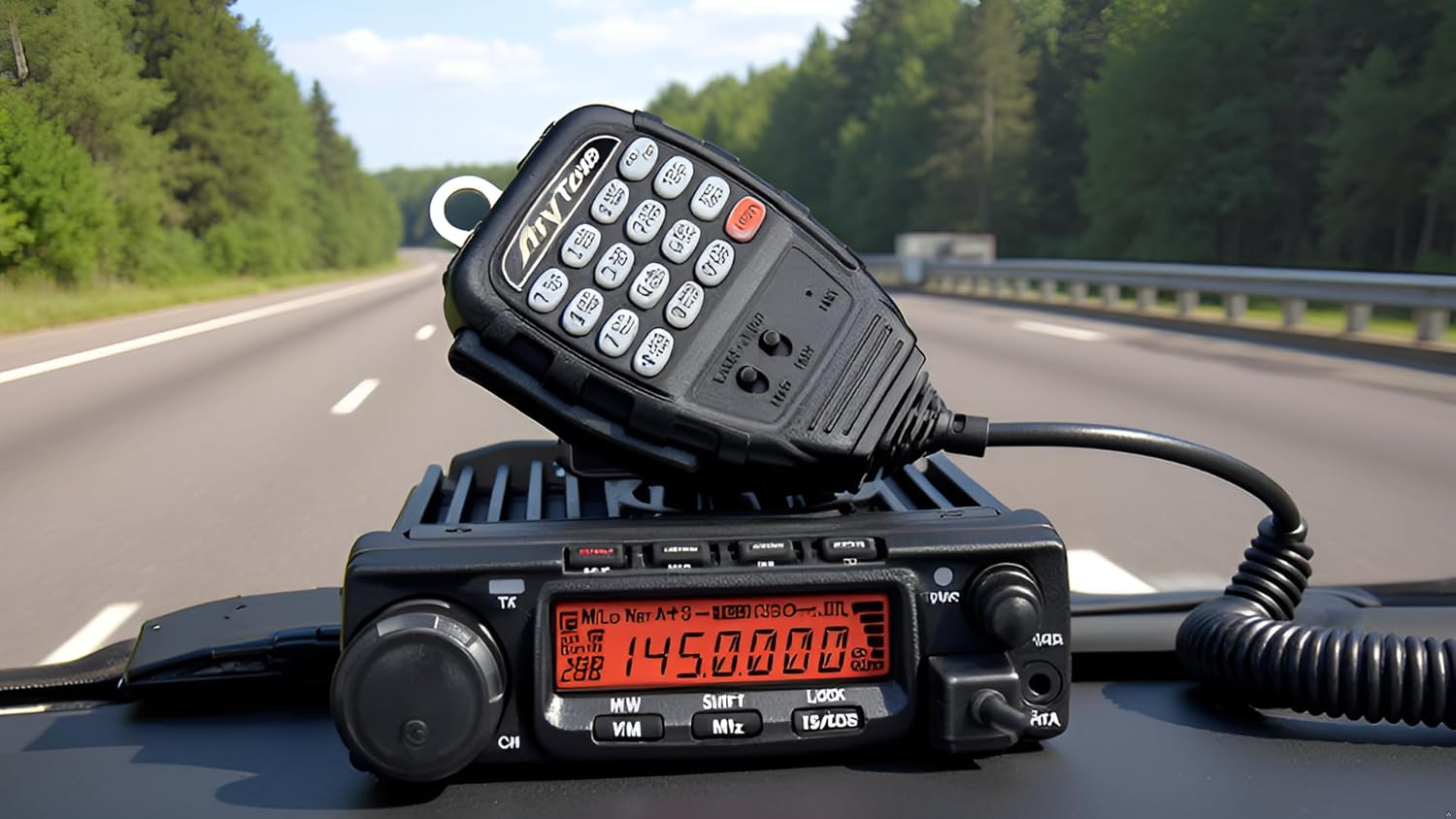
Image: The AnyTone AT-588Max radio mounted in a vehicle dashboard, demonstrating a typical installation.
Power Connection
- Connect the DC power cable to the radio's power input jack.
- Connect the red wire to the positive (+) terminal of your vehicle's 13.8V DC power source and the black wire to the negative (-) terminal. Ensure the connection is secure and fused appropriately.
Antenna Connection
Connect a suitable VHF antenna (144-148MHz) to the SO-239 connector on the rear of the radio. Ensure the antenna is properly tuned for the operating frequency range to prevent damage to the transceiver.
Operating Instructions
Power On/Off
Press and hold the PWR button on the front panel to turn the radio on or off.
Volume Adjustment
Rotate the VOL knob on the front panel clockwise to increase volume and counter-clockwise to decrease it.
Frequency Tuning and Channel Selection
- VFO Mode (Frequency Mode): Press the V/M button to enter VFO mode. Rotate the CH knob to tune the frequency. Use the MHz button for larger frequency steps.
- Memory Mode (Channel Mode): Press the V/M button to enter Memory mode. Rotate the CH knob to select a programmed channel.
Transmit and Receive (PTT)
To transmit, press and hold the PTT button on the microphone. Speak clearly into the microphone. Release the PTT button to return to receive mode.
AI Noise Cancelling
The AT-588Max features AI noise cancellation for both transmit (TX) and receive (RX) audio, enhancing clarity in noisy environments. Refer to the full user manual for specific instructions on activating and adjusting noise cancellation levels.
Video: Demonstration of the AnyTone AT-588Max mobile ham radio, highlighting its features including AI noise cancellation.
Video: A short preview demonstrating the AI noise reduction feature on the AnyTone AT-588Max, showing its effectiveness in reducing background noise during transmission and reception.
Air Band Receive
The radio supports Air Band (AM) reception, allowing monitoring of aircraft communications. Consult the full manual for instructions on how to access and tune to air band frequencies.
Video: Detailed demonstration of the 2-meter mobile ham radio, including its air band receive capabilities and various operational settings.
Custom Programming
The AT-588Max supports PC programming for advanced frequency control and customization of channels and settings. Programming software and detailed instructions are available in the dedicated programming section of the full installation manual.
Maintenance
- Cleaning: Use a soft, dry cloth to clean the radio's exterior. Avoid using harsh chemicals or abrasive cleaners.
- Ventilation: Ensure the cooling fan and heat sinks are free from dust and obstructions to maintain optimal performance.
- Connections: Periodically check all cable connections (power, antenna, microphone) for tightness and signs of wear.
Troubleshooting
If you encounter issues with your AT-588Max, refer to the following common troubleshooting steps:
- No Power: Check the power cable connection and the fuse in the DC power cable. Ensure the vehicle's power source is active.
- No Audio: Verify the volume knob is turned up. Check external speaker connection if used.
- Cannot Transmit/Receive: Ensure the antenna is properly connected. Check the frequency and channel settings. Verify that the PTT button is functioning correctly.
- Poor Audio Quality: Adjust the AI noise cancellation settings. Check microphone connection.
For more detailed troubleshooting or persistent issues, please contact AnyTone customer support.
Specifications
| Feature | Specification |
|---|---|
| Output Power | 70W (High) / 25W (Mid) / 10W (Low) |
| Number of Channels | 510 |
| Frequency Range | Amateur Radio Operation: 144–148MHz (VHF) |
| Special Features | Digital Display, Long Range, AI Noise Reduction, Air Band RX, Voice Scrambling, Group Alerts, Remote Wake/Kill |
| Voltage | 13.8 Volts DC ±15% |
| Product Dimensions | 5.5"D x 7.4"W x 1.61"H |
| Item Weight | 2.21 pounds (35.3 ounces) |
| Water Resistance Level | Not Water Resistant |
Warranty and Support
Your AnyTone AT-588Max comes with an 18-Month Warranty. For warranty claims, technical support, or any questions regarding your product, please contact AnyTone customer service. Keep your purchase receipt as proof of purchase.


