
1. Introduction
The SONA Mobion Air Purifier is a compact, ionic air freshener designed to improve air quality in small spaces. Utilizing advanced ion emission technology, this device operates without traditional filters, providing a quiet, chemical-free, and energy-efficient solution for your home, office, or travel needs. This manual provides essential information for the safe and effective use of your air purifier.
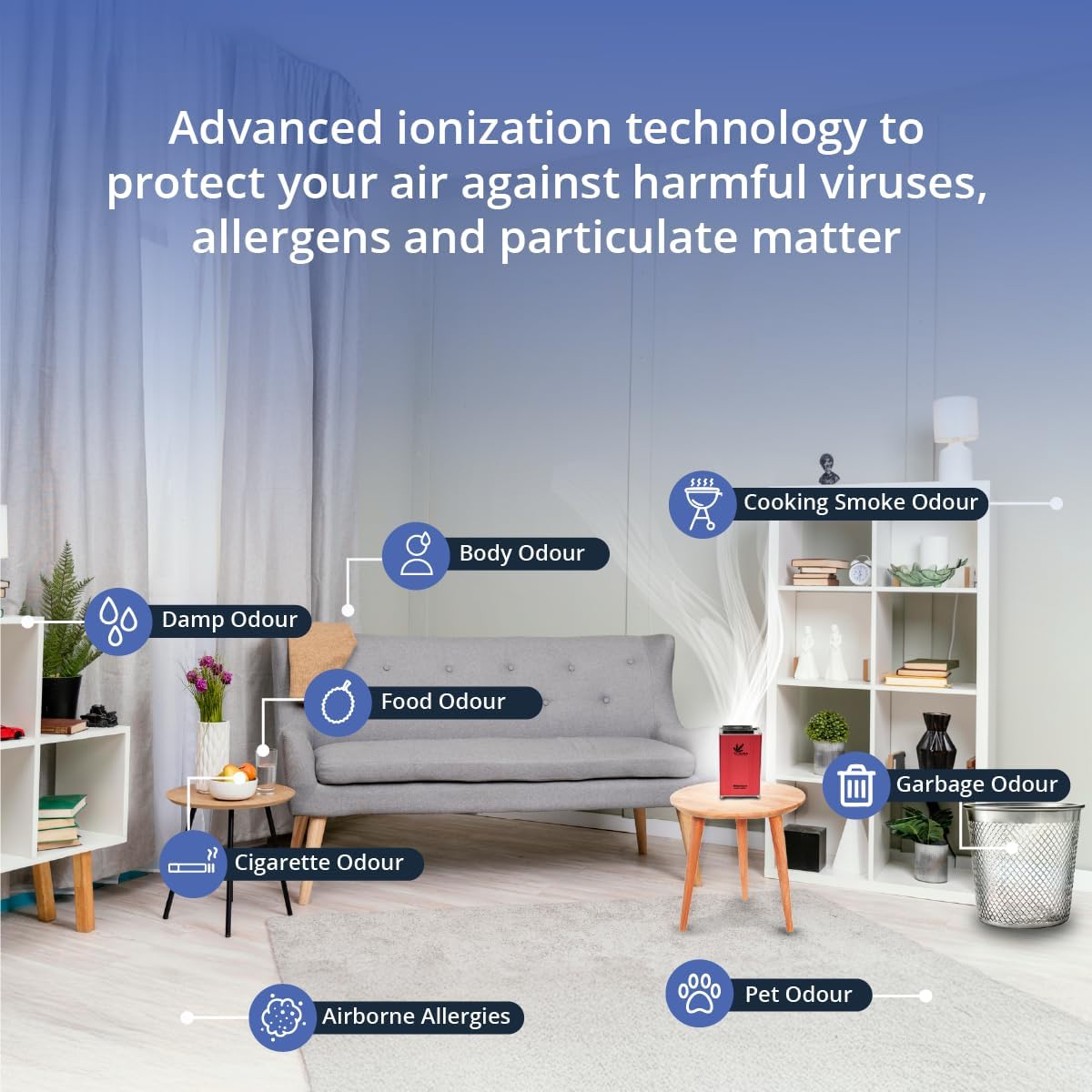
Image 1.1: The SONA Mobion Air Purifier in Red, showcasing its compact design.
2. Product Features
The SONA Mobion Air Purifier offers several key features:
- Ionic Air Freshening Technology: Enhances air freshness through advanced ion emission, eliminating the need for traditional filters, sprays, or replacements for primary purification.
- Compact & Travel-Friendly: Its mini and lightweight design allows for easy placement in small spaces such as bedrooms, desktops, bathrooms, or for convenient travel.
- Chemical-Free Operation: Promotes a more comfortable environment by avoiding harsh chemicals, making it suitable for households with children and pets.
- Quiet & Low Power Use: Operates with whisper-quiet sound levels (30 dB) and consumes only 12W of power, making it more energy-efficient than a standard lightbulb.
- Modern & Durable Design: Constructed with a stainless steel housing for long-lasting use and a sleek, contemporary aesthetic.

Image 2.1: Illustration of the air purifier's advanced ionization targeting viruses, particles, and allergens within an applicable area of 300 sq ft.
3. Safety Information
Please read and understand all safety instructions before operating the SONA Mobion Air Purifier to prevent injury or damage.
- Always place the unit on a stable, flat surface.
- Do not immerse the unit in water or any other liquid.
- Keep the unit away from direct heat sources, open flames, and flammable materials.
- Ensure that the air intake and outlet vents are not blocked during operation.
- Use only the AC power adapter provided with the unit. Using unauthorized adapters may cause damage or fire.
- Unplug the unit from the power outlet before cleaning or performing any maintenance.
- This appliance is not intended for use by persons (including children) with reduced physical, sensory, or mental capabilities, or lack of experience and knowledge, unless they have been given supervision or instruction concerning use of the appliance by a person responsible for their safety.
- Do not attempt to repair or modify the unit yourself. Contact qualified service personnel for any repairs.
4. Package Contents
Carefully unpack your SONA Mobion Air Purifier and check that all items are present:
- SONA Mobion Air Purifier Unit
- AC Power Adapter
- 2 Tribo Replacement Filters (Pre-filters)
- User Manual and Warranty Registration Card
5. Setup
Follow these steps to set up your air purifier:
- Unpack: Remove the air purifier and all accessories from the packaging.
- Placement: Place the SONA Mobion Air Purifier on a firm, level surface in the desired location. Ensure there is adequate space around the unit for proper air circulation. It is suitable for small rooms, desktops, bathrooms, or for use during travel.
- Connect Power: Insert the small end of the AC power adapter into the power input port on the air purifier. Plug the other end of the adapter into a standard electrical wall outlet.
- Power On: Once plugged in, the unit will typically power on automatically, indicated by an LED light, signifying active purification.

Image 5.1: The SONA Mobion Air Purifier shown in different environments such as a hotel, kitchen, office, workplace, travel, and home, illustrating its versatility.
6. Operating Instructions
The SONA Mobion Air Purifier is designed for simple operation.
- Power On/Off: The unit is controlled by a push button. Press the button once to turn the unit on. Press it again to turn the unit off.
- Operation Indicator: A built-in LED light will illuminate when the air purifier is actively purifying the air.
- Continuous Use: For optimal air freshness, the unit can be operated continuously. Its low power consumption and quiet operation make it suitable for extended use.
7. Maintenance
While the SONA Mobion Air Purifier uses filterless ionic technology for primary purification, it includes Tribo-charge enhanced hybrid pre-filters to capture larger particles. Regular maintenance of these pre-filters ensures optimal performance.
7.1 Cleaning the Unit
- Exterior Cleaning: Wipe the exterior surface of the air purifier with a soft, dry cloth. Do not use abrasive cleaners, waxes, or solvents.
- Air Vents: Use a soft brush or a vacuum cleaner with a brush attachment to gently clean any dust from the air intake and outlet vents.
7.2 Pre-Filter Maintenance
The Tribo-charge enhanced hybrid pre-filters should be cleaned periodically, depending on air quality and usage. It is recommended to check them monthly.
- Power Off and Unplug: Before accessing the pre-filters, ensure the unit is turned off and unplugged from the power outlet.
- Access Pre-filters: Refer to the unit's design to locate and carefully remove the pre-filters. (Specific instructions for accessing pre-filters may vary by unit design; consult visual guides if available.)
- Clean Pre-filters: Gently tap the pre-filters to dislodge loose dust. For a more thorough cleaning, you may use a soft brush or a vacuum cleaner with a brush attachment. Do not wash the pre-filters with water unless explicitly stated in specific product documentation.
- Reinstall: Once clean and dry, carefully reinsert the pre-filters into their designated slots.
- Power On: Plug the unit back in and turn it on.
8. Troubleshooting
If you encounter any issues with your SONA Mobion Air Purifier, please refer to the following table:
| Problem | Possible Cause | Solution |
|---|---|---|
| Unit does not turn on. | No power supply. | Ensure the power adapter is securely plugged into both the unit and a working wall outlet. Check if the outlet has power. |
| Reduced air purification effectiveness. | Blocked air vents or dirty pre-filters. | Check that air intake and outlet vents are not obstructed. Clean the Tribo-charge enhanced hybrid pre-filters as described in Section 7.2. |
| Unusual noise during operation. | Obstruction in fan or loose component. | Unplug the unit and inspect the fan area for any foreign objects. If the noise persists, discontinue use and contact customer support. |
9. Specifications
Detailed specifications for the SONA Mobion Air Purifier (Model MOB-XX-1024):
- Product Dimensions: 3.75 x 3 x 5.5 inches (D x W x H)
- Item Weight: 1 Pound (16 ounces)
- Item Model Number: MOB-XX-1024
- Power Source: Electric (12V DC)
- Control Method: Push Button
- Filter Type: Tribo-charge enhanced hybrid pre-filter (for particle capture)
- Brand Name: TV Technologies LLC
- UPC: 198715177930
- Sound Level: 30 dB (Quiet Operation)
- Applicable Area: Up to 300 sq ft

Image 9.1: Visual representation of the SONA Mobion Air Purifier's dimensions (5.5 in Depth, 2.9 in Height, 3.5 in Width) and key specifications like 12 VDC power, energy efficiency, and 30 dB quiet operation.
10. Warranty and Support
For warranty information and customer support, please refer to the warranty registration card included with your SONA Mobion Air Purifier. You may also contact TV Technologies LLC directly for assistance with product inquiries, troubleshooting, or service requests.
Manufacturer: TV Technologies LLC