1. Introduction
This manual provides detailed instructions for the proper use and maintenance of your Life Like 895B In-Ear Earbuds. Please read this manual thoroughly before using the product to ensure optimal performance and longevity.
The Life Like 895B earbuds feature True Wireless Stereo (TWS) technology, Bluetooth 5.3 connectivity, and a comfortable in-ear design, suitable for various activities including music listening and calls.
2. Package Contents
Verify that all items are present in your package:
- Life Like 895B In-Ear Earbuds (Left and Right)
- Charging Case
- USB Type-C Charging Cable
- User Manual
- Ear Tips (various sizes)
Note: The product specifications mention "Headband" as an included component, but for in-ear earbuds, this typically refers to ear tips or a neckband for some models. For the 895B in-ear earbuds, ear tips are the relevant accessory.
3. Product Overview
Familiarize yourself with the components of your Life Like 895B earbuds.
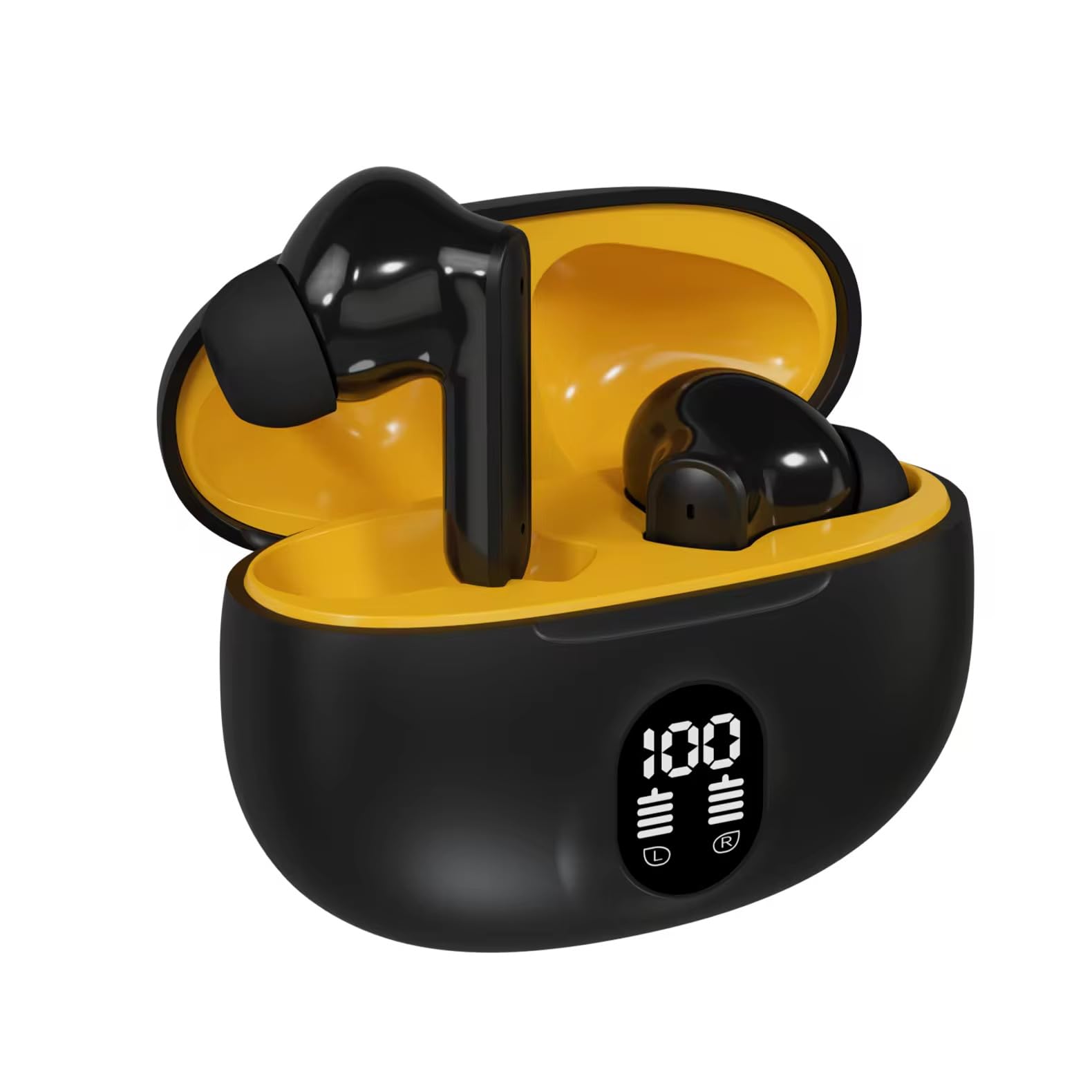
Figure 3.1: Life Like 895B Earbuds and Charging Case. This image shows one earbud removed from the open charging case, displaying the earbud's design and the charging contacts within the case.

Figure 3.2: Life Like 895B Earbuds in Open Charging Case. Both earbuds are seated inside the open charging case, illustrating their storage and charging position. The case features a digital display indicating battery level.
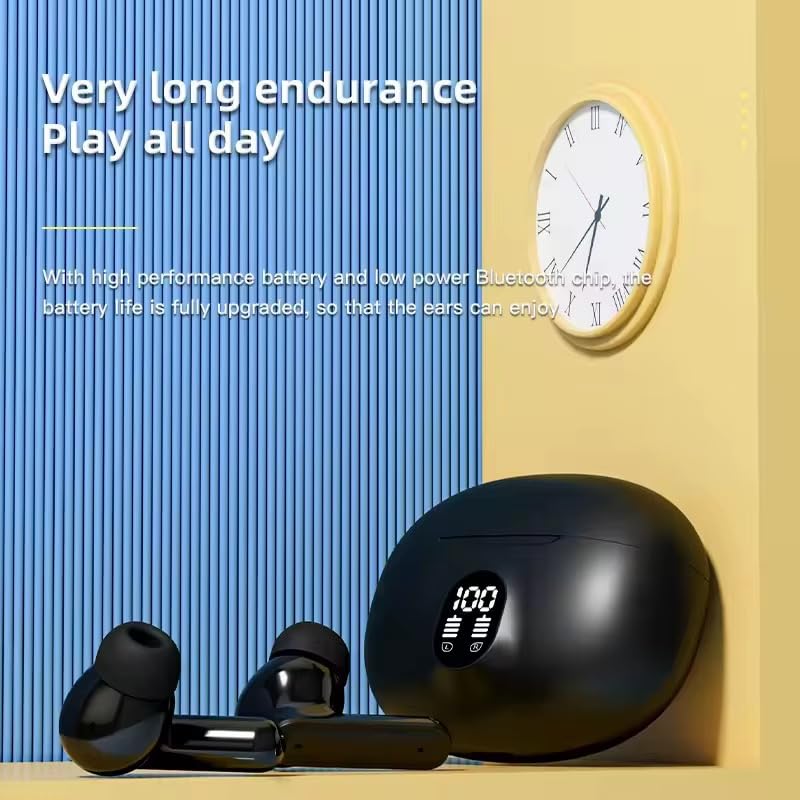
Figure 3.3: Life Like 895B Earbuds and Closed Charging Case. This image displays the earbuds placed next to the closed charging case, providing a view of the individual earbud design and the compact nature of the charging case.
Earbud Components:
- Touch Control Area: For managing playback, calls, and other functions.
- Microphone: For voice calls and commands.
- Ear Tip: Ensures a secure and comfortable fit.
- Charging Contacts: For charging the earbuds within the case.
Charging Case Components:
- Earbud Charging Slots: Holds and charges the earbuds.
- Digital Display: Shows battery percentage of the charging case and charging status of individual earbuds.
- USB Type-C Port: For charging the case.
4. Setup
4.1. Charging the Earbuds and Case
- Initial Charge: Before first use, fully charge both the earbuds and the charging case.
- Charging the Earbuds: Place the earbuds into their respective slots in the charging case. Ensure the charging contacts align. The digital display on the case will indicate charging status for each earbud.
- Charging the Case: Connect the provided USB Type-C cable to the charging port on the case and the other end to a USB power adapter (not included) or a computer's USB port. The digital display will show the case's battery percentage increasing.
- Full Charge Indication: The display will show 100% when the case is fully charged. Earbuds will stop displaying charging indicators when fully charged.
4.2. Pairing with a Device
- Power On: Open the charging case. The earbuds will automatically power on and enter pairing mode. You may see an indicator light flashing on one or both earbuds.
- Activate Bluetooth: On your smartphone, tablet, or other Bluetooth-enabled device, go to the Bluetooth settings and turn on Bluetooth.
- Select Device: In the list of available Bluetooth devices, look for "Life Like 895B" or a similar name. Select it to connect.
- Confirmation: Once successfully paired, the earbuds will typically provide an audio prompt (e.g., "Connected") and the indicator lights will stop flashing or turn off.
- Automatic Reconnection: After initial pairing, the earbuds will automatically connect to the last paired device when removed from the case, provided Bluetooth is active on the device.
5. Operating Instructions
The Life Like 895B earbuds feature touch controls for various functions.
5.1. Basic Touch Controls
| Action | Function |
|---|---|
| Single Tap (Left/Right Earbud) | Play/Pause Music, Answer/End Call |
| Double Tap (Right Earbud) | Next Track |
| Double Tap (Left Earbud) | Previous Track |
| Triple Tap (Left/Right Earbud) | Activate Voice Assistant (Siri, Google Assistant) |
| Long Press (2 seconds) (Left/Right Earbud) | Reject Incoming Call |
| Long Press (3 seconds) (Left/Right Earbud) | Power On/Off (when not in case) |
5.2. Transparency Mode
The earbuds feature a Transparency Mode to allow ambient sounds to pass through, enhancing awareness of your surroundings. Refer to the product's specific instructions for activating and deactivating this mode, as it typically involves a specific touch gesture (e.g., a long press or multiple taps).
6. Maintenance
Proper maintenance ensures the longevity and performance of your earbuds.
- Cleaning: Regularly clean the earbuds and charging case with a soft, dry, lint-free cloth. Do not use harsh chemicals or abrasive materials.
- Ear Tips: Remove ear tips periodically and clean them with mild soap and water. Ensure they are completely dry before reattaching.
- Charging Contacts: Gently clean the charging contacts on both the earbuds and inside the case with a dry cotton swab to ensure good connection.
- Storage: When not in use, store the earbuds in their charging case to protect them from dust and damage.
- Avoid Water: The earbuds are not water resistant. Avoid exposure to water, rain, or excessive moisture.
- Temperature: Do not expose the earbuds or case to extreme temperatures (hot or cold).
7. Troubleshooting
If you encounter issues with your Life Like 895B earbuds, try the following solutions:
| Problem | Solution |
|---|---|
| Earbuds not pairing/connecting |
|
| Only one earbud working |
|
| No sound or low volume |
|
| Charging case not charging |
|
8. Specifications
| Feature | Detail |
|---|---|
| Model | 895B |
| Connectivity Technology | Wireless (Bluetooth) |
| Bluetooth Version | 5.0 (Note: Product title mentions 5.3, but specifications list 5.0. Please refer to product packaging for the most accurate version.) |
| Ear Placement | In Ear |
| Control Method | Touch |
| Special Features | Fast Charging, Sweatproof |
| Audio Driver Type | Dynamic Driver |
| Item Weight | 190 g |
| Product Dimensions | 10 x 12 x 7 cm |
| Material | Rubber |
| Water Resistance Level | Not Water Resistant |
| Compatible Devices | Smartphones, Tablets, Laptops, Desktops |
9. Warranty and Support
Your Life Like 895B In-Ear Earbuds come with a 3-month warranty from the date of purchase. This warranty covers manufacturing defects under normal use.
For warranty claims, technical support, or any inquiries regarding your product, please contact Life Like customer service through the retailer where the product was purchased or visit the official Life Like website for support contact information.
Please retain your proof of purchase for warranty validation.


