
Introduction
Thank you for choosing the HOGOKIDS City Airplane Building Set. This comprehensive set allows for the construction of a detailed city airplane, featuring both passenger and cargo configurations, complete with LED lighting and interactive elements. This manual provides essential information for assembly, operation, maintenance, and safety to ensure an enjoyable experience.

This image displays the complete HOGOKIDS City Airplane Building Set, featuring the large passenger aircraft, a tow truck, mobile boarding stairs, and three small cars. The airplane is shown on a simulated runway with various airport accessories.
What's in the Box
Upon opening the package, you will find the following components:
- Building blocks for the large city airplane
- Components for a tow truck
- Components for mobile boarding stairs
- Three small cars
- LED light components (3 units)
- Detailed instruction manual
Please verify all parts are present before beginning assembly. If any parts are missing, please refer to the 'Troubleshooting' section.
Assembly Instructions
The HOGOKIDS City Airplane Building Set is designed for an engaging and straightforward assembly process. Follow the steps outlined in the included printed instruction manual for best results. The building blocks are typically separated into numbered bags to facilitate step-by-step construction.
- Unpack and Organize: Carefully open the packaging and sort the numbered bags of building blocks. It is recommended to open one numbered bag at a time as instructed in the manual to avoid mixing parts.
- Follow the Manual: Refer to the detailed, illustrated instruction manual provided with your set. Each step is clearly depicted to guide you through the construction of the airplane, ground vehicles, and accessories.
- Connect Pieces Firmly: Ensure all building blocks are pressed firmly together to create a stable and durable structure. Proper connection is crucial for the integrity of the model.
- LED Light Integration: The manual will guide you on where and how to install the LED light components within the aircraft structure to achieve the desired illumination effect.
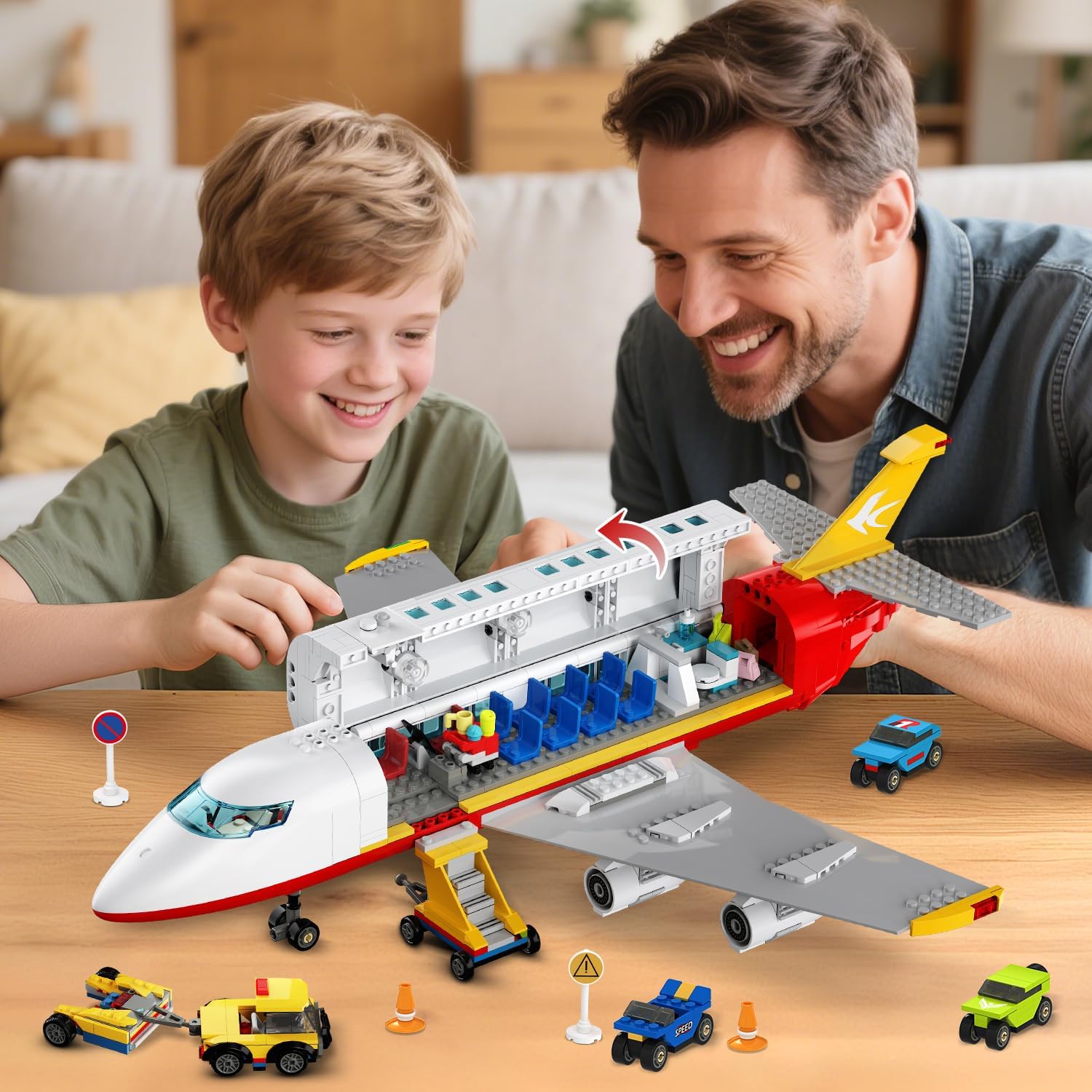
A child and an adult are shown collaboratively assembling the HOGOKIDS City Airplane Building Set, highlighting the engaging building experience.

This composite image showcases various interior details of the airplane, including the cockpit with controls, a galley area with service cart, and a small restroom, emphasizing the intricate design.
Operating Instructions
1. Dual Mode Transformation (Passenger & Cargo)
This set features an innovative design allowing the airplane to transform between passenger and cargo modes without complete disassembly.
- Passenger Mode: The aircraft features a detailed interior with a cockpit, seats, aisle, restroom, and service cart. The roof opens for easy access.
- Cargo Mode: To switch to cargo mode, remove the passenger seating module and deploy the cargo ramp. The front section of the plane also opens to reveal a cargo bay.

This image contrasts the two primary configurations of the airplane: the passenger aircraft with interior seating and the cargo aircraft with a ramp and space for vehicles. It demonstrates the set's dual-mode functionality.
2. LED Lighting
The airplane model includes LED lighting to enhance realism and create a captivating nighttime scene.
- Activation: Follow the specific instructions in your manual for activating the LED lights. This typically involves a small switch or button integrated into the model.
- Effect: Once activated, the LED lights will cast a warm glow through the cabin windows, simulating an illuminated aircraft at night.

This image presents a side-by-side comparison of the airplane with its LED lights off and then illuminated, demonstrating the glowing effect through the cabin windows in a simulated nighttime airport environment.

The assembled airplane is depicted at night on a simulated runway, with its LED lights glowing from the cabin windows, creating a realistic nighttime airport scene.
3. Car Launcher (Cargo Mode)
The cargo plane includes a launcher mechanism for the three small cars.
- Loading: Place a car onto the designated launching platform within the cargo bay.
- Launching: Follow the instructions in the manual to activate the launcher. This typically involves a simple push-and-release mechanism to propel the cars down the ramp.

This image provides a close-up view of the cargo plane's integrated car launcher. It illustrates the steps to operate the launcher: placing a finger, pushing backward until it clicks, and pressing side buttons to release the car.

A child is shown engaging with the cargo aircraft, actively loading a small car onto the plane using the ramp, illustrating interactive play.
4. Official Product Videos
For visual guidance on assembly and operation, please refer to the official product videos below:
This video demonstrates the HOGOKIDS City Airplane Building Set's dual functionality, showcasing its transformation between passenger and cargo modes, and highlighting the integrated LED lighting feature.
This video provides a closer look at the HOGOKIDS City Airplane Building Set, focusing on the LED light activation and the process of loading small vehicles into the cargo bay.
Maintenance
To ensure the longevity and optimal condition of your HOGOKIDS City Airplane Building Set, follow these maintenance guidelines:
- Cleaning: Use a soft, dry cloth to gently wipe down the building blocks and assembled model. For stubborn dirt, a slightly damp cloth can be used, followed by immediate drying. Avoid harsh chemicals or abrasive cleaners.
- Storage: Store the set in a cool, dry place away from direct sunlight and extreme temperatures. Keep it in its original packaging or a suitable storage container to prevent dust accumulation and loss of small parts.
- Handling: Handle the assembled model with care to prevent accidental disassembly or damage to delicate parts, especially the LED components.
Troubleshooting
If you encounter any issues with your HOGOKIDS City Airplane Building Set, please refer to the following common solutions:
- Missing Parts: If you discover any missing pieces upon opening the set, please contact HOGOKIDS customer support with details of the missing components. Provide the model number (HG1066) and a description of the parts needed.
- Pieces Not Staying Together: Ensure that each building block is pressed firmly and completely into place. Sometimes, a slight misalignment can prevent a secure connection. Re-examine the instruction manual for the specific step to confirm correct placement.
- LED Lights Not Working: Check that the LED light components are correctly installed according to the manual. Verify that any battery compartments (if applicable) have fresh batteries and are properly closed.
- Difficulty with Transformation: Review the instruction manual for the specific steps on switching between passenger and cargo modes. Ensure all necessary modules are correctly detached or attached.
Specifications
| Feature | Detail |
|---|---|
| Product Dimensions | 2 x 2 x 2 inches (assembled model) |
| Item Weight | 4.07 pounds |
| Model Number | HG1066 |
| Manufacturer Recommended Age | 6 years and up |
| Manufacturer | HOGOKIDS |

This image provides key dimensions of the assembled airplane (21 inches long, 6.5 inches high) and illustrates the box packaging, along with the inclusion of three LED lights.
Safety Information
WARNING: CHOKING HAZARD - Small Parts.
This product contains small parts and is not suitable for children under 3 years of age due to potential choking hazards. Adult supervision is recommended during assembly and play, especially for younger children within the recommended age range.
- Always ensure all small parts are kept out of reach of infants and toddlers.
- Inspect the product regularly for any damaged or loose parts that could pose a hazard.
- Dispose of packaging materials properly and keep them away from children.
Warranty and Support
HOGOKIDS is committed to providing high-quality products. For any questions, concerns, or assistance with your City Airplane Building Set, please contact our customer support team. While specific warranty details are not provided in this manual, our support team is available to help with product inquiries, missing parts, or technical assistance.
Please retain your proof of purchase for any support inquiries.