
1. Introduction
Thank you for choosing the ZEALOT S89 Bluetooth Speaker. This manual provides essential information for setting up, operating, and maintaining your speaker to ensure optimal performance and longevity. Please read these instructions carefully before use.

Figure 1: Front view of the ZEALOT S89 Bluetooth Speaker.
2. Product Overview
Key Features
- Powerful Audio Output: 300W Peak / 250W RMS for immersive sound.
- Advanced Speaker System: Features 1x 120W subwoofer, 2x 60W mid-woofers, and 2x 30W tweeters for balanced audio.
- Digital Signal Processing (DSP): Enhances sound precision and minimizes distortion.
- Long-lasting Battery: 48000mAh capacity with 45W fast charging.
- Power Bank Function: Can charge smartphones or tablets.
- Durability: IPX6 waterproof and dustproof rating.
- Multiple Playback Modes: Bluetooth 5.3, AUX, TF card, and USB.
- LED Lights: Integrated RGB lighting for enhanced ambiance.
- Wireless Stereo Pairing: Connect two S89 speakers for a wider soundstage.
Components and Controls
Familiarize yourself with the speaker's components and controls for easy operation.

Figure 2: Detailed view of the control panel, handlebar, RGB lights, and strap attachment point.
- Control Panel: Located on the top, includes buttons for EQ, mode selection, volume, and power.
- Handlebar: Integrated for easy portability.
- RGB Lights: Dynamic LED lights on the sides and front.
- Strap Attachment Points: For connecting the included shoulder strap.
- Non-slip Design: Base features for stability.
Dimensions and Weight
The ZEALOT S89 is designed for portability while delivering powerful sound.

Figure 3: Dimensions of the ZEALOT S89 speaker (approximately 21.18 inches W x 9.49 inches D x 10.47 inches H) and its weight (18.7 lbs).
3. Setup
Charging the Speaker
Before first use, fully charge the speaker. Use the provided charging cable and a compatible 45W fast charger.
- Connect the charging cable to the speaker's charging port.
- Plug the other end into a power adapter.
- The charging indicator will show the charging status. A full charge typically takes several hours.
The speaker can also function as a power bank to charge external devices.
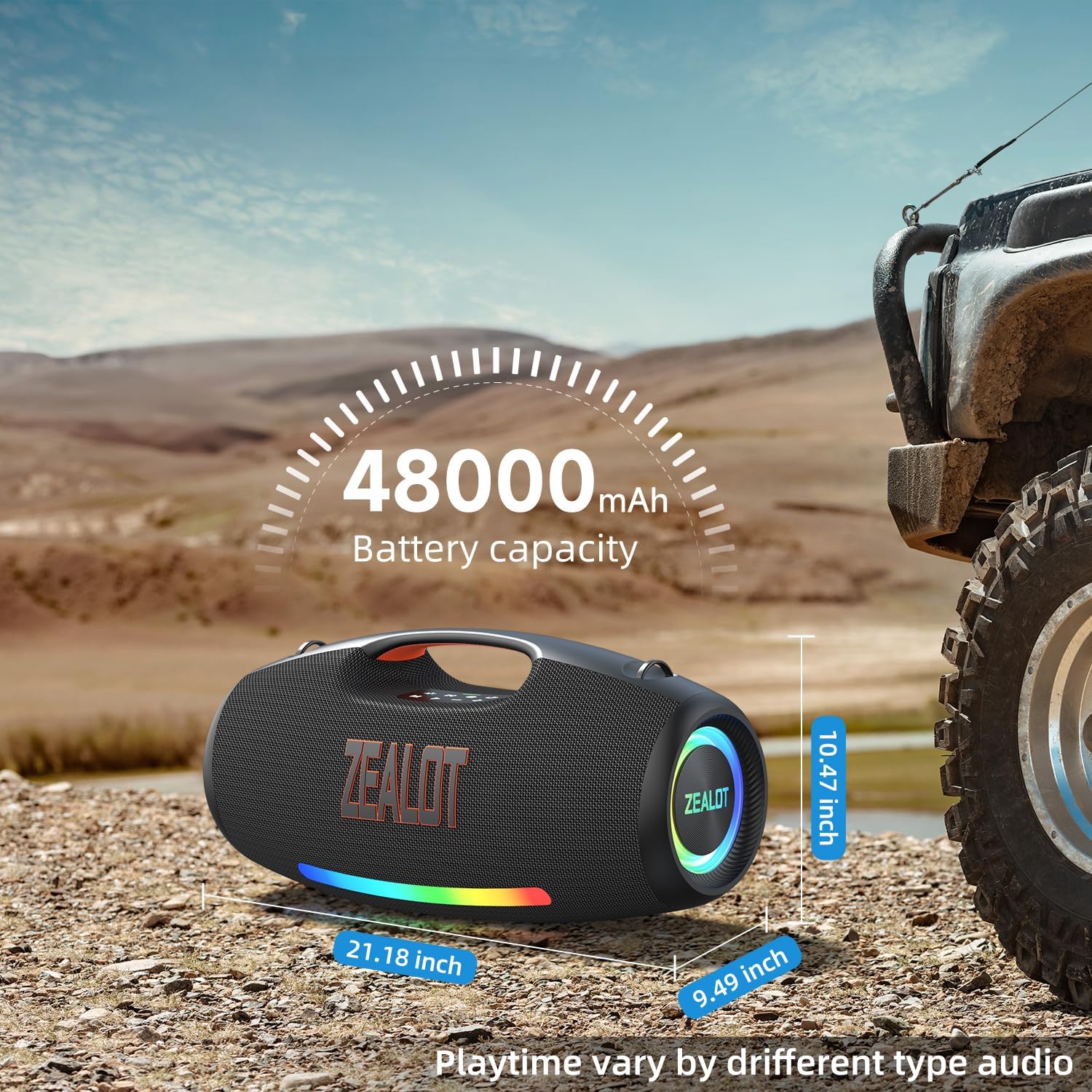
Figure 4: The ZEALOT S89 speaker can be used to charge other devices via its power bank function.
Powering On/Off
Press and hold the power button on the control panel to turn the speaker on or off.
4. Operating Instructions
Bluetooth Connection
- Ensure the speaker is powered on and in Bluetooth pairing mode (indicated by a flashing Bluetooth LED).
- On your device (smartphone, tablet, etc.), enable Bluetooth and search for available devices.
- Select "ZEALOT S89" from the list.
- Once connected, the Bluetooth LED will become solid, and you will hear a confirmation tone.
Playback Modes (AUX, TF Card, USB)
The S89 supports multiple audio input sources:
- AUX Mode: Connect an audio device using a 3.5mm AUX cable to the AUX input port. The speaker will automatically switch to AUX mode.
- TF Card Mode: Insert a TF (microSD) card with audio files into the TF card slot. The speaker will automatically detect and play music from the card.
- USB Mode: Insert a USB flash drive with audio files into the USB port. The speaker will automatically detect and play music from the drive.
Use the 'M' (Mode) button on the control panel to switch between different input modes if the speaker does not switch automatically.
Volume Control
Use the '+' and '-' buttons on the control panel to adjust the volume. Press '+' to increase volume and '-' to decrease volume.
EQ Settings
Press the 'EQ' button on the control panel to cycle through available equalizer presets, optimizing the sound for different music genres or listening preferences.
LED Light Control
Press the dedicated LED light button (often indicated by a light bulb icon) to change light modes or turn the lights on/off.
Wireless Stereo Pairing (TWS Function)
To achieve a true wireless stereo experience with two ZEALOT S89 speakers:
- Ensure both S89 speakers are powered on and not connected to any Bluetooth device.
- On one speaker (this will be the primary speaker), press and hold the TWS pairing button (often indicated by two interlocking circles).
- The primary speaker will search for the secondary speaker. Once connected, you will hear a confirmation tone, and the TWS indicator will illuminate on both speakers.
- Connect your device to the primary speaker via Bluetooth. Audio will now play in stereo through both speakers.

Figure 5: Two ZEALOT S89 speakers paired for wireless stereo sound.
5. Media Integration
Product Videos
The following videos provide additional visual guidance on the features and operation of your ZEALOT S89 speaker.
HiFi Stereo Bluetooth Speaker 250W
This video demonstrates the powerful audio capabilities and design of the ZEALOT S89 Bluetooth Speaker, highlighting its 250W output and HiFi stereo sound.
S89 HiFi Party Speaker Bluetooth
A short video showcasing the ZEALOT S89 as a party speaker, emphasizing its robust sound and suitability for social gatherings.
6. Maintenance
Cleaning
To clean your speaker, use a soft, damp cloth. Avoid using harsh chemicals or abrasive cleaners, as these can damage the surface. Ensure all ports are dry before charging or connecting other devices.
Water and Dust Resistance
The ZEALOT S89 features an IPX6 waterproof rating, meaning it can withstand powerful water jets. While it is resistant to splashes and rain, it should not be fully submerged in water for extended periods. Always ensure port covers are securely closed to maintain water resistance.

Figure 6: The ZEALOT S89 speaker is designed to withstand water splashes and jets.
Battery Care
To prolong battery life, avoid fully discharging the speaker frequently. Store the speaker in a cool, dry place when not in use for extended periods, and charge it periodically to maintain battery health.
7. Troubleshooting
| Problem | Possible Cause | Solution |
|---|---|---|
| Speaker does not power on. | Low battery. | Charge the speaker fully. |
| No sound. | Volume too low; incorrect input mode; device not connected. | Increase volume; switch to correct input mode (Bluetooth, AUX, TF, USB); ensure device is paired. |
| Bluetooth connection fails. | Speaker not in pairing mode; device too far; interference. | Ensure speaker is in pairing mode; move device closer; restart both speaker and device. |
| Poor sound quality. | Low battery; audio source quality; EQ setting. | Charge speaker; use high-quality audio files; try different EQ settings. |
| TWS pairing fails. | Speakers already connected to other devices; too far apart. | Disconnect speakers from other devices; ensure speakers are close to each other during pairing. |
8. Specifications
| Feature | Detail |
|---|---|
| Brand | ZEALOT |
| Model Number | S89 |
| Speaker Maximum Output Power | 300 Watts (Peak) / 250 Watts (RMS) |
| Frequency Response | 20.2 Millihertz |
| Connectivity Technology | Auxiliary, Bluetooth, USB |
| Bluetooth Version | 5.3 |
| Audio Output Mode | Stereo |
| Speaker Type | Portable Speaker |
| Water Resistance Level | IPX6 (Moisture Resistant) |
| Battery Capacity | 48000 Milliamp Hours |
| Power Source | Battery Powered |
| Item Dimensions (D x W x H) | 9.49"D x 21.2"W x 10.4"H |
| Item Weight | 18.7 Pounds |
| Enclosure Material | Metal Or Sturdy Plastic |
| Control Method | Touch |
| Additional Features | Bass Boost, LED Light, Stereo Pairing, USB Port |

Figure 7: Internal speaker configuration showing the woofer, mid-range drivers, and tweeters.
9. Warranty and Support
Warranty Information
The ZEALOT S89 Bluetooth Speaker comes with a 1-year limited warranty from the date of purchase. This warranty covers manufacturing defects and workmanship under normal use. It does not cover damage caused by misuse, accidents, unauthorized modifications, or normal wear and tear.
Customer Support
For technical assistance, warranty claims, or further inquiries, please refer to the contact information provided in the included Quick Start Guide or visit the official ZEALOT website.


