Introduction
Thank you for choosing the Auxmir S580 Nursery Night Light. This versatile and user-friendly lamp is designed to provide a comfortable and customizable lighting experience for various settings, including nurseries, bedrooms, and living spaces. Featuring touch control, remote operation, 256 RGB color options, adjustable brightness, and a built-in timer, it's an ideal solution for creating the perfect ambiance.
What's in the Box
- 1 x Auxmir S580 Bedside LED Lamp
- 1 x Remote Control
- 1 x USB Charging Cable
- 1 x User Manual
Product Features
- Easy Control: Intuitive touch panel on top and a convenient remote control for adjusting settings.
- Vibrant RGB Colors: Offers 256 RGB colors and 4 dynamic lighting modes (Steady, Flash, Strobe, Fade) to suit any mood or occasion.
- Adjustable Brightness: Features 5 brightness levels and stepless dimming from 5% to 100% for optimal comfort.
- Long-lasting Battery: Equipped with a built-in 4000mAh rechargeable battery, providing over 300 hours of light at the dimmest setting.
- Timer Function: Includes 1, 2, 4, and 6-hour timer options for automatic shut-off.
- Baby-Friendly Design: Made from toy-grade ABS and PC materials, ensuring safety. Anti-blue LED technology provides flicker-free, eye-caring illumination.
- Memory Function: Remembers your last used color and brightness settings.
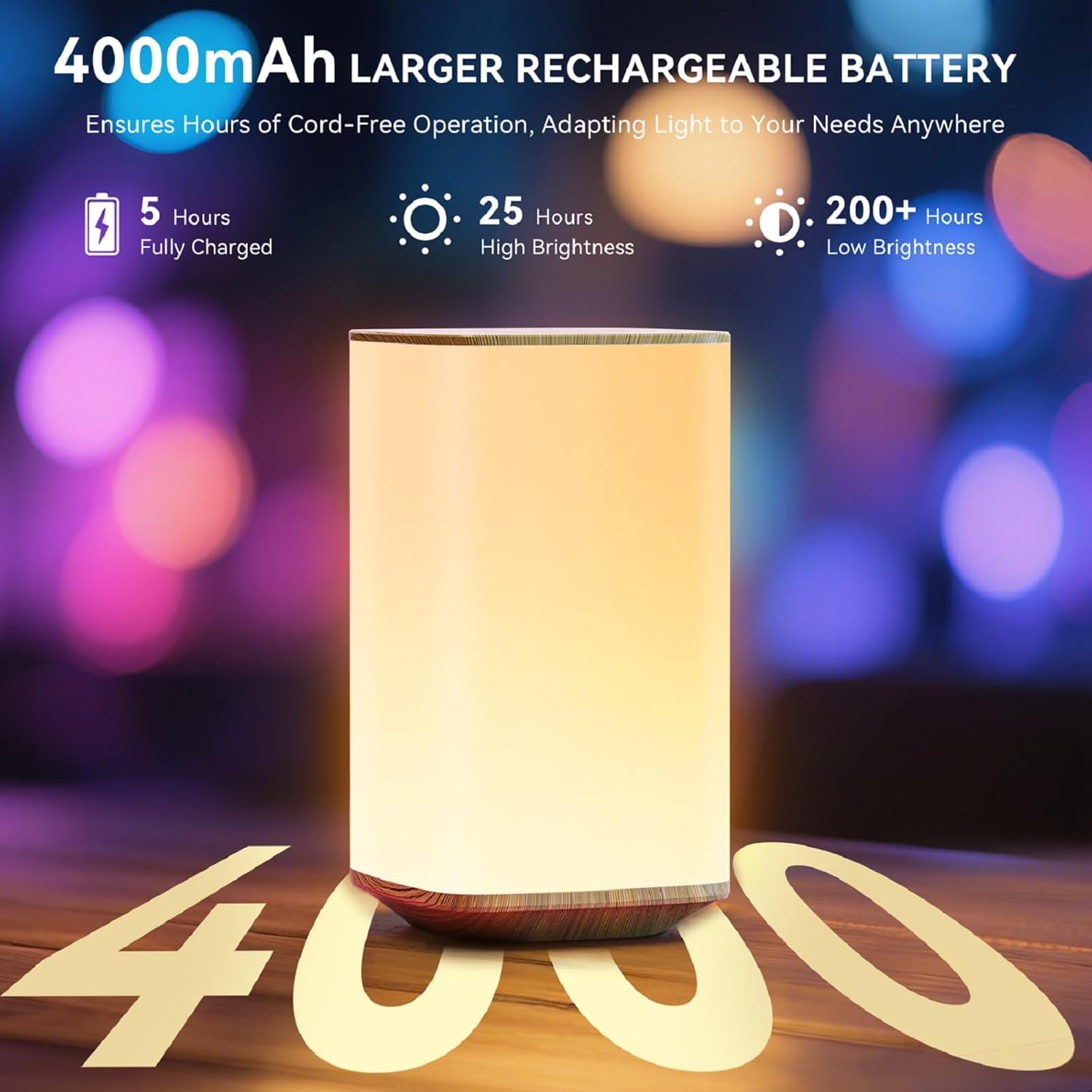
Image: The Auxmir S580 Night Light highlighting its 4000mAh rechargeable battery, offering extended use.

Image: Multiple Auxmir S580 Night Lights illuminated in various RGB colors, demonstrating the 256 color options.
Specifications
| Model Name | S580 Night Light |
| Product Dimensions | 3.15"D x 3.15"W x 5.7"H |
| Material | Acrylonitrile Butadiene Styrene (ABS) |
| Light Source Type | LED |
| Color Options | 256 RGB Colors, White |
| Brightness Levels | 5 preset levels, Stepless Dimming (5%-100%) |
| Control Method | Touch, Remote |
| Power Source | Battery Powered (4000mAh rechargeable) |
| Battery Life | Up to 300 hours (dimmest setting) |
| Timer Functions | 1H, 2H, 4H, 6H |
| Wattage | 2 watts |
| Voltage | 5 Volts |
Setup
- Unpack: Carefully remove all components from the packaging.
- Initial Charge: Before first use, fully charge the night light using the provided USB charging cable. Connect the cable to the USB-C port on the lamp's base and to a compatible USB power adapter (not included). The charging indicator light will show charging status (e.g., red for charging, green for fully charged).
- Remote Battery: Ensure the remote control has a working battery (CR2032, included). Remove any plastic pull tabs if present.
- Placement: Place the night light on a stable, flat surface away from direct sunlight or heat sources.
Operating Instructions
1. Power On/Off
- Touch Control: Tap the center of the top panel to turn the light ON or OFF.
- Remote Control: Press the 'ON' or 'OFF' button on the remote.
2. Adjusting Brightness
- Touch Control: Short press the brightness icon on the top panel to cycle through 5 preset brightness levels. Long press the brightness icon for stepless dimming (5%-100%).
- Remote Control: Use the brightness adjustment buttons (sun icons) on the remote to increase or decrease brightness.
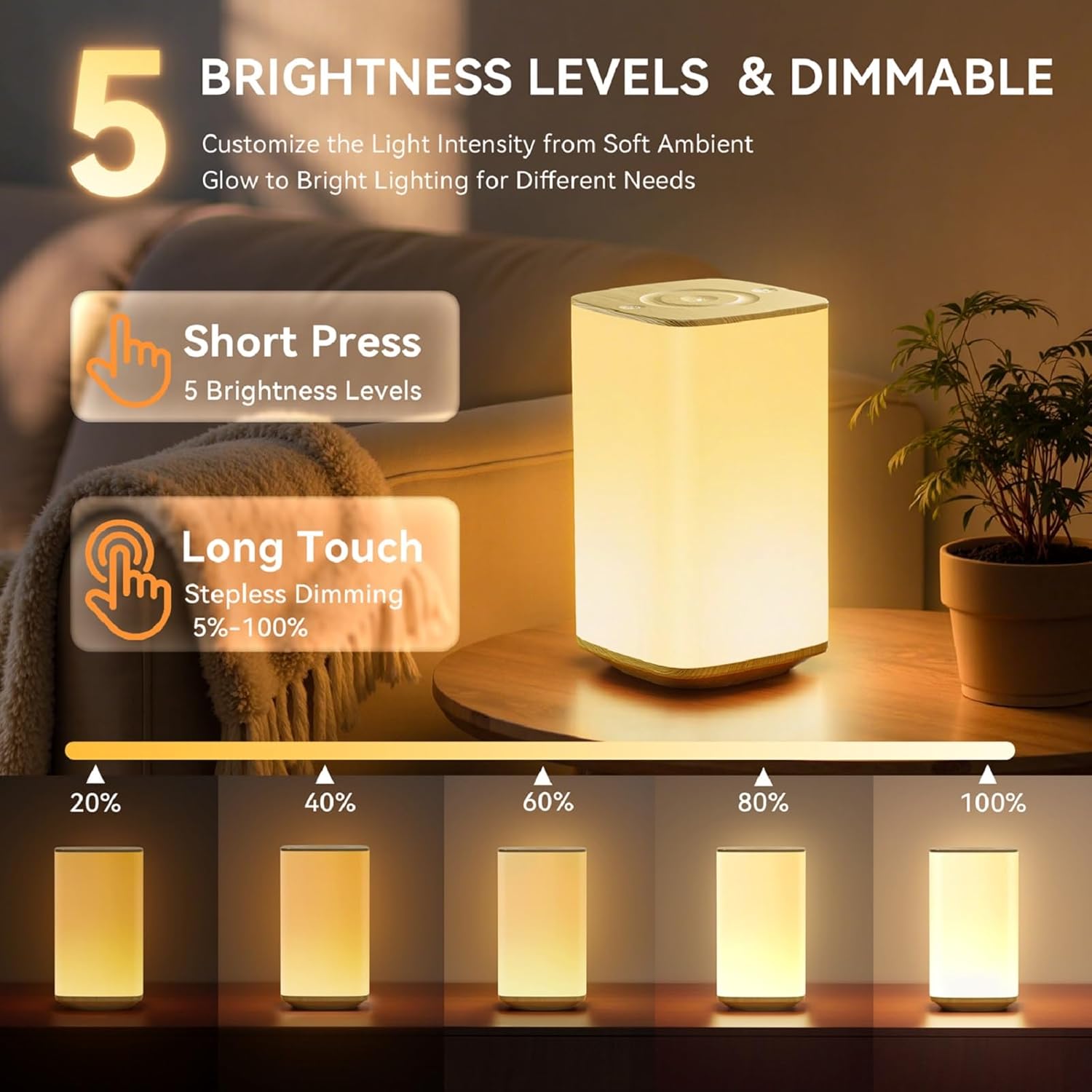
Image: The Auxmir S580 Night Light illustrating its 5 brightness levels and the stepless dimming feature via touch.
3. Changing Colors & Modes
- Touch Control: Tap the color change icon on the top panel to cycle through different RGB colors.
- Remote Control: Use the color buttons (R, G, B, W, and color palette) to select a specific color. Use the 'FLASH', 'STROBE', 'FADE', and 'SMOOTH' buttons to activate dynamic lighting modes.

Image: The Auxmir S580 Night Light displaying its four dynamic lighting modes: Flash, Strobe, Fade, and Constant Light.
4. Timer Function
- Touch Control: Tap the timer icon on the top panel to cycle through 1H, 2H, 4H, and 6H timer settings.
- Remote Control: Press the corresponding '1H', '2H', '4H', or '6H' button on the remote to set the desired auto-off timer.

Image: A child sleeping peacefully with the Auxmir S580 Night Light on a bedside table, illustrating the smart timer function for soft light, eye protection, energy saving, and memory function.
5. Memory Function
The night light will remember your last used brightness and color settings when turned off and on again.
Charging
The Auxmir S580 Night Light is equipped with a 4000mAh rechargeable battery. To charge, connect the provided USB cable to the USB-C port on the base of the lamp and to a standard USB power source. The charging indicator will illuminate (e.g., red) while charging and change color (e.g., green) when fully charged. A full charge can provide over 300 hours of light at the dimmest setting.
Maintenance
- Cleaning: Wipe the lamp with a soft, dry cloth. Do not use abrasive cleaners or solvents.
- Storage: Store the lamp in a cool, dry place when not in use for extended periods.
- Battery Care: To prolong battery life, avoid fully discharging the battery frequently. Charge the lamp regularly, even if not in constant use.
Troubleshooting
| Problem | Possible Cause | Solution |
|---|---|---|
| Light does not turn on. | Low battery; Power switch off. | Charge the lamp fully. Ensure the power switch on the base is in the 'ON' position. |
| Remote control not working. | Remote battery depleted; Obstruction between remote and lamp. | Replace the remote control battery (CR2032). Ensure no obstructions are blocking the signal. |
| Light flickers or dims unexpectedly. | Low battery. | Charge the lamp fully. |
| Touch control unresponsive. | Surface is wet or dirty; Internal sensor issue. | Ensure the top panel is clean and dry. If the issue persists, contact customer support. |
Safety Information
- Do not disassemble or modify the lamp.
- Keep away from water and high humidity. This product is not waterproof.
- Use only the provided USB charging cable or a certified equivalent.
- Keep out of reach of small children when not in use to prevent accidental ingestion of small parts (e.g., remote battery).
- Avoid direct eye exposure to the LED light for prolonged periods.
Warranty and Support
Auxmir provides a 3-year warranty for this product, ensuring your peace of mind. We also offer lifetime customer services. If you have any questions, require assistance, or encounter any issues, please do not hesitate to contact our support team. We are always ready to help!
For support, please visit: Auxmir Store on Amazon
Official Product Video
Video: An official product video from AuxmirDirect showcasing the Auxmir Nursery Night Light for Baby, highlighting its portability and features.


