1. Introduction
This manual provides comprehensive instructions for the setup, operation, and maintenance of your ELEPHAS Smart 4K Projector, Model YG561. Please read this manual thoroughly before using the projector to ensure proper function and to maximize your viewing experience. Keep this manual for future reference.
2. Safety Information
Important Safety Instructions:
- Do not block ventilation openings. Ensure adequate space around the projector for proper airflow.
- Do not expose the projector to rain or moisture to prevent fire or electric shock.
- Avoid looking directly into the projector lens when the lamp is on, as the bright light can cause eye damage.
- Use only attachments/accessories specified by the manufacturer.
- Unplug the projector during lightning storms or when unused for long periods.
- Refer all servicing to qualified service personnel.
3. Package Contents
Verify that all items listed below are included in your package:
- ELEPHAS Smart 4K Projector (Model YG561)
- Remote Control
- Power Cord
- HDMI Cable
- User Manual
- Carrying Bag
4. Product Overview
The ELEPHAS Smart 4K Projector YG561 is designed to deliver a high-quality visual and audio experience with advanced features.

Image: Front view of the ELEPHAS Smart 4K Projector, showcasing the lens and speaker grille.
Key Features:
- 4K PRO-UHD and HDR 10+ Visuals: Experience vibrant, crystal-clear images with 1500 ANSI Lumens and a 20000:1 contrast ratio.
- Built-in Streaming Apps: Direct access to licensed Netflix, Amazon Prime Video, and YouTube.
- Dolby Audio and 360° Hi-Fi Speakers: Immersive sound with 2x15W speakers.
- Dual-Band WiFi and Bluetooth 5.2: Fast streaming and effortless connection to external audio devices.
- Smart AI Setup: Automatic focus, 4D/4P keystone correction, obstacle avoidance, and screen adaptation.
- Dust-Proof Sealed Optical Engine: Protects internal components for consistent image quality and extended lifespan.
5. Setup
5.1 Placement
Place the projector on a stable, flat surface. Ensure the projection path is clear of obstructions. The optimal projection distance and screen size will vary based on your environment. For best results, project onto a dedicated projector screen or a smooth, light-colored wall.
5.2 Power Connection
- Connect the power cord to the projector's power input port.
- Plug the other end of the power cord into a suitable electrical outlet.
- Press the power button on the projector or remote control to turn it on.
5.3 Network Connection (Wi-Fi)
The projector supports dual-band 2.4G and 5G Wi-Fi for stable streaming.
- Navigate to the 'Settings' menu on the projector.
- Select 'Network' or 'Wi-Fi Settings'.
- Turn on Wi-Fi and select your desired network from the list.
- Enter the Wi-Fi password using the on-screen keyboard and confirm.

Image: Diagram illustrating the projector's dual-band WiFi and Bluetooth connectivity, showing a smartphone mirroring content.
5.4 Bluetooth Pairing
Connect external Bluetooth speakers or headphones for an enhanced audio experience.
- Ensure your Bluetooth audio device is in pairing mode.
- On the projector, go to 'Settings' and select 'Bluetooth'.
- Turn on Bluetooth and wait for the projector to scan for available devices.
- Select your device from the list to pair.
5.5 Smart AI Setup (Auto Focus & Keystone)
The projector features Smart AI 2.0 Technology for automatic image adjustment.
- Upon initial power-on or movement, the projector will automatically adjust focus and keystone.
- The real-time motion detection ensures optimal clarity.
- Intelligent obstacle avoidance detects and adjusts the projection to avoid obstructions.
- The projector adapts to different screen sizes automatically.

Image: Diagram illustrating the projector's Smart AI 2.0 features, including auto focus, auto keystone, auto obstacle avoidance, and auto screen adaptation.
6. Operating Instructions
6.1 Basic Navigation
Use the included remote control to navigate the projector's interface. The remote has dedicated buttons for power, volume, navigation, and direct access to streaming applications.
6.2 Streaming Applications
The projector comes with pre-installed and licensed applications for Netflix, Amazon Prime Video, and YouTube. Access these directly from the home screen or via dedicated remote buttons.
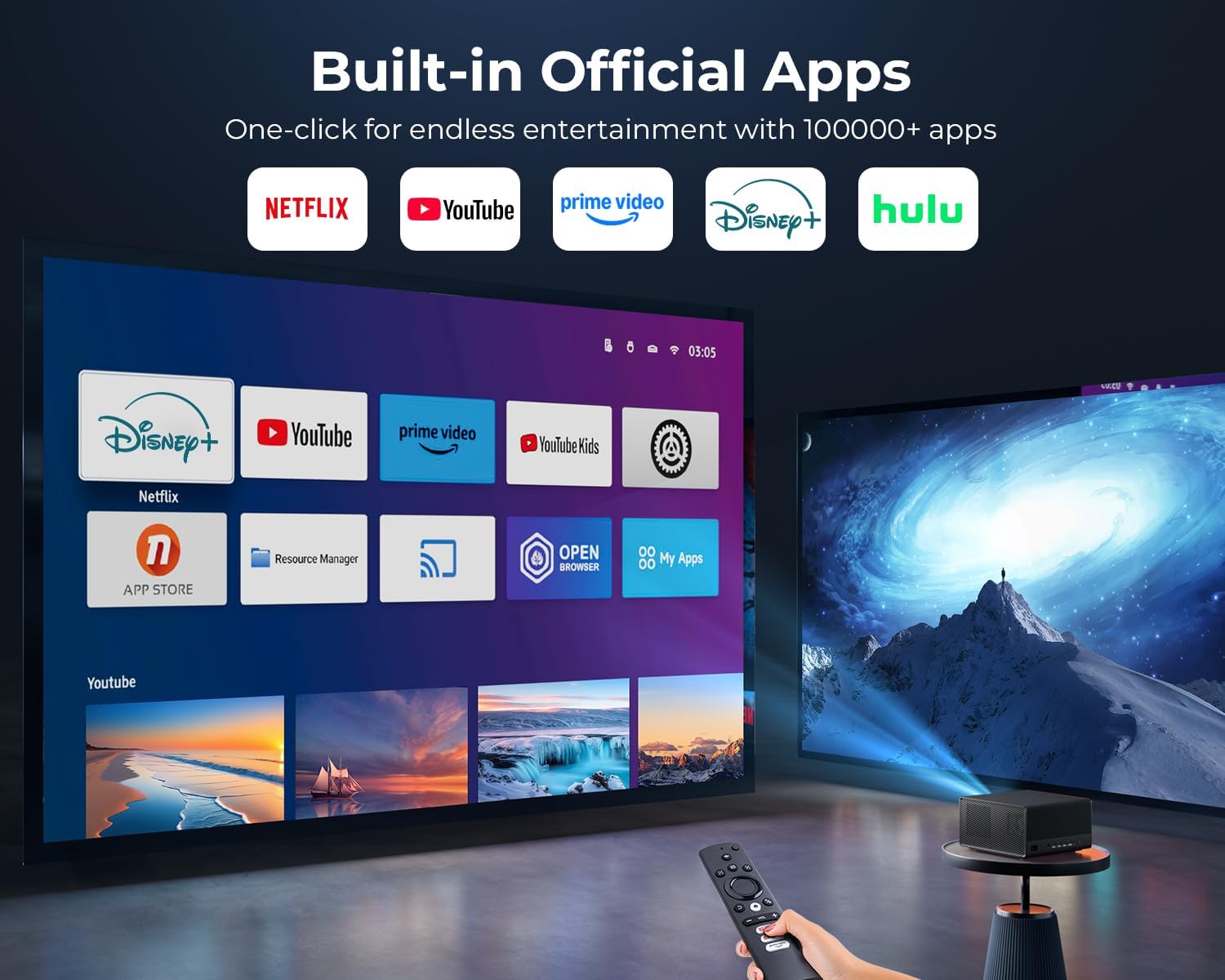
Image: The projector displaying its home screen with various built-in applications, including Netflix, YouTube, and Prime Video.
6.3 Connecting External Devices
The projector supports various input sources:
- HDMI: Connect Blu-ray players, gaming consoles, laptops, or streaming sticks.
- USB: Play media files directly from a USB drive.
- 3.5mm Jack: For wired audio output.
Select the appropriate input source from the projector's input menu.
6.4 Screen Mirroring
Mirror content from your Android, iOS, or Windows devices wirelessly using the projector's Wi-Fi connectivity. Refer to your device's screen mirroring instructions and the projector's on-screen prompts for detailed steps.
6.5 Audio Output
The projector features built-in 2x15W speakers with Dolby Audio for immersive 360° surround sound. For alternative audio, use the Bluetooth pairing function or the 3.5mm audio jack.

Image: The projector emitting sound waves, highlighting its Dolby Audio and 360-degree Hi-Fi speaker capabilities.
7. Maintenance
7.1 Dust-Proof Sealed Optical Engine
The projector is equipped with a dust-proof sealed optical engine. This design minimizes dust accumulation on internal components, ensuring consistent image quality and extending the projector's lifespan. No user maintenance is required for the sealed optical engine.

Image: A cutaway diagram illustrating the dust-proof sealed optical engine within the projector, showing how it protects against dust and debris.
7.2 Cleaning the Lens
Use a soft, lint-free cloth specifically designed for optical lenses. Gently wipe the lens surface to remove dust or smudges. Avoid using abrasive cleaners or excessive force, which can scratch the lens.
7.3 General Cleaning
Wipe the exterior of the projector with a soft, dry cloth. Do not use liquid or aerosol cleaners directly on the projector. Ensure all ventilation ports are clear of dust and debris.
8. Troubleshooting
| Problem | Possible Cause | Solution |
|---|---|---|
| No power | Power cord not connected; Power outlet faulty | Check power cord connection; Try a different outlet |
| No image | Input source incorrect; Cable loose; Projector in standby | Select correct input source; Check HDMI/USB cable connections; Press power button to wake |
| Image blurry | Out of focus; Keystone not adjusted | Allow auto-focus to engage; Manually adjust focus if needed; Ensure auto-keystone is active |
| No sound | Volume too low; Muted; External audio device not connected | Increase volume; Unmute; Check Bluetooth connection or 3.5mm cable |
| Wi-Fi connection unstable | Router too far; Interference | Move projector closer to router; Reduce interference from other devices |
9. Specifications
| Feature | Detail |
|---|---|
| Brand | ELEPHAS |
| Model Number | YG561 |
| Product Dimensions | 10.6 x 9.8 x 5.9 inches |
| Item Weight | 10.43 pounds |
| Display Resolution | 1920 x 1080 (Native Full HD, supports 4K PRO-UHD input) |
| Brightness | 1500 ANSI Lumens |
| Contrast Ratio | 20000:1 |
| Color Gamut | 95% NTSC |
| Special Features | 4K PRO-UHD, HDR 10+, Netflix/Prime Video/YouTube Compatible, Dolby Audio, Smart AI 2.0 True-Color Engine, Sealed Optical Engine, Auto Focus/Keystone Correction/Screen Alignment/Obstacle Avoidance, Two-Way Bluetooth 5.2, Dual-Band 2.4G+5G WiFi, 2*15W Hi-Fi Speakers |
| Connectivity Technology | 3.5mm Jack, Bluetooth, HDMI, USB, Wi-Fi |
| Recommended Uses | Business, Education, Gaming, Home Cinema |
10. Warranty and Support
ELEPHAS is committed to providing reliable after-sales support for your projector.
- 12-Month Replacement: A replacement is available within 12 months of purchase for qualifying issues.
- Lifetime After-Sales Support: Our dedicated team provides round-the-clock assistance with flexible solutions for any issues you may encounter.
For support, please refer to the contact information provided on the ELEPHAS official website or your purchase platform.


