1. Introduction and Overview
This manual provides essential information for the safe and efficient operation, maintenance, and troubleshooting of your POXURIO 2450W Portable Inverter Generator. Please read this manual thoroughly before operating the generator.
- Strong Power: This inverter generator offers a starting power of 3450W, suitable for various electrical appliances and equipment during camping, outdoor activities, commercial use, or as home backup power.
- Low Noise Operation: Advanced sound reduction technology ensures a noise level of only 59-66 decibels during operation, significantly quieter than traditional generators, enhancing comfort.
- Gas Powered: Designed for regular unleaded gasoline, offering convenient storage, affordability, and easy access to fuel.
- Parallel Operation: Supports parallel connection, allowing you to combine two or three units to achieve a power supply exceeding 3450W. It also provides excellent current stability to protect sensitive electronic equipment from voltage fluctuations.
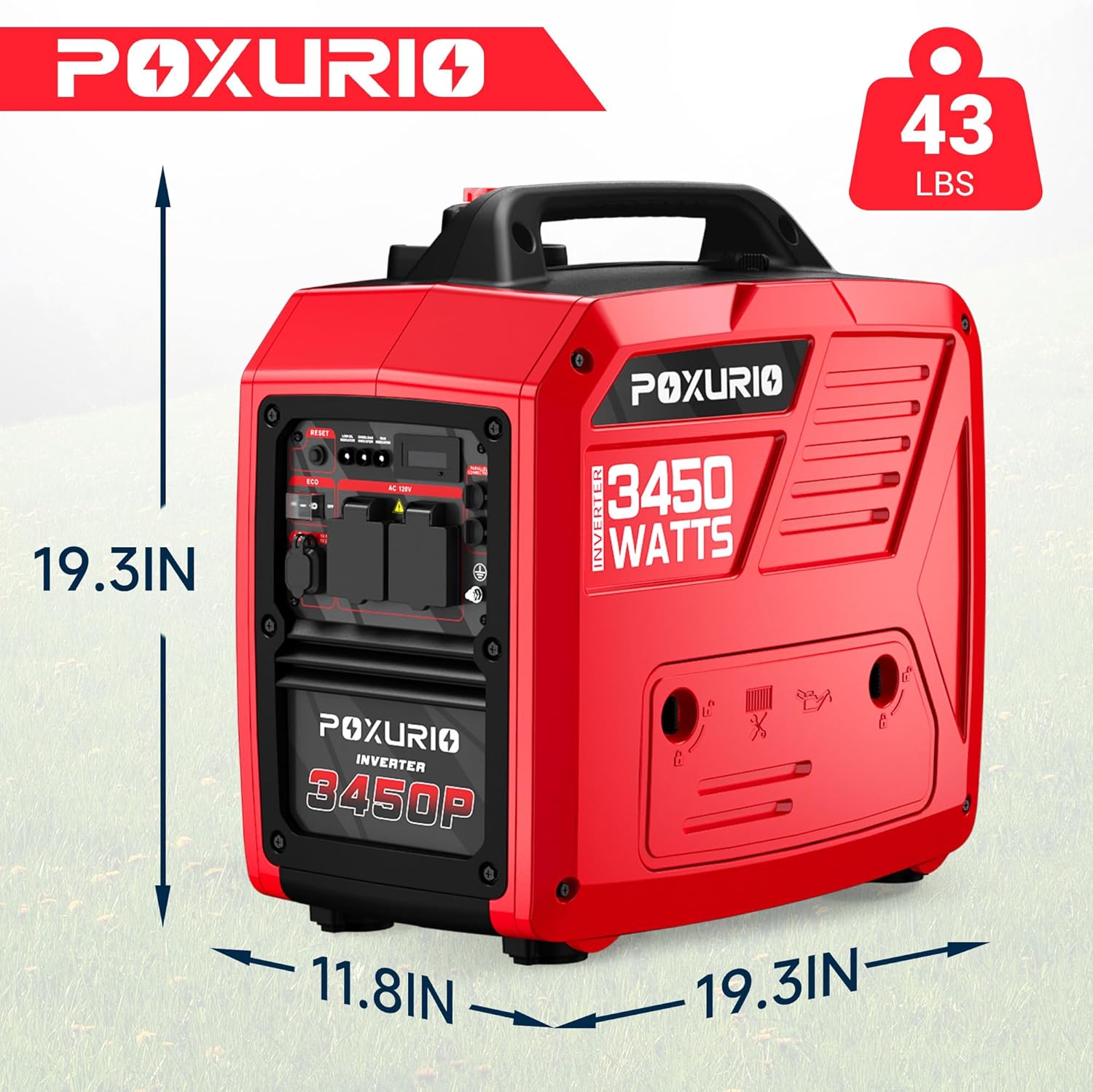
- Lightweight Design: Constructed from lightweight materials, weighing approximately 43-46.3 pounds, making it easy to carry and store for portable power needs.
2. Safety Information
Your safety and the safety of others are very important. Always operate the generator according to the instructions provided. Failure to do so may result in serious injury or death.
- Carbon Monoxide Hazard: Generators produce carbon monoxide, a colorless, odorless, poisonous gas. Operating a generator indoors or in partially enclosed spaces can kill you in minutes. ALWAYS operate the generator outdoors in a well-ventilated area, far away from windows, doors, and vents.
- Fire Hazard: Gasoline is highly flammable. Always refuel in a well-ventilated area with the engine off and cool. Do not smoke or allow open flames near the generator.
- Electrical Shock Hazard: Do not operate the generator in wet conditions. Ensure all connections are secure and dry. Never connect the generator directly to your home's electrical system without a transfer switch installed by a qualified electrician.
- Hot Surfaces: The generator's engine and muffler become very hot during operation and remain hot for some time after shutdown. Avoid touching hot surfaces to prevent burns.
- Children and Pets: Keep children and pets away from the generator during operation.
3. Package Contents
Verify that all items are included in the package before beginning setup.
- POXURIO 2450W Inverter Generator Unit
- Oil Funnel
- Spark Plug Wrench
- User Manual
- 120V AC Plug (NEMA 5-20R)
4. Setup
Before starting the generator for the first time, you must add engine oil and fuel.
4.1 Adding Engine Oil
The engine is shipped without oil. Operating the unit without oil will cause severe engine damage.
- Place the generator on a level surface.
- Locate the oil fill cap/dipstick on the side of the generator.
- Remove the oil fill cap/dipstick.
- Using the provided oil funnel, slowly add approximately 0.35 liters (12 ounces) of SAE 10W-30 engine oil. Do not overfill.
- Reinsert the dipstick without screwing it in to check the oil level. The oil should reach the top mark on the dipstick.
- Securely replace the oil fill cap/dipstick.

4.2 Adding Fuel
Use only fresh, unleaded gasoline with an octane rating of 87 or higher.
- Ensure the generator is off and cool.
- Unscrew the fuel cap located on the top of the generator.
- Slowly pour unleaded gasoline into the fuel tank. The tank capacity is 6 liters (1.6 gallons).
- Do not overfill. Leave a small air gap to allow for fuel expansion.
- Securely replace the fuel cap.
5. Operating Instructions
5.1 Starting the Generator
- Ensure the generator is on a level surface and all electrical devices are disconnected.
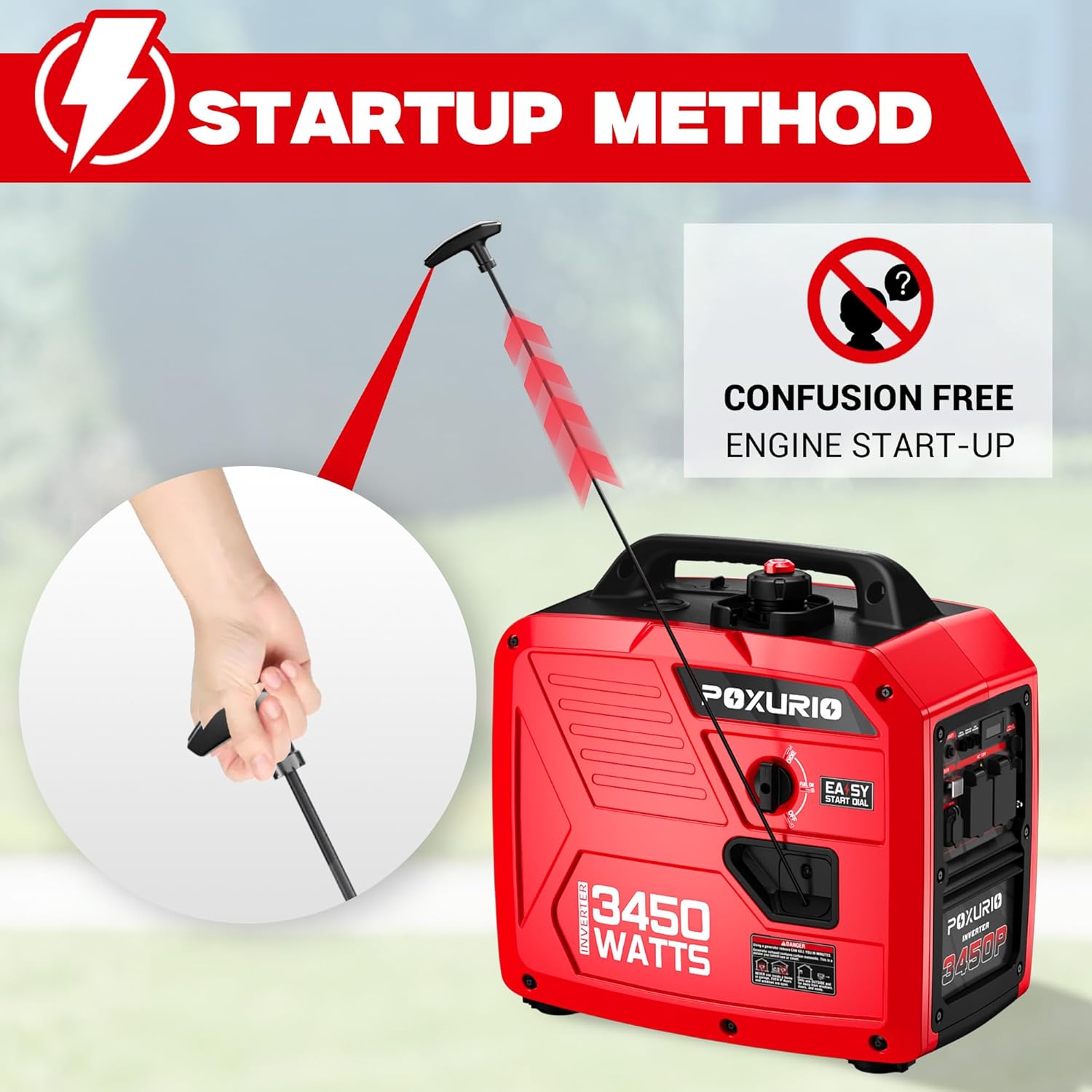
- Turn the multi-switch dial to the 'CHOKE' position.
- Firmly pull the recoil start handle until the engine starts.
- Once the engine starts, slowly move the multi-switch dial to the 'ON' position.

5.2 Control Panel Overview
The control panel provides various outlets and indicators for operation.

- AC 120V Outlets (NEMA 5-20R): For connecting standard household appliances.
- DC 12V Outlet: For charging 12V batteries.
- Dual USB Ports (5V 1A, 5V 2.1A): For charging sensitive electronic devices like phones and laptops.
- Eco Mode Switch: Engages an economy mode that adjusts engine speed to match the load, saving fuel and reducing noise.
- Reset Button: Used to reset the circuit breaker in case of an overload.
- Indicator Lights: Low Oil, Overload, and Run indicators provide status updates.
- Parallel Connection Ports: Allows connection of multiple compatible generators for increased power output.
5.3 Connecting Electrical Devices
Connect your devices to the appropriate outlets on the control panel. Ensure the total wattage of connected devices does not exceed the generator's running wattage.
5.4 Eco Mode Operation
To activate Eco Mode, switch the 'ECO' toggle to 'ON'. The engine speed will automatically adjust based on the electrical load, optimizing fuel consumption and reducing noise. For maximum power output, switch 'ECO' to 'OFF'.
5.5 Parallel Operation
To increase your available power, you can connect two compatible POXURIO inverter generators using a parallel connection kit (sold separately). Follow the instructions provided with the parallel kit for proper setup.
5.6 Shutting Down the Generator
- Disconnect all electrical devices from the generator.
- Allow the engine to run for a few minutes without load to cool down.
- Turn the multi-switch dial to the 'OFF' position.
6. Maintenance
Regular maintenance is crucial for the longevity and optimal performance of your generator. Always refer to the user manual for detailed maintenance schedules and procedures.
- Check Engine Oil: Before each use, check the engine oil level and add SAE 10W-30 oil if necessary.
- Clean Air Filter: Inspect and clean the air filter regularly, especially in dusty conditions. Replace if damaged.
- Inspect Spark Plug: Check the spark plug for wear and proper gap periodically. Replace if needed.
- Fuel System Maintenance: If storing the generator for an extended period, drain the fuel tank and carburetor to prevent fuel degradation issues.
7. Troubleshooting
If your generator experiences issues, consult the following common troubleshooting steps:
- Engine Will Not Start:
- Check fuel level.
- Check engine oil level.
- Ensure the multi-switch is in the correct 'CHOKE' or 'ON' position.
- Inspect the spark plug.
- No Power Output:
- Check if the circuit breaker has tripped (press the Reset button).
- Ensure the generator is not overloaded (Overload indicator light).
- Verify connections are secure.
- Engine Runs Rough or Shuts Down:
- Check fuel quality and level.
- Check engine oil level.
- Clean or replace the air filter.
8. Specifications
| Feature | Specification |
|---|---|
| Brand | POXURIO |
| Model | 2450W New Gas Red |
| Starting Wattage | 3450 Watts |
| Running Wattage | 1800 Watts (typical, derived from product title and reviews) |
| Voltage | 120 Volts |
| Fuel Type | Gasoline |
| Fuel Tank Capacity | 1.6 Gallons (6 Liters) |
| Run Time @ 25% Load | Up to 10-14 Hours (from product description and videos) |
| Engine Oil Type | SAE 10W-30 |
| Engine Oil Capacity | 0.35 Liters (approx. 12 oz) |
| Noise Level | 59-66 dB (at 7m, 25% load) |
| Item Weight | 43-46.3 Pounds |
| Product Dimensions (L x W x H) | 19.3" x 11.8" x 19.3" |
| EPA Compliant | Yes |
9. Warranty and Support
For warranty information, technical support, or service inquiries, please refer to the contact details provided in your product packaging or visit the official POXURIO website. Keep your purchase receipt for warranty claims.
10. Product Videos
2450W Inverter Generator Overview
Video: A comprehensive overview of the POXURIO 2450W Inverter Generator, highlighting its features, portability, and quiet operation. Demonstrates initial setup steps like adding oil and fuel, and connecting devices.
POXURIO Inverter Generator Features
Video: A quick demonstration of the POXURIO Inverter Generator, showcasing its compact size and various power output options. This video is a seller-provided preview.
POXURIO Inverter Generator Power Options
Video: This seller-provided video highlights the different wattage options available for POXURIO Inverter Generators, including 2450W, 3450W, and 4000W models.


