1. Safety Information
Always operate the generator in a well-ventilated outdoor area, away from windows, doors, and vents to prevent carbon monoxide poisoning. Carbon monoxide is an odorless, colorless gas that can cause serious injury or death.
This generator is equipped with a CO Protect feature that automatically shuts down the unit if unsafe levels of carbon monoxide are detected. Do not override this safety feature.
Handle fuel with care. Gasoline is highly flammable. Always turn off the generator and allow it to cool before refueling. Do not smoke near the generator or fuel.

Image: POXURIO 3450-Watt Dual Fuel Inverter Generator showing various warning and safety labels.
2. Setup
2.1 Unboxing and Included Components
Carefully remove the generator and all accessories from the packaging. Ensure all items listed below are present:
- POXURIO 3450-Watt Dual Fuel Inverter Generator
- Oil Funnel
- Spark Plug Wrench
- Parallel Cables
- Dust Cover
- RV Adapter (L5-30R)
- DC Charging Cables
Note: Engine oil is NOT included and must be purchased separately.
Video: Unboxing and initial setup steps for a similar inverter generator model (ERAYAK 4500PDE). The general unboxing and initial checks are applicable.
2.2 Adding Engine Oil
Before starting the generator, add 0.4 liters (approximately 13.5 fl oz) of 10W-30 engine oil. Do not overfill. The generator is equipped with a low oil shut-off feature to prevent engine damage.

Image: Location of the oil fill cap on the POXURIO 3450-Watt Dual Fuel Inverter Generator.
2.3 Adding Fuel (Gasoline)
Fill the fuel tank with unleaded gasoline (minimum 87 octane). The tank capacity is 1.6 gallons. Do not overfill. Ensure the fuel cap is securely tightened after refueling.

Image: POXURIO 3450-Watt Dual Fuel Inverter Generator next to a red fuel can, illustrating fuel addition.
2.4 Connecting Propane
To operate on propane, connect a standard propane tank (not included) to the generator's propane inlet using the provided hose and regulator. Ensure all connections are tight and check for leaks before starting.
3. Operating
3.1 Starting the Generator
- Ensure the generator is on a level surface and all electrical loads are disconnected.
- Turn the fuel valve to the 'ON' position (for gasoline) or open the valve on the propane tank (for propane).
- Set the multi-switch to 'CHOKE' for a cold start. For a warm start, set to 'RUN'.
- Firmly pull the recoil starter handle until the engine starts.
- Once the engine starts and runs smoothly, gradually move the multi-switch to the 'RUN' position.
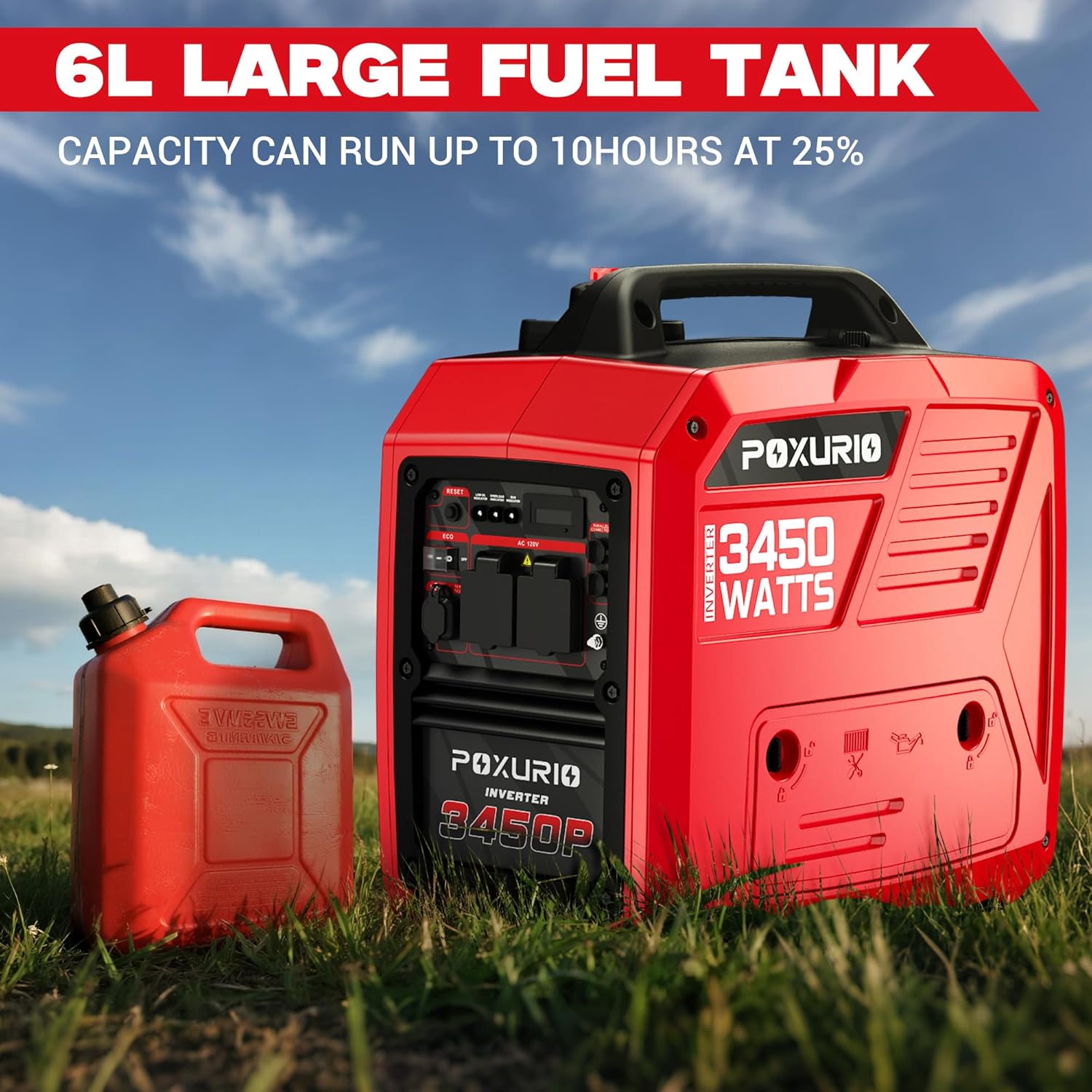
Image: Close-up of the generator's multi-switch, indicating positions for choke, run, and stop.
Video: A brief overview of the POXURIO Inverter Generator, demonstrating its compact size and ease of starting.
3.2 Control Panel Overview
The control panel provides access to all operational functions and monitoring indicators:
- Digital Display (VFT Meter): Shows voltage, frequency, and total run time.
- Indicator Lights: Low Oil, Overload, Run, CO Alert.
- AC Outlets: Two 120V AC 20A outlets and one 120V AC 30A (L5-30R) twist-lock outlet.
- USB Ports: Dual USB ports (USB-A and USB-C) for charging small electronics.
- Reset Button: Used to reset the generator after an overload.
- Low Idle Switch: Activates Eco Mode for fuel efficiency.

Image: Detailed view of the POXURIO 3450-Watt Dual Fuel Inverter Generator's control panel, highlighting various outlets and indicators.
3.3 Eco Mode
Engage Eco Mode by pressing the Low Idle switch. In Eco Mode, the engine speed automatically adjusts to the load, reducing fuel consumption and noise levels when less power is required. This extends run time and provides quieter operation.
3.4 Connecting Devices
Once the generator is running, you can connect your electrical devices to the appropriate outlets. Ensure the total wattage of connected devices does not exceed the running wattage of the generator to prevent overload.
- For standard household appliances, use the 120V AC 20A outlets.
- For RVs or higher power demands, use the 120V AC 30A (L5-30R) twist-lock outlet.
- For charging phones or other small USB devices, use the DC 5V USB ports.

Image: POXURIO 3450-Watt Dual Fuel Inverter Generator connected to and powering multiple household devices.
3.5 Parallel Operation
This generator supports parallel operation, allowing you to connect two identical units to double the available power output. Use the provided parallel cables to connect the two generators according to the instructions in the parallel kit manual (sold separately).

Image: Two POXURIO 3450-Watt Dual Fuel Inverter Generators connected via parallel cables, ready for increased power output.
4. Maintenance
4.1 Spark Plug Access
The spark plug is located under a removable access panel on the side of the generator. Use the provided spark plug wrench for inspection or replacement.
4.2 Oil Change
It is recommended to change the engine oil after the first 20 hours of use or the first month, whichever comes first. Subsequent oil changes should be performed every 100 hours or every 6 months.
Video: Demonstrates the process of changing the engine oil in a portable generator.
4.3 Spark Arrester
The generator is equipped with a US Forestry approved spark arrester. Regularly inspect and clean the spark arrester to ensure proper operation and prevent fire hazards.
5. Troubleshooting
- Generator Not Starting: Check fuel levels (gasoline/propane), ensure the fuel valve is open, and the multi-switch is in the correct starting position (CHOKE for cold start, RUN for warm start). Verify engine oil level.
- Overload: If the generator is overloaded, the overload indicator light will illuminate, and the unit may shut down. Disconnect some loads and press the RESET button on the control panel.
- Low Oil Shut-off: If the engine oil level is too low, the generator will automatically shut down to prevent damage. Refill engine oil to the proper level.
- CO Alert Shut-off: If the CO Protect system detects unsafe levels of carbon monoxide, the generator will shut down. Move the generator to a well-ventilated area and allow it to clear before restarting.
6. Specifications
| Specification | Value |
|---|---|
| Brand | POXURIO |
| Model Number | KF100348US-04HSD-001 |
| Starting Wattage | 3450 Watts |
| Running Wattage | 3450 Watts |
| Fuel Type | Gasoline, Propane |
| Gasoline Tank Volume | 1.6 Gallons |
| Engine Oil Capacity | 0.4 Liters (approx. 13.5 fl oz) |
| Engine Oil Type | SAE 10W-30 |
| Voltage | 120 Volts |
| Frequency | 60 Hz |
| Noise Level (at 25% load, 7m) | 66 dB |
| Item Weight | 43 Pounds |
| Product Dimensions (L x W x H) | 19.3" x 11.8" x 19.3" |
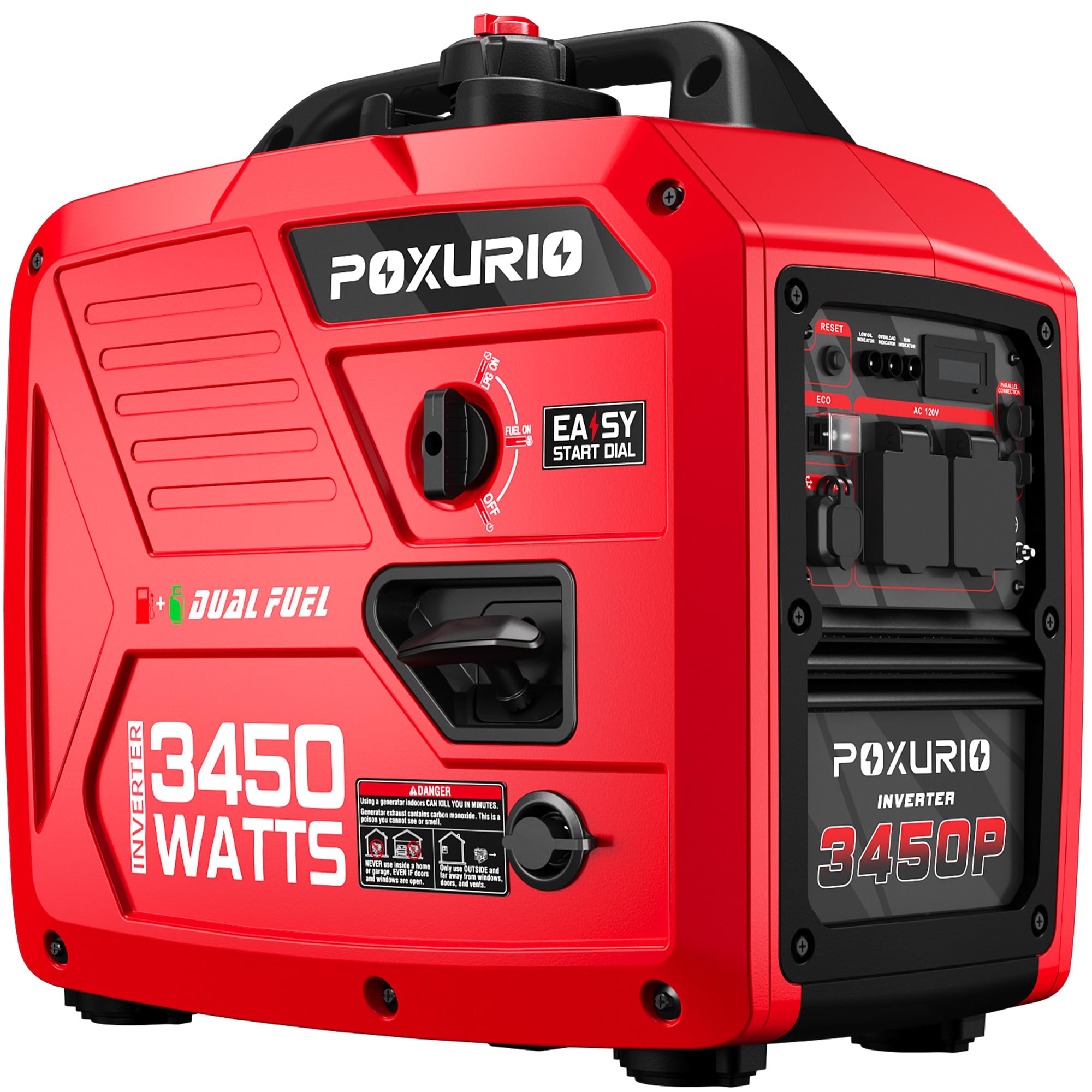
Image: POXURIO 3450-Watt Dual Fuel Inverter Generator with key dimensions and weight highlighted.
7. Warranty and Support
For warranty information, technical support, or to purchase replacement parts, please contact POXURIO customer service directly. Refer to the contact information provided in your product packaging or on the official POXURIO website.


