
Paladone Bluey Alarm Clock
Contents
Paladone Bluey Alarm Clock Instruction Manual
Model: Bluey Alarm Clock
Introduction
Thank you for purchasing the Paladone Bluey Alarm Clock. This digital alarm clock is designed to make mornings fun and provide a comforting night light for children. Please read this manual carefully to ensure proper setup and operation of your new alarm clock.
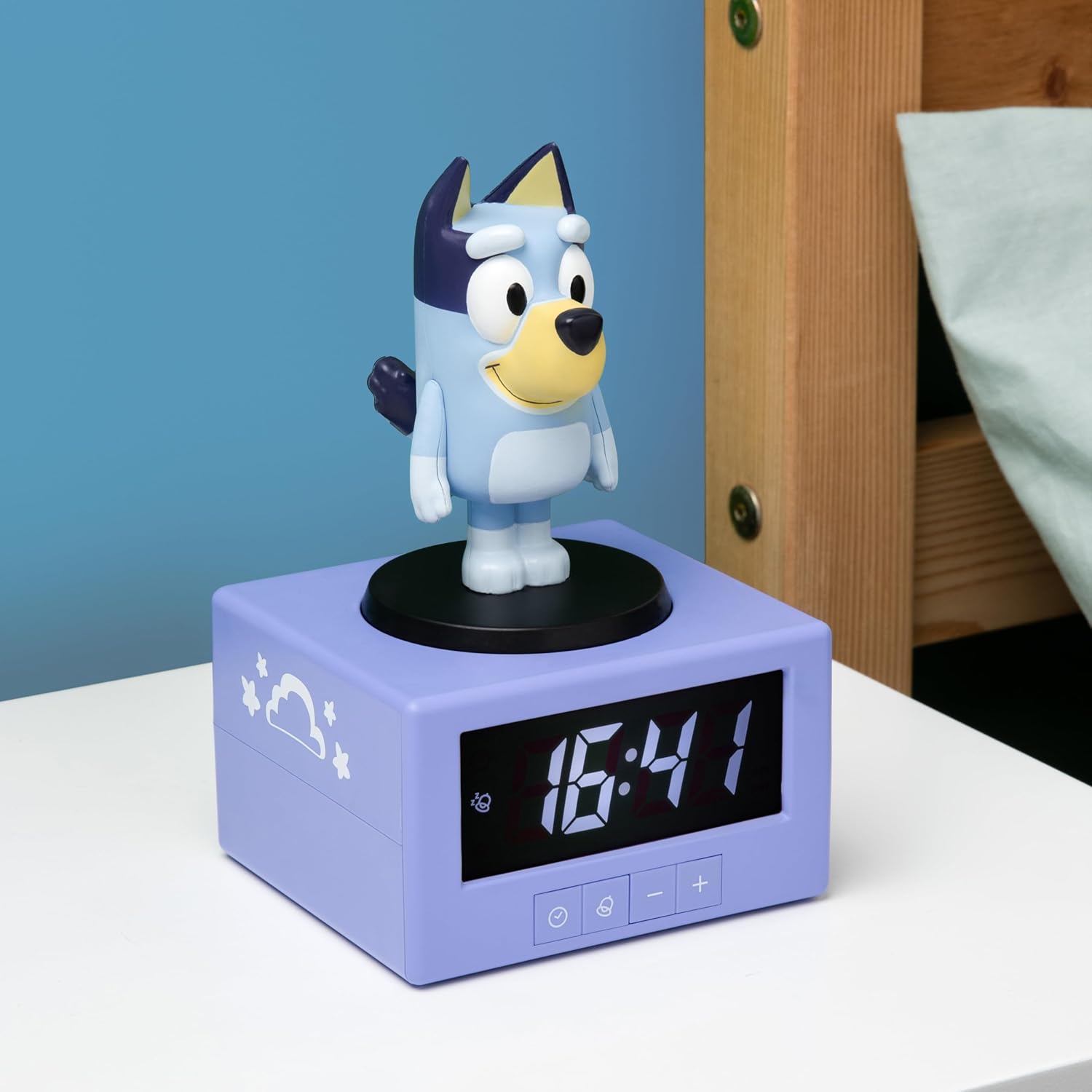
Image: The Paladone Bluey Alarm Clock featuring the Bluey character on top of a blue digital clock base, placed on a white bedside table.
Setup
1. Battery Installation
The Bluey Alarm Clock is battery-operated and requires 3 x AA batteries (not included).
- Locate the battery compartment on the underside of the alarm clock.
- Using a small screwdriver, open the battery compartment cover.
- Insert 3 x AA batteries, ensuring the correct polarity (+/-) as indicated inside the compartment.
- Replace the battery compartment cover and secure it with the screw.
Important: Do not mix old and new batteries. Do not mix alkaline, standard (carbon-zinc), or rechargeable (nickel-cadmium) batteries.
2. Setting the Time
Once batteries are installed, the digital display will activate. Follow these steps to set the current time:
- Press and hold the TIME SET button (refer to diagram for button location, typically on the back or bottom).
- While holding TIME SET, use the HOUR and MINUTE buttons to adjust the time.
- Release the TIME SET button when the correct time is displayed.
3. Setting the Alarm
To set your desired wake-up time:
- Press and hold the ALARM SET button.
- While holding ALARM SET, use the HOUR and MINUTE buttons to set the alarm time.
- Release the ALARM SET button.
- Ensure the alarm function is activated. This is usually indicated by an alarm icon on the display. Press the ALARM ON/OFF button to toggle the alarm.
Operating Instructions
Alarm Function
When the alarm time is reached, the Bluey Alarm Clock will play the Bluey theme song to gently wake you up.
- To turn off the alarm for the day, press the ALARM ON/OFF button.
- To activate the snooze function, tap Bluey's head (the character figure on top of the clock). The alarm will pause and sound again after a short interval (typically 5-10 minutes).
Night Light Function
The Bluey character figure doubles as a comforting night light.
- To activate the soft glow night light, simply tap Bluey's head.
- Tap Bluey's head again to turn off the night light.

Image: The Paladone Bluey Alarm Clock with the Bluey character illuminated in a soft blue light, demonstrating the night light feature.
Maintenance
Cleaning
To clean your alarm clock, gently wipe it with a soft, dry cloth. Do not use abrasive cleaners or immerse the unit in water.
Battery Replacement
When the display dims or the alarm function becomes unreliable, it's time to replace the batteries. Follow the "Battery Installation" steps in the Setup section to replace the 3 x AA batteries.
Troubleshooting
- Alarm not sounding:
- Ensure the alarm time is set correctly.
- Verify that the alarm function is activated (check for the alarm icon on the display).
- Check battery levels and replace if necessary.
- Night light not working:
- Ensure batteries are correctly installed and have sufficient power.
- Tap Bluey's head firmly to activate the light.
- Display is dim or blank:
- Replace the batteries with fresh ones.
- Ensure batteries are inserted with correct polarity.
- Incorrect time display:
- Reset the time following the "Setting the Time" instructions.
- If the issue persists, replace batteries.
Specifications
| Feature | Detail |
|---|---|
| Brand | Paladone |
| Color | Blue |
| Display Type | Digital |
| Special Features | Luminous (Night Light), Musical (Bluey theme song), Snooze function |
| Product Dimensions | Height: 15.6 cm (6.1 inches), Width: 10 cm (3.9 inches) |
| Power Source | Battery (3 x AA, not included) |
| Material | Plastic |
| Usage | Indoor |
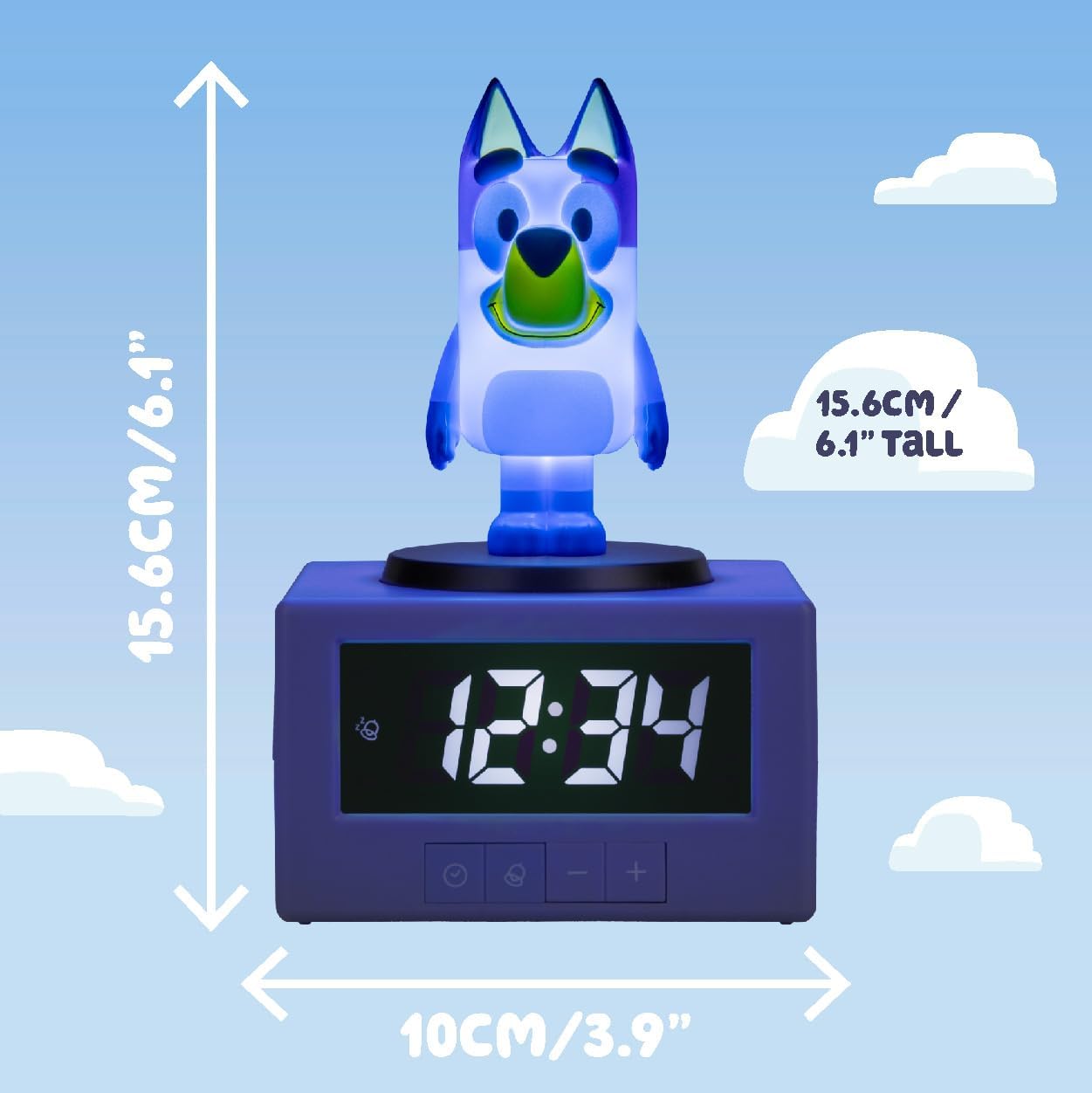
Image: A diagram illustrating the dimensions of the Bluey Alarm Clock, showing the total height and base width.
Warranty and Support
Paladone products are manufactured to high-quality standards. For any issues or support inquiries, please refer to the retailer's return policy or contact Paladone customer service through their official website. Please retain your proof of purchase for warranty claims.
Documents and downloads
Ask a question about this manual
Ask about setup, troubleshooting, compatibility, parts, safety, or missing instructions. Manuals+ will review the question and use this page’s manual context to help answer it.