
WOSPORTS NV400
WOSPORTS 4K Night Vision Goggles User Manual (Model NV400)
Your comprehensive guide to operating and maintaining your night vision device.
Introduction
The WOSPORTS 4K Night Vision Goggles (Model NV400) are designed for enhanced visibility in low-light conditions and total darkness. Featuring advanced optical and digital zoom capabilities, adjustable infrared illumination, and high-resolution recording, this device is suitable for various outdoor activities including camping, wildlife observation, and surveillance.
Package Contents
Verify that all items listed below are included in your package:
- 1 x WOSPORTS 4K Night Vision Goggles
- 1 x User Manual
- 1 x Storage Box
- 1 x Cleaning Cloth
- 1 x Neck Strap
- 1 x USB-C Data Cable
- 1 x 32GB SD Card
- 1 x Card Ejector Tool

Image: WOSPORTS 4K Night Vision Goggles shown with all standard accessories, including the carrying case, neck strap, USB-C cable, cleaning cloth, and 32GB SD card.
Product Features
Optical & Digital Zoom
The goggles feature a 10X optical zoom for clear magnification without image degradation, complemented by an 8X digital zoom for extended reach. This dual-zoom system allows for detailed observation of distant subjects up to 1315 feet (400 meters).

Image: Visual representation of 10X optical zoom, showing a clear, magnified view of a subject.
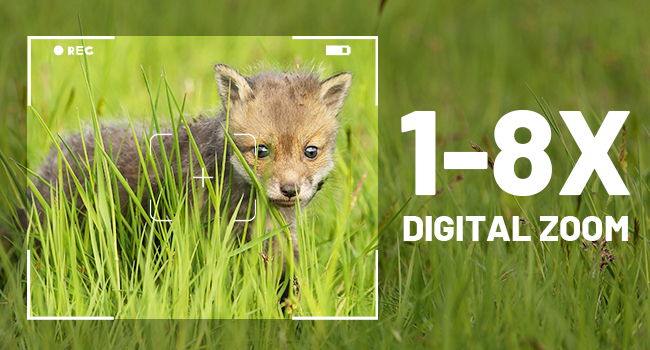
Image: Visual representation of 8X digital zoom, showing further magnification of a subject.
Infrared Night Vision
Equipped with an advanced 7-level adjustable infrared illuminator, the goggles provide clear visibility in low-light conditions and total darkness. The full optical system ensures optimal light gathering for superior night vision performance.
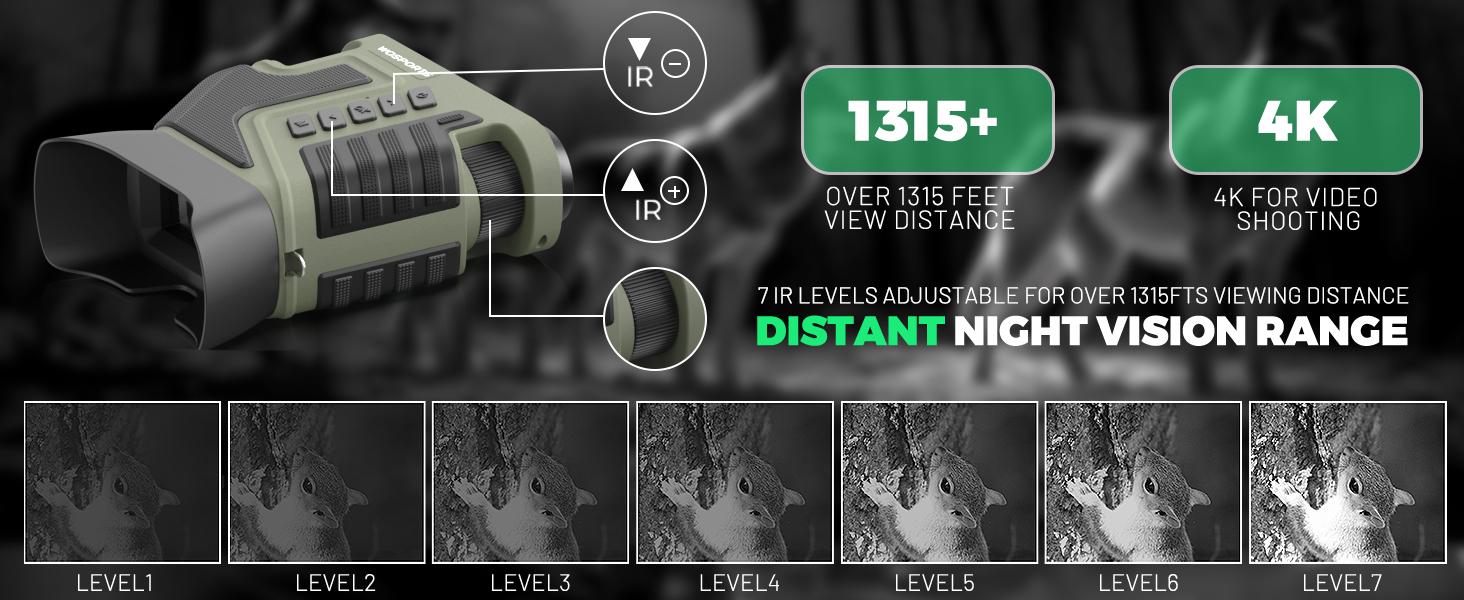
Image: Diagram illustrating the effect of different IR illumination levels on visibility in darkness, from human eye perception to Level 7.
4K Video & Photo Capture
Capture detailed 4K UHD videos (3840×2160@10FPS) and high-resolution photos. Instant playback is available on the integrated 3-inch HD screen. The device supports up to 256GB storage with the included 32GB TF card.

Image: The goggles' screen displaying options for 4K video recording and 16MP photo capture.
Long-lasting Battery
Powered by a 5000mAh lithium-ion battery, the goggles offer up to 20 hours of operation on a full charge. USB-C fast charging ensures quick power replenishment.
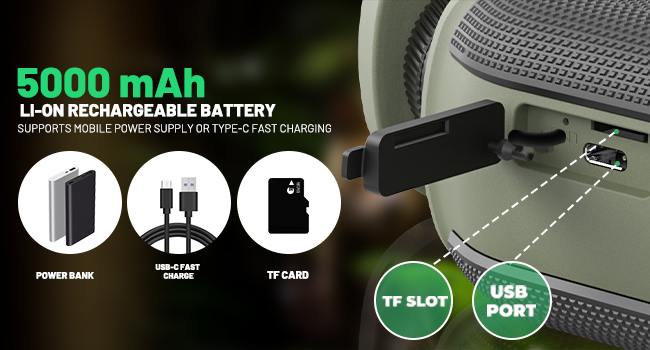
Image: Illustration of the 5000mAh rechargeable battery and the USB-C port for fast charging.
Durable & Weather-Resistant Design
The goggles feature an ergonomic, low-leakage eyepiece design for comfortable and discreet use. With IPX-rated waterproofing, the device is built to withstand various outdoor conditions.
Getting Started
1. Battery Charging
Connect the provided USB-C data cable to the goggles' charging port and plug the other end into a compatible USB power source. The battery indicator on the screen will show charging status. Ensure the battery is fully charged before first use for optimal performance.
2. SD Card Insertion
Locate the SD card slot on the side of the goggles. Gently insert the provided 32GB TF card into the slot until it clicks into place. Ensure the card is inserted correctly to avoid damage. The device supports up to 256GB TF cards.
3. Attaching Neck Strap
Thread the included neck strap through the lanyard holes on the goggles. Securely fasten the strap to prevent accidental drops and allow for hands-free carrying.
Operating the Goggles
Power On/Off
To power on the goggles, long-press the power button located on the top panel. The 3-inch HD screen will illuminate. To power off, long-press the power button again until the screen shuts down.
Adjusting Focus and Zoom
Rotate the objective adjustment wheel (manual focus) to achieve a sharp image. Use the 'Up' and 'Down' buttons to adjust the 8X digital zoom for closer inspection of subjects.
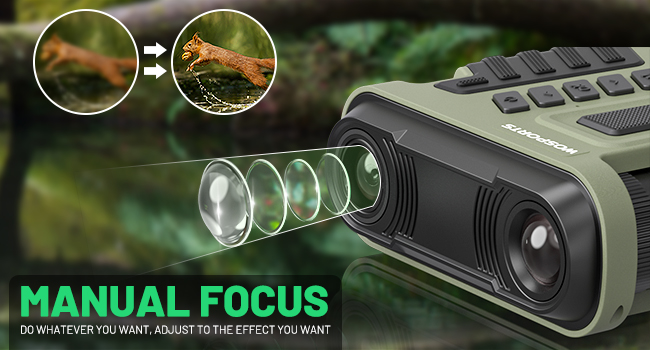
Image: Illustration demonstrating the manual focus adjustment wheel on the goggles.
Infrared (IR) Adjustment
Press the dedicated IR buttons to cycle through 7 levels of infrared illumination. Adjust the IR level based on ambient light conditions for optimal visibility in darkness.
Day and Night Modes
The goggles automatically adapt to ambient light. For daytime use, IR is off. For night use, activate IR. The device provides clear viewing in both conditions.
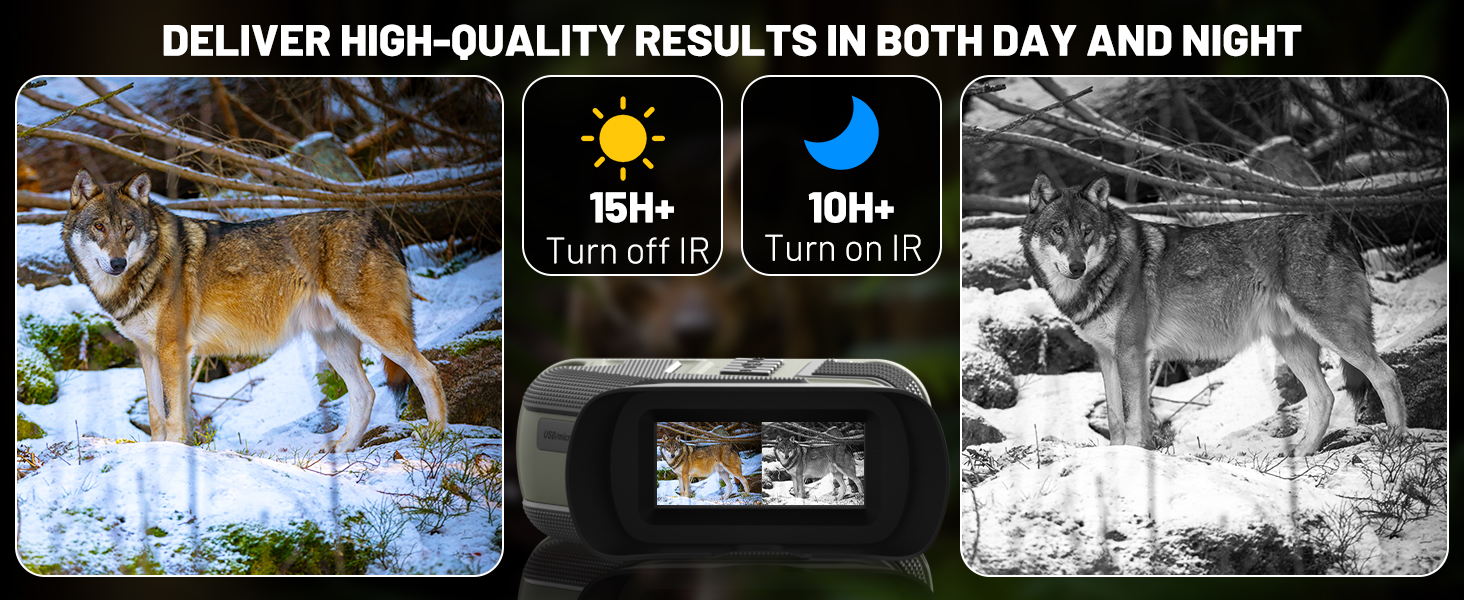
Image: Side-by-side comparison showing clear vision in daylight (IR off) and night (IR on).
Capturing Photos and Videos
Use the mode button to switch between photo and video capture. Press the dedicated capture button to take a photo or start/stop video recording.
Playback and File Transfer
Access the playback menu to review captured photos and videos directly on the 3-inch HD screen. Connect the goggles to a computer via the USB-C cable or remove the SD card to transfer files.

Image: A user transferring media files from the night vision goggles to a laptop using a USB-C cable.
Important Safety Information
- Avoid direct exposure of the lens to strong light sources, especially sunlight, as this may damage internal components.
- While IPX-rated waterproof, avoid submerging the device in water for extended periods.
- Keep the device away from extreme temperatures and high humidity.
- Do not attempt to disassemble or repair the device yourself. Contact customer support for assistance.
Maintenance and Care
- Use the provided cleaning cloth to gently wipe the lenses and screen. Avoid abrasive materials.
- Store the goggles in the protective storage box when not in use to prevent dust and scratches.
- Ensure the device is dry before storing it.
Troubleshooting
- Blurry Image: Adjust the manual focus wheel (objective adjustment) and ensure the digital zoom is not excessively high, which can reduce clarity.
- No Power: Ensure the battery is fully charged. Check the USB-C cable connection during charging.
- Cannot Record: Verify that an SD card is properly inserted and has sufficient free space.
Product Specifications
| Feature | Specification |
|---|---|
| Brand | WOSPORTS |
| Model | NV400 |
| Optical Zoom | 10X |
| Digital Zoom | 8X |
| Infrared Range | Up to 1315 ft (400m) |
| Video Resolution | 4K UHD (3840×2160@10FPS) |
| Photo Resolution | Up to 16MP |
| Display Screen | 3-inch HD |
| Battery Capacity | 5000mAh Lithium-ion |
| Battery Life | Up to 20 hours (IR off), 10 hours (IR on) |
| Storage | 32GB TF card included, supports up to 256GB |
| Waterproofing | IPX-rated |
| Weight | 1.34 pounds (609 grams) |
Warranty and Customer Support
Your WOSPORTS 4K Night Vision Goggles are backed by a 1-year warranty. For any product inquiries, technical assistance, or warranty claims, please contact WOSPORTS customer service. Responsive support is available to ensure your satisfaction.
Official Product Videos
Wosports Night Vision Goggles Usage Guidelines
Video: A detailed guide on how to use the WOSPORTS Night Vision Goggles, covering basic operations and features.
Wosports NV400 NIGHT VISION BINOCULARS
Video: An overview of the WOSPORTS NV400 Night Vision Binoculars, highlighting its design and functionalities.
Related documentsNV400


Ask a question about this manual
Ask about setup, troubleshooting, compatibility, parts, safety, or missing instructions. Manuals+ will review the question and use this page’s manual context to help answer it.