
1. Introduction
The Godox V480-C is a high-performance TTL Li-ion camera flash designed for Canon cameras. It offers advanced features such as high-speed sync, a built-in 2.4GHz wireless X system, and a powerful lithium battery for extended use. This manual provides detailed instructions for setting up, operating, and maintaining your V480-C flash.
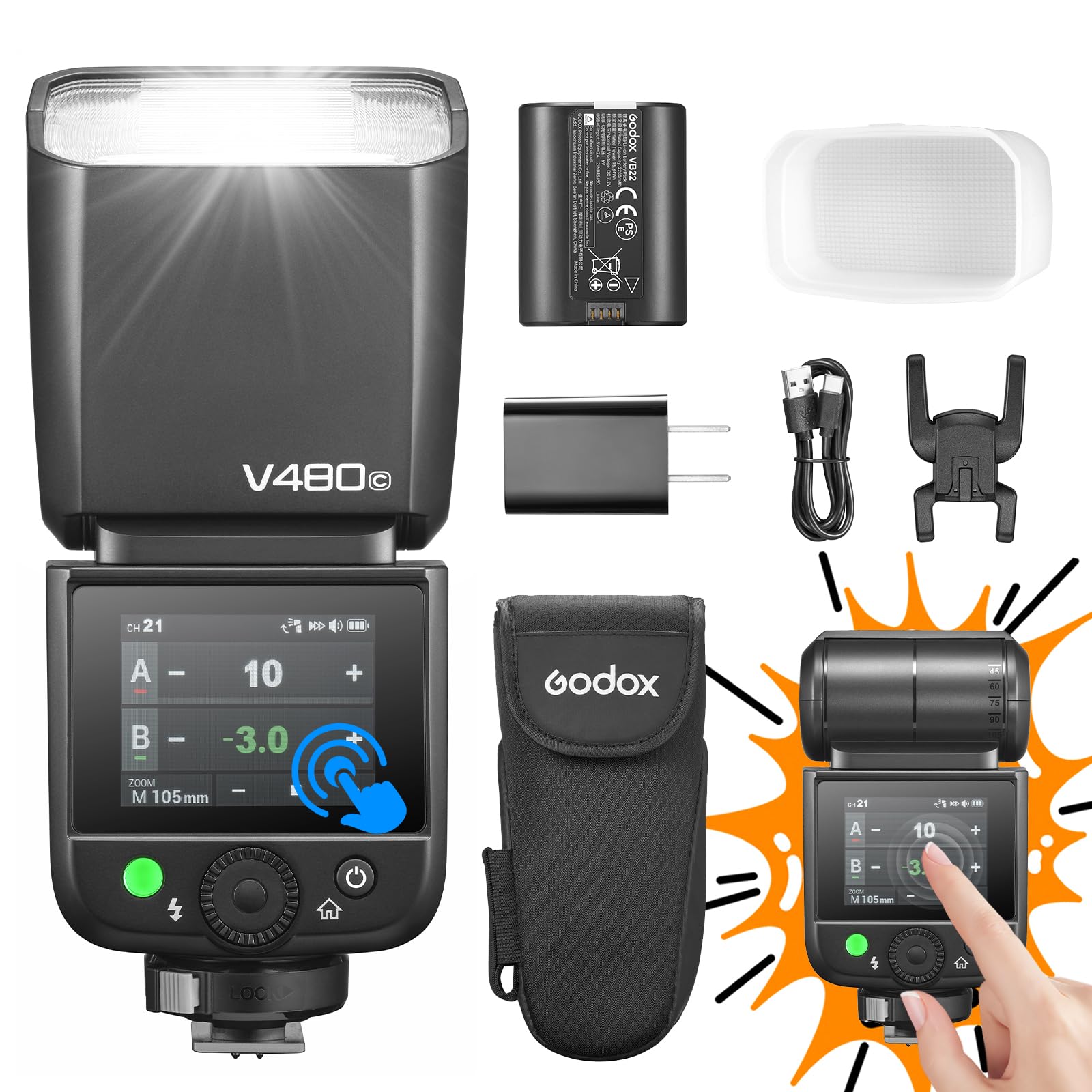
Figure 1.1: Godox V480-C Camera Flash with diffuser.
2. Product Overview and Key Features
The Godox V480-C flash unit combines intuitive control with robust performance, making it suitable for various photographic needs. Its compact design and powerful battery ensure reliability on location.
- Intuitive Control: Features a responsive touchscreen and tactile buttons for easy navigation and adjustment.
- Versatile Flash Modes: Supports TTL (Through-The-Lens), Manual, and Multi (Stroboscopic) flash modes.
- High-Speed Sync (HSS): Achieves sync speeds up to 1/8000s, allowing for creative control over ambient light.
- Integrated Wireless System: Built-in Godox 2.4GHz X wireless system functions as both sender and receiver across 32 channels, with a range of up to 100m.
- Powerful Battery: Equipped with a 7.2V/2200mAh lithium battery, providing up to 650 full-power flashes with a rapid 1.7s recycle time. USB-C charging is supported.
- Flexible Lighting: Features a bounce head with -7° to 120° tilt and 330° rotation, a 10-level modeling lamp, and built-in catchlight panel and diffuser for diverse lighting scenarios.
- Wide Compatibility: Compatible with a broad range of Canon DSLR and mirrorless cameras.

Figure 2.1: Key features of the Godox V480-C flash.
Video 2.1: An overview of the Godox V480 Camera Flash, showcasing its design and various applications in photography.
3. Setup
3.1. Battery Installation
The V480-C uses a high-capacity 7.2V/2200mAh lithium battery (model VB22). To install or replace the battery:
- Locate the battery compartment on the side of the flash unit.
- Open the battery compartment cover.
- Insert the VB22 lithium battery, ensuring the contacts align correctly.
- Close the battery compartment cover securely.
3.2. Mounting to Camera
The V480-C features a quick-install hot shoe for secure attachment to your Canon camera.
- Slide the flash unit onto your camera's hot shoe.
- Push the quick-lock lever forward to secure the flash in place. Ensure it is firmly attached to prevent accidental detachment.

Figure 3.1: Hot shoe design for secure camera mounting.
4. Operating the Flash
4.1. User Interface: Touchscreen and Buttons
The V480-C combines a 2.0-inch color touchscreen with tactile buttons for intuitive control. You can tap, swipe, or press buttons to navigate menus and adjust settings quickly.
Video 4.1: Demonstrating the responsive touchscreen interface of the Godox V480-C flash for quick adjustments.
4.2. Flash Modes
The V480-C offers several flash modes to suit different shooting requirements:
- TTL Mode: Automatically adjusts flash output for correct exposure.
- Manual Mode: Allows precise control over flash power (1/1 to 1/256 in 1/3 stop increments).
- Multi Mode (Stroboscopic): Fires a series of rapid flashes to capture multiple movements in a single exposure.
- High-Speed Sync (HSS): Enables flash synchronization with shutter speeds up to 1/8000s, useful for overpowering ambient light or using wide apertures in bright conditions.

Figure 4.2: Illustration of different flash modes and their applications.
4.3. Wireless Functionality
The built-in Godox 2.4GHz X wireless system allows the V480-C to act as both a master (sender) and slave (receiver) unit. It supports 32 channels and has a transmission distance of up to 100m, enabling complex multi-flash setups without external triggers.
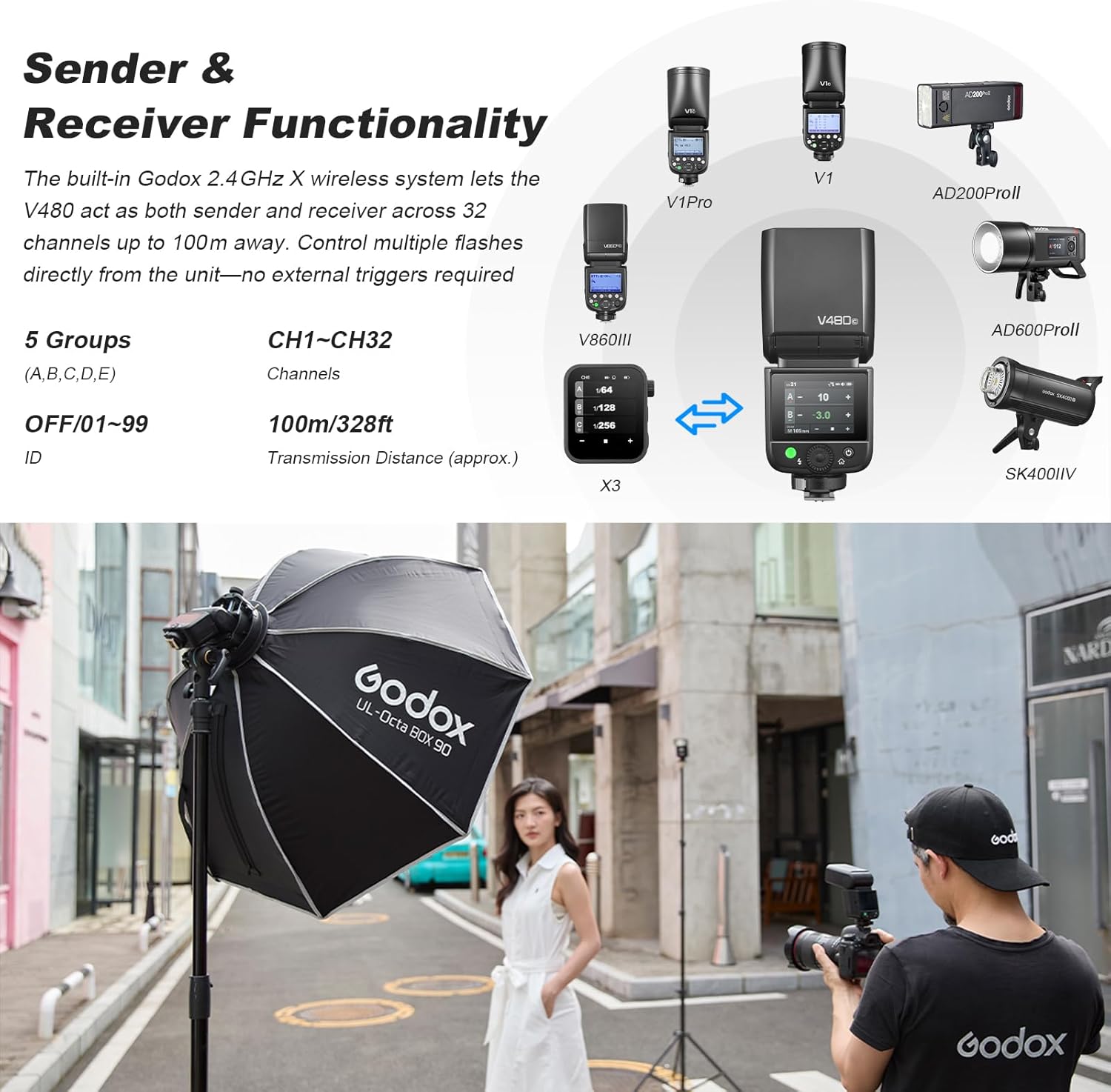
Figure 4.3: The V480-C operating as part of a wireless flash system.
4.4. Flexible Bounce Head
The flash head can be tilted from -7° to 120° and rotated 330° horizontally. This flexibility allows you to bounce light off ceilings, walls, or reflectors to create softer, more natural illumination and avoid harsh direct flash.

Figure 4.4: Adjusting the flexible bounce head for indirect lighting.
4.5. Modeling Lamp and Light Shapers
The V480-C includes a 10-level modeling lamp to help pre-visualize light direction and intensity before firing the main flash. Additionally, it features a built-in catchlight panel for adding sparkle to eyes and a wide-angle diffuser for softer, more even light coverage.
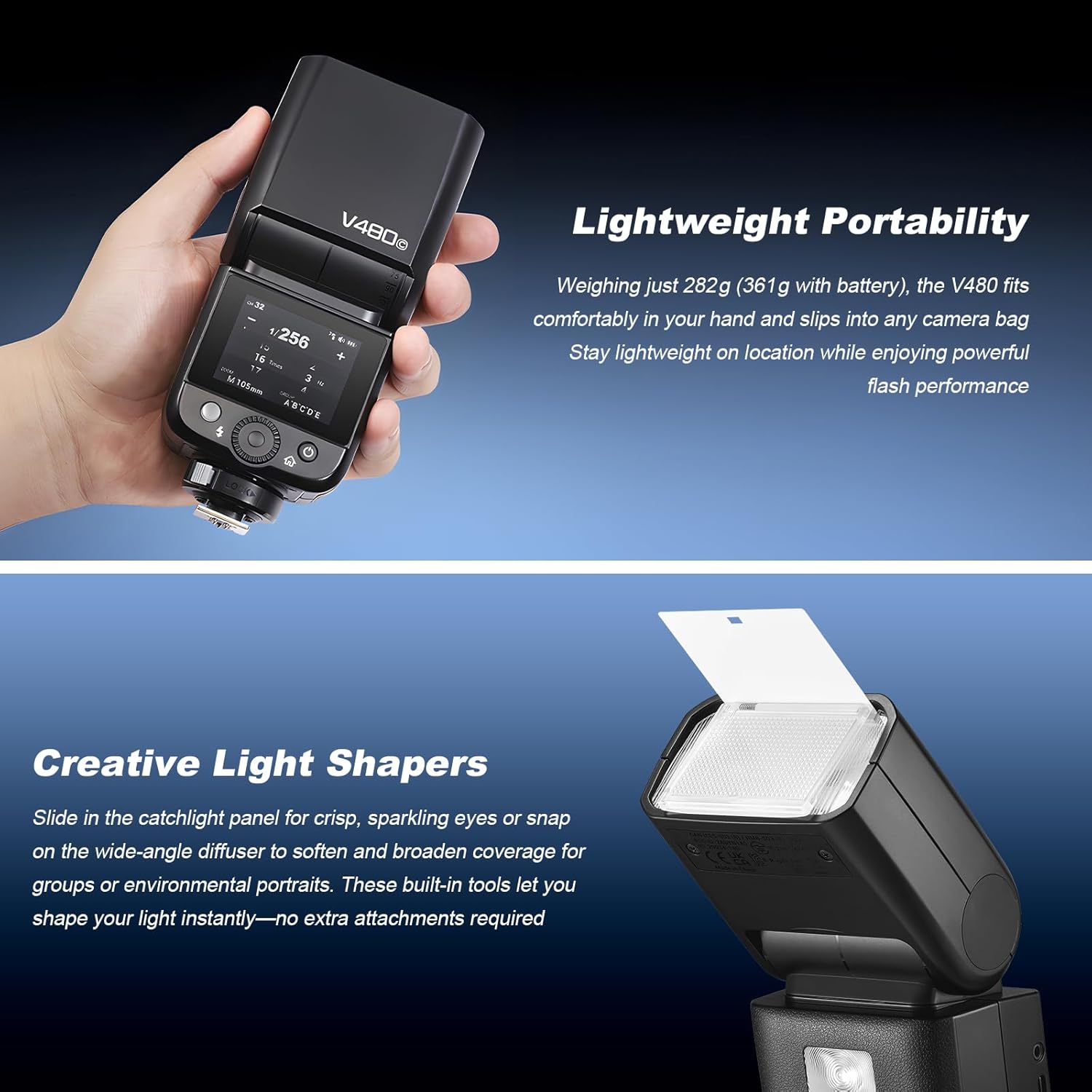
Figure 4.5: Utilizing the integrated light shapers for enhanced light quality.
5. Charging and Battery Life
The V480-C's 7.2V/2200mAh lithium battery provides approximately 650 full-power flashes on a single charge. The flash unit supports USB-C charging, allowing you to conveniently recharge the battery between sessions or on the go.

Figure 5.1: The V480-C's rechargeable lithium battery and USB-C charging capability.
6. Specifications
| Feature | Specification |
|---|---|
| Brand | GODOX |
| Model Number | V480-C |
| Compatible Mountings | Canon R5, R6, R6II, R7, R50, R8, R3, M5, M50, RP, R 80D, 90D, 7D, 6D, 70D, 750D, 760D, 5DMarkIV, EOS 1DX, 6DMarkII, 77D, 800D, 5DMarkIII, 60D, 7D Mark II, 600D, 50D, 30D, 500D, Digital X, M3, M6II, 1500D, 3000D, 200IID |
| Camera Flash Type | Hotshoe |
| Flash Sync Speed | 1/8000s (High-Speed Sync) |
| Connectivity Technology | Wireless (2.4GHz RF) |
| Battery Type | 1x 7.2V/2200mAh Nonstandard Lithium Battery (VB22) |
| Full-Power Flashes | Approx. 650 |
| Recycle Time | Approx. 1.7s |
| Exposure Control Type | Manual, TTL |
| Water Resistance Level | Not Water Resistant |
7. Maintenance
To ensure the longevity and optimal performance of your Godox V480-C flash, follow these maintenance guidelines:
- Cleaning: Use a soft, dry cloth to clean the flash unit. For stubborn dirt, a slightly damp cloth can be used, followed by immediate drying. Avoid using strong detergents or solvents.
- Battery Care: Store the lithium battery in a cool, dry place when not in use. If storing for extended periods, charge the battery to approximately 50% capacity. Avoid fully discharging the battery for long durations.
- Storage: When not in use, store the flash unit in its protective storage bag in a dry environment, away from extreme temperatures and direct sunlight.
- Avoid Impact: Protect the flash from drops and impacts, which can damage internal components.
8. Troubleshooting
If you encounter issues with your Godox V480-C flash, refer to the following common troubleshooting steps:
- Flash Not Firing:
- Check if the flash is securely mounted on the camera's hot shoe.
- Ensure the battery is properly installed and sufficiently charged.
- Verify that the flash is powered on and not in sleep mode.
- Check camera and flash settings for compatibility (e.g., flash mode, sync speed).
- Incorrect Exposure:
- In TTL mode, ensure your camera's exposure settings are appropriate for the scene.
- In Manual mode, adjust the flash power output as needed.
- Check for obstructions between the flash and subject, or if the diffuser/catchlight panel is correctly positioned.
- Wireless Communication Issues:
- Ensure both sender and receiver units are set to the same channel and group.
- Check for interference from other 2.4GHz devices.
- Verify that the units are within the effective wireless range (up to 100m).
For more complex issues, consult the official Godox support resources or contact customer service.
9. Warranty and Support
The Godox V480-C Camera Flash comes with a 10-year warranty from the manufacturer, GODOX. This warranty covers defects in materials and workmanship under normal use. Please retain your proof of purchase for warranty claims.
For technical support, service, or further inquiries, please visit the official GODOX website or contact their customer service department. You can also refer to the GODOX Store on Amazon for additional product information and resources.
10. Package Contents
The following items are included in the Godox V480-C package:
- Light Body x1 (Godox V480-C Flash Unit)
- Storage Bag x1
- Diffuser x1
- Adapter x1 (Power Adapter)
- Mini Stand x1
- Lithium Battery x1 (VB22)
- USB-C Charging Cable x1
Figure 10.1: All items included in the Godox V480-C retail package.
11. Advanced Features and Comparisons
For users interested in a deeper dive into the V480-C's capabilities or how it compares to other models, the following video provides a detailed comparison with the Godox V350, highlighting differences in screen, hot shoe design, and function options.
Video 11.1: A detailed comparison between the Godox V480 and V350 camera flashes, focusing on user interface, hot shoe design, and advanced function settings.


