1. Introduction
Thank you for choosing the WZATCO Yuva Go Plus Smart Home Projector. This manual provides essential information for setting up, operating, and maintaining your projector to ensure optimal performance and longevity. Please read this manual thoroughly before using the product.

Figure 1.1: WZATCO Yuva Go Plus Projector
2. Safety Information
To prevent fire, electric shock, or injury, please observe the following safety precautions:
- Do not block ventilation openings. Ensure adequate airflow around the projector.
- Do not look directly into the projector lens when the lamp is on. The bright light can cause eye damage.
- Keep the projector away from water or any liquids.
- Use only the power adapter supplied with the projector.
- Do not attempt to repair the projector yourself. Refer all servicing to qualified personnel.
- Place the projector on a stable, level surface to prevent it from falling.
3. What's in the Box
Verify that all items are present in the package:
- 1 x WZATCO Yuva Go Plus Projector
- 1 x Power Cord
- 1 x Remote Control
- 1 x User Manual (this document)
- 1 x Warranty Card
4. Product Overview
Familiarize yourself with the projector's components and ports.

Figure 4.1: Multiple Ports and Easy Connection
4.1. Ports and Interfaces
- HDMI Port: Connect to laptops, gaming consoles, TV sticks, or TV boxes. Supports HDMI ARC for enhanced audio return.
- USB Ports: Connect USB drives for media playback or external devices like a mouse.
- 3.5mm Audio Jack: Connect external headphones or speakers.
- Power Input: Connect the provided power cord.
4.2. Key Features
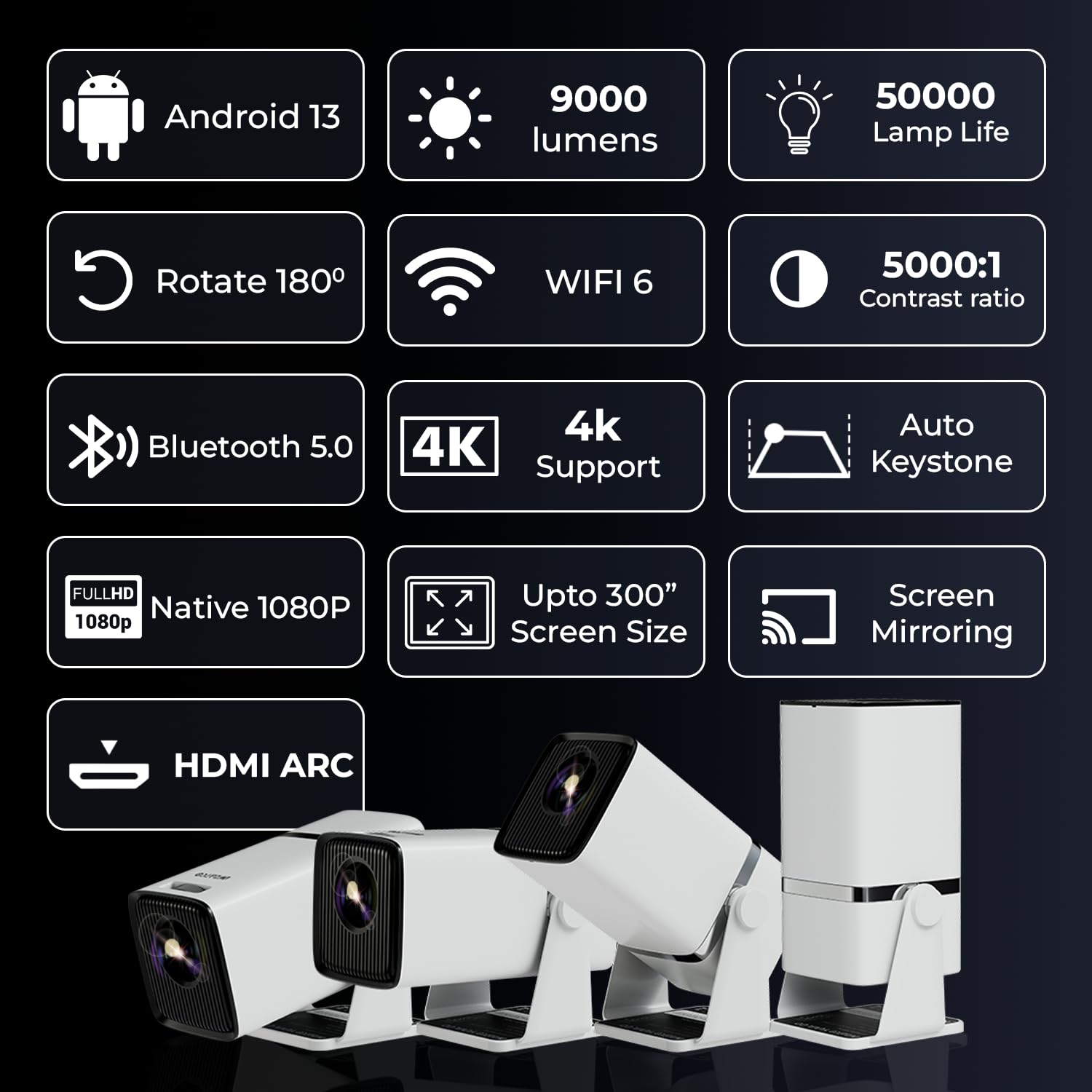
Figure 4.2: Overview of Key Features including Android 13, 9000 Lumens, WiFi 6, Bluetooth 5.0, 4K Support, Auto Keystone, and 180° Rotation.
- Native 1080P Resolution: Delivers crisp and clear Full HD images.
- 4K HDR Support: Compatible with 4K content for enhanced detail and color.
- Android 13.0 OS: Built-in smart TV system for direct access to streaming apps.
- 180° Rotatable Design: Allows projection onto walls, ceilings, or floors.
- Auto Keystone & 4-Point Correction: Automatically adjusts image shape for a perfect rectangle.
- Dual-Band WiFi 6: Ensures fast and stable wireless connectivity.
- Bluetooth 5.0: For connecting external audio devices.
- Built-in Speaker: Integrated audio for convenience.
5. Setup
5.1. Placement
Position the projector on a stable surface. The 180° rotatable design offers flexibility for various projection angles, including ceiling projection.

Figure 5.1: 180° Rotatable Design for flexible projection.
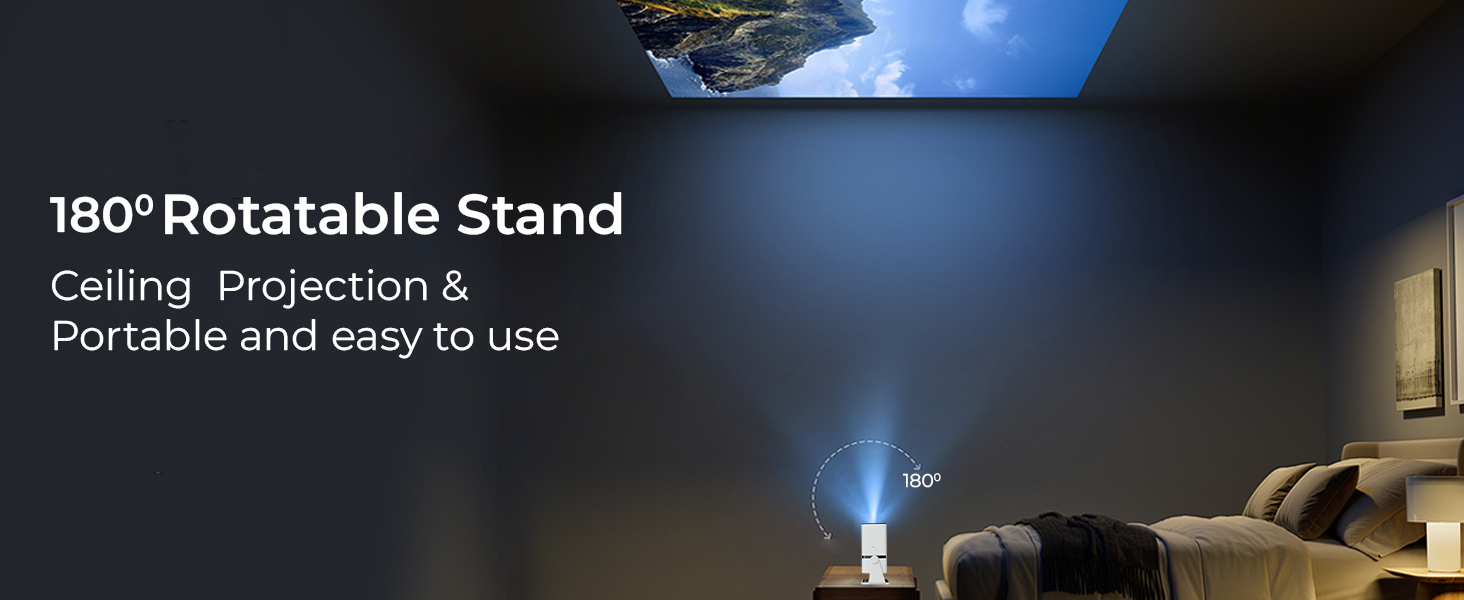
Figure 5.2: Example of Ceiling Projection using the 180° Rotatable Stand.
5.2. Power Connection
- Connect the power cord to the projector's power input.
- Plug the other end of the power cord into a wall outlet.
5.3. Focus and Keystone Correction
The projector features Auto Keystone and 4-Point Correction for easy image adjustment.

Figure 5.3: Auto Keystone & 4 Point Correction for image alignment.
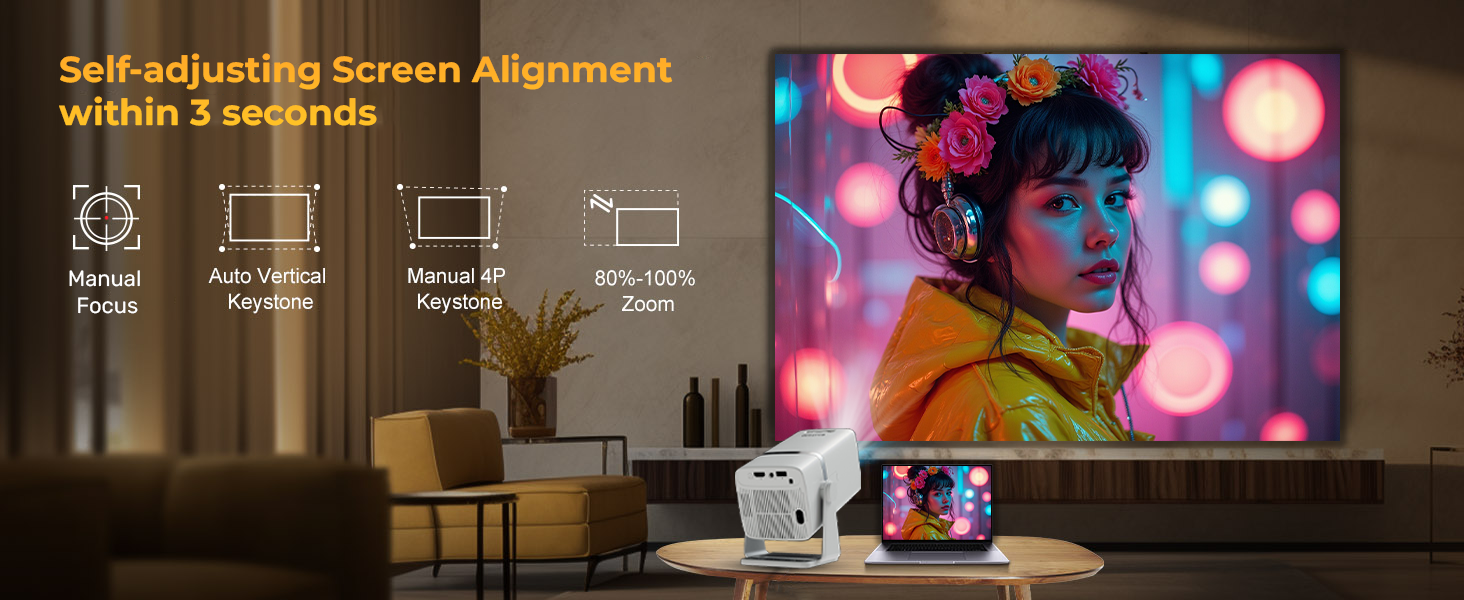
Figure 5.4: Self-adjusting Screen Alignment within 3 seconds.
- Auto Keystone: The projector will automatically correct vertical distortion.
- Manual 4-Point Keystone: For more precise adjustments, navigate to the settings menu to manually adjust each corner of the projected image.
- Manual Focus: Use the focus ring on the projector or remote control to sharpen the image.
5.4. Screen Size Adjustment
The projector can project images up to 300 inches. Adjust the distance from the projection surface to change the screen size.

Figure 5.5: Project images up to 300 inches.
6. Operating Instructions
6.1. Powering On/Off
- Power On: Press the power button on the projector or the remote control.
- Power Off: Press the power button again. Confirm shutdown if prompted.
6.2. Navigating the Android 13 OS
The Yuva Go Plus runs on Android 13, providing a smart interface for various applications.

Figure 6.1: Built-in Android 13 interface with various apps.
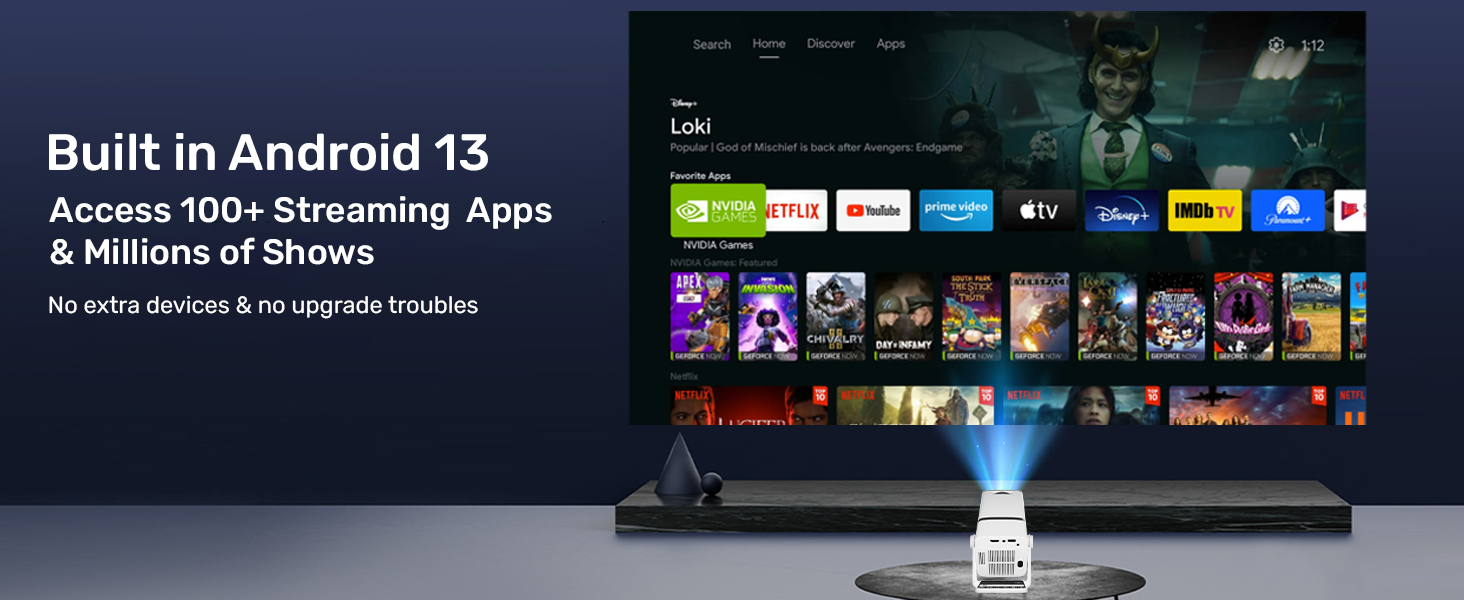
Figure 6.2: Access 100+ Streaming Apps & Millions of Shows with Android 13.
- Use the remote control to navigate through the home screen, applications, and settings.
- Pre-installed certified OTT apps like Netflix, YouTube, and Prime Video are available for smooth Full HD playback.
6.3. Connectivity
The projector supports various connection methods:
- WiFi 6: Connect to your wireless network for internet access and streaming.
- Bluetooth 5.0: Pair with external Bluetooth speakers, headphones, or soundbars for enhanced audio.
- Screen Mirroring: Wirelessly mirror content from your smartphone or tablet.
- HDMI: Connect external devices such as laptops, gaming consoles, or streaming sticks.
- USB: Play media directly from a USB drive.

Figure 6.3: Faster Wireless Connection with WiFi 6 Technology.
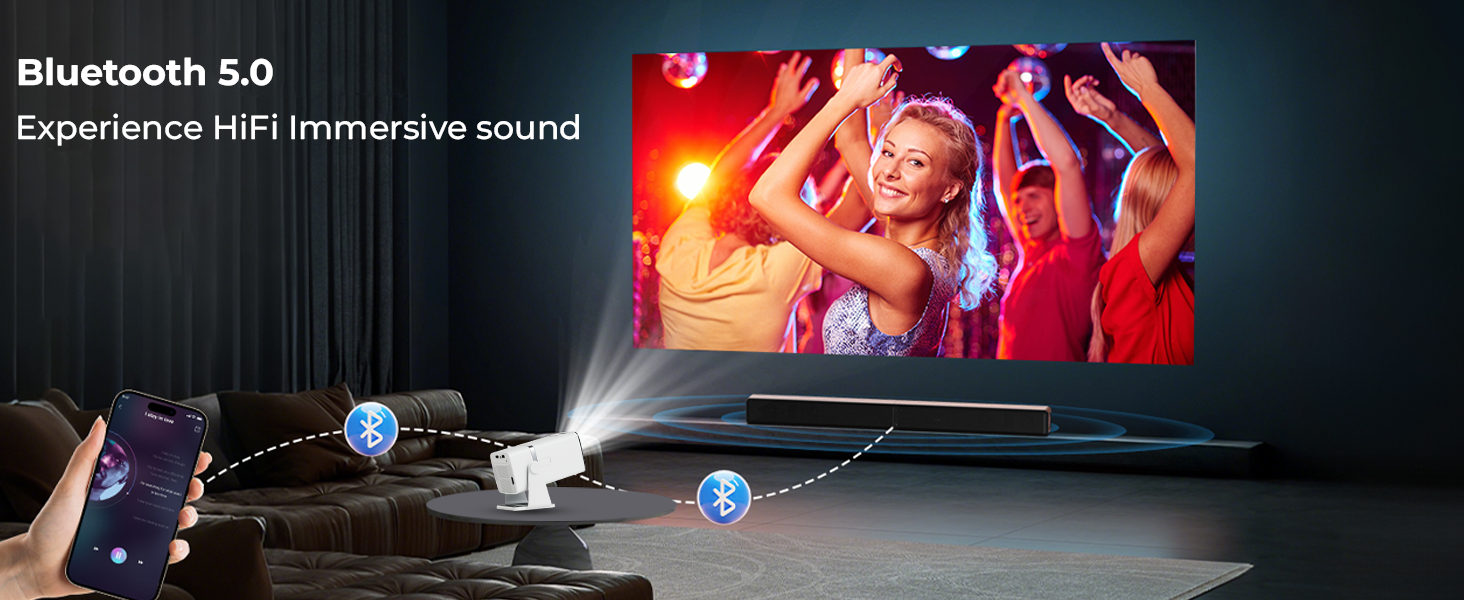
Figure 6.4: Enhance audio experience with Bluetooth 5.0.
7. Maintenance
Proper maintenance ensures the longevity and performance of your projector.
- Lens Cleaning: Use a soft, lint-free cloth specifically designed for optical lenses. Do not use abrasive cleaners or cloths.
- Dust Removal: Regularly clean the projector's exterior with a soft, dry cloth. Use a can of compressed air to gently clear dust from ventilation openings.
- Storage: When not in use for extended periods, store the projector in a cool, dry place, ideally in its original packaging or a protective case.
8. Troubleshooting
If you encounter issues, refer to the following common problems and solutions:
| Problem | Possible Cause | Solution |
|---|---|---|
| No image projected | Power not connected; Projector off; Input source incorrect | Check power connection; Turn on projector; Select correct HDMI/USB input |
| Image blurry | Out of focus; Incorrect keystone | Adjust manual focus ring; Use Auto Keystone or 4-Point Correction |
| No sound | Volume too low; Muted; External speaker not connected/paired | Increase volume; Unmute; Check Bluetooth connection or 3.5mm cable |
| Remote control not working | Batteries low/dead; Obstruction; Not pointed at IR receiver | Replace batteries; Remove obstructions; Point remote directly at projector |
| Wi-Fi connection unstable | Too far from router; Interference; Router issue | Move projector closer to router; Reduce interference; Restart router |
If the problem persists, please contact WZATCO customer support.
9. Specifications
| Feature | Specification |
|---|---|
| Brand | WZATCO |
| Model | Yuva Go Plus |
| Native Resolution | 1920 x 1080 (Full HD) |
| Supported Resolution | Up to 4K (3840 x 2160 Pixels) |
| Image Brightness | 9000 Lumens |
| Image Contrast Ratio | 5000:1 |
| Operating System | Android 13.0 |
| Wireless Connectivity | Dual-Band Wi-Fi 6, Bluetooth 5.0 |
| Hardware Interface | HDMI (ARC), USB, 3.5mm Audio |
| Special Features | 180° Rotatable Design, Auto Keystone, Wireless Screen Mirroring, Built-In Stereo Speaker, Certified OTT Apps |
| Product Dimensions | 11.98 x 11.98 x 21.99 cm |
| Item Weight | 1.3 kg |
| Power Consumption | 90 Watts |
| Mounting Type | Tabletop Mount, Ceiling Mountable |
10. Warranty and Support
10.1. Warranty Information
WZATCO India provides a 1-Year warranty from the date of purchase for the Yuva Go Plus projector. Product registration is mandatory to avail warranty benefits. Please visit the official WZATCO website for detailed warranty terms and conditions.
10.2. Customer Support
For any technical assistance, product inquiries, or warranty claims, please contact WZATCO customer support:
- Customer Care: 8070977097
- Email: support@wzatco.com
- Importer: WZATCO, Zeblaze Solutions LLP #731, 3rd Floor, 4th phase, 1st Main Road, Yelahanka, Bangalore - 560064


