
AIPER Seagull Pro ZT6002
AIPER Seagull Pro ZT6002 Cordless Robotic Pool Cleaner User Manual
Model: Seagull Pro ZT6002 | Brand: AIPER
Introduction
The AIPER Seagull Pro ZT6002 is an advanced cordless robotic pool cleaner designed for efficient and thorough cleaning of inground pools up to 1,600 sq.ft. Featuring WavePath Navigation, powerful quad-motor performance, and wall-climbing capabilities, this cleaner provides comprehensive coverage for your pool's floor, walls, and waterline. Its extended battery life and quick recharge time ensure convenient and hassle-free pool maintenance.
Safety Information
Please read all safety instructions carefully before operating the AIPER Seagull Pro ZT6002. Failure to follow these instructions may result in damage to the product, property, or personal injury.
- Ensure the charging port is dry before connecting the charger.
- Do not operate the cleaner if the pool water temperature is outside the recommended range (typically 50-95°F / 10-35°C).
- Keep children and pets away from the pool area while the cleaner is in operation.
- Only use the original charger and accessories provided by AIPER.
- Do not attempt to disassemble or repair the cleaner yourself. Contact qualified service personnel.
- Remove the cleaner from the pool before adding chemicals or performing backwashing.
- Store the cleaner in a cool, dry place when not in use.
Package Contents
Verify that all items are present in the package:
- AIPER Seagull Pro ZT6002 Robotic Pool Cleaner
- Power Adapter
- Retrieval Hook
- User Manual

Image: The AIPER Seagull Pro ZT6002 robotic pool cleaner, showcasing its sleek design and robust wheels.
Setup
Charging the Cleaner:
Before first use, fully charge the robotic pool cleaner. Connect the power adapter to the cleaner's charging port and then plug it into a power outlet. The battery indicator lights will show the charging status.

Image: The robotic pool cleaner connected to its charger, illustrating the charging process. A full charge takes approximately 3-4 hours.
Initial Placement in Pool:
Once fully charged, ensure the cleaner is powered off. Gently lower the cleaner into the pool. It will sink to the bottom. Ensure there are no large obstacles or debris that could impede its movement.
Operating Instructions
The AIPER Seagull Pro ZT6002 offers multiple cleaning modes for optimal pool maintenance.
Selecting a Cleaning Mode:
Turn the intuitive control dial on top of the cleaner to select your desired cleaning mode:
- Automatic Mode: Cleans both the pool floor, walls, and waterline. This mode utilizes WavePath Navigation for comprehensive coverage.
- Floor Only Mode: Focuses cleaning solely on the pool floor.
- Wall Only Mode: Focuses cleaning on the pool walls and waterline.

Image: Close-up of the control dial on the cleaner, showing options for Automatic, Floor Only, and Wall Only cleaning modes.
Starting the Cleaning Cycle:
After selecting the mode, press the power button. The cleaner will begin its operation. It is recommended to start the cleaner from the shallow end of the pool.
WavePath Navigation:
The WavePath Navigation system ensures efficient cleaning. When the battery is above 50% in Auto mode, it performs an "S" pattern for the floor. When below 50%, it switches to an "N" pattern for walls and waterline, ensuring complete coverage before the battery depletes.
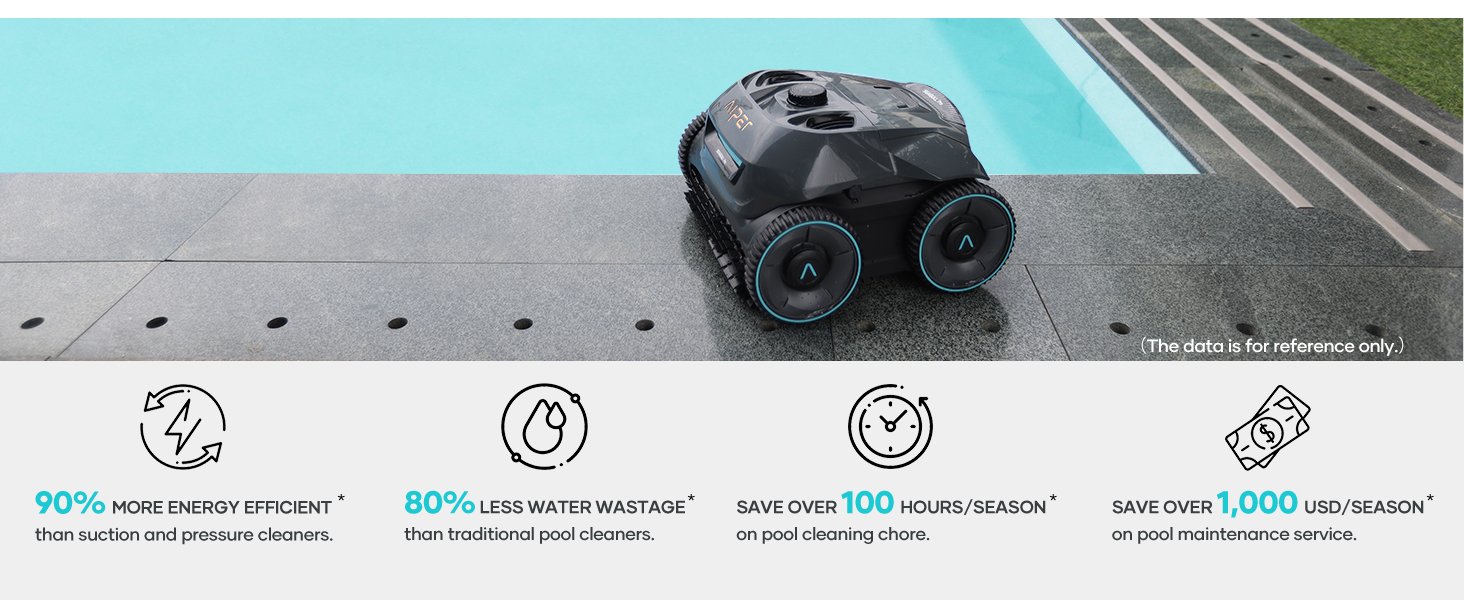
Image: Diagram illustrating the WavePath Navigation patterns for floor (S-pattern) and wall/waterline (N-pattern) cleaning.
Battery Life and Coverage:
The cleaner provides up to 150 minutes of continuous cleaning on a full charge, suitable for pools up to 1,600 sq.ft.

Image: An aerial view of a large pool, indicating the 1,600 sq.ft coverage capacity of the cleaner on a single charge.
Retrieving the Cleaner:
Once the cleaning cycle is complete or the battery is low, the cleaner will typically park itself near a wall. Use the provided retrieval hook to carefully lift the cleaner out of the water. Allow excess water to drain before removing it completely.
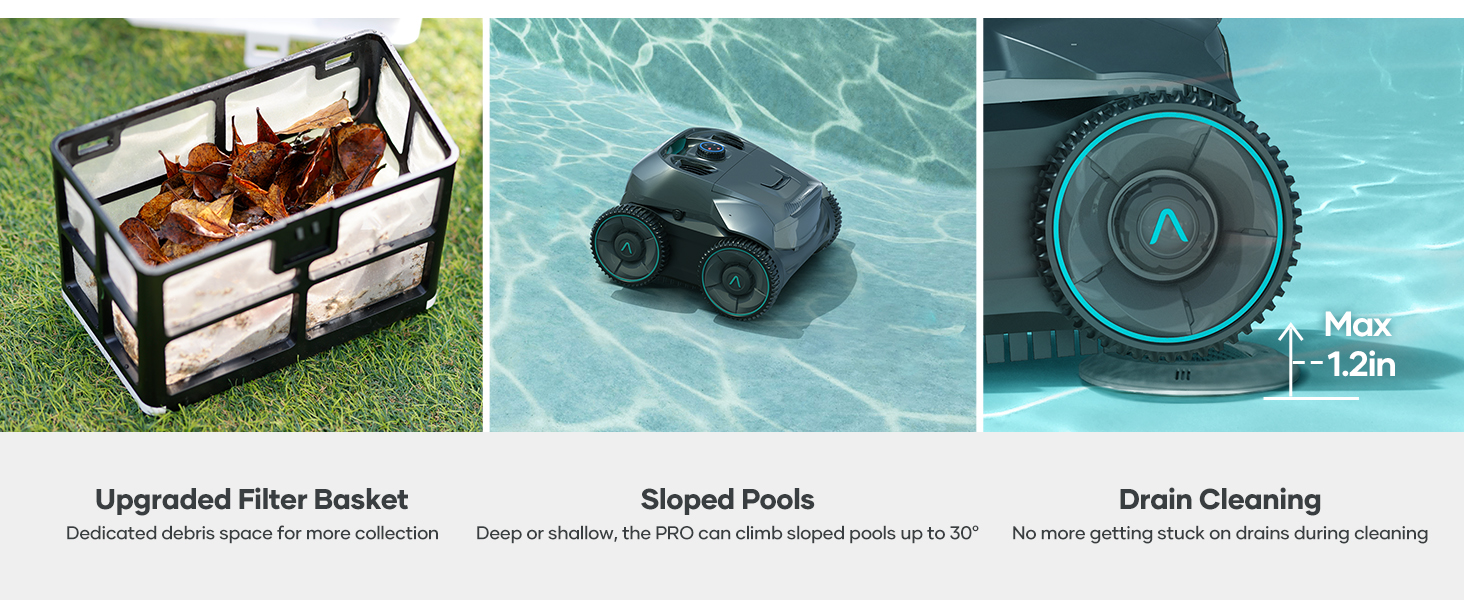
Image: A person using the retrieval hook to pull the robotic cleaner out of the pool, demonstrating its easy handling and quick water release.
Official Product Video
Video: This video demonstrates the convenience of wireless pool cleaning with the AIPER Seagull Pro ZT6002, showing its movement and cleaning action in a pool.
Maintenance
Regular maintenance ensures the longevity and optimal performance of your AIPER Seagull Pro ZT6002.
Cleaning the Filter Basket:
After each use, or as needed, remove and clean the filter basket. The top-load design makes it easy to access. Pour out collected debris and rinse the filter thoroughly with water.

Image: A hand lifting the easy-access debris filter basket from the top of the cleaner, showing its convenient design for maintenance.
Cleaning the Brushes and Wheels:
Periodically inspect the brushes and wheels for any tangled hair, string, or large debris. Clean them as necessary to ensure smooth operation.
Storage:
When storing the cleaner for extended periods, ensure it is clean, dry, and fully charged. Store it in a cool, dry place away from direct sunlight and extreme temperatures.
Troubleshooting
| Problem | Possible Cause | Solution |
|---|---|---|
| Cleaner does not turn on. | Low battery; Power button not pressed correctly. | Charge the cleaner fully; Ensure the power button is pressed firmly. |
| Cleaner moves slowly or stops. | Clogged filter basket; Obstruction in brushes/wheels; Low battery. | Clean the filter basket; Remove obstructions; Recharge the cleaner. |
| Cleaner does not climb walls effectively. | Low battery; Excessive algae/slippery pool surface; Water chemistry imbalance. | Recharge the cleaner; Brush pool walls manually; Check and adjust pool water chemistry. |
| Debris is not being picked up. | Full or clogged filter basket; Worn brushes. | Empty and clean the filter basket; Inspect and replace brushes if necessary. |
Specifications
- Model: Seagull Pro ZT6002
- Power Source: Battery Powered
- Special Features: Quad-Motor Power, Wall-Climbing Cleaning, Fully Wireless, Smart WavePath Navigation, Extended Runtime
- Battery Type: Lithium-Ion
- Number of Batteries: 21 (included)
- Lithium Battery Energy Content: 196.56 Watt Hours
- Battery Weight: 1160 Grams
- Runtime: Up to 150 minutes
- Charging Time: 3-4 hours
- Max Pool Area: Up to 1,600 sq.ft (150 m²)
- Product Dimensions: 16 x 16 x 10 inches (40.64 x 40.64 x 25.4 cm)
- Item Weight: 32 pounds (14.5 kg)
- Manufacturer: AIPER
- Country of Origin: China
Warranty and Support
The AIPER Seagull Pro ZT6002 comes with a two-year product protection from the date of purchase. This warranty covers manufacturing defects and ensures peace of mind for your investment.
For technical support, warranty claims, or any inquiries regarding your product, please contact AIPER Customer Service through their official website or the contact information provided in your product packaging. Please have your model number (Seagull Pro ZT6002) and proof of purchase ready when contacting support.
For more information, visit the official AIPER store: AIPER Official Store
Related documentsSeagull Pro ZT6002


Ask a question about this manual
Ask about setup, troubleshooting, compatibility, parts, safety, or missing instructions. Manuals+ will review the question and use this page’s manual context to help answer it.