
Black Shark CHOCO(Blue)
Contents
BIGBIG WON CHOCO PC Gaming Controller User Manual
Model: CHOCO(Blue)
Introduction
Welcome to the user manual for the BIGBIG WON CHOCO PC Gaming Controller. This guide provides comprehensive instructions on setting up, operating, and maintaining your controller to ensure an optimal gaming experience across various platforms including PC, Switch, Android, and iOS.
Product Overview
The BIGBIG WON CHOCO controller is designed for versatile gaming, featuring advanced functionalities like 6-axis gyro, dual shock vibration, 128-step macro programming, and NFC.
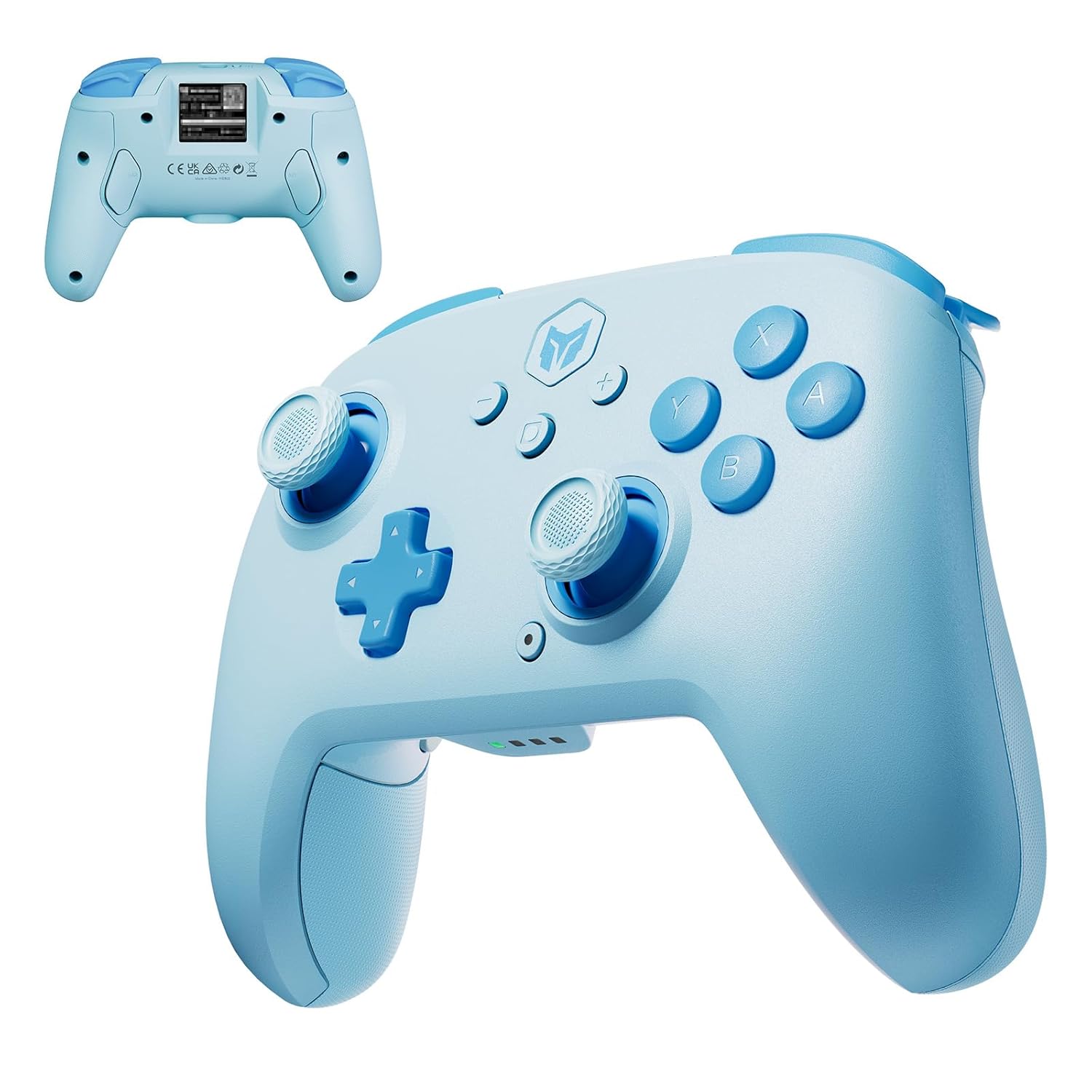
Figure 1: Front and back view of the BIGBIG WON CHOCO PC Gaming Controller. The front shows the joysticks, D-pad, ABXY buttons, and central function buttons. The back displays the M1/M2 programmable buttons and regulatory markings.
Key Features
- Versatile Connectivity: Supports both Bluetooth and wired connections for PC, Switch, Android, and iOS.
- Multi-functional Customization: Dedicated app for adjusting button layouts, vibration intensity, lighting, and profile settings.
- Enhanced Gaming Experience: Features 128 macro functions with two programmable back buttons (M1/M2) for complex actions.
- Immersive Control: Built-in 6-axis gyroscope for natural movement-based control.
- Advanced Functions: Adjustable vibration modes and rapid-fire functions for superior gameplay.
- NFC Support: For unlocking new gaming adventures and potential quick pairing.

Figure 2: The controller is compatible with PC, Nintendo Switch, iOS, and Android devices, supporting both Switch and Xinput modes. Key features highlighted include Wireless Rear Buttons M1/M2, Turbo Rapid Fire Function, 4-level HD Vibration, and 6-axis Gyro Function.

Figure 3: Detailed view of the controller's components, including Hall Sensor Joysticks for precise input, the Cross Key (D-pad), Shoulder Buttons, and the Directional Key. The image also highlights the M1 and M2 programmable rear buttons, which allow for free program configuration. For more information on programming, visit https://dwz.cn/fdJI2Z9U.
Setup and Connectivity
The BIGBIG WON CHOCO controller offers flexible connectivity options to suit your gaming setup.
Wired Connection
To connect the controller via a wired connection, simply plug the USB cable into the controller and then into your PC or compatible device. The controller will be automatically recognized and ready for use. This method also charges the controller.
Bluetooth Connection (Wireless)
- Ensure the controller is sufficiently charged.
- Turn on the controller by pressing the central power button.
- Activate Bluetooth on your PC, Switch, Android, or iOS device.
- On your device, search for available Bluetooth devices and select "BIGBIG WON CHOCO" (or similar name) from the list.
- Once paired, the controller's indicator lights will confirm a successful connection.
For Nintendo Switch, follow the console's specific pairing instructions for Pro Controllers.
Charging the Controller
Connect the controller to a USB power source (e.g., PC USB port, USB wall adapter) using the provided USB cable. The indicator lights on the controller will show the charging status and turn off or change color when fully charged.
Operating Instructions
Macro Programming (128-Step)
The controller features two programmable back buttons (M1 and M2) that support up to 128-step macro functions. This allows you to record and execute complex sequences of button presses with a single press of M1 or M2.
- Refer to the dedicated BIGBIG WON app for detailed instructions on recording and assigning macros.
- The app provides an intuitive interface for customizing these functions to suit your gameplay.

Figure 4: The controller supports 128-step macro functionality, allowing users to customize and automate up to 128 individual actions with a single button press, enhancing gameplay efficiency.
6-Axis Gyroscope Functionality
The built-in 6-axis gyroscope enhances immersive gameplay by detecting natural movements and tilts of the controller. This allows for intuitive control in games that support motion sensing, such as steering in racing games or aiming in action titles.
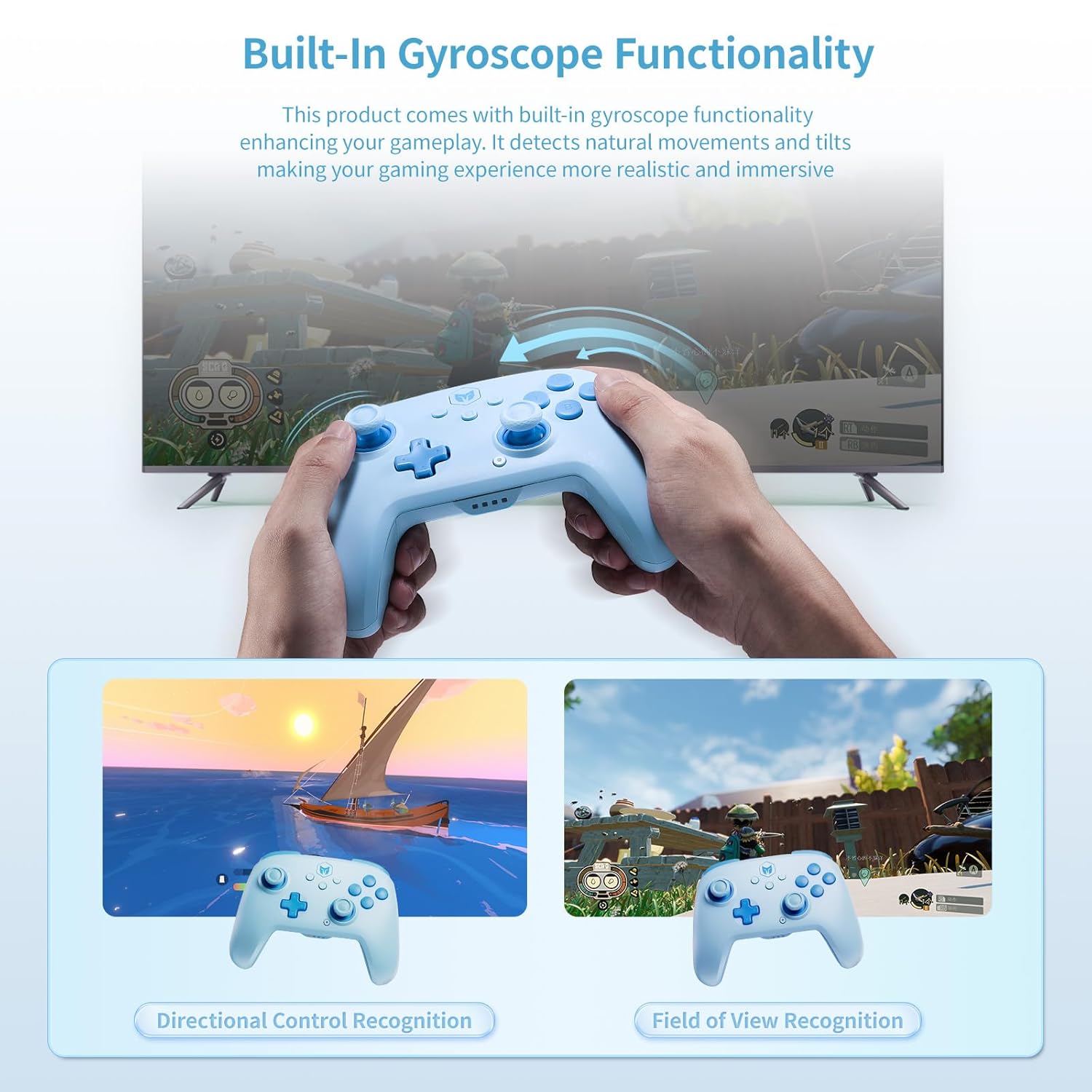
Figure 5: The controller's built-in gyroscope functionality allows for natural movement-based control, enabling directional control recognition and field of view recognition within games for a more realistic and immersive experience.
Vibration Modes
The controller offers four distinct vibration modes to enhance the realism and immersion of your gameplay. You can select the intensity that best suits your preference or the game you are playing.
- Zero: No vibration.
- Weak: Subtle vibration feedback.
- Be Hit By: Moderate vibration, often used for impacts or damage.
- Vigorous: Strongest vibration feedback for intense moments.

Figure 6: The controller features four distinct vibration modes—zero, weak, 'be hit by', and vigorous—allowing users to customize their haptic feedback for a more immersive gaming experience.
Turbo Function
The Turbo function allows a button to be pressed repeatedly as long as it is held down, providing a rapid-fire capability. This can be particularly useful in games requiring fast, continuous inputs. Refer to the app or controller's quick start guide for specific button combinations to activate and deactivate Turbo mode for desired buttons.
Customization via App
A dedicated mobile application is available to unlock the full customization potential of your BIGBIG WON CHOCO controller. The app allows you to:
- Adjust button layouts and remap functions.
- Fine-tune vibration intensity.
- Modify lighting effects.
- Create and manage multiple user profiles.
- Set dead zones for joysticks and triggers.
- Configure macros and assign them to the M1/M2 buttons.
- Utilize NFC for quick pairing or other specific functions.

Figure 7: The dedicated app provides extensive customization options, including motion sensitivity, stick and trigger adjustments, and key mapping. The image also highlights the NFC feature, which can be used to unlock new gaming adventures.
Maintenance
To ensure the longevity and optimal performance of your BIGBIG WON CHOCO controller, follow these maintenance guidelines:
- Cleaning: Use a soft, dry cloth to wipe the controller. For stubborn dirt, slightly dampen the cloth with water. Avoid using harsh chemicals or abrasive materials.
- Storage: Store the controller in a cool, dry place away from direct sunlight and extreme temperatures.
- Battery Care: Avoid fully discharging the battery frequently. If storing for an extended period, charge the battery to about 50% to preserve its lifespan.
- Avoid Drops: Protect the controller from physical shocks and drops, which can damage internal components.
Troubleshooting
If you encounter issues with your BIGBIG WON CHOCO controller, refer to the following common troubleshooting steps:
| Problem | Possible Solution |
|---|---|
| Controller does not turn on. | Ensure the controller is charged. Connect it to a power source using the USB cable. |
| Cannot connect via Bluetooth. |
|
| Buttons or joysticks are unresponsive. |
|
| Vibration is not working. |
|
Specifications
| Feature | Detail |
|---|---|
| Model Number | CHOCO(Blue) |
| Connectivity | Bluetooth, Wired (USB) |
| Compatibility | PC, Nintendo Switch, Android, iOS |
| Dimensions | 5.91 x 3.94 x 1.57 inches |
| Weight | 2.12 ounces |
| Battery | 1 Lithium Polymer battery (included) |
| Special Features | 6-Axis Gyro, Dual Shock, 128-Step Macro Programming, NFC, Turbo Function, Customizable via App |
Warranty and Support
For information regarding warranty coverage, technical support, or to download the latest version of the customization app, please visit the official Black Shark website or contact their customer service.
Note: Warranty terms and support options may vary by region. Please refer to the manufacturer's official resources for the most accurate and up-to-date information.
Documents and downloads
Ask a question about this manual
Ask about setup, troubleshooting, compatibility, parts, safety, or missing instructions. Manuals+ will review the question and use this page’s manual context to help answer it.