
Introduction
This manual provides detailed instructions for the setup, operation, maintenance, and troubleshooting of your Black Shark A3 Smartwatch. Please read this manual carefully before using the device to ensure proper functionality and longevity.
The Black Shark A3 Smartwatch is designed to enhance your daily life with its advanced features, including a vibrant display, Bluetooth calling, extensive sports tracking, and comprehensive health monitoring.
What's in the Box
- Black Shark A3 Smartwatch
- Charging Cable
- User Manual

Image: The Black Shark A3 Smartwatch, its charging cable, and the user manual as packaged.
Product Overview
The Black Shark A3 Smartwatch features a sleek design with a 1.53-inch full-touch display and a durable build.
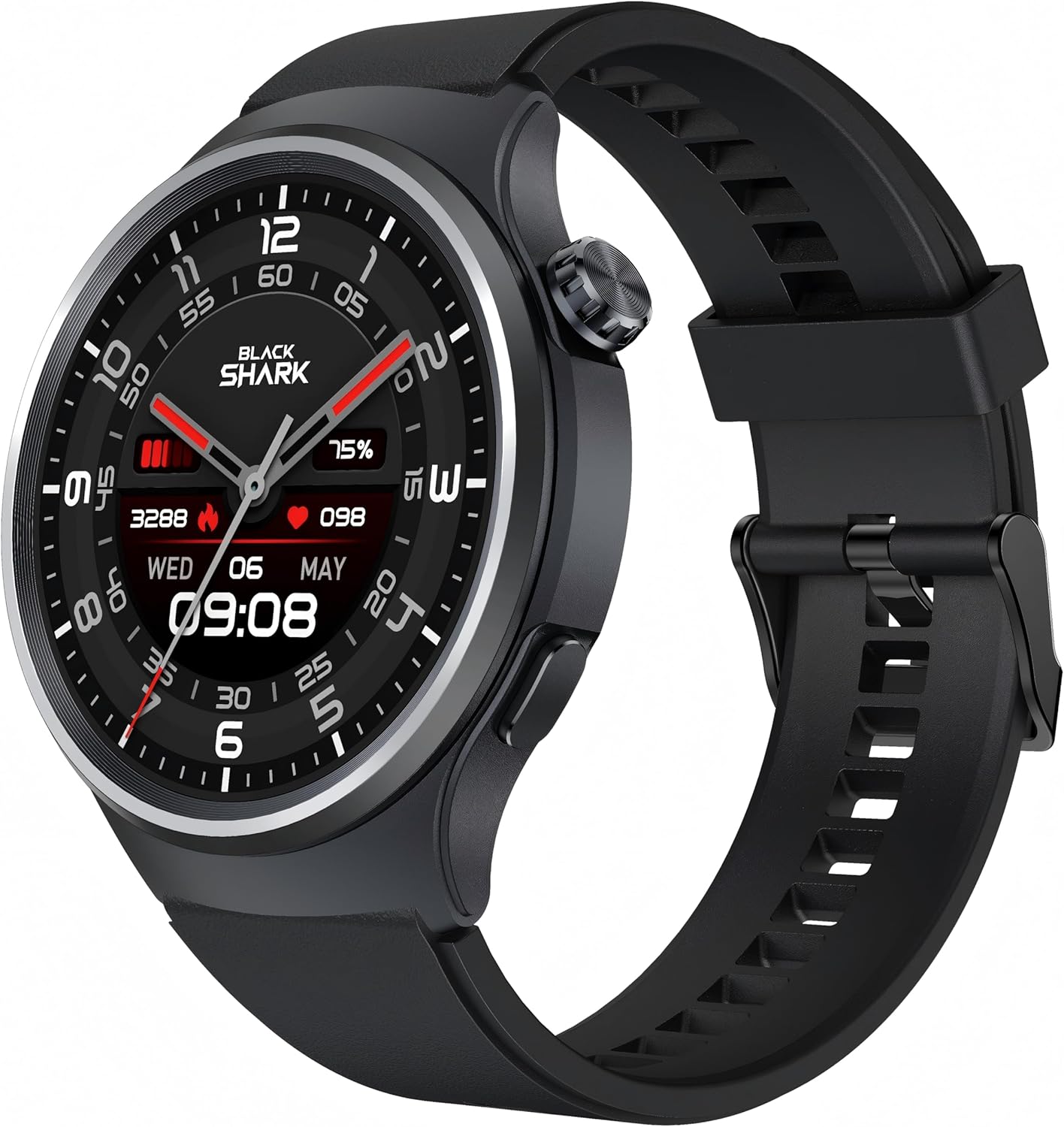
Image: A detailed view of the Black Shark A3 Smartwatch, highlighting its round display and side button.
Key Features
- 1.53-inch Full-Touch Display: Vibrant 360x360 resolution with 600 nits brightness and 60Hz refresh rate for clear visuals.
- ENC Bluetooth Calling: Dual-mode Bluetooth (BLE 5.3 + BT3.0) with noise-canceling for clear calls.
- 14-Day Battery Life: Extended usage on a single charge due to an ultra-low-power chip.
- 120+ Sports Modes: Comprehensive tracking for various physical activities.
- 3ATM Water Resistance: Suitable for swimming and exposure to rain.
- 24/7 Health Monitoring: Tracks heart rate, blood oxygen, sleep patterns, and stress levels.

Image: An overview of the Black Shark A3 Smartwatch's main features, including its display, calling capabilities, battery life, water resistance, watch face options, and sports modes.
Setup
1. Charging the Smartwatch
Before initial use, fully charge your Black Shark A3 Smartwatch. Connect the magnetic charging cable to the charging contacts on the back of the watch and plug the USB end into a power adapter (not included) or a computer's USB port.
- A full charge provides up to 14 days of regular use.
- The watch will display a charging indicator on the screen.

Image: The smartwatch screen showing a full battery indicator, emphasizing its 14-day battery life.
2. App Installation and Pairing
To unlock the full potential of your Black Shark A3 Smartwatch, download and install the companion application on your smartphone. The app is compatible with Android 9.0 / iOS 14.0 and above.
- Scan the QR code in the quick start guide (if provided) or search for "Black Shark Smartwatch App" in your device's app store.
- Install the application and create an account or log in.
- Enable Bluetooth on your smartphone.
- Open the app and follow the on-screen instructions to pair your Black Shark A3 Smartwatch. Ensure the watch is powered on and discoverable.
- Confirm the pairing request on both your phone and the smartwatch.
Once paired, the watch will synchronize data with your phone, including time, date, and notifications.
Operating Instructions
Basic Navigation
- Touch Screen: Swipe left/right, up/down to navigate through menus and widgets. Tap to select an option.
- Side Button: Press to wake the screen, return to the watch face, or access the app list. Long press for power options.
Bluetooth Calling
The Black Shark A3 supports Bluetooth calling, allowing you to make and receive calls directly from your wrist.
- Answering Calls: When a call comes in, tap the green phone icon on the watch screen.
- Making Calls: Access the dial pad or contacts through the watch's menu to initiate a call.
- ENC Technology: Environmental Noise Cancellation ensures clear audio during calls.
Notifications
Receive real-time notifications for calls, messages, and app alerts directly on your smartwatch. Ensure notification permissions are enabled in the companion app on your phone.
Sports Modes
The watch offers over 120 sports modes to track your workouts accurately. Select your desired activity from the sports menu to begin tracking metrics such as duration, distance, calories burned, and heart rate.

Image: Visual representation of the diverse sports modes supported by the smartwatch, from running to swimming.
Health Monitoring
The Black Shark A3 continuously monitors your health metrics throughout the day and night.
- Heart Rate: Continuous heart rate monitoring provides insights into your cardiovascular health.
- Blood Oxygen (SpO2): Measures blood oxygen saturation levels.
- Sleep Tracking: Analyzes sleep patterns, including deep sleep, light sleep, and wake times.
- Stress Monitoring: Tracks stress levels to help you manage your well-being.

Image: An illustration of the smartwatch's health tracking capabilities, including heart rate, blood oxygen, and sleep analysis.
Customizable Watch Faces
Personalize your smartwatch with over 240 stylish watch faces available through the companion app. Choose from minimalist, mechanical, and sporty designs, or customize with your own photos.

Image: A selection of the numerous watch faces available for the Black Shark A3 Smartwatch, demonstrating customization options.
Water Resistance
The Black Shark A3 Smartwatch features 3ATM water resistance, making it suitable for daily use, including handwashing, rain, and swimming. Avoid hot water, saunas, or diving, as extreme temperatures or high-velocity water may compromise the seal.
Image: The smartwatch shown in water, illustrating its 3ATM water resistance for various activities.
Maintenance
- Cleaning: Regularly wipe the watch screen and strap with a soft, dry cloth. For stubborn stains, use a slightly damp cloth and then dry thoroughly.
- Avoid Chemicals: Do not use harsh chemicals, cleaning solvents, or strong detergents, as these may damage the watch's finish or internal components.
- Charging Contacts: Keep the charging contacts on the back of the watch clean and dry to ensure efficient charging.
- Storage: When not in use for extended periods, store the watch in a cool, dry place.
Troubleshooting
Watch Not Turning On
- Ensure the watch is fully charged. Connect it to the charger for at least 30 minutes.
- Press and hold the side button for several seconds to attempt a forced restart.
Cannot Pair with Phone
- Ensure Bluetooth is enabled on your phone and the watch is within range.
- Restart both your phone and the smartwatch.
- Check if the watch is already paired with another device. Disconnect if necessary.
- Clear the Bluetooth cache on your phone (Android) or reset network settings (iOS) if issues persist.
- Ensure the companion app is updated to the latest version.
Inaccurate Health Data
- Ensure the watch is worn snugly on your wrist, about one finger's width from your wrist bone.
- Keep the sensor on the back of the watch clean.
- Environmental factors and individual physiological differences can affect accuracy.
Notifications Not Received
- Verify that the watch is successfully connected to your phone via Bluetooth.
- Check notification permissions for the companion app in your phone's settings.
- Ensure the app is running in the background and not being closed by battery optimization settings.
Specifications
| Feature | Specification |
|---|---|
| Model Name | Black Shark A3 |
| Brand | Black Shark |
| Screen Size | 1.53 Inches |
| Display Resolution | 360x360 |
| Brightness | 600 nits |
| Refresh Rate | 60Hz |
| Water Resistance | 3ATM |
| Battery Life (Regular Use) | Up to 14 Days |
| Connectivity Technology | Bluetooth (BLE 5.3 + BT3.0) |
| Operating System Compatibility | Android 9.0 / iOS 14.0 and above |
| Item Weight | 6.7 ounces |
| Dimensions | 4.21 x 4.21 x 2.68 inches (Package) |
Warranty and Support
Your Black Shark A3 Smartwatch comes with a standard manufacturer's warranty. For detailed warranty terms and conditions, please refer to the warranty card included in your product packaging or visit the official Black Shark website.
If you encounter any issues or require technical assistance, please contact Black Shark customer support through their official website or the contact information provided in the companion app.
For the latest updates, FAQs, and support resources, please visit: Black Shark Official Store on Amazon