Introduction
The Yealink UH42 Mono USB-C/A Headset is a professional wired headset designed for clear communication in various work environments. It features a noise-cancelling microphone, in-line controls, and a comfortable design for extended use. This manual provides instructions for setting up, operating, and maintaining your headset.
What's in the Box
- Yealink UH42 Mono USB-C/A Headset
- Protective Case
- User Manual (this document)
Product Overview
The Yealink UH42 Mono Headset is engineered for optimal audio performance and user comfort. Key components include the earcup, adjustable headband, microphone boom arm, and the in-line control unit.

Image: The Yealink UH42 Mono USB-C/A Headset, showcasing its single earcup design, microphone boom, and wired connection.
Comfort and Design
The headset features a lightweight design (approximately 4.1oz) with oversized leather ear cushions and an elastic metal headband. This ergonomic design distributes weight evenly, providing comfort for extended wear.
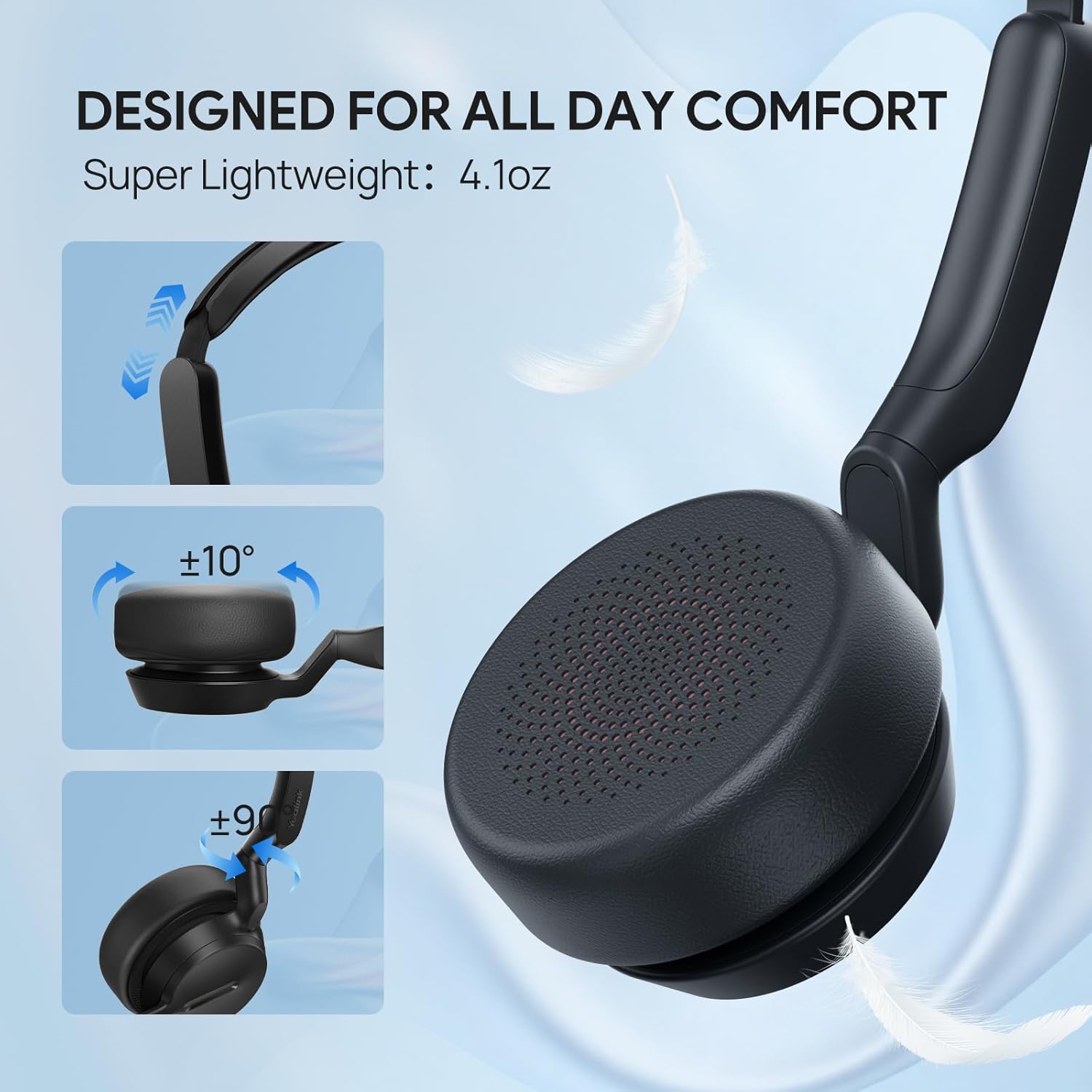
Image: Diagram illustrating the comfort features of the Yealink UH42 headset, including flexible headband and rotating earcup for a personalized fit.
Setup
The Yealink UH42 headset is designed for plug-and-play functionality, requiring no additional drivers for most operating systems.
- Connect the Headset: Plug the USB-C or USB-A connector of the headset into an available USB port on your PC computer. The headset is compatible with both USB-C and USB-A ports.
- System Recognition: Your operating system (Windows, macOS) should automatically detect and install the necessary drivers. This process typically takes a few seconds.
- Select as Audio Device: In your computer's sound settings or your communication application (e.g., Microsoft Teams, Zoom), select "Yealink UH42" as your default audio input and output device.
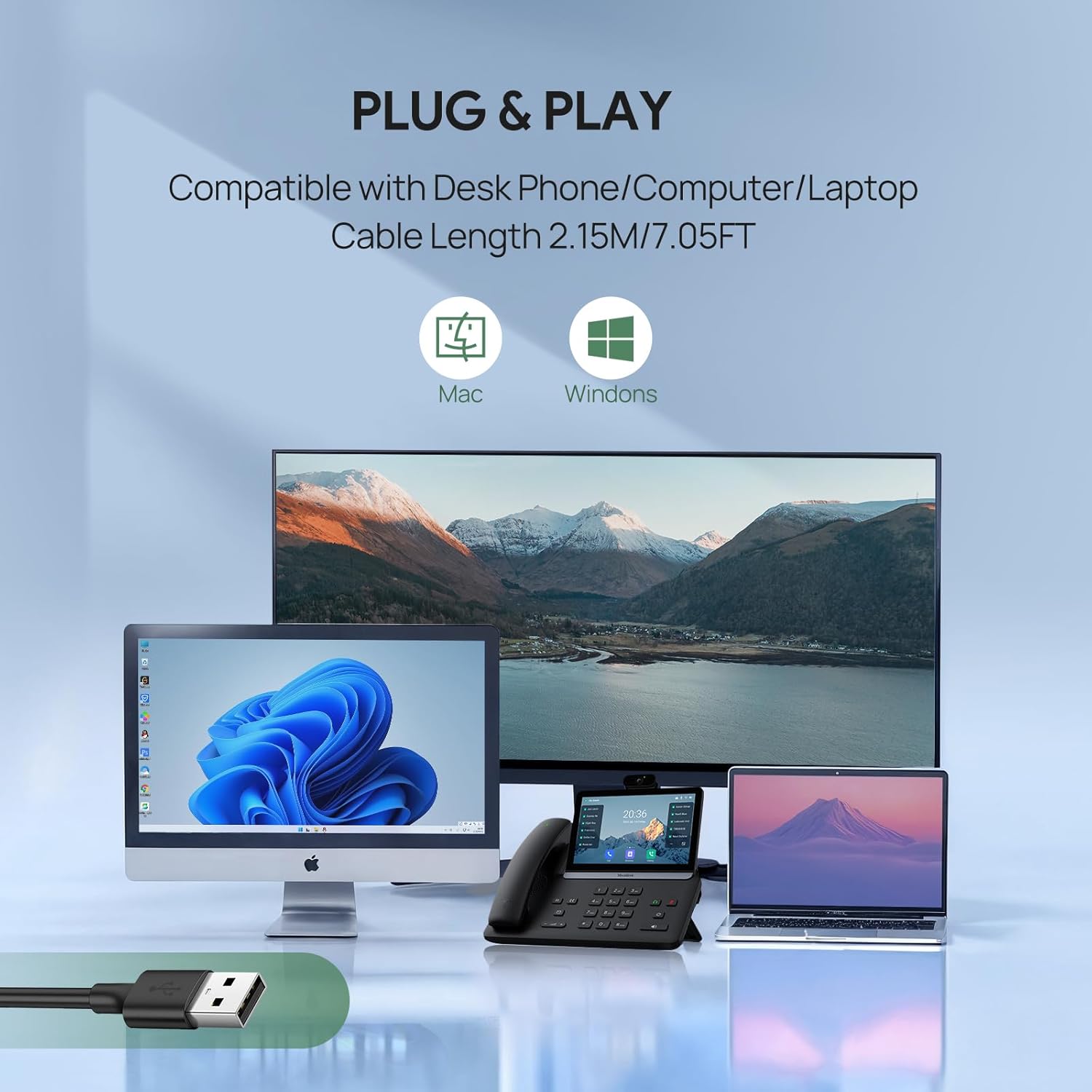
Image: The Yealink UH42 headset connected to various devices (desktop, laptop, desk phone), illustrating its plug-and-play compatibility with different platforms.
Operating Instructions
In-Line Controls
The headset features an intuitive in-line control unit for easy management of calls and audio playback.

Image: Detailed view of the in-line control unit, showing buttons for call answer/hang up, volume adjustment, track skipping, instant meeting join, and microphone mute with LED indicator.
- Answer/Hang Up Call: Press the Call button (phone icon) to answer or end a call.
- Audio Play/Pause: Press the Call button (phone icon) to play or pause music/audio.
- Volume Up/Down: Use the '+' and '-' buttons to adjust the listening volume.
- Skip Tracks: Use the '<<' and '>>' buttons to skip to the previous or next track.
- Mute/Unmute Microphone: Press the Mute button (microphone icon) to mute or unmute your microphone. An LED indicator will show the mute status.
- Instant Meeting Join (Teams Certified): Press the Teams button (Teams icon) to quickly join a Microsoft Teams meeting or open the Teams application.
Microphone Usage
The 280° rotatable microphone boom allows for precise positioning and can be worn on either the left or right ear.

Image: The Yealink UH42 headset with arrows indicating the 280-degree rotation of the microphone boom arm, allowing for flexible positioning and quick mute functionality.
- Positioning: Adjust the microphone boom arm so that the microphone is approximately 1-2 inches from your mouth for optimal voice pickup.
- Noise Cancelling: The integrated noise-cancelling microphone is designed to eliminate up to 98% of background noise, ensuring clear voice transmission.
Maintenance
Proper maintenance ensures the longevity and optimal performance of your Yealink UH42 headset.
- Cleaning: Use a soft, dry cloth to clean the headset. For ear cushions, a slightly damp cloth with mild soap can be used, ensuring no moisture enters the speaker or microphone components.
- Storage: When not in use, store the headset in its protective case to prevent dust accumulation and physical damage. Avoid extreme temperatures.
- Cable Care: Avoid sharp bends or excessive pulling on the cable to prevent internal wire damage.
Troubleshooting
| Problem | Possible Cause | Solution |
|---|---|---|
| No sound from headset |
|
|
| Microphone not working |
|
|
| In-line controls unresponsive |
|
|
Specifications
| Feature | Detail |
|---|---|
| Model Name | UH42 Mono Teams |
| Connectivity Technology | Wired (USB-C & USB-A compatible) |
| Noise Control | Passive Noise Cancellation (earcup), Noise Cancelling Microphone |
| Audio Driver Size | 35 Millimeters |
| Impedance | 32 Ohms |
| Microphone | 280° Flexi-Boom Mic |
| Controls | In-line controller (Volume, Mute, Call, Teams, Track Skip) |
| Compatible Devices | PC Computer |
| Cable Length | 2.15m / 7.05ft |
| Item Weight | 7.7 ounces (approx. 218g) |
| Included Components | Protective Case, User Manual |
Warranty and Support
For warranty information, technical support, or further assistance, please refer to the official Yealink website or contact Yealink customer service directly. Details regarding product registration and warranty claims can typically be found on the manufacturer's support pages.
Manufacturer: Yealink
Website: www.yealink.com


