
Introduction
Thank you for purchasing the Fockety Cordless Vacuum Cleaner. This 3-in-1 lightweight stick vacuum is designed for efficient cleaning of various surfaces in your home, including carpets, tiles, pet hair, and hardwood floors. Its powerful suction and cordless design offer convenience and flexibility. Please read this manual thoroughly before operating the appliance to ensure safe and optimal performance.
Safety Information
WARNING: To reduce the risk of fire, electric shock, or injury, read all instructions before using this product.
- Do not place the product airflow channels and moving parts near hair, loose clothing, fingers, and other body parts.
- Do not aim the airflow channels or tools at eyes or ears.
- Individuals with physical, sensory, or mental disabilities or lack of experience and common sense (including children) should not use this product unless parents or guardians provide sufficient guidance for its safe use and take responsibility for its safety.
- Keep the vacuum cleaner away from water or other liquids. Do not use in wet conditions.
- Do not pick up flammable or combustible liquids, such as gasoline, or use in areas where they may be present.
- Do not pick up anything that is burning or smoking, such as cigarettes, matches, or hot ashes.
- Use only as described in this manual. Use only manufacturer's recommended attachments.
- Do not use with a damaged cord or plug. If appliance is not working as it should, has been dropped, damaged, left outdoors, or dropped into water, return it to a service center.
Package Contents
Please check the package contents upon opening. If any items are missing or damaged, contact customer support.
- 1 x Main Unit (Vacuum Cleaner Body)
- 1 x User Manual (this document)
- 1 x Charging Cable
- 3 x Brush Heads (various attachments for different cleaning needs)
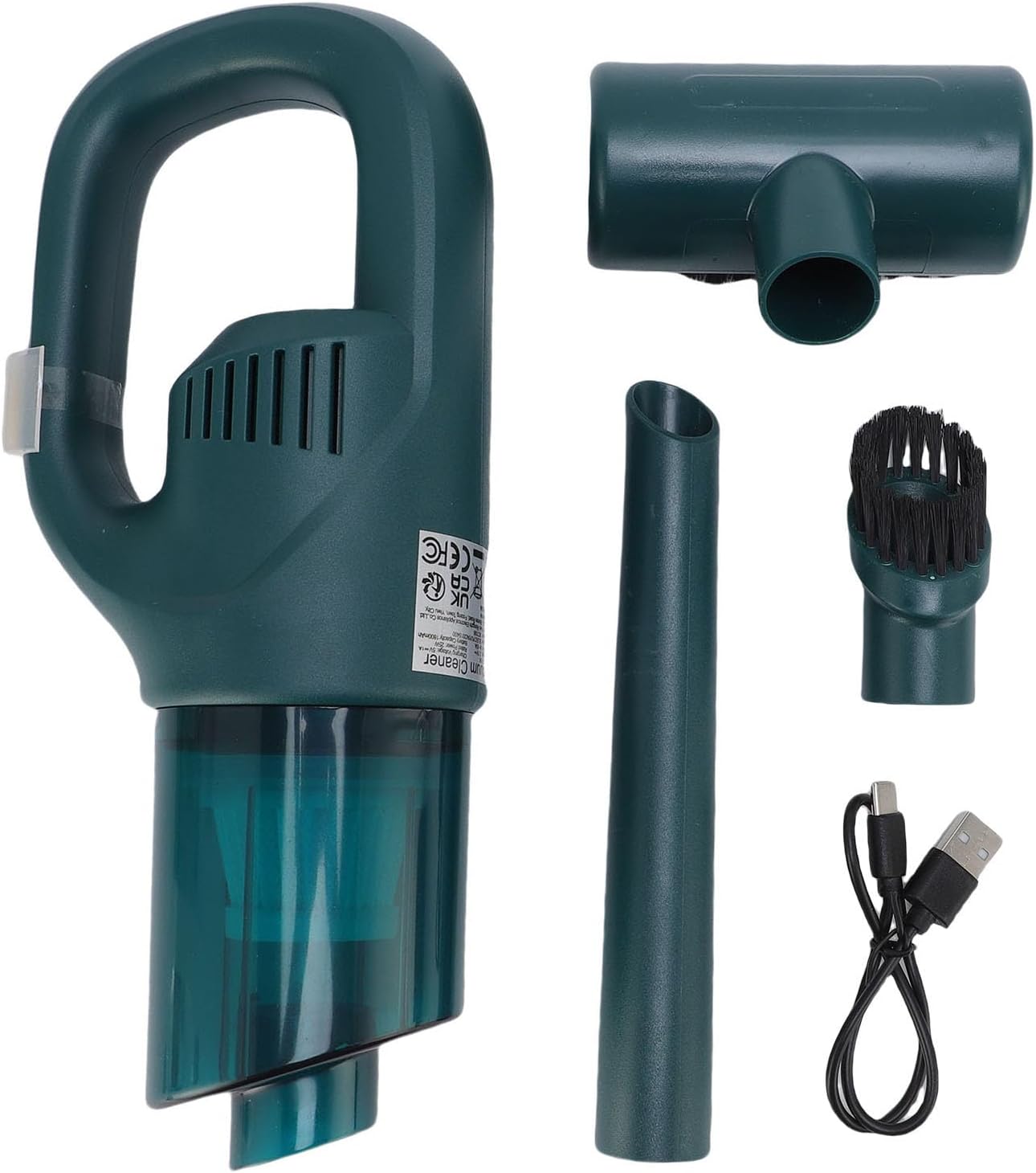
Image: The main vacuum unit, charging cable, and three different brush heads included in the package.
Product Overview
Familiarize yourself with the components of your Fockety Cordless Vacuum Cleaner.
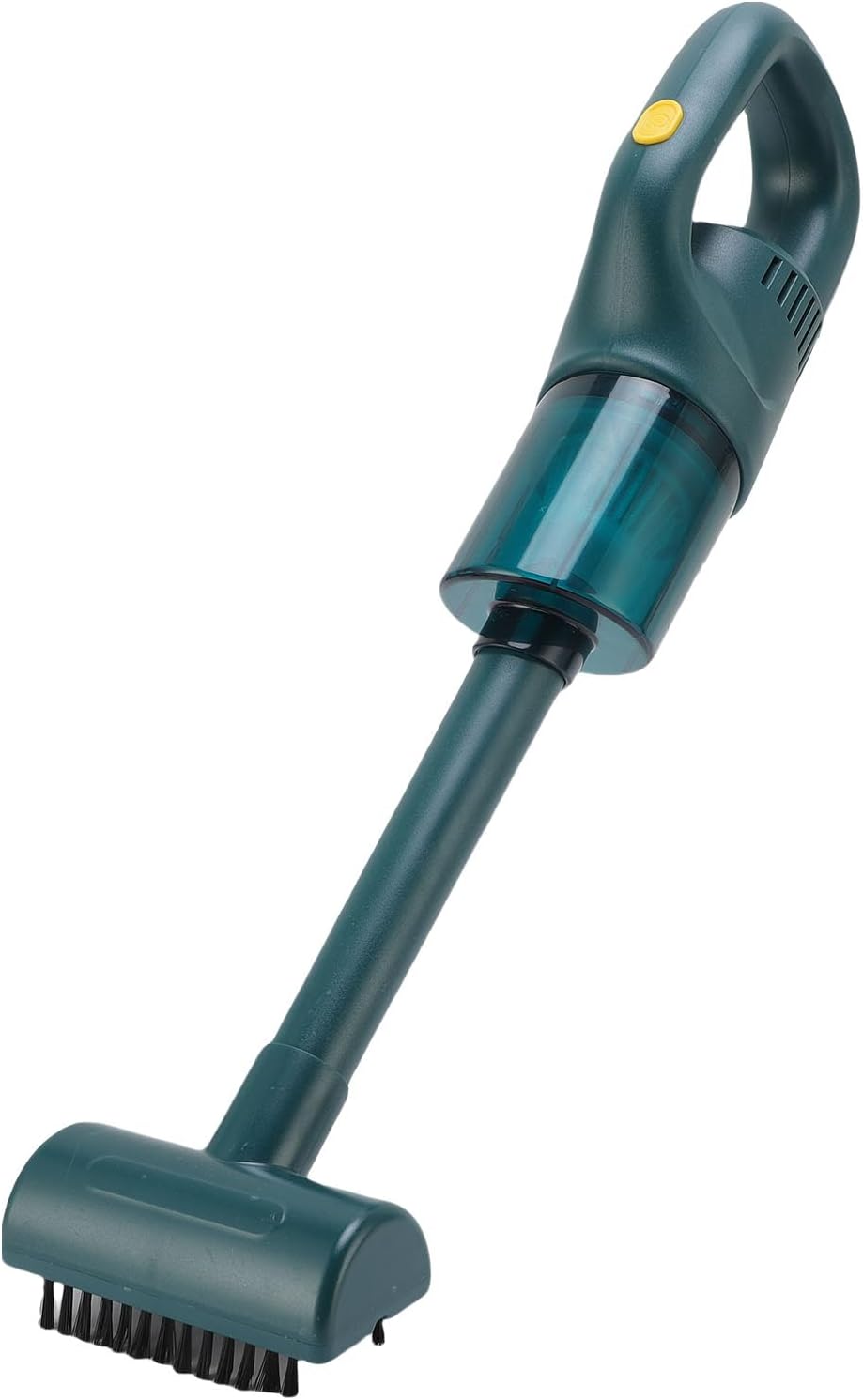
Image: The Fockety Cordless Vacuum Cleaner assembled in its stick vacuum configuration, showing the main handle, dustbin, extension tube, and floor brush.
- Main Unit: Contains the motor, dustbin, and handle with power button.
- Extension Tube: Connects the main unit to floor attachments for stick vacuum mode.
- Floor Brush: Used for general floor cleaning.
- Crevice Tool: Narrow attachment for tight spaces and corners.
- Brush Tool: Attachment with bristles for upholstery, curtains, and delicate surfaces.
- Charging Port: Located on the main unit for connecting the charging cable.
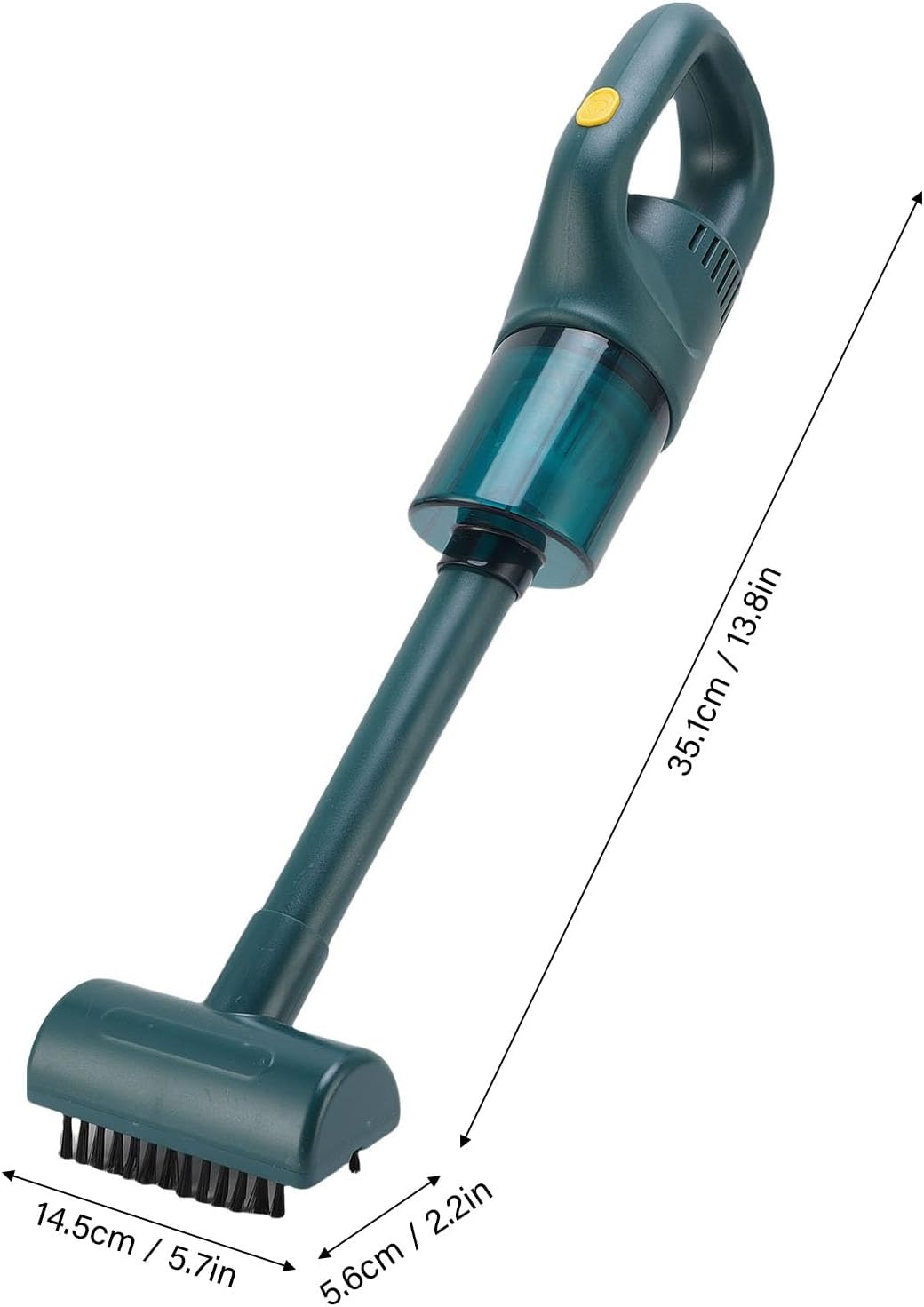
Image: Diagram showing the approximate dimensions of the assembled vacuum cleaner, indicating a height of 35.1 cm (13.8 in) and a floor brush width of 14.5 cm (5.7 in).
Setup
Assembly
- For Stick Vacuum Mode: Insert the extension tube into the main unit until it clicks into place. Then, attach the desired floor brush or other large attachment to the other end of the extension tube.
- For Handheld Vacuum Mode: Directly attach the crevice tool or brush tool to the main unit's suction opening.

Image: The main vacuum unit, extension tube, crevice tool, and brush tool laid out, demonstrating the modular design for different assembly configurations.
Initial Charging
Before first use, fully charge the vacuum cleaner.
- Connect the charging cable to the charging port on the main unit.
- Plug the other end of the charging cable into a suitable USB power adapter (not included) or a USB port.
- The indicator light on the vacuum cleaner will show charging status (refer to product for specific light behavior).
- Charge until the indicator light shows a full charge.
Operating Instructions
Powering On/Off
- To turn on the vacuum cleaner, press the power button located on the handle.
- To turn off, press the power button again.
Using Different Modes and Attachments
The 3-in-1 design allows for versatile cleaning.

Image: Demonstrates the vacuum cleaner's versatility, showing it being used as a handheld unit for cleaning a sofa and as a stick vacuum for floor cleaning.
- Stick Vacuum Mode: Ideal for cleaning floors (hardwood, tile, carpet). Attach the extension tube and floor brush.
- Handheld Vacuum Mode: Perfect for quick clean-ups, car interiors, furniture, and hard-to-reach areas. Use the main unit directly with the crevice tool or brush tool.

Image: The Fockety Cordless Vacuum Cleaner in stick mode, actively cleaning a tiled floor, highlighting its effectiveness on hard surfaces.
Maintenance
Emptying the Dustbin
Empty the dustbin regularly to maintain optimal suction power.
- Ensure the vacuum cleaner is turned off.
- Locate the dustbin release button/latch on the main unit.
- Press the button/latch and carefully detach the dustbin.
- Hold the dustbin over a trash can and open its bottom flap to release collected debris.
- Close the flap and reattach the dustbin to the main unit until it clicks securely.
Cleaning the Filter
The filter should be cleaned periodically to prevent clogging and maintain suction.
- With the dustbin detached, carefully remove the filter assembly.
- Tap the filter gently over a trash can to remove loose dust.
- If necessary, rinse the filter under cool running water. Ensure it is completely dry before reinserting. Do not use detergent or hot water.
- Once dry, reinsert the filter into the dustbin and reattach the dustbin to the main unit.
Cleaning Attachments
Wipe attachments with a damp cloth as needed. Remove any tangled hair or debris from brush heads.
Troubleshooting
| Problem | Possible Cause | Solution |
|---|---|---|
| Vacuum not turning on | Battery is low or dead. | Charge the vacuum cleaner fully. |
| Weak suction power | Dustbin is full. Filter is clogged. Obstruction in nozzle/tube. | Empty the dustbin. Clean or replace the filter. Check for and remove any blockages. |
| Vacuum stops suddenly | Battery is depleted. Overheating protection activated. | Recharge the battery. Turn off the vacuum and let it cool down for at least 30 minutes before resuming use. |
| Attachments not fitting securely | Not aligned correctly. Debris in connection point. | Ensure attachments are aligned and pushed firmly until they click. Clean any debris from connection points. |
Specifications
| Feature | Detail |
|---|---|
| Model Number | Focketypog2ce5i39 |
| Battery Type | Built-in Li-ion battery |
| Battery Capacity | 1800mAh |
| Item Weight | Approx. 532.00g / 18.77oz (1.17 pounds) |
| Package Dimensions | 11.02 x 5.51 x 3.54 inches |
| Material | ABS |
| Color | #111 (Dark Green) |