1. Introduction
This manual provides detailed instructions for the operation and maintenance of your HIFI WALKER H2 Touch Hi-Res MP3 Player. Please read this manual thoroughly before using the device to ensure proper functionality and to maximize your audio experience. Keep this manual for future reference.
2. Product Overview
2.1 Key Features
- Studio-Quality HiFi Sound: Equipped with an ESS ES9219Q DAC chip, supporting Hi-Res formats including FLAC, APE, WAV, ALAC, AIFF, and native DSD64/128 for transparent and distortion-free playback up to 32-bit/384 kHz.
- Bluetooth 5.2 with aptX HD: Enables high-resolution wireless audio streaming with stable connectivity.
- Intuitive Touchscreen & Physical Buttons: Features a 2.4-inch HD touchscreen for navigation and dedicated physical buttons for convenient control.
- Expandable Storage: Includes a 128GB microSD card and supports expansion up to 512GB, accommodating a large music library.
- Durable Design: Constructed with a CNC-machined zinc alloy body for enhanced durability and a premium feel.
- Multi-functionality: Includes a built-in DMIC for voice recording and an e-book reader function.
- Long Playback Time: Offers over 10 hours of continuous audio playback.
2.2 Device Layout
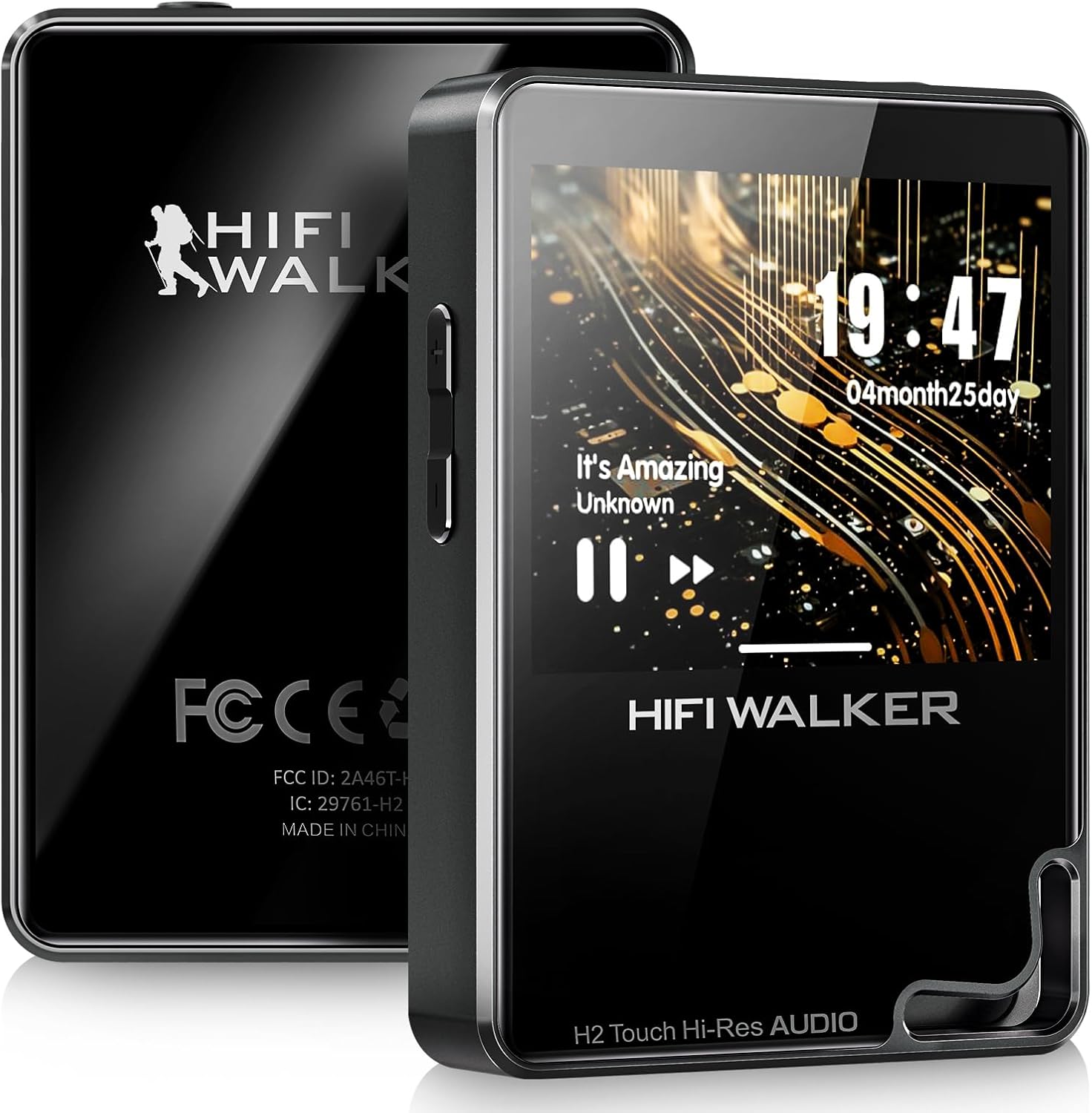
Image: Front and back view of the HIFI WALKER H2 Touch MP3 Player, showcasing its sleek design and the HIFI WALKER logo.

Image: Close-up of the H2 Touch MP3 Player's ports, including the 3.5mm single-ended output, Type-C SPDIF, and Line Out (Amplifier) connections.
2.3 What's in the Box
- HIFI WALKER H2 Touch Hi-Res MP3 Player (128GB)
- USB-C Charging/Data Cable
- User Manual
- Drawstring Pouch
- MicroSD Card (128GB pre-installed or included separately)

Image: The HIFI WALKER H2 Touch MP3 Player, its retail box, USB-C cable, user manual, drawstring pouch, and a microSD card, laid out on a surface.
3. Setup
3.1 Charging the Device
Before first use, fully charge the H2 Touch. Connect the included USB-C cable to the device's USB-C port and the other end to a USB power adapter (not included) or a computer's USB port. The charging indicator will show the charging status. A full charge typically takes approximately 2-3 hours.
3.2 Inserting a MicroSD Card
The H2 Touch comes with a 128GB microSD card. To insert or replace a microSD card (up to 512GB supported), locate the card slot on the side of the device. Gently push the card into the slot until it clicks into place. To remove, push the card again until it springs out.

Image: The HIFI WALKER H2 Touch MP3 Player displaying its expandable storage capability with a microSD card being inserted into the slot.
3.3 Transferring Music Files
Connect the H2 Touch to your computer using the USB-C cable. The device will appear as a removable disk. You can then drag and drop your music files and folders directly onto the device's internal storage or the inserted microSD card. The H2 Touch supports USB OTG for quick transfers from compatible devices.
4. Operating Instructions
4.1 Power On/Off
- Power On: Press and hold the Power button on the side of the device until the screen illuminates.
- Power Off: Press and hold the Power button until a power-off prompt appears on the screen, then confirm. A short press will turn the screen on/off.
4.2 Basic Navigation
The H2 Touch features a 2.4-inch touchscreen and physical buttons for navigation.
- Touchscreen: Swipe to navigate menus, tap to select items.
- Physical Buttons: Use the volume buttons (+/-) to adjust audio levels. The play/pause and skip track buttons provide quick control during playback.

Image: A finger tapping the touchscreen of the HIFI WALKER H2 Touch MP3 Player, demonstrating its intuitive touch interface.
4.3 Playing Music
- From the main menu, select "Music" to access your library.
- Browse by Artist, Album, Genre, or Folder.
- Tap on a song or album to begin playback.
- During playback, use the on-screen controls or physical buttons to play/pause, skip tracks, or adjust volume.
4.4 Volume Control
Adjust the volume using the dedicated volume buttons on the side of the device. Ensure the volume is set to a comfortable listening level to prevent hearing damage.
4.5 Equalizer Settings
Customize your audio output using the built-in equalizer. Navigate to "Settings" > "Equalizer" to select from preset modes (e.g., Pop, Blues, Classic) or create a custom equalization profile.

Image: The HIFI WALKER H2 Touch MP3 Player screen showing various custom EQ modes like Pop, Blues, and Classic, allowing users to tailor their sound.
5. Connectivity
5.1 Bluetooth Pairing
The H2 Touch supports Bluetooth 5.2 with aptX HD for high-quality wireless audio.
- Go to "Settings" > "Bluetooth".
- Turn Bluetooth on and select "Search for devices".
- Put your Bluetooth headphones or speaker into pairing mode.
- Select your device from the list to pair.

Image: The HIFI WALKER H2 Touch MP3 Player displaying a Bluetooth connection icon, positioned next to a keyboard and wireless earbuds, illustrating its wireless capabilities.
5.2 USB-DAC Functionality
The H2 Touch can function as an external USB Digital-to-Analog Converter (DAC) for your computer, enhancing its audio output quality.
- Connect the H2 Touch to your computer using the USB-C cable.
- On the device, select the "USB-DAC" mode when prompted.
- Your computer should recognize the H2 Touch as an audio output device. Select it in your computer's sound settings.
5.3 Line Out / SPDIF
The device offers dedicated Line Out and SPDIF ports for connecting to external amplifiers, receivers, or other audio equipment, providing a clean, unprocessed audio signal.
6. Audio Features
6.1 Hi-Res Audio Support
The H2 Touch supports a wide range of high-resolution audio formats, ensuring a detailed and immersive listening experience. Supported formats include:
- FLAC (up to 384kHz/24bit)
- APE (up to 384kHz/24bit)
- WAV (up to 384kHz/24bit)
- ALAC (up to 384kHz/24bit)
- AIFF (up to 384kHz/24bit)
- Native DSD64/128 (DSDIFF, DSF)
- WMA Lossless (up to 96kHz/24bit)
- MP3, AAC, OGG, M4A
6.2 ESS ES9219Q DAC
The integrated ESS ES9219Q DAC (Digital-to-Analog Converter) is a key component responsible for the H2 Touch's high-fidelity sound. It processes digital audio signals with precision, minimizing noise and distortion to deliver a clear and dynamic soundstage.
7. Storage and File Management
The H2 Touch comes with 128GB of internal storage (via included microSD card) and supports expandable storage up to 512GB using a microSD card. Organize your music files into folders for easier navigation. The device supports various audio file formats as listed in Section 6.1.
8. Other Functions
8.1 Voice Recorder
Utilize the built-in DMIC to record high-quality voice memos (up to 48kHz). Access the voice recorder function from the main menu.
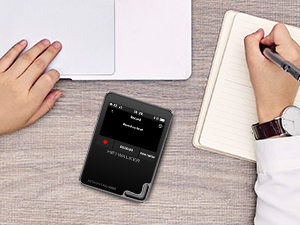
Image: The HIFI WALKER H2 Touch MP3 Player displaying its voice recording interface, positioned on a desk next to a laptop and notebook, indicating its use for capturing audio notes.
8.2 E-book Reader
The H2 Touch includes an e-book reader function, allowing you to read text files while listening to background music. Access this feature from the main menu.
9. Maintenance
9.1 Cleaning
Wipe the device with a soft, dry cloth. Do not use liquid cleaners or abrasive materials, as they may damage the screen or finish.
9.2 Battery Care
To prolong battery life, avoid fully discharging the device frequently. Charge the device regularly, even if not in use for extended periods. Store in a cool, dry place.
10. Troubleshooting
- Device does not power on: Ensure the device is sufficiently charged. Connect to a power source and attempt to power on after a few minutes. If unresponsive, try holding the power button for an extended period (10-15 seconds) for a forced restart.
- No sound: Check the volume level. Ensure headphones or speakers are properly connected. If using Bluetooth, verify successful pairing and connection. Test with different audio files.
- Bluetooth connection issues: Ensure the H2 Touch and the Bluetooth accessory are within range and in pairing mode. Disconnect and re-pair the devices. Some Bluetooth functions (e.g., skipping songs) may be limited when the screen is off, depending on the connected accessory.
- Files not appearing: Verify that music files are in supported formats and correctly transferred to the device or microSD card. Ensure the microSD card is properly inserted.
- Screen unresponsive: Perform a forced restart by holding the power button. If the issue persists, ensure the screen is clean and free of debris.
- Short battery life: Reduce screen brightness, disable unused features like Bluetooth when not in use, and ensure the device is fully charged before use.
11. Specifications
| Feature | Specification |
|---|---|
| Model Name | H2 Touch |
| Screen Size | 2.4 Inches |
| Memory Storage Capacity | 128 GB (expandable up to 512 GB) |
| Connectivity Technology | Bluetooth 5.2 (aptX HD), USB-C |
| Special Features | Equalizer, Hi-Res Audio, Voice Recorder, E-book Reader, USB-DAC |
| DAC Chip | ESS ES9219Q |
| Battery Life | Approximately 10 Hours |
| Item Weight | 4.6 ounces |
| Dimensions | 5.94 x 3.78 x 2.24 inches (Package) |
| Compatible Devices | Headphones, Personal Computer |
12. Warranty and Support
The HIFI WALKER H2 Touch Hi-Res MP3 Player is covered by a manufacturer's warranty. For specific warranty terms, registration, or technical support, please refer to the warranty card included with your product or visit the official HIFI WALKER website. Keep your proof of purchase for warranty claims.


