1. Introduction
Welcome to the user manual for your HKOORLAMULS R50s Portable Retro Gaming Handheld Console. This device is designed to provide a comprehensive retro gaming experience, pre-loaded with thousands of classic titles and supporting multiple emulation systems. Please read this manual thoroughly to ensure proper setup, operation, and maintenance of your console.
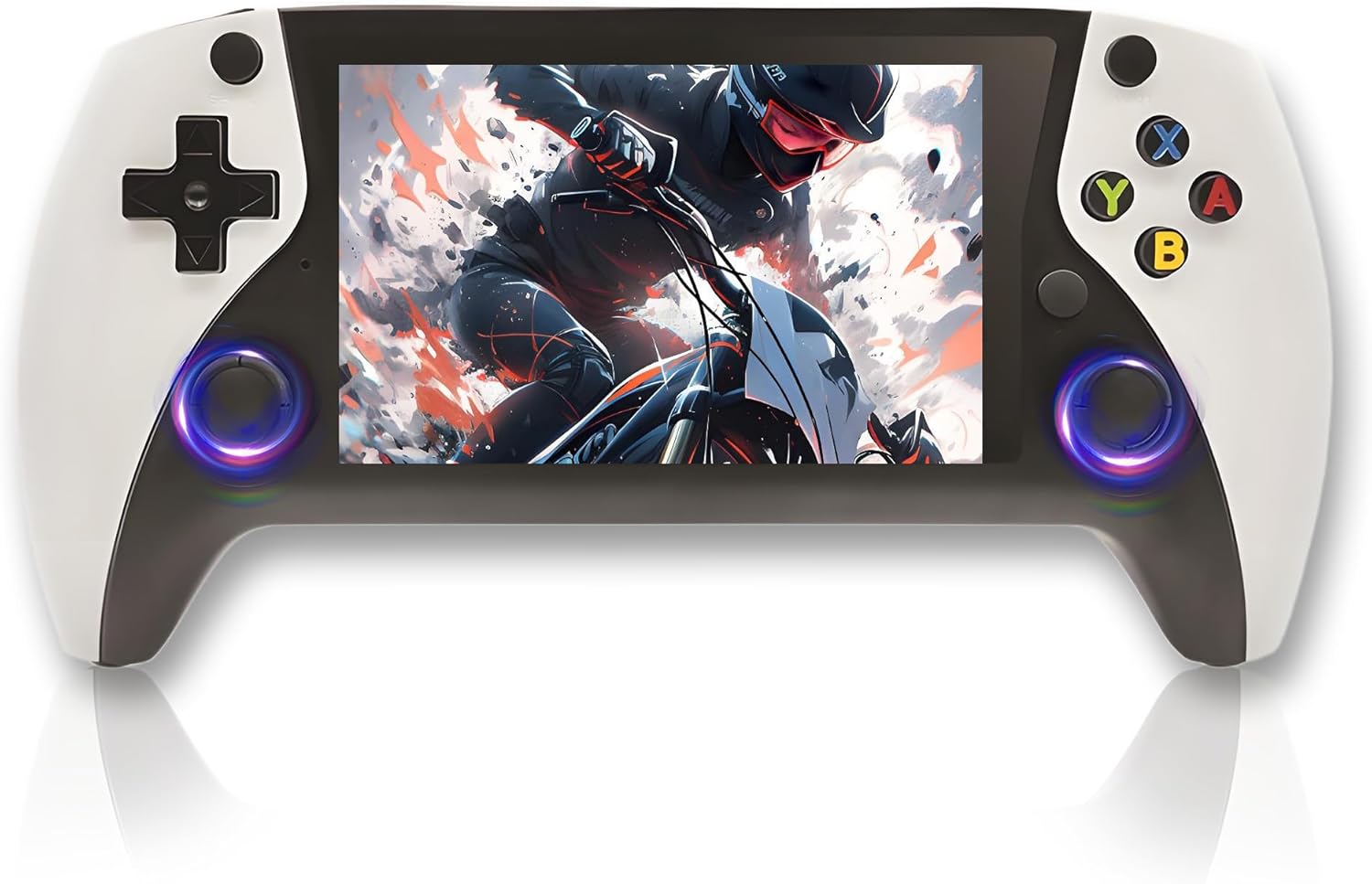
Figure 1: HKOORLAMULS R50s Portable Retro Gaming Handheld Console.
2. Package Contents
Upon unboxing your R50s console, please verify that all the following items are included:
- HKOORLAMULS R50s Handheld Game Console
- USB Charging Cable
- User Manual
- Screen Protector
- Screen Wipes (Wet & Dry)
- Protective Hard Case (may vary by package)

Figure 2: Contents of the HKOORLAMULS R50s package.
Note: The console may come with a protective hard case for safe storage and transport.
3. Device Layout
Familiarize yourself with the buttons, ports, and features of your R50s console:

Figure 3: Front and rear view of the R50s console with labeled components.
- Directional Keys (D-pad): For directional input in games and menu navigation.
- 3D Joysticks: Analog input for precise control in supported games.
- Function Keys (X, Y, A, B): Primary action buttons.
- SELECT Button: Used for various in-game functions and menu selections.
- START Button: Used to start games, pause, and confirm selections.
- L1/L2/R1/R2 Buttons: Shoulder and trigger buttons for additional in-game actions.
- Power Button: To turn the device ON/OFF.
- Reset Button: For restarting the console.
- Volume Control (V+/V-): Adjusts the audio output.
- TF-Card Slots (TF1-OS, TF2-GAME): For operating system and game storage expansion.
- DC-IN Port: For charging the console.
- Type-C-OTG Data Port: For data transfer and peripheral connectivity.
- 3.5mm Audio Hole: For connecting headphones.
- Speaker: Built-in 8W chamber speaker for audio output.
- Non-slip Pads: Located on the back for improved grip during gameplay.
4. Initial Setup
- Charging the Console: Before first use, fully charge the console using the provided USB charging cable and a 5V/2A charger. The charging time is approximately 2 hours for a full charge, providing up to 8 hours of battery life.
- Inserting TF Cards: Ensure the TF1-OS card (containing the operating system) and TF2-GAME card (containing games) are properly inserted into their respective slots.
- Powering On: Press and hold the Power button for approximately 3 seconds to turn on the device. The system will boot up, displaying the "Open Source Console" screen.
- Screen Protector: If desired, apply the included screen protector using the wet and dry wipes to clean the screen first.
5. Operating Instructions
5.1. Navigation
Use the Directional Keys or 3D Joysticks to navigate through the main menu and game selection screens. The A button typically confirms selections, while the B button usually acts as a back or cancel function.
5.2. Selecting and Playing Games
- From the main menu, select the desired emulator or game collection.
- Browse through the list of available games using the D-pad or joysticks.
- Press the A button to select and launch a game.
5.3. Exiting a Game
To exit a game and return to the main menu, press and hold the START and SELECT buttons simultaneously. Always exit games properly before powering off the console to prevent data loss or system errors.
Video 1: Overview of a similar retro handheld game console, demonstrating unboxing, device features, and basic operation. This video is provided by a seller and offers a general understanding of such devices.
6. Game Management
The R50s console comes pre-loaded with a vast library of games and supports over 20 emulators. The 128GB version includes approximately 25,320 games, while the 64GB version includes approximately 19,869 games.
- Adding More Games: The console supports TF card expansion from 16GB to 256GB. You can add compatible game ROMs to the TF2-GAME card.
- Emulator Support: The open-source E-System supports a wide range of retro gaming platforms.

Figure 4: Game console highlighting the number of supported simulators and pre-installed games based on storage capacity.
7. Charging the Console
The R50s is equipped with a 3000mAh Li-ion battery, offering up to 8 hours of continuous gameplay on a full charge. Charging takes approximately 2 hours.
- Connect the USB charging cable to the DC-IN port on the console.
- Connect the other end of the cable to a 5V/2A power adapter (not included).
- The charging indicator light will typically show the charging status.

Figure 5: Battery specifications and charging details for the R50s console.
8. Troubleshooting
If you encounter any issues with your R50s console, please refer to the following troubleshooting guide:
- Device Does Not Power On:
- Ensure the device is fully charged. Connect it to a 5V/2A charger for at least 5 minutes.
- Press and hold the Power button for 3 seconds.
- If the device still does not power on, press the SELECT button three times.
- System Read Error:
- Remove and reinsert the TF1-OS card.
- Restart the console.
- Games Not Loading Properly:
- Some games may require a specific emulator core. Try changing the emulator core settings if available.
- Ensure the game ROM is compatible with the installed emulators.
- Charging Issues:
- Use a 5V/2A charger. Using chargers with different specifications may cause issues.
- Ensure the charging cable is securely connected to both the console and the power adapter.
- General Troubleshooting:
- If the console becomes unresponsive, press and hold the L1, L2, R1, R2, and FN function buttons, then press the SELECT button three times to perform a soft reset.
- Always exit games properly before shutting down the console to prevent potential system corruption.
9. Specifications
| Model | R50s |
| System | Open Source E-System |
| CPU | RK33266 ARM 64bit quad-core Cortex-A37 CPU up to 2.0GHz |
| GPU | Mali-G31MP2 (520MHz) Support OpenGL ES 3.2 |
| RAM | DDR3L 1GB |
| Screen | 4.0-inch IPS OCA full lamination HD MIPI screen |
| Resolution | 800*600 |
| Emulators | Supports 20+ simulators |
| Pre-installed Games | 64GB version: 19,869 games; 128GB version: 25,320 games |
| TF Card Support | 16GB - 256GB |
| Speaker | Built-in 8W chamber speaker |
| Battery | Built-in Li-ion battery 3000mAh |
| Battery Life | Up to 8 hours |
| Charging Time | Approximately 2 hours |
| Input Power | 5V/2A |
| Maximum Power Consumption | 5W |
| Interfaces | Type-C charging port, Type-C-OTG data port, Standard 3.5mm headphone port |
| Material | Plastic |
| Dimensions | 5.03 x 0.87 x 3.2 inches |
| Item Weight | 1.5 pounds |
| Manufacturer | HKOORLAMULS |
10. Maintenance
- Keep the console dry and away from extreme temperatures.
- Clean the screen and body with a soft, dry cloth. Avoid using harsh chemicals.
- Store the console in its protective hard case when not in use to prevent scratches and damage.
- Avoid dropping the device or subjecting it to strong impacts.
11. Warranty and Support
For any product-related inquiries, technical support, or warranty information, please contact HKOORLAMULS customer service through the retailer's platform where the product was purchased. Please retain your purchase receipt as proof of purchase.


