
1. Introduction
Thank you for purchasing the Fockety Handheld Portable Fan. This device combines powerful airflow with an innovative ice cooling function, offering up to 100 adjustable speeds for personalized comfort. Equipped with a long-lasting rechargeable battery and a smart LED display, it is designed for convenience and efficiency, whether for indoor relaxation, outdoor adventures, or travel.

Image: Two Fockety handheld portable fans demonstrating powerful airflow and ice cooling.
2. Package Contents
- Fockety Handheld Portable Fan
- USB Charging Cable
- Lanyard (Strap)
- User Manual
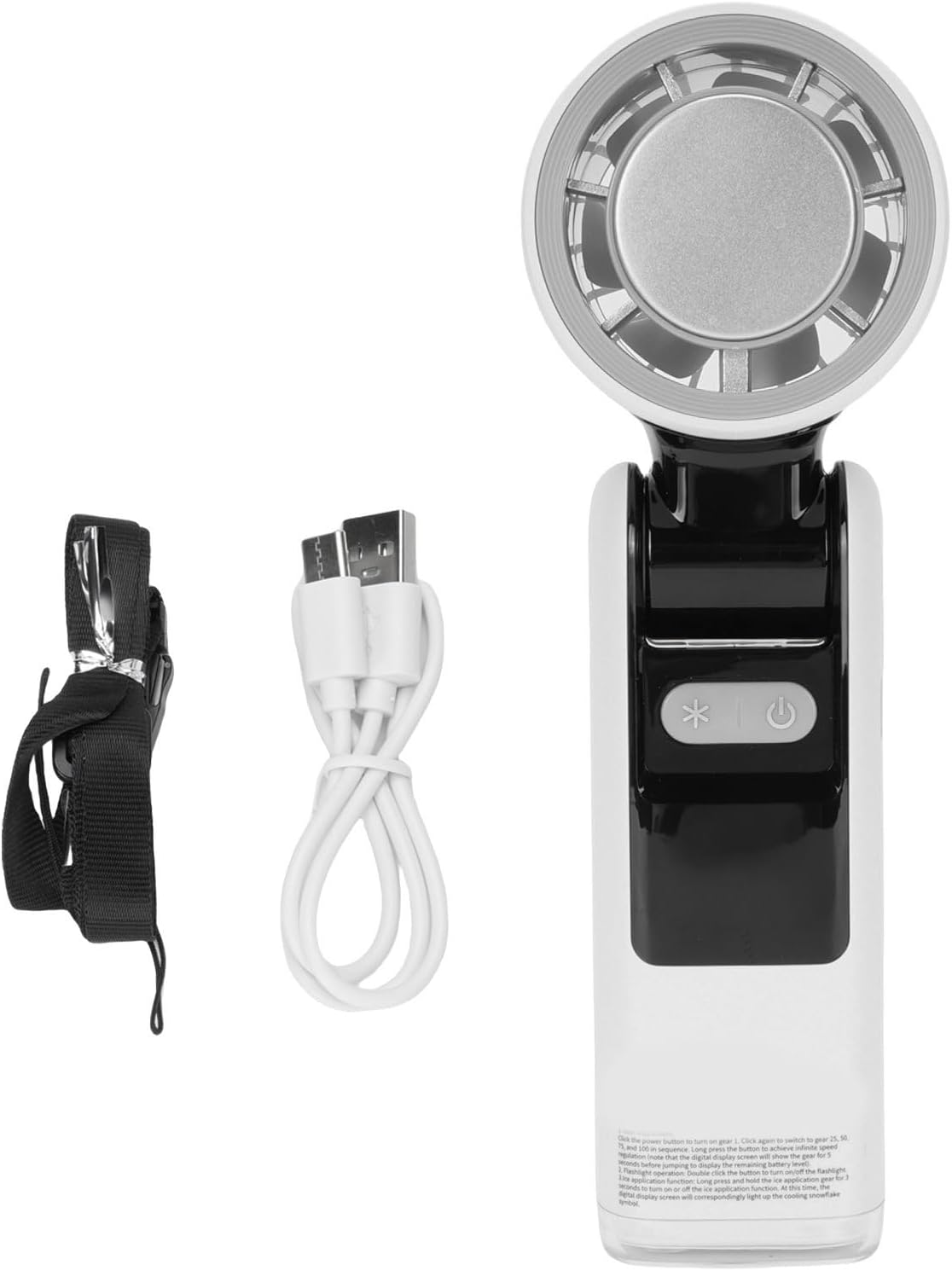
Image: The Fockety fan with its included USB charging cable and lanyard.
3. Setup
- Unpack: Carefully remove all components from the packaging.
- Initial Charge: Before first use, fully charge the fan. Connect the provided USB charging cable to the fan's charging port and a compatible USB power source (e.g., power bank, laptop, wall adapter). The LED display will indicate charging status.
- Attach Lanyard (Optional): If desired, attach the lanyard to the designated slot on the fan for convenient carrying.
4. Operating Instructions
Power On/Off
- Press and hold the power button (U) for 2 seconds to turn the fan ON or OFF.
Adjusting Fan Speed
- With the fan ON, short press the power button (U) to cycle through the 100 adjustable speed levels. The LED display will show the current speed level.
- Long press the power button (U) to quickly increase the speed to the maximum level.
Ice Cooling Function
- Short press the ice cooling button (*) to activate or deactivate the ice cooling function.
- When activated, the LED display will show a snowflake icon, indicating the ice cooling is active.
LED Display
- The real-time LED screen displays the current fan speed level (0-100) and the battery status.
- Monitor the battery indicator to know when recharging is needed.

Image: The fan's control panel and LED display, highlighting the 100 adjustable speed feature.

Image: Detailed view of the fan's power and ice cooling function buttons.
5. Charging the Fan
- Connect the USB charging cable to the fan's charging port.
- Plug the other end of the USB cable into a 5V/1A or 5V/2A USB power adapter, power bank, or computer USB port.
- The LED display will show the charging status. A full charge provides up to 8 hours of continuous operation, depending on the speed setting and ice cooling usage.
6. Maintenance
- Cleaning: Use a soft, dry cloth to wipe the exterior of the fan. Do not use abrasive cleaners or immerse the fan in water.
- Storage: When not in use for extended periods, store the fan in a cool, dry place, away from direct sunlight and extreme temperatures. Ensure the battery is partially charged before storage to prolong its lifespan.
7. Troubleshooting
- Fan not turning on: Ensure the fan is charged. Connect it to a power source and try again.
- Weak airflow: Check the speed setting on the LED display and increase it if necessary. Ensure the fan's air intake and outlet are not obstructed.
- Fan not charging: Verify that the USB cable is securely connected to both the fan and the power source. Try a different USB cable or power adapter.
- Ice cooling not working: Ensure the ice cooling function is activated by pressing the '*' button and checking for the snowflake icon on the LED display.
8. Specifications
| Item Type | Ice Cooling Handheld Fan |
| Material | ABS |
| Battery Information | Lithium Battery 4000mAh (Built-in) |
| Wind Speed Modes | Gear Speed Control, Stepless Speed Control (100 levels) |
| Product Dimensions (D x W x H) | 19 x 7 x 7 cm |
| Model Name | Foe3xsounf24-12 |
| Manufacturer | Fockety |
| Country of Origin | China |
9. Safety Information
- Do not insert fingers or foreign objects into the fan grille.
- Keep the fan away from water and high humidity environments.
- Do not disassemble or attempt to repair the fan yourself. Contact customer support if service is required.
- Keep out of reach of children.
- Avoid dropping the fan or subjecting it to strong impacts.
- Use only the provided charging cable or a certified equivalent.
10. Warranty and Support
For warranty information or technical support, please refer to the product packaging or contact your retailer. Keep your purchase receipt as proof of purchase.