
JOYING JY-VT131N4
Joying JY-VT131N4 9" Android 13 Car Stereo Instruction Manual
Compatible with Volkswagen Jetta, Golf, Passat, Skoda, Seat, Caddy, Polo, Tiguan, Transporter, EOS (Below 2015)
1. Product Overview
The Joying JY-VT131N4 is a 9-inch Android 13 head unit designed for seamless integration into various Volkswagen, Skoda, and Seat models manufactured before 2015. This car stereo offers advanced features including wireless CarPlay and Android Auto, a built-in 4G module, and precise GPS navigation.
Key Features:
- Plug & Play Installation: Supports factory air conditioning display, parking sensor display, steering wheel controls, door information display, and amplifier. Includes necessary cables for easy installation without cutting wires.
- Fast Boot: Starts up instantly upon car key insertion, entering the user interface in 2 seconds (initial boot takes 30-40 seconds).
- Optical Fiber and Coaxial Digital Output: Allows connection to external amplifiers with Optical Fiber or Coaxial Digital Input for enhanced sound quality.
- Built-in 4G Module: Insert a SIM card for internet access (does not support phone calls or SMS). Supports FDD-LTE: B2/B4/B5/B7/B12/B13/B14/B17/B25/B26/B38/B66/B71 and TDD-LTE: B41.
- GPS Navigation: Features precise GPS engines and antennas for accurate, real-time navigation. Supports offline maps.

Figure 1: Joying JY-VT131N4 9" Car Stereo Main Unit. This image displays the front view of the car stereo, highlighting its 9-inch display and physical control buttons.
2. What's in the Box
The following items are included in your product package:
- 9" radio x1
- Power Cable x1
- AR Cable x1
- Screen Ribbon Cable x1
- External Mic x1
- 4G Antenna x2
- WiFi Antenna x1
- USB Cable x2
- GPS Antenna x1
- User Manual x1

Figure 2: Illustration of the Joying JY-VT131N4 package contents, including the main unit and all accompanying cables and accessories.
3. Installation Guide
This section provides instructions for installing your Joying JY-VT131N4 car stereo. Ensure the vehicle is turned off and the parking brake is engaged before beginning installation.
3.1. Compatibility Check
Verify your vehicle's compatibility and system type (MQB or PQ) before installation. This unit is designed for Volkswagen models manufactured before 2015.

Figure 3: List of compatible Volkswagen, Skoda, and Seat models and years for the Joying JY-VT131N4 car stereo.

Figure 4: Examples of Skoda Octavia and Seat center consoles that may require an extra fascia panel for proper installation (not included).

Figure 5: Information regarding CAN bus decoder for 2016-2021 MQB and PQ systems. Check your car's system type via the original radio sticker.
3.2. Removing the Original Radio
Use a plastic trim removal tool to carefully pry off the surrounding trim panel. Unscrew the four T20 Torx screws holding the original radio in place. Gently pull out the original radio and disconnect all cables from its rear.
Video 1: Volkswagen Radio Installation and Removal Guide. This video demonstrates the step-by-step process of safely removing the original Volkswagen car radio.
3.3. Connecting the New Stereo
Connect the provided power cable, AR cable, screen ribbon cable, external mic, 4G antennas, WiFi antenna, USB cables, and GPS antenna to the corresponding ports on the new Joying stereo. Ensure all connections are secure.
Figure 6: Detailed view of the rear connections on the Joying JY-VT131N4 car stereo, showing ports for various cables including USB, HDMI, and antennas.
If your vehicle is equipped with CAN bus, set the communication protocol (white button) to the right side (CAN) on the stereo's rear panel.

Figure 7: Close-up of the CAN bus setting switch on the rear of the Joying JY-VT131N4 car stereo.
3.4. Rearview Camera Wiring (Optional)
If installing a rearview camera, connect its video output to the "Rear Camera Input Cable" on the stereo. Connect the camera's power cable to the vehicle's reverse light power source (12V) and the trigger wire to the reverse gear signal wire on the car's harness.
Video 2: Car Radio for VW - Reversing Camera Function Wiring Guide. This video illustrates the wiring process for a rearview camera with a Volkswagen car radio.
Video 3: Backup Camera Wiring. A general guide on how to wire a backup camera to a car stereo system.
3.5. Final Assembly
Carefully slide the new stereo into the dashboard opening. Secure it with the four T20 Torx screws. Reattach the trim panel, ensuring all clips snap into place.
4. Setup
4.1. Initial Power-On and System Check
After installation, turn on your vehicle to power on the stereo. Verify that the system boots up correctly and all basic functions (radio, touch screen) are operational.

Figure 8: The main user interface of the Joying JY-VT131N4 car stereo, showing various application icons.
4.2. Bluetooth Pairing
To pair your smartphone via Bluetooth, navigate to the Bluetooth settings on the stereo. Search for available devices on your phone and select the stereo's Bluetooth name (e.g., "CarBT-D2BC"). Confirm the pairing request on both devices.
Video 4: How to connect CarPlay wirelessly. This video demonstrates the steps to connect your iPhone to the car stereo for wireless CarPlay functionality.
4.3. Personalized Settings
Customize your stereo's appearance and functionality through the personalized settings menu. Options include changing the car boot logo, setting custom wallpapers, and adjusting screen brightness and button colors.
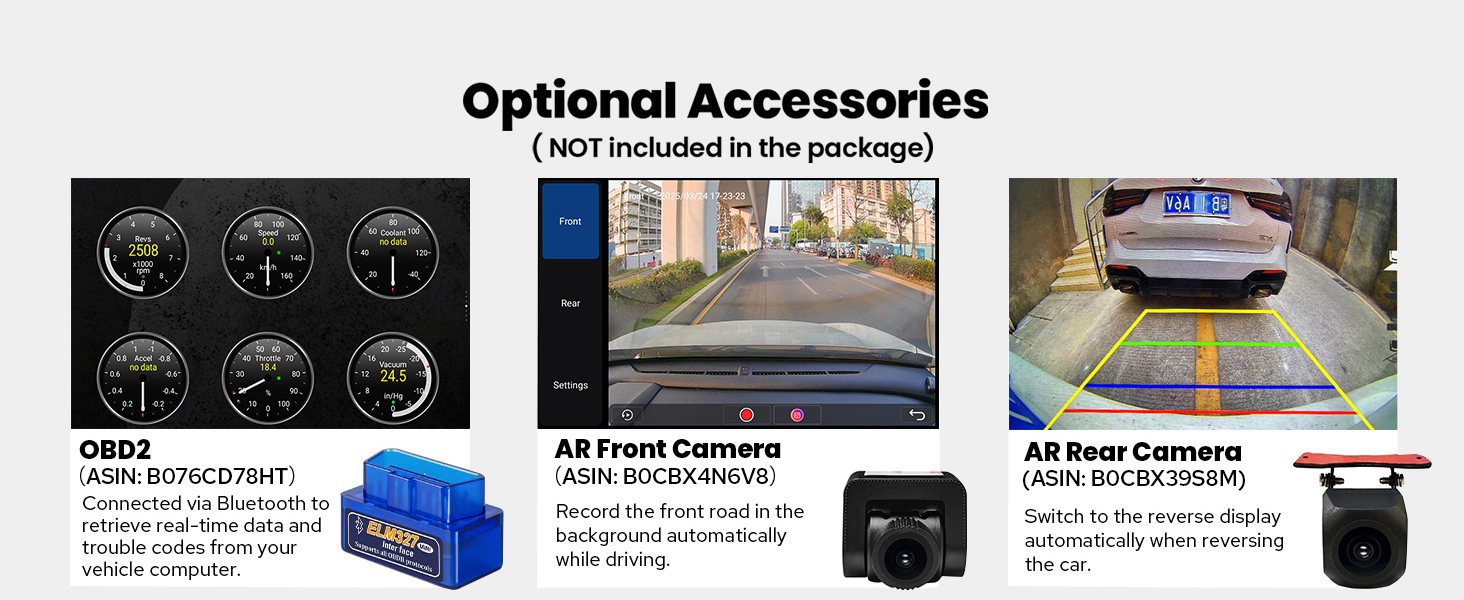
Figure 9: Examples of personalized settings available on the Joying JY-VT131N4, including car boot logo, customizable wallpapers, and changeable button colors.
5. Operating Instructions
5.1. Basic Navigation
The stereo features a user-friendly interface with intuitive touch controls. Navigate through applications by swiping across the screen or using the physical buttons on the side and bottom of the unit.
Video 5: VW JETTA TIGUAN GOLF RADIO Carplay Android AUTO Bluetooth. This video showcases the general operation and features of a compatible car multimedia player, including touch control and physical buttons.
5.2. Split-Screen Multitasking
Utilize the split-screen feature to run two applications simultaneously, such as navigation and music playback. Tap the recent apps icon, find the app to run split-screen, click its icon, and tap the split-screen button.
Figure 10: Demonstration of the split-screen multitasking feature, allowing two applications to be displayed side-by-side on the 9-inch screen.
5.3. Steering Wheel Controls
The stereo supports factory steering wheel controls, allowing you to manage audio playback, volume, and calls without taking your hands off the wheel.

Figure 11: Illustration of supported OEM features, including steering wheel controls, parking sensors, and air conditioning information display.
6. Media Integration
6.1. Built-in CarPlay & Android Auto
Connect your mobile phone via USB cable or Bluetooth to access CarPlay or Android Auto. This allows you to use your phone's navigation, make calls, and listen to music directly on the stereo's larger screen.

Figure 12: Visual representation of CarPlay and Android Auto interfaces displayed on the Joying JY-VT131N4 car stereo.
6.2. HDMI Output
The stereo features an HDMI output for full digital image and sound transmission. This allows for projection screen display for passengers in the headrest or on-screen display with 1080P clear picture and zero delays. (HDMI cable not included).

Figure 13: Diagram showing the HDMI output port on the stereo and examples of its use for displaying content on external screens.
7. Audio Settings
The Joying JY-VT131N4 offers extensive audio customization options for a high-quality sound experience.
7.1. 48-Band Graphic Equalizer
Adjust the 48-band graphic equalizer to fine-tune the audio output to your preferences. The stereo also features a TDA7851 DSP chip and 4x50W max output power.
Figure 14: Overview of the high-quality sound features, including the TDA7851 DSP chip, 48-band graphic equalizer, and 4x50W max output power.
Video 6: VW JETTA TIGUAN GOLF RADIO Carplay Android AUTO Bluetooth. This video demonstrates the 30-segment equalizer adjustment, loudness, smart bass adjustment, sound filter adjustment, and sound delay adjustment features.
8. Other Features
- Built-in AM/FM Radio: Access local radio stations with clear reception.
- Hands-free Calling: Make and receive calls safely via Bluetooth.
- Picture-in-Picture: View multiple applications simultaneously.
- 3 USB Ports: Connect multiple USB devices for media playback or charging.
- Micro SD Card Slot: Expand storage for media files.
- Cooling Upgraded: Dual heat sink design with automatic fan activation to prevent overheating and ensure stable performance.
- WiFi Signal Upgraded: Independent WiFi antenna for stable and fast internet access (2.4GHz/5GHz).

Figure 15: Icons representing additional features such as Fast Boot, GPS Navigation, AM/FM Radio, Hands-free Call, Picture-in-Picture, 3 USB ports, Micro SD Card Slot, and 4G SIM Card Slot.

Figure 16: Illustration of the upgraded cooling system with dual heat sinks and automatic fan control based on CPU temperature or radio volume.

Figure 17: Image highlighting the independent WiFi antenna for improved signal quality and fast internet access.
9. Troubleshooting
- Android Auto/Zlink App Issues: Ensure your Android OS is fully compatible with the stereo's current software version. Check for firmware updates from Joying.
- Screen Responsiveness/Restart Issues: If the screen is hard to touch or requires frequent restarts, verify all cable connections are secure. Ensure the unit is receiving stable power.
- MFI Error Code in Cold Weather: This may indicate a software or hardware issue related to temperature. Ensure the unit is properly installed and ventilated. Contact customer support if the issue persists.
10. Specifications
| Feature | Detail |
|---|---|
| Item Weight | 5 pounds |
| Package Dimensions | 13 x 9 x 8 inches |
| Item Model Number | JY-VT131N4 |
| Display Size | 9 Inches |
| Voice Command | Touchscreen |
| Vehicle Service Type | Car |
| Special Feature | DSP, Equalizer, Front View Camera Input, RCA, RDS |
| Connectivity Technology | Bluetooth, Ethernet, HDMI, USB, Wi-Fi |
| Map Type | North America |
| Audio Output Mode | Stereo |
| Operating System | Android |
| Memory Storage Capacity | 64 GB |
11. Warranty and Support
The Joying JY-VT131N4 car stereo comes with a 2-Year Warranty.
For additional protection, consider purchasing an extended protection plan:
- 2-Year Protection Plan
- 3-Year Protection Plan
- Complete Protect: One plan covers all eligible past and future purchases (monthly billing option available).
For technical support or warranty claims, please refer to the contact information provided in the included User Manual or visit the official JOYING website.
Related documentsJY-VT131N4


Ask a question about this manual
Ask about setup, troubleshooting, compatibility, parts, safety, or missing instructions. Manuals+ will review the question and use this page’s manual context to help answer it.