
1. Product Overview
The XikeStor SKS3200-5E2X is a web-managed switch featuring a total of 7 ports: 5x 2.5G Ethernet ports and 2x 10G SFP+ ports. Its aluminum alloy body, treated with anodization, offers fanless, silent operation and a compact design. This switch supports two speeds and three port types simultaneously, making it ideal for small offices and home networks. It provides high-speed data transfer and excellent connectivity, ensuring a stable network environment with high reliability and durability while saving space.
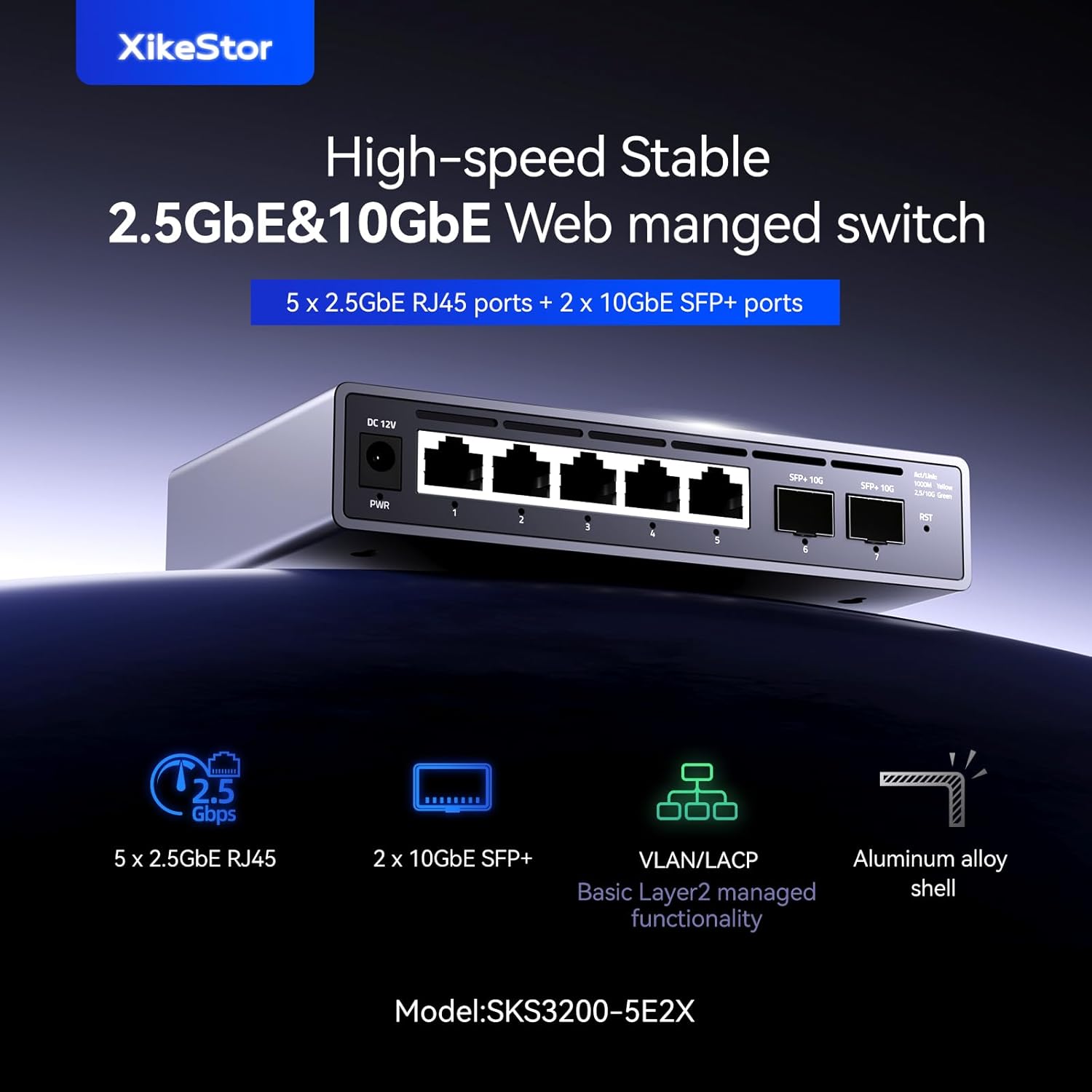
Image: Front view of the XikeStor SKS3200-5E2X switch, highlighting the 5x 2.5G RJ45 ports and 2x 10G SFP+ ports, along with power and reset buttons.
Key Features
- Aluminum Alloy Body: Features an upgraded full aluminum alloy casing with anodized treatment, fanless design, excellent heat dissipation, and silent operation, making it ideal for home and small to medium office environments.
- NAS Network Integration: Easily configure functions like VLAN partitioning and port aggregation via the web interface. Particularly suitable for beginners and NAS users.
- Plug and Play: Simply connect the power and Ethernet cables for automatic port speed negotiation. 2.5G ports (2500M/1000M/100M) and 10G ports (10G/2500M/1000M) adapt to various network requirements.
- High Performance: Equipped with 5x 2.5G Ethernet ports and 2x 10G Ethernet ports. Each port supports full-duplex mode.
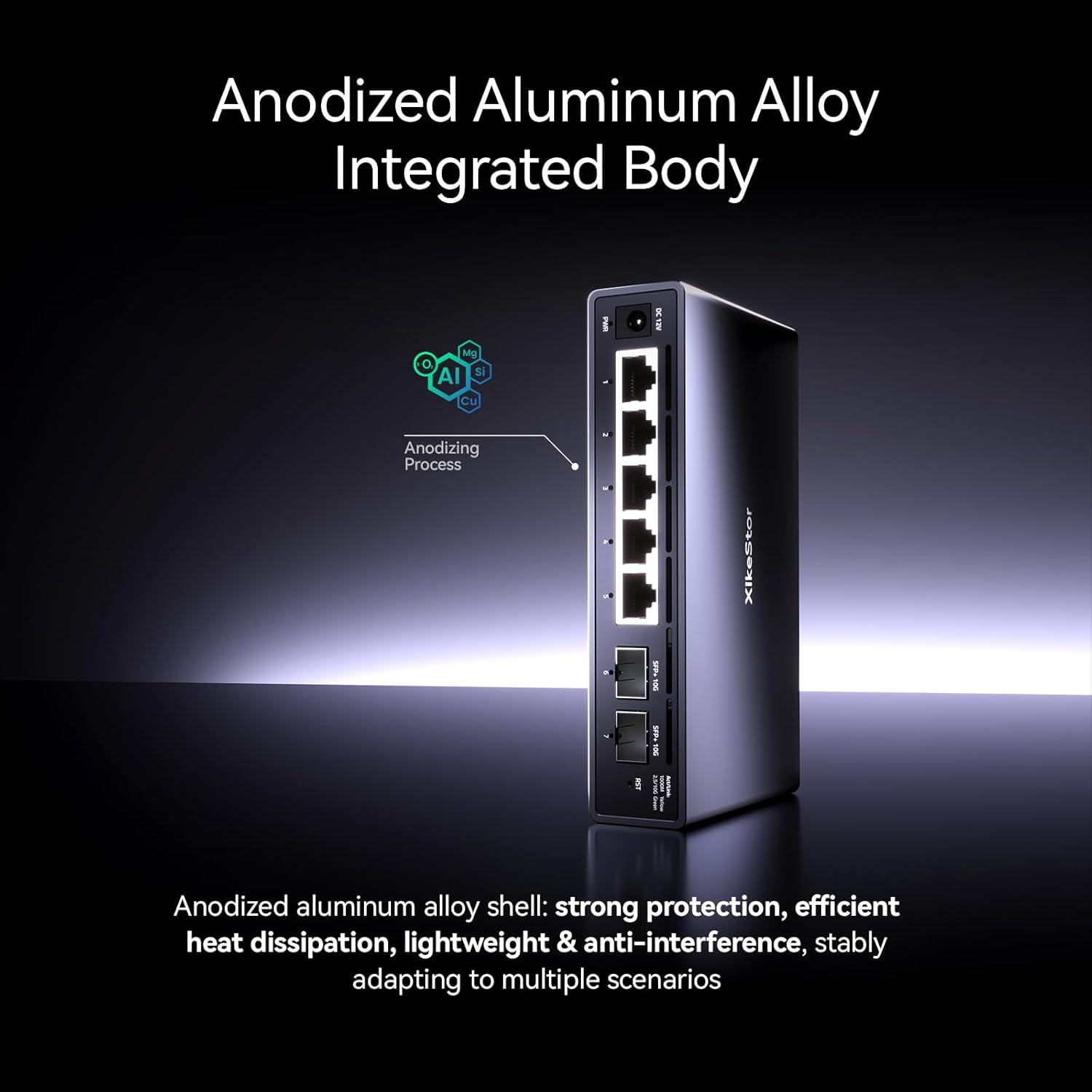
Image: Close-up view of the switch's anodized aluminum alloy body, emphasizing its robust and fanless design for efficient heat dissipation.

Image: Diagram illustrating the switch providing high-speed seamless connectivity for multiple network devices including PCs, printers, NAS, and IPTV.
2. Setup Guide
2.1 Package Contents
Please verify that all items are present and in good condition:
- XikeStor SKS3200-5E2X Web Managed Switch
- Power Adapter
- Mounting Accessories (e.g., wall-mount kit, screws)
- User Manual (this document)
2.2 Physical Installation
The switch can be placed on a desktop or mounted on a wall.
Desktop Placement
Place the switch on a flat, stable surface. Ensure adequate ventilation around the device.
Wall Mounting
Use the provided mounting accessories to secure the switch to a wall. Ensure the mounting surface is sturdy enough to support the device.
2.3 Connecting the Switch
- Connect Power: Plug the power adapter into the DC 12V input port on the switch, then connect the adapter to a power outlet. The PWR indicator light should illuminate.
- Connect Network Devices: Connect your network devices (e.g., computers, NAS, routers) to the 2.5G RJ45 ports using Ethernet cables. For 10G connectivity, use SFP+ modules and fiber optic cables in the SFP+ ports.

Image: Diagram showing the DC 12V power input, 2.5GbE RJ45 ports, and 10GbE SFP+ ports with connected cables, illustrating the plug-and-play functionality.
3. Operation
3.1 Basic Connectivity (Plug and Play)
The XikeStor SKS3200-5E2X supports plug-and-play functionality. Once powered on and connected, the ports will automatically negotiate the optimal speed (2500M/1000M/100M for 2.5G ports and 10G/2500M/1000M for 10G SFP+ ports) with connected devices. No initial configuration is required for basic network operation.
3.2 Web Management Interface
For advanced features and configuration, access the web management interface:
- Ensure your computer is connected to the switch.
- Open a web browser.
- Enter the default IP address: 192.168.10.12 in the address bar and press Enter.
- Log in using the default credentials: User Name: admin, Password: admin.
- Important Note: To enter the management page, the switch's IPv4 address must be changed to 192.168.10.X (where X is any number between 2 and 254, but not 12) and the subnet mask must be set to 255.255.255.0.

Image: Screenshot of the switch's web management interface, showing various Layer 2 management functions such as Port Settings, Port Mirroring, Link Aggregation, Port VLAN, Tagged VLAN, IGMP Snooping, and Storm Control.
3.3 Layer 2 Management Functions
The web management interface allows configuration of various Layer 2 features, including but not limited to:
- VLAN Partitioning
- Port Aggregation (LACP)
- Port Mirroring
- Quality of Service (QoS)
- Spanning Tree Protocol (STP)
- IGMP Snooping
- Storm Control
- Energy-saving Mode
4. Maintenance
4.1 Cable Requirements
For optimal performance and stable connections, especially at higher speeds:
- For 2.5G Ethernet ports, use CAT6A or higher rated Ethernet cables.
- Ensure all Ethernet cables are undamaged and properly terminated.
4.2 SFP+ Module and Fiber Compatibility
If 10G speed is not achieved on the SFP+ ports:
- Ensure you are using 10G-compatible SFP+ optical modules.
- Verify that the fiber optic cables are undamaged and correctly connected.
4.3 Grounding for Lightning Protection
To prevent surges and static electricity, install a lightning protection grounding wire:
- Locate the grounding terminal on the switch.
- Remove the default screw from the grounding terminal.
- Connect the ground wire to the terminal.
- Replace and tighten the specialized surge protection screw (included in accessories) to secure the ground wire.

Image: Illustration demonstrating the process of installing a grounding wire to the grounding terminal on the switch, showing the screw removal and replacement steps.
5. Troubleshooting
This section provides solutions to common issues you might encounter.
| Problem | Possible Cause | Solution |
|---|---|---|
| No power indicator light | Power adapter not connected or faulty; power outlet issue. | Ensure power adapter is securely connected. Test power outlet with another device. Try a different power adapter if available. |
| No network connectivity | Incorrect cable connection; faulty cable; device not powered on; incorrect IP settings (for web management). | Check all Ethernet/fiber connections. Replace cables if suspected faulty. Ensure connected devices are powered on. Verify IP settings if trying to access web management. |
| Slow network speeds | Low-quality or damaged cables; incompatible SFP+ module; network congestion. | Use CAT6A or higher cables. Ensure cables are undamaged. For 10G SFP+ ports, use 10G-compatible modules and fiber. Check for other network bottlenecks. |
| Cannot access web management interface | Incorrect IP address; computer's IP not in same subnet; firewall blocking access. | Verify the switch's IP address (default 192.168.10.12). Ensure your computer's IP address is in the 192.168.10.X range (X not 12) with subnet mask 255.255.255.0. Temporarily disable computer firewall. |
6. Technical Specifications
Detailed specifications for the XikeStor SKS3200-5E2X switch:

Image: Table summarizing the product parameters including net ports, control chip, switching capacity, forwarding rate, PoE protocol, power input, dimensions, shell material, installation method, heat dissipation, and other features.
| Feature | Specification |
|---|---|
| Brand | XikeStor |
| Model Number | SKS3200-5E2X |
| Port Count | 7 (5x 2.5G RJ45, 2x 10G SFP+) |
| Switch Type | Web Managed (Layer 2) |
| Data Transfer Rate | 32.5 Gbps (Switching Capacity: 65 Gbps) |
| Forwarding Rate | 48.36 Mpps |
| Control Chip | MXL86252S-ABE-R |
| Power Input | DC 12V |
| Shell Material | Aluminum Alloy (anodized treatment) |
| Heat Dissipation | Fanless, Natural Heat Dissipation |
| Installation Method | Desktop / Wall-mounted |
| Dimensions (L x W x H) | 155mm x 94mm x 30.7mm |
| Included Components | Mounting Kit |
| Origin | China |
7. Warranty and Support
7.1 Manufacturer's Warranty
This product comes with a 1-year manufacturer's warranty from the date of purchase. The warranty covers defects in materials and workmanship under normal use. It does not cover damage caused by misuse, accidents, unauthorized modifications, or external factors.
7.2 Technical Support
For technical assistance, troubleshooting, or warranty claims, please contact XikeStor customer support through the retailer's platform or the official XikeStor website. Please have your product model number (SKS3200-5E2X) and purchase information ready when contacting support.


