
Anweller P7
Contents
Anweller P7 Smart Padlock User Manual
Model: P7
Introduction
The Anweller P7 Smart Padlock offers advanced security and convenience with multiple unlocking methods. This manual provides detailed instructions for setting up, operating, and maintaining your padlock to ensure optimal performance and security.

Image: Anweller P7 Smart Padlock highlighting its key features.
Product Overview
The Anweller P7 is a medium-sized smart padlock designed for durability and ease of use. It features both a fingerprint sensor and a numeric keypad, along with app connectivity.

Image: Front (fingerprint) and back (keypad) views of the padlock.
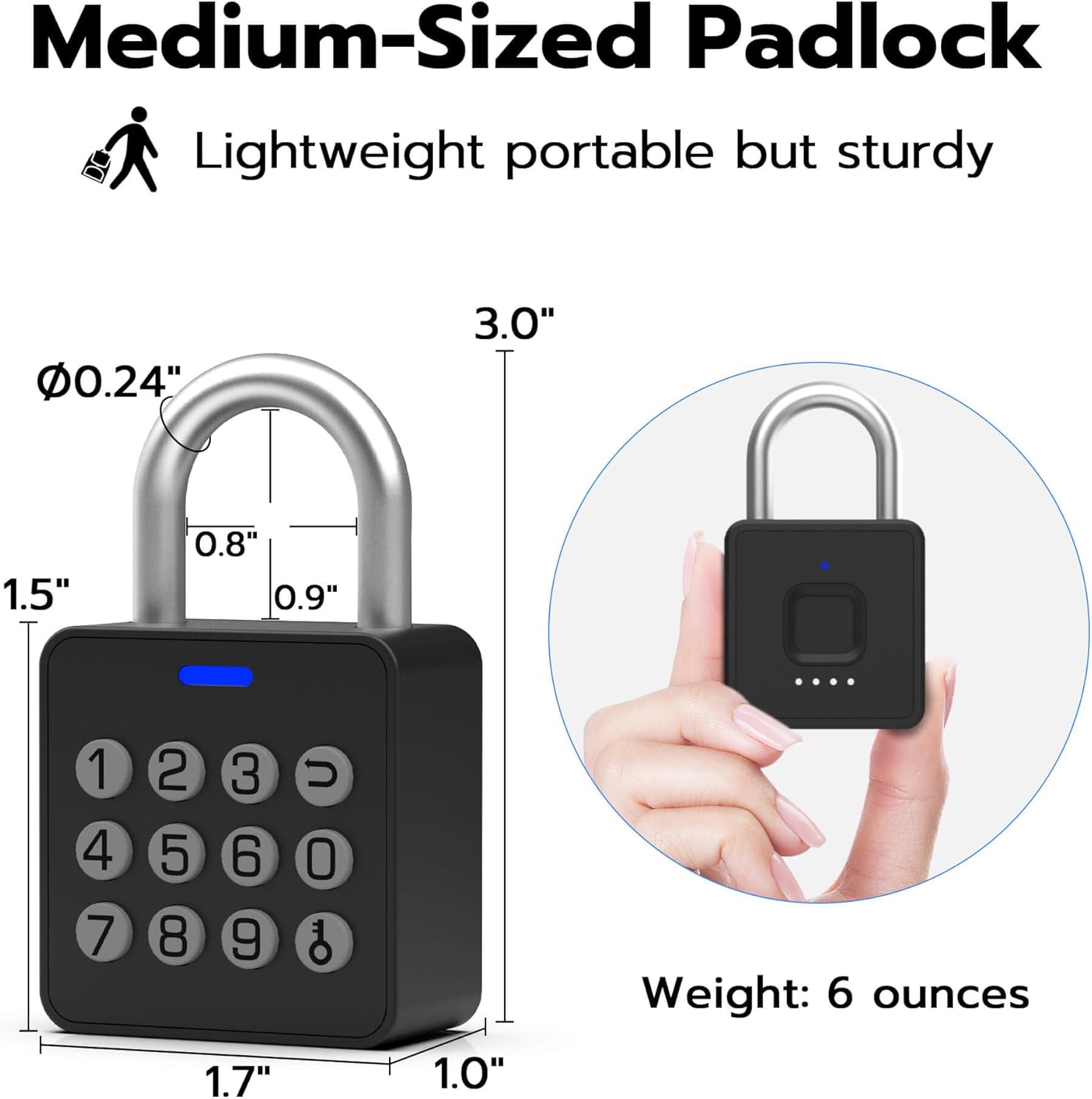
Image: Padlock dimensions and weight.
Key Features:
- 4 Unlocking Methods: Fingerprint, Passcode, Mobile App, and Apple Watch.
- Durable Construction: Made from alloy steel and zinc alloy with a hardened steel shackle for cut resistance.
- Weatherproof Design: IP65 rated for water, dust, anti-rust, and anti-corrosion, suitable for indoor and outdoor use.
- Long Battery Life: Built-in 110mAh rechargeable Li-ion battery provides up to 6 months standby time or 2000 unlocks on a single 40-minute Type-C charge.
Getting Started
1. Charging the Padlock
Before initial use, fully charge the padlock. The USB-C charging port is located at the bottom of the device.

Image: Charging the padlock via USB-C.
2. Downloading the Mobile App
Scan the QR code in the included User Manual or search for 'eSmartLock' in your device's app store (available for Android and iOS) to download the companion application.
3. Initial Setup (Pairing & Admin Registration)
- Ensure Bluetooth is enabled on your smartphone.
- Open the eSmartLock app and follow the on-screen instructions to add your new padlock.
- Register your fingerprint as the administrator. The padlock can store up to 20 fingerprints.
- Set an administrator passcode. The padlock supports up to 20 passcodes.
Operating the Padlock
Unlocking Methods

Image: The four convenient ways to unlock your Anweller P7 Smart Padlock.
- Fingerprint Unlock: Place your registered finger on the fingerprint sensor. The lock will unlock in approximately 0.2 seconds if the fingerprint is recognized.
- Passcode Unlock: Enter your registered passcode on the numeric keypad. The lock will open upon correct entry. The anti-peeping feature allows you to enter random digits before or after your actual passcode for added security.
- Mobile App Control: Use the eSmartLock app on your smartphone to remotely unlock the padlock via Bluetooth. The app also allows for managing users, generating temporary passwords, and viewing unlock records.
- Apple Watch Unlock: If configured, you can unlock the padlock directly from your Apple Watch.
Managing Users and Passcodes
Through the eSmartLock mobile app, you can:
- Add or remove authorized fingerprints (up to 20).
- Create or delete permanent passcodes (up to 20).
- Generate temporary passcodes for one-time or limited-time access.

Image: Advanced Fingerprint Reader capabilities.

Image: Passcode features including anti-peeping and temporary access.
Maintenance
Battery Management
The padlock is equipped with a 110mAh rechargeable Li-ion battery. The battery indicator lights on the padlock will show the current charge level. Recharge the padlock using the provided USB-C cable when the battery is low. A full charge takes approximately 40 minutes.
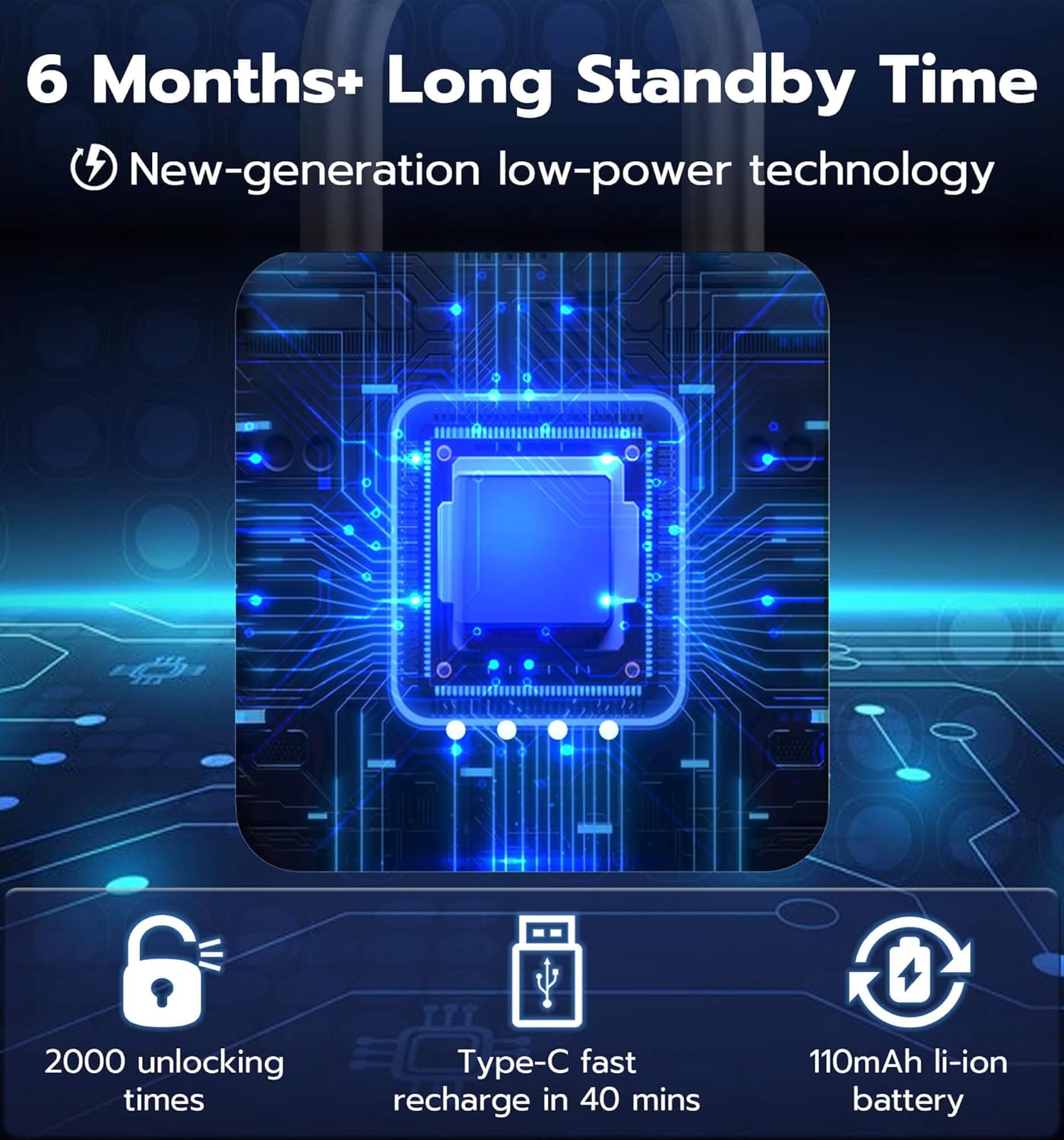
Image: Battery life and charging details.
Environmental Considerations
The Anweller P7 Smart Padlock is IP65 rated, making it resistant to water and dust. It is designed to function reliably in various environmental conditions, including rain, snow, sun, and temperatures ranging from -4°F to 122°F.
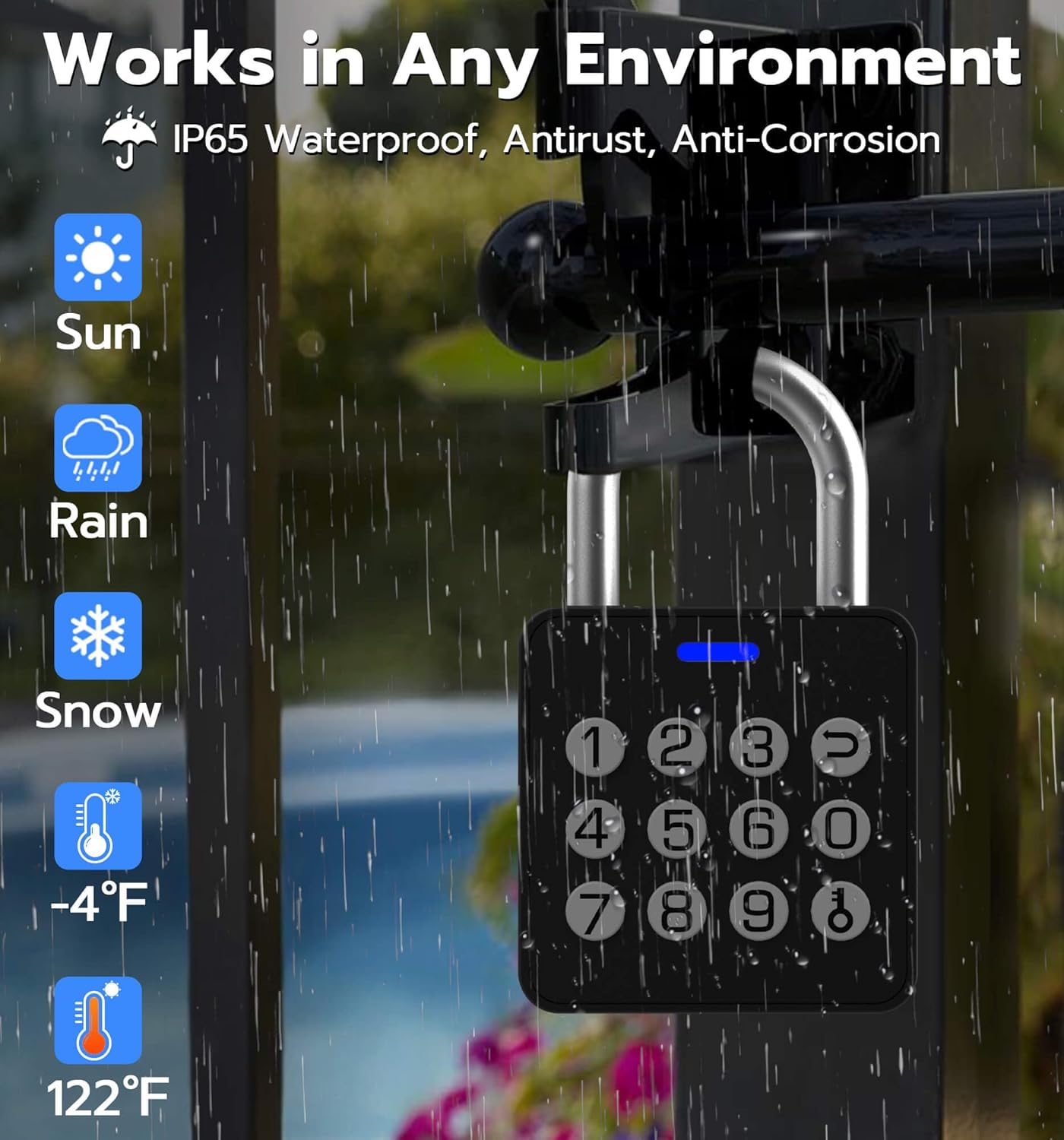
Image: Padlock operating effectively in diverse weather conditions.
Troubleshooting
If you encounter any issues with your Anweller P7 Smart Padlock, please consider the following:
- Padlock not unlocking: Ensure the battery is charged. Verify that the correct fingerprint or passcode is being used. Check the app for any error messages or connectivity issues.
- Fingerprint not recognized: Ensure your finger is clean and dry. Try re-registering your fingerprint through the app.
- App connectivity issues: Ensure Bluetooth is on and your phone is within range of the padlock. Restart the app or your phone if necessary.
For further assistance, refer to the Warranty and Support section.
Specifications
| Feature | Detail |
|---|---|
| Brand | Anweller |
| Model Name | P7 |
| Unlocking Methods | Fingerprint, Passcode, Mobile App, Apple Watch |
| Fingerprint Capacity | Up to 20 |
| Passcode Capacity | Up to 20 (including temporary) |
| Material | Aluminum, Stainless Steel, Zinc |
| Dimensions (L x W x H) | 1.7 x 1 x 3 inches |
| Item Weight | 6.4 ounces |
| Waterproof Rating | IP65 |
| Battery Type | 110mAh Rechargeable Li-ion (included) |
| Standby Time | Up to 6 months |
| Charge Time | Approx. 40 minutes via Type-C |
| Connectivity | Bluetooth |
| Controller Type | Android, iOS |
Official Product Video
Video: An overview of the Anweller P7 Smart Padlock, demonstrating its features and functionality.
Warranty and Support
Anweller provides a 6-month warranty for the P7 Smart Padlock. Additionally, free lifetime technical support is available. For any queries or assistance, please contact Anweller customer support at hongjdzwj@outlook.com. Replacements or refunds are handled hassle-free within the warranty period.
Ask a question about this manual
Ask about setup, troubleshooting, compatibility, parts, safety, or missing instructions. Manuals+ will review the question and use this page’s manual context to help answer it.