Introduction
Welcome to the world of BANDAI Tamagotchi Paradise! This virtual pet device allows you to nurture and grow your own unique Tamagotchi character. This manual provides essential information for setup, operation, and care to ensure an enjoyable experience.
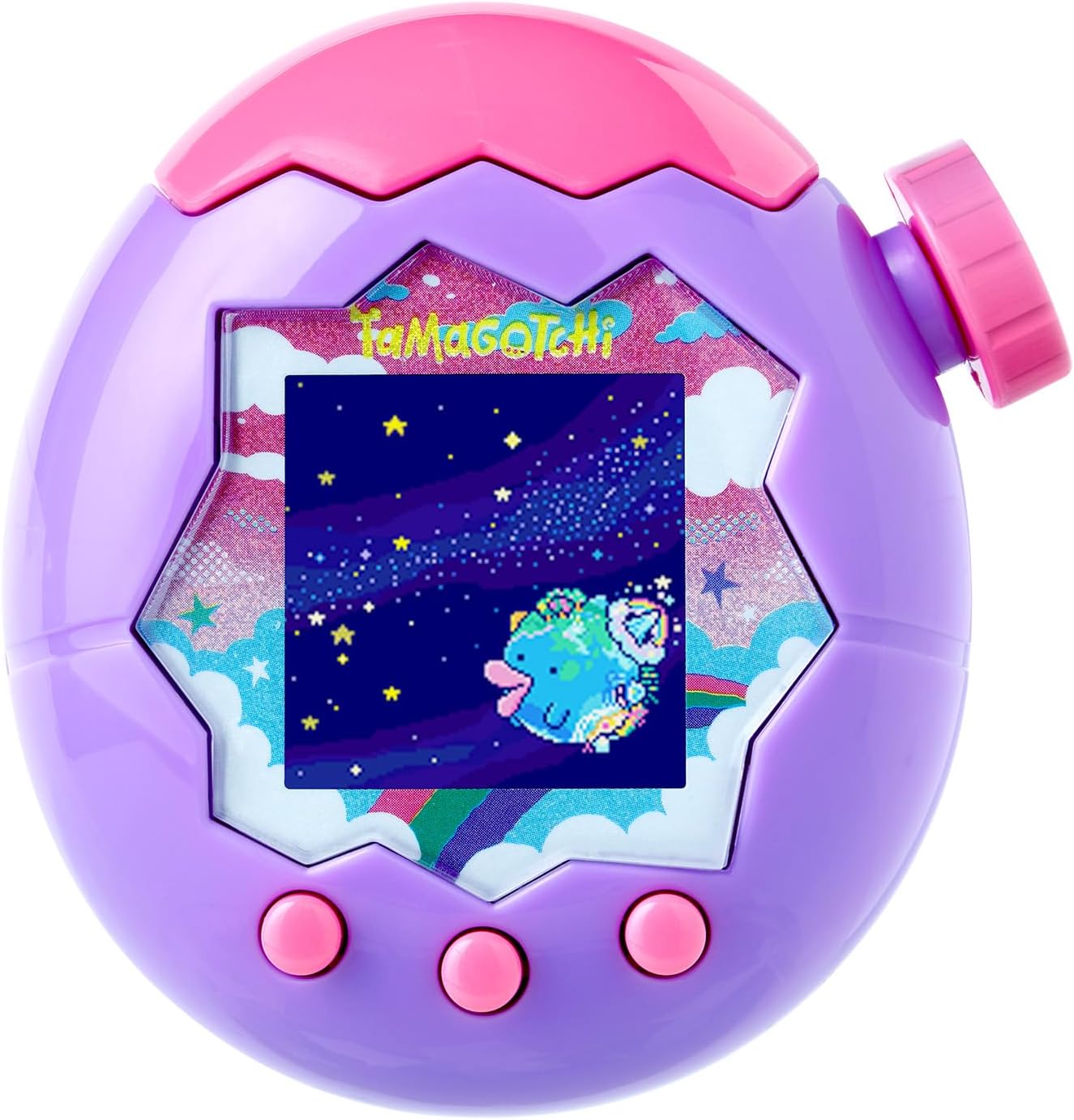
Image: The BANDAI Tamagotchi Paradise device in Purple Sky color, featuring a digital screen displaying a character in a starry sky background.
Setup
1. Battery Installation
The Tamagotchi Paradise requires two (2) AAA batteries (sold separately). Follow these steps to install them:
- Locate the battery compartment on the back of the device.
- Using a small screwdriver, carefully open the battery compartment cover.
- Insert two AAA batteries, ensuring correct polarity (+/-) as indicated inside the compartment.
- Replace the battery compartment cover and secure it with the screw.
2. Initial Power-On and Settings
After installing batteries, the device will power on automatically. You will be prompted to set the time and date. Use the control buttons to navigate and confirm your selections.
Operating Your Tamagotchi Paradise
Nurturing Your Tamagotchi
Your Tamagotchi character will require regular care. Key actions include:
- Feeding: Provide meals and snacks to keep your Tamagotchi happy and healthy.
- Cleaning: Clean up after your Tamagotchi to maintain a hygienic environment.
- Playing: Engage in mini-games to boost your Tamagotchi's happiness and development.
- Treating Sickness: Administer medicine if your Tamagotchi falls ill.
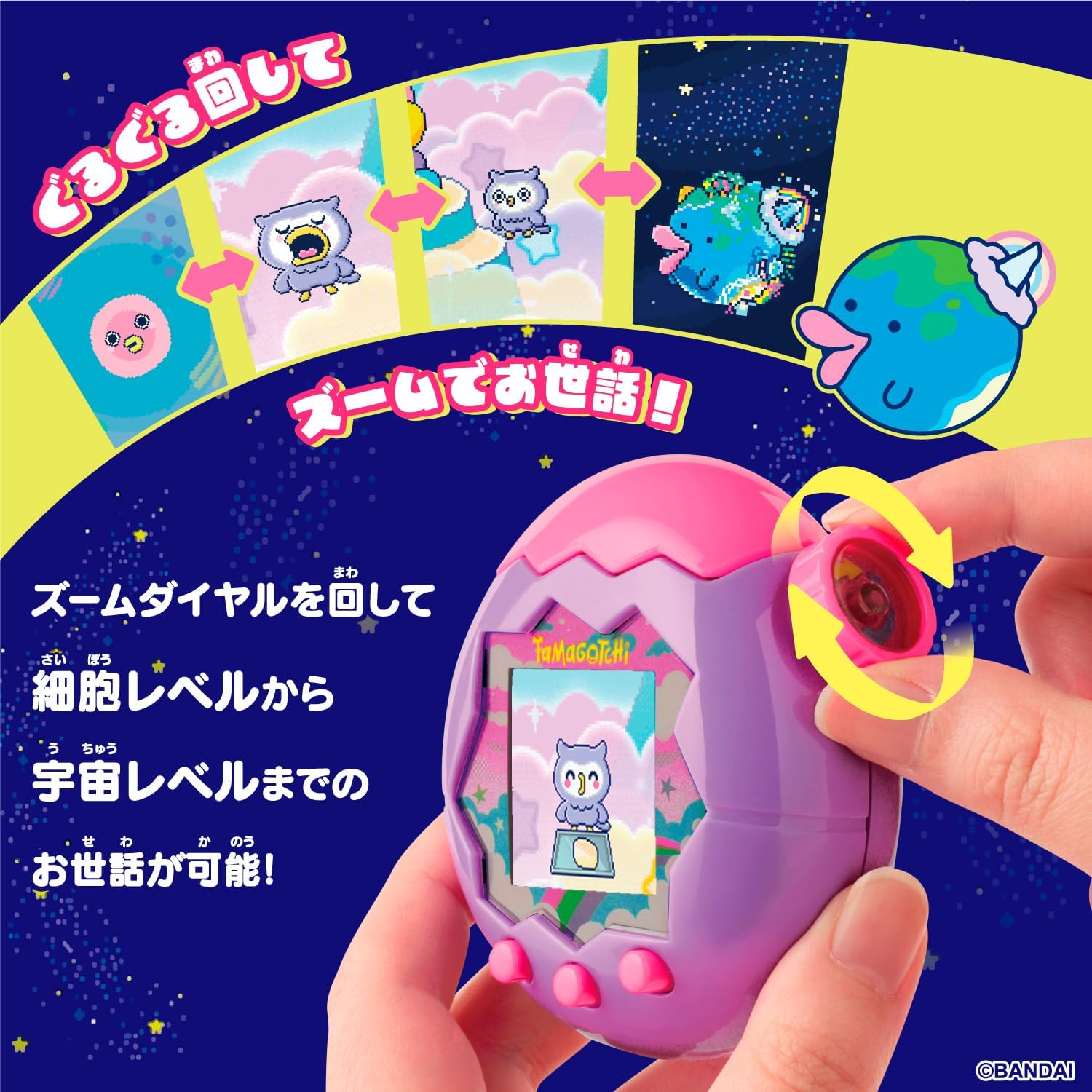
Image: A hand demonstrating the zoom dial on the Tamagotchi Paradise device. The screen shows various stages of character growth from cell level to space level, indicating how the dial is used for care.
Zoom Dial Functionality
The unique "Zoom Dial" allows you to interact with your Tamagotchi at different developmental stages, from a microscopic cell level to a vast space level. Rotate the dial to access various care options and observe your Tamagotchi's growth.
Lab Mode
Explore the new "Lab Mode" for additional activities. This mode offers mini-games, shopping opportunities for items, and a collection of illustrations to discover as your Tamagotchi evolves.

Image: A collage of nine different screens from the Tamagotchi Paradise device, showcasing various mini-games, feeding scenes, and character interactions available in Lab Mode.
Breeding and Genetics
Experience the thrill of breeding! By docking two Tamagotchi Paradise devices, you can facilitate interaction between your characters. If compatibility is good, a new generation of Tamagotchi will be born, inheriting traits from its parents. This genetic system allows for over 50,000 unique character variations.

Image: An illustration demonstrating the breeding process in Tamagotchi Paradise, showing two devices docked together and the concept of genetic inheritance leading to a new Tamagotchi character.
Tamafuyarudo Worlds
The Tamagotchi Paradise features three distinct worlds: "Riku" (Land), "Mizu" (Water), and "Sora" (Sky). Your Purple Sky device will begin its journey in the "Sora" world. Explore these different environments as you progress.

Image: An illustration showing the three distinct worlds within Tamagotchi Paradise: Sora (Sky), Mizu (Water), and Riku (Land), with various Tamagotchi characters inhabiting each.
Maintenance
Battery Replacement
When the battery indicator appears on the screen or the device stops responding, replace the AAA batteries following the installation steps outlined in the Setup section.
Cleaning the Device
To clean your Tamagotchi Paradise, gently wipe the exterior with a soft, dry cloth. Do not use harsh chemicals or abrasive materials, as these may damage the device.
General Care
Avoid exposing the device to extreme temperatures, direct sunlight, or moisture. Store it in a safe place when not in use to prevent damage.
Troubleshooting
| Problem | Solution |
|---|---|
| Device does not power on. | Check if batteries are installed correctly and are not depleted. Replace with fresh AAA batteries if necessary. |
| Screen is unresponsive or frozen. | Remove and reinsert the batteries to perform a soft reset. Note that this may reset game progress if not saved. |
| Tamagotchi character is not growing. | Ensure you are providing consistent care (feeding, cleaning, playing) and interacting with the zoom dial. |
| Cannot connect with another device. | Ensure both devices are properly docked and within range. Check battery levels on both devices. |
Specifications
- Product Dimensions: 3.15 x 1.97 x 4.33 inches
- Item Weight: 4.2 ounces
- Recommended Age: 6 years and up
- Batteries: 2 x AAA batteries (sold separately)
- Manufacturer: BANDAI
- Model: Tamagotchi Paradise - Purple Sky
Support and Warranty
For further assistance or warranty information, please refer to the official BANDAI website or contact their customer support. Keep your purchase receipt as proof of purchase.
Online Support: www.bandai.com