
1. Product Overview
The Uniden USB-C to RJ11 Power Cord is designed to provide a reliable power connection for your Uniden radar detector. This cable allows you to power your radar detector using a modern USB-C port, commonly found in newer vehicles, offering a clean and convenient alternative to traditional cigarette lighter adapters or complex hardwire installations.
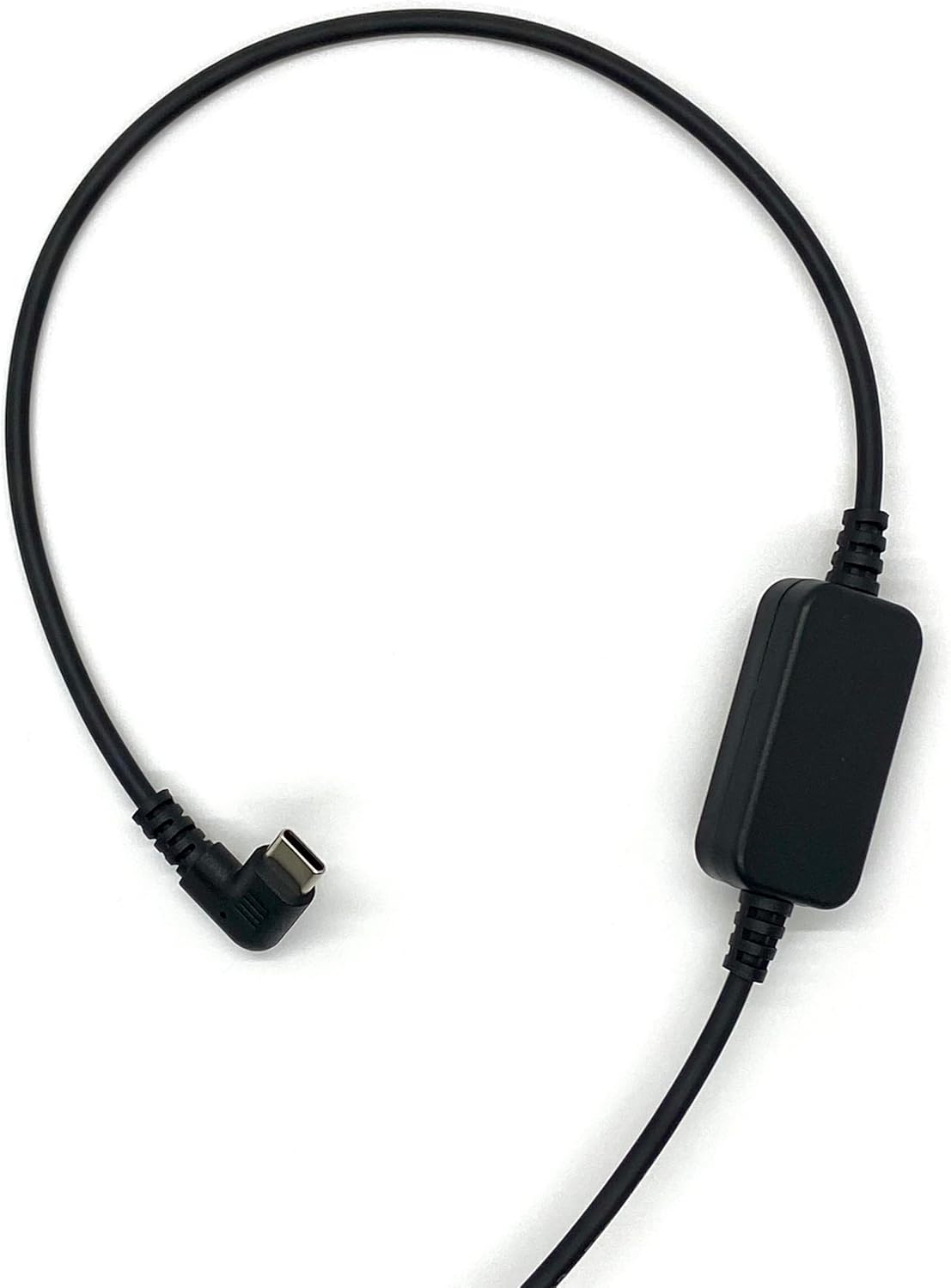
Figure 1: The Uniden USB-C to RJ11 Power Cord, showing its full length and both connectors.
Key Features:
- USB-C Compatibility: Designed for newer vehicles equipped with USB-C power ports, eliminating the need for traditional power sources.
- Direct Connection: Provides a direct and stable power connection to your radar detector.
- Clean Installation: The 6-foot cable length allows for flexible routing, helping to prevent tangles and offering a tidy setup without a hardwire kit.
- Durable Construction: Made with high-quality materials for enhanced durability and long-term reliability.
- Official Uniden Product: Ensures compatibility and quality, backed by a one-year warranty.
2. Setup Instructions
Follow these steps to connect your Uniden USB-C to RJ11 Power Cord to your radar detector and vehicle.
- Identify Connectors: Locate the USB-C connector and the RJ11 connector on the power cord. The USB-C connector is reversible and typically smaller, while the RJ11 connector resembles a telephone jack.
- Connect to Radar Detector: Insert the RJ11 end of the power cord into the power input port of your Uniden radar detector. Ensure it clicks securely into place.
- Connect to Vehicle Power: Insert the USB-C end of the power cord into a compatible USB-C power outlet in your vehicle.
- Verify Power: Once both ends are connected, your radar detector should power on, indicating a successful connection.

Figure 2: A detailed view of the USB-C connector (left) and the RJ11 connector (right) of the power cord.
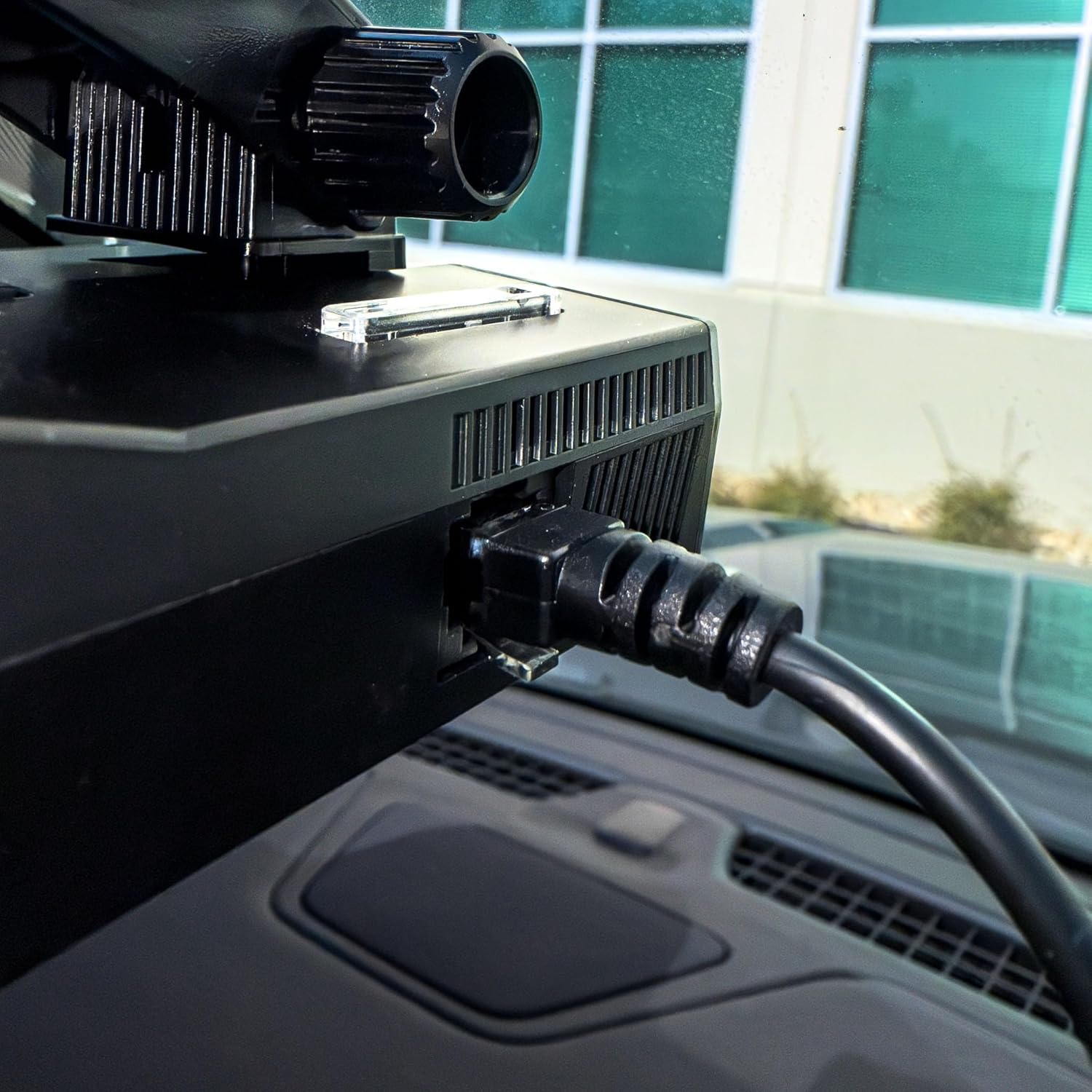
Figure 3: The RJ11 end of the power cord securely connected to the power input port of a Uniden radar detector.

Figure 4: The USB-C end of the power cord connected to a compatible USB-C power outlet in a vehicle.
3. Operation
The Uniden USB-C to RJ11 Power Cord functions as a dedicated power supply for your compatible Uniden radar detector. Once properly connected, it continuously delivers the necessary power for the detector to operate. There are no user-adjustable settings or controls on the power cord itself; its operation is automatic upon connection to a powered USB-C port.
4. Care and Maintenance
To ensure the longevity and optimal performance of your Uniden USB-C to RJ11 Power Cord, please observe the following care and maintenance guidelines:
- Handle with Care: Avoid excessive bending, twisting, or pulling on the cable, especially near the connectors, to prevent internal damage.
- Keep Clean: Periodically wipe the cable and connectors with a soft, dry cloth to remove dust and debris. Do not use harsh chemicals or abrasive cleaners.
- Store Properly: When not in use, coil the cable loosely to prevent kinks and tangles. Avoid storing it in extreme temperatures or direct sunlight.
- Avoid Water Exposure: This product is designed for indoor vehicle use. Do not expose the cable or connectors to water or excessive moisture.
5. Troubleshooting
If you encounter issues with your Uniden USB-C to RJ11 Power Cord, refer to the following troubleshooting steps:
| Problem | Possible Cause | Solution |
|---|---|---|
| Radar detector does not power on. | Loose connection, vehicle USB-C port not active, or faulty cable/detector. | Ensure both the USB-C and RJ11 connectors are firmly seated. Check if the vehicle's USB-C port is active (e.g., by testing with another device). Test the radar detector with its original power cord if available. |
| Intermittent power to radar detector. | Loose connection, damaged cable, or unstable power from vehicle port. | Check all connections for tightness. Inspect the cable for visible damage (frays, cuts). Try a different USB-C port in the vehicle if available. |
| Cable does not fit into port. | Incorrect port or obstruction. | Verify you are using a USB-C port in the vehicle and an RJ11 port on the radar detector. Check for any debris in the ports. |
6. Product Specifications
| Specification | Detail |
|---|---|
| Brand | Uniden |
| Model | USBCRJ11-2M |
| Connector Type (Input) | USB Type C |
| Connector Type (Output) | RJ11 |
| Cable Type | USB |
| Compatible Devices | Uniden Radar Detectors (R8w, R8, R7, R4w, R4, R3, DFR9, DFR8, DFR7 & Additional Models) |
| Special Feature | Tangle Free, High Quality Materials |
| Connector Gender | Male-to-Male |
| Maximum Voltage | 12 Volts (DC) |
| Recommended Uses | Powering radar detectors in vehicles |
| Color | Black |
| Item Weight | 0.07 Kilograms |
| Cable Length | 6.0 Feet |
| UPC | 050633806449 |
7. Warranty and Support
This Uniden USB-C to RJ11 Power Cord comes with a one-year warranty from the date of purchase. This warranty covers defects in materials and workmanship under normal use.
For warranty claims, technical support, or additional product information, please visit the official Uniden website or contact Uniden customer service.
You can find more information and support resources by visiting the Uniden Store on Amazon.


