
1. Introduction
This manual provides detailed instructions for the installation, operation, and maintenance of your Fafeicy Smart Programmable Sprinkler Timer, Model SGW01. This device is designed to automate watering for lawns, yards, and greenhouses, offering features such as programmable schedules, manual watering, and a rain delay function.
2. Safety Information
- Ensure the timer is installed securely to prevent accidental detachment.
- Do not immerse the timer in water, despite its IPX5 waterproof rating.
- Use only the specified battery type (2 x AA batteries). Do not mix old and new batteries or different battery types.
- Keep out of reach of children.
- Operate within the specified working pressure and temperature ranges to prevent damage.
3. Package Contents
Verify that all items listed below are included in your package:
- 1 x Irrigation Timer (Model SGW01)
- 1 x Converter
- 1 x PTFE Tape
- 1 x Water Proof Gasket
- 1 x User Manual


4. Product Overview
The Fafeicy Smart Programmable Sprinkler Timer features a large LCD screen for easy readability and intuitive controls for programming. It is designed for outdoor use with IPX5 waterproofing.

Control Buttons:
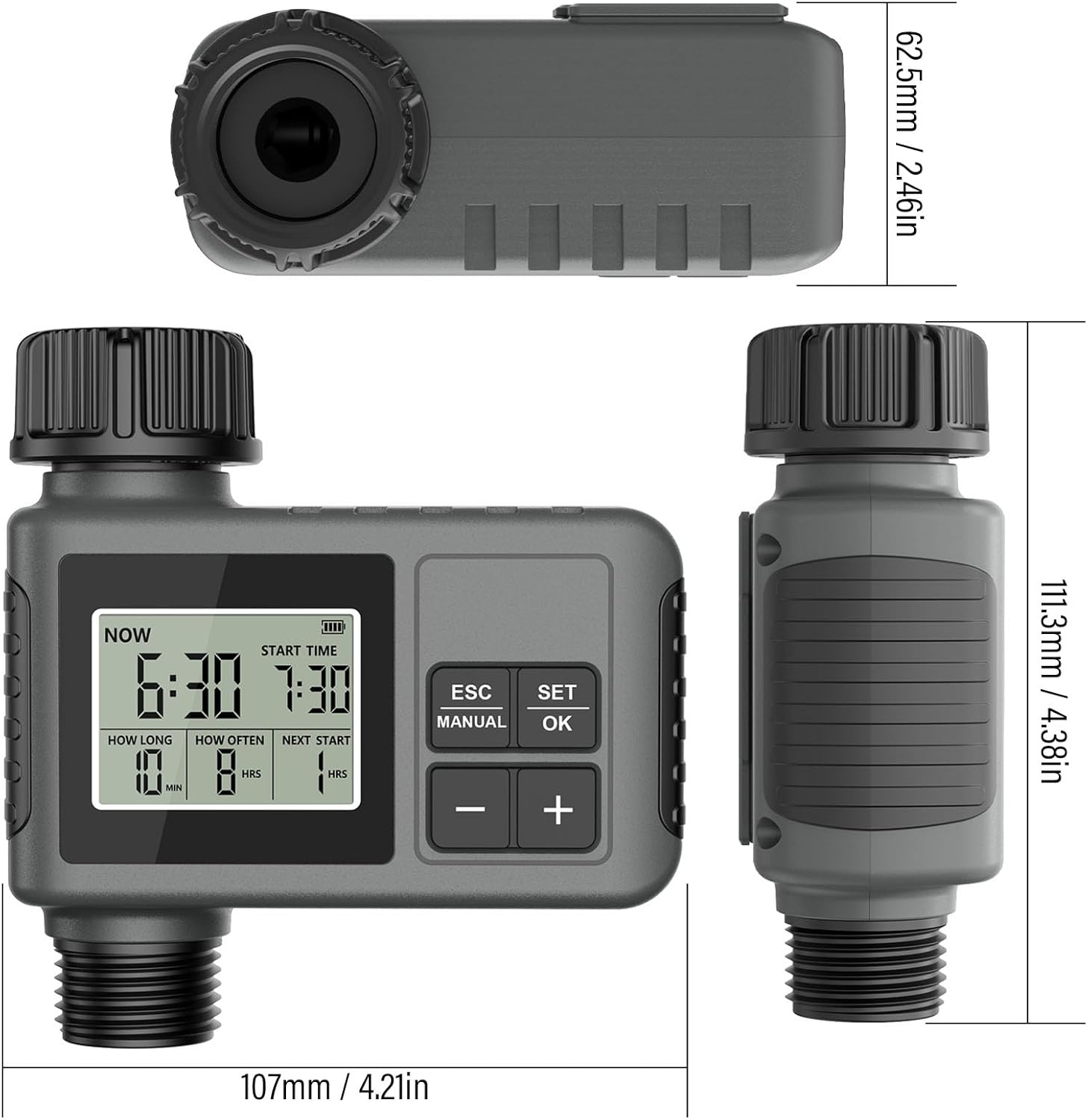
- ESC/MANUAL: Used to exit settings or activate manual watering mode.
- SET/OK: Used to confirm selections and enter settings modes.
- + / -: Used to adjust values and navigate through options.
LCD Display Indicators:
- NOW: Displays the current time.
- START TIME: Indicates the programmed start time for watering.
- HOW LONG: Shows the duration of each watering cycle (1-360 minutes).
- HOW OFTEN: Displays the frequency of watering (1-23 hours or 1-15 days).
- NEXT START: Shows the time remaining until the next scheduled watering cycle.
- Battery Indicator: Displays current battery level.
5. Setup
5.1 Battery Installation
- Locate the battery compartment on the back of the timer.
- Open the battery compartment cover.
- Insert two (2) AA batteries (not included), ensuring correct polarity (+/-).
- Close the battery compartment cover securely. The sealing loop on the cover helps prevent water ingress.
5.2 Connecting to Faucet
- Ensure the filter washer is properly seated in the timer's inlet.
- Thread the timer onto a standard 3/4-inch outdoor faucet. Hand-tighten only; do not overtighten.
- If necessary, use the provided converter and PTFE tape to ensure a leak-free connection.
- Connect your garden hose or drip irrigation system to the 3/4-inch male thread outlet at the bottom of the timer.
6. Operating Instructions
6.1 Setting the Current Time
Upon initial power-on or after battery replacement, the timer may prompt you to set the current time. Use the '+' and '-' buttons to adjust the hour and minute, then press 'SET/OK' to confirm each setting.
6.2 Programming a Watering Schedule
The timer allows for flexible scheduling with customizable duration and frequency.

- Press the 'SET/OK' button to enter programming mode.
- Set START TIME: Use '+' and '-' to adjust the desired start time for watering. Press 'SET/OK' to confirm.
- Set HOW LONG: Use '+' and '-' to set the watering duration from 1 to 360 minutes. Press 'SET/OK' to confirm.
- Set HOW OFTEN: Use '+' and '-' to set the watering frequency. Options include intervals from 1 to 23 hours, or 1 to 15 days. Press 'SET/OK' to confirm.
- The timer will now display the 'NEXT START' time, indicating when the next watering cycle will begin according to your programmed schedule.
6.3 Manual Watering
To water manually without affecting your programmed schedule:

- Press the 'ESC/MANUAL' button.
- The display will show options for manual watering duration. Use '+' and '-' to select the desired duration.
- Press 'SET/OK' to start manual watering.
- To stop manual watering prematurely, press 'ESC/MANUAL' again.
6.4 Rain Delay Function
The rain delay feature allows you to pause your watering schedule for a set period, conserving water and preventing over-watering after rainfall.

- While in normal operating mode, press and hold the 'ESC/MANUAL' button for a few seconds to activate the rain delay option.
- Use the '+' and '-' buttons to select the desired delay period (e.g., 24, 48, or 72 hours).
- Press 'SET/OK' to confirm the rain delay. The timer will pause its schedule for the selected duration and resume automatically afterward.
7. Maintenance
7.1 Battery Replacement
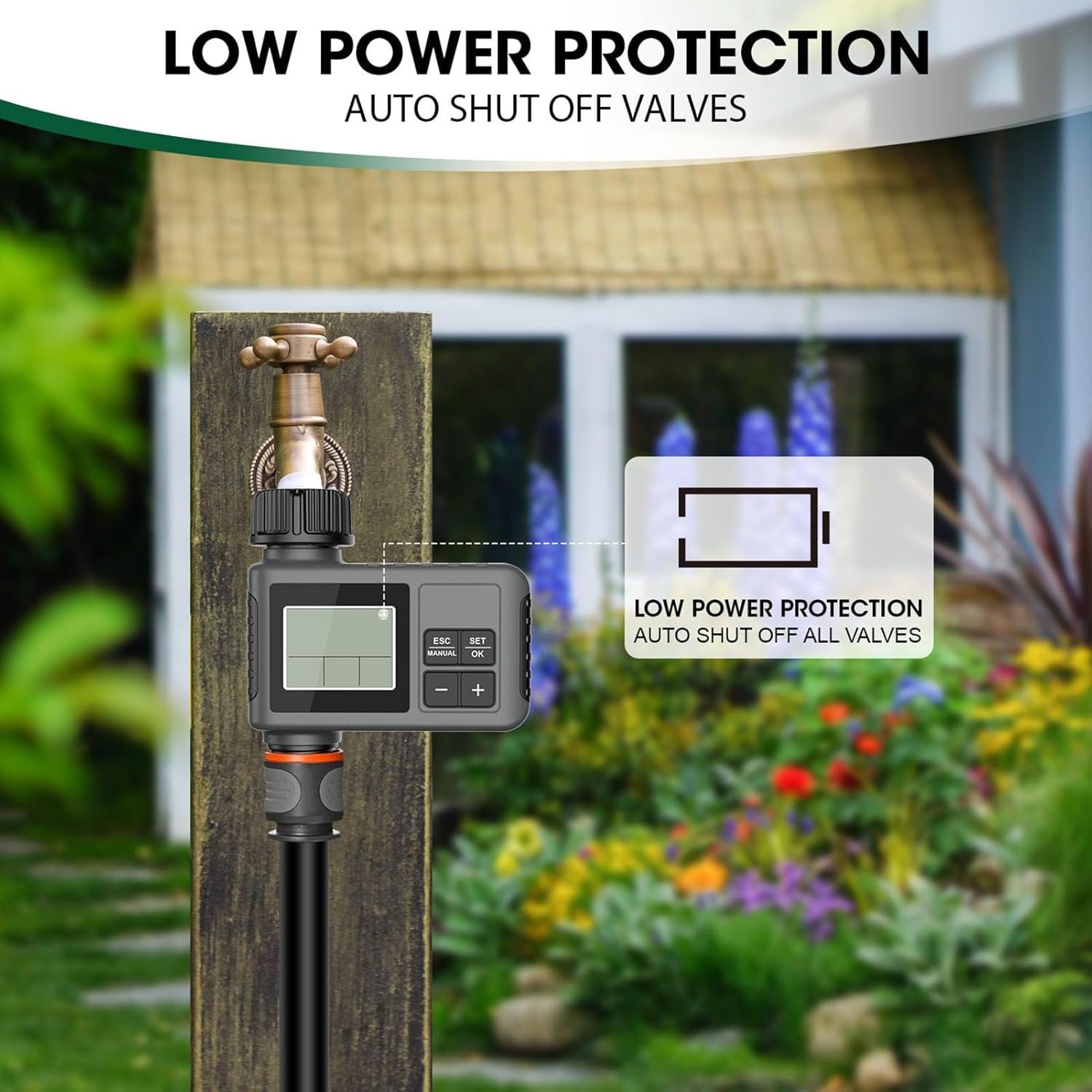
When the battery indicator shows low power, replace the two AA batteries promptly to ensure continuous operation. The timer features low power protection, automatically shutting off valves to prevent water waste if batteries are critically low.
7.2 Cleaning
Periodically check and clean the filter washer at the inlet to prevent debris from clogging the timer or your irrigation system. Rinse with clean water.
7.3 Winter Storage
Before the first frost, remove the timer from the faucet, remove the batteries, and store it indoors in a dry, protected area to prevent freezing damage.
8. Troubleshooting
- No water flow: Check if the faucet is fully open. Ensure batteries are installed correctly and have sufficient charge. Verify that the watering schedule is programmed correctly or if a rain delay is active. Check the filter washer for clogs.
- Leaking connections: Ensure all connections are hand-tightened. Use PTFE tape on threaded connections if necessary. Check that the water-proof gasket is properly seated.
- Display not working: Replace batteries with new ones. Ensure batteries are inserted with correct polarity.
- Timer not watering at scheduled time: Verify the current time and programmed start time are correct. Check the 'HOW OFTEN' setting. Ensure the rain delay is not active.
9. Specifications
| Feature | Specification |
|---|---|
| Model | SGW01 |
| Outlet Thread | 3/4 inch male thread |
| Working Pressure | 7.25 - 116 psi |
| Working Temperature | 4.5 - 45 ℃ (40.1 - 113 ℉) |
| Power Source | 2 x AA batteries (not included) |
| Waterproof Rating | IPX5 |
| Watering Duration | 1 - 360 Minutes |
| Watering Frequency | 1 - 23 Hours, or 1 - 15 Days |
| Product Dimensions (D x W x H) | 4.72"D x 4.72"W x 1.97"H (approx. 111.3mm x 107mm x 62.5mm) |
10. Warranty and Support
For warranty information or technical support, please refer to the contact details provided at the point of purchase or visit the official Fafeicy website. Please retain your proof of purchase for warranty claims.