
Introduction
The JBL Flip 7 is a portable Bluetooth speaker designed to deliver powerful, clear sound for various environments. Featuring advanced audio technologies like AI Sound Boost and Auracast, along with a durable, waterproof, and dustproof design, it is suitable for both indoor and outdoor use. This manual provides essential information for setup, operation, maintenance, and troubleshooting to ensure optimal performance of your speaker.
What's in the Box
Carefully unpack the contents of your JBL Flip 7 package. The following items should be included:
- 1 x JBL Flip 7 Portable Bluetooth Speaker
- 1 x USB-C Braided Cable

Image: Included accessories for the JBL Flip 7 speaker.
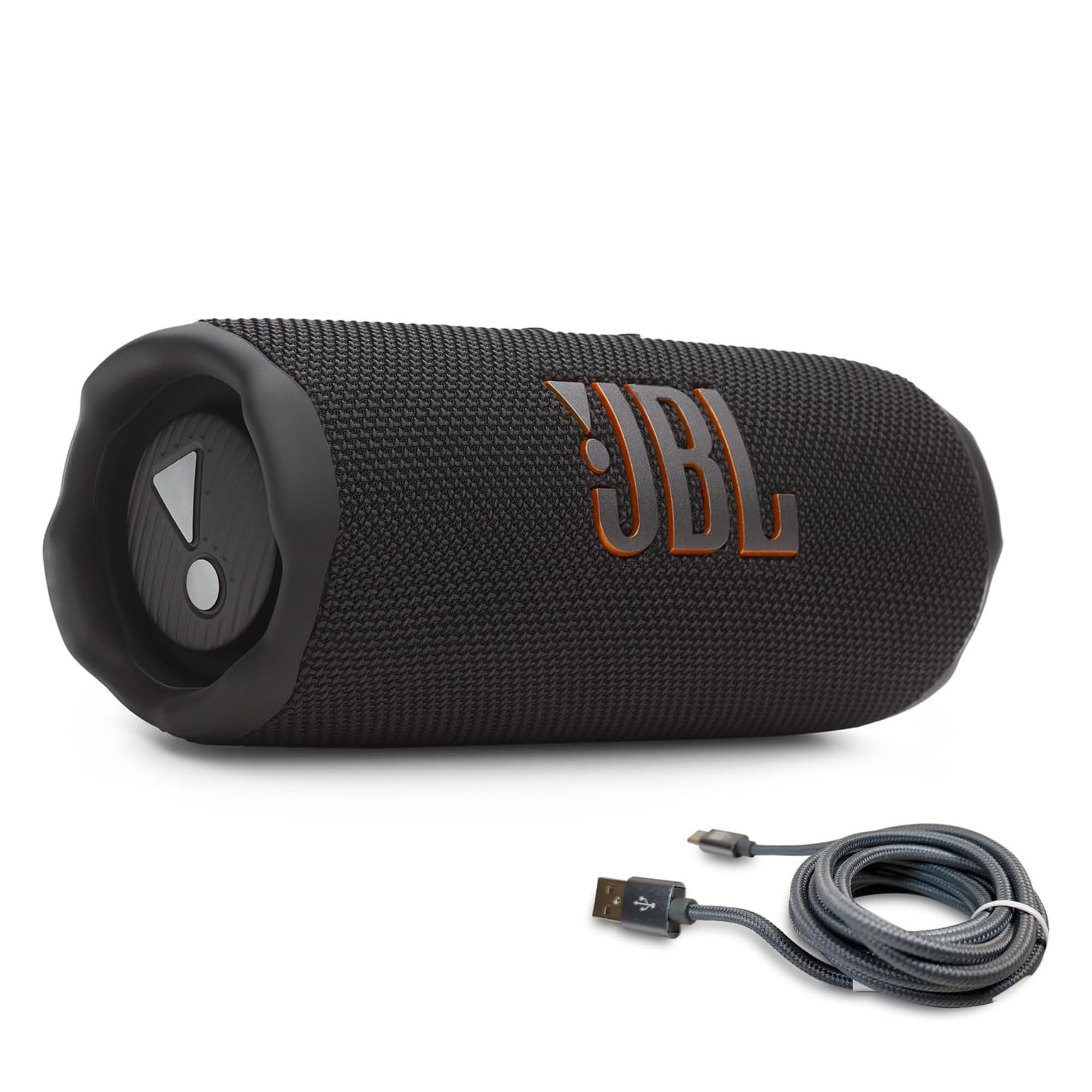
Image: The JBL Flip 7 Portable Bluetooth Speaker.
Product Features
- Bold JBL Pro Sound with AI Sound Boost: Experience powerful, clearer bass and crisp higher frequencies thanks to a new tweeter dome design and proprietary AI Sound Boost technology that analyzes music in real-time to optimize sound and reduce distortion.
- Up to 16 Hours of Playtime: Enjoy extended listening with a built-in rechargeable battery providing up to 14 hours of playback, with an additional 2 hours available via Playtime Boost.
- Multi-Speaker Connection by Auracast: Effortlessly stereo pair two Flip 7 speakers for a wider sound stage or connect multiple Auracast-enabled JBL speakers to expand your audio coverage.
- Waterproof, Dust-proof & Drop-proof: Rated IP68, the Flip 7 is protected against water immersion and dust ingress, making it ideal for outdoor adventures. Its durable fabric material and rugged rubber housing provide additional protection.
- Bluetooth 5.4 Connectivity: Provides a fast, stable connection with low latency, perfect for music and video playback.
Setup
Powering On/Off
To power on the JBL Flip 7, press and hold the power button located on the top panel of the speaker until you hear an audible tone and the power indicator light illuminates. To power off, press and hold the power button again until the indicator light turns off.
Bluetooth Pairing
- Turn on the JBL Flip 7 speaker. The Bluetooth indicator light will begin to flash, indicating it is in pairing mode.
- On your mobile device (smartphone, tablet, laptop), navigate to the Bluetooth settings.
- Select 'JBL Flip 7' from the list of available devices.
- Once connected, the Bluetooth indicator light on the speaker will turn solid, and you will hear a confirmation tone.
Multi-Speaker Connection (Auracast)
The JBL Flip 7 supports Auracast for connecting multiple compatible JBL speakers. This allows for a wider sound stage or synchronized playback across several speakers.
- Ensure all JBL Auracast-enabled speakers are powered on and within range.
- Connect your primary device to one JBL Flip 7 speaker via Bluetooth.
- Press the Auracast button on the primary speaker. The Auracast indicator light will flash.
- On the secondary speakers you wish to connect, press their respective Auracast buttons.
- Once connected, the Auracast indicator lights on all speakers will turn solid, and they will play audio in sync.

Image: Multiple JBL Flip 7 speakers connected via Auracast for expanded sound.
Operating the Speaker
Controls
The JBL Flip 7 features intuitive controls on its top panel:
- Power Button: Press and hold to turn the speaker on or off.
- Bluetooth Button: Press to enter Bluetooth pairing mode.
- Play/Pause Button: Press once to play or pause audio. Double-press to skip to the next track.
- Volume Up (+): Press to increase the volume.
- Volume Down (-): Press to decrease the volume.
- Auracast Button: Press to initiate or join an Auracast multi-speaker connection.
Charging
To charge your JBL Flip 7, connect the included USB-C braided cable to the speaker's USB-C port and then to a compatible USB power adapter (not included). The battery indicator lights will show the charging status. A full charge provides up to 16 hours of playtime.

Image: Charging the JBL Flip 7 speaker using the USB-C cable.

Image: The JBL Flip 7 offers up to 16 hours of playtime.
Maintenance
Waterproof and Dustproof Care (IP68)
The JBL Flip 7 is IP68 rated, meaning it is waterproof and dustproof. This allows for immersion in water up to 1.5 meters for 30 minutes and protection against dust ingress. To maintain its waterproof and dustproof integrity:
- Ensure the charging port cover is securely closed before exposing the speaker to water or dust.
- After exposure to water, especially saltwater or chlorinated water, rinse the speaker with fresh water and allow it to air dry completely before charging or using the port.
- Avoid exposing the speaker to extreme temperatures or harsh chemicals.

Image: The JBL Flip 7 is IP68 waterproof and dustproof.
Troubleshooting
- No Power: Ensure the speaker is charged. Connect it to a power source using the USB-C cable.
- Cannot Pair via Bluetooth: Make sure the speaker is in pairing mode (flashing Bluetooth light). Check that Bluetooth is enabled on your device and that the speaker is not already connected to another device. Try restarting both the speaker and your device.
- No Sound: Check the volume levels on both the speaker and your connected device. Ensure the speaker is properly paired.
- Poor Sound Quality: Move the speaker closer to your Bluetooth device to reduce interference. Ensure there are no obstructions between the speaker and the device.
- Auracast Connection Issues: Ensure all speakers are Auracast-enabled and within range. Follow the multi-speaker connection steps carefully.
Specifications
| Brand | JBL |
| Model Number | Flip 7 |
| Connectivity Technology | Bluetooth 5.4 |
| Audio Output Mode | Stereo |
| Speaker Type | Single Speaker |
| Additional Features | Shockproof, USB Port, Waterproof, Dustproof |
| Battery Average Life | 14 Hours (up to 16 hours with Playtime Boost) |
| Waterproof Rating | IP68 |
| Control Method | Touch |
| Item Dimensions (D x W x H) | 2.8"D x 7.19"W x 2.7"H |
| Item Weight | 1.9 Pounds |
| Frequency Response | 20000 Hz |
| Signal-to-Noise Ratio | 80 dB |
Warranty and Support
The JBL Flip 7 Portable Bluetooth Speaker comes with a limited warranty. For detailed warranty information, product support, or service inquiries, please visit the official JBL website or contact JBL customer service. Keep your proof of purchase for warranty claims.
For further assistance, refer to the official JBL support resources available online.


