
1. Introduction
Thank you for choosing the GEEKOM A5 Mini PC. This compact and powerful desktop is designed for a wide range of applications, from home and office use to creative tasks and casual gaming. This manual provides essential information for setting up, operating, maintaining, and troubleshooting your device.
The GEEKOM A5 Mini PC features an AMD Ryzen 7 5825U processor, 16GB of DDR4 RAM, and a 512GB NVMe SSD, offering robust performance and ample storage. It supports up to four 8K displays and includes advanced connectivity options like WiFi 6 and Bluetooth 5.2.
2. What's in the Box
Upon unboxing your GEEKOM A5 Mini PC, please ensure all the following items are present:
- 1 x GEEKOM A5 2025 Edition Mini PC
- 1 x HDMI Cable
- 1 x VESA Mount
- 1 x Power Adapter
- 1 x User Guide (this manual)

Figure 2.1: The GEEKOM A5 Mini PC, showcasing its compact design and various input/output ports on the front and rear.
3. Setup Guide
3.1 Connecting Your Mini PC
- Connect to Display: Use the provided HDMI cable to connect your GEEKOM A5 to a monitor or TV. The device supports up to four 4K displays via two HDMI ports and two USB 3.2 Gen 2 Type-C ports, with 8K output available through the Type-C interface.
- Connect Peripherals: Plug in your keyboard, mouse, and any other USB devices into the available USB ports. The GEEKOM A5 includes multiple USB 3.2 Gen 2 Type-A and Type-C ports, along with a 3.5mm headphone jack and an SD card reader.
- Connect to Power: Connect the power adapter to the DC Jack on the Mini PC and then plug it into a power outlet.
- Network Connection: For internet access, connect an Ethernet cable to the 2.5G RJ45 LAN Port or utilize the built-in WiFi 6 for wireless connectivity.

Figure 3.1: Overview of the GEEKOM A5 Mini PC's features, including its compact size, cooling system, and connectivity options.
3.2 Initial Boot-up
Press the power button located on the front of the Mini PC. The system will boot up, and Windows 11 Pro will load. Follow the on-screen instructions to complete the initial setup of the operating system.

Figure 3.2: The GEEKOM A5 Mini PC comes with Windows 11 Pro pre-installed and supports compatibility with multiple operating systems, including Linux.
4. Operating Your GEEKOM A5 Mini PC
4.1 Key Features and Performance
- Processor: Powered by the AMD Ryzen 7 5825U processor (8C/16T, up to 4.5GHz, 16MB cache), the GEEKOM A5 delivers efficient performance for productivity, multitasking, and casual gaming.
- Memory & Storage: Equipped with 16GB dual-channel DDR4 RAM (expandable to 64GB) and a 512GB PCIe 3x4 SSD (expandable up to 2TB). Additional storage options include an M.2 2242 SATA SSD slot (up to 1TB) and a 2.5" SATA HDD slot (up to 2TB).
- Graphics: Integrated AMD Radeon Vega 8 Graphics (1900 MHz) supports up to four 4K displays and 8K output via Type-C.
- Wireless Connectivity: Features WiFi 6 for faster and more stable wireless connections, and Bluetooth 5.2 for connecting wireless peripherals.

Figure 4.1: Internal view of the GEEKOM A5 Mini PC, highlighting the expandable RAM and SSD slots for future upgrades.
4.2 Usage Scenarios
The GEEKOM A5 Mini PC is versatile and suitable for various applications:
- Home Office: Ideal for daily productivity tasks, document editing, and video conferencing.
- Entertainment: Stream 4K content, browse the web, and enjoy casual gaming.
- Creative Work: Capable of handling Adobe Creative Suite applications and other demanding software.
- Multi-Display Setup: Connect up to four displays for enhanced multitasking and immersive experiences.
Figure 4.2: The GEEKOM A5 Mini PC supporting quad-display setups for various professional and entertainment uses.
5. Maintenance and Care
To ensure the longevity and optimal performance of your GEEKOM A5 Mini PC, follow these maintenance guidelines:
- Cooling System: The Mini PC features an IceBlast 2.0 efficient cooling system with larger fan blades and dual copper tubes to effectively reduce internal temperatures. Ensure proper ventilation around the device and avoid blocking air vents.
- Cleaning: Regularly clean the exterior of the Mini PC with a soft, dry cloth. Use compressed air to gently clear dust from the vents.
- Upgrades: The GEEKOM A5 supports tool-free upgrades for RAM and SSD, making it easy to expand storage or memory as needed. Refer to the detailed instructions for specific upgrade procedures.
- Physical Durability: The PC+ABS Metal Frame is engineered to withstand significant pressure, providing a balance of strength and thermal efficiency.
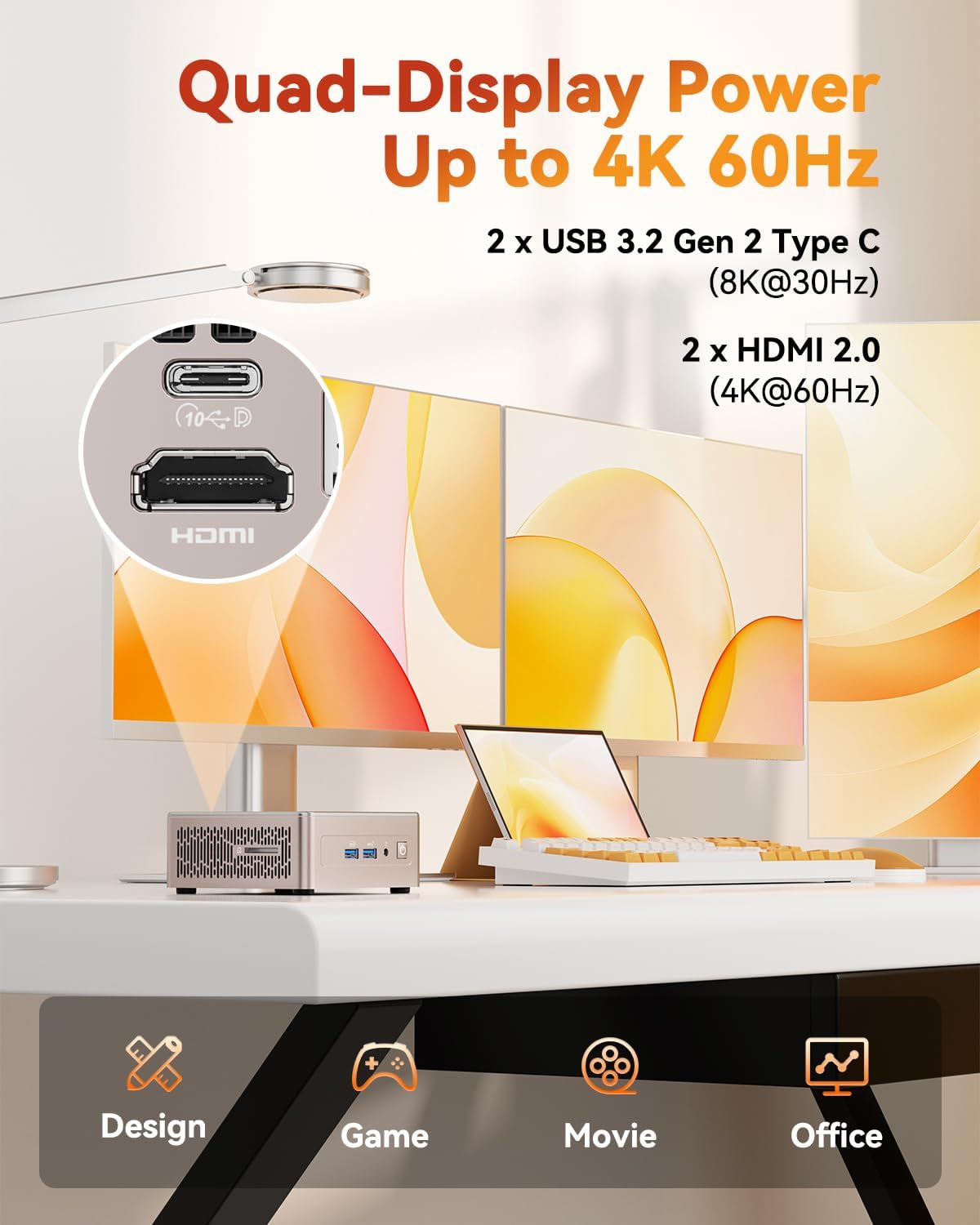
Figure 5.1: Diagram illustrating the IceBlast 2.0 Efficient Cooling System with dual copper tubes and larger fan blades for optimal heat dissipation.
6. Troubleshooting
If you encounter issues with your GEEKOM A5 Mini PC, please refer to the following common troubleshooting steps:
- No Power: Ensure the power adapter is securely connected to both the Mini PC and a working power outlet. Try a different outlet if necessary.
- No Display: Verify that the HDMI or USB-C cable is firmly connected to both the Mini PC and the monitor. Check if the monitor is set to the correct input source.
- No Internet Connection: For wired connections, check the Ethernet cable and router status. For wireless connections, ensure WiFi is enabled and you are connected to the correct network with the correct password.
- System Slowdown: Close unnecessary applications, check for background processes, and ensure sufficient free storage space. Consider upgrading RAM or SSD if performance issues persist.
- Peripheral Not Recognized: Try connecting the peripheral to a different USB port. Ensure drivers are up to date if required.
For more complex issues or persistent problems, please contact GEEKOM customer support.
7. Specifications
| Feature | Detail |
|---|---|
| Brand | GEEKOM |
| Series | A5 |
| Item Model Number | A5 |
| Processor | AMD Ryzen 7 5825U (8C/16T, up to 4.5GHz) |
| RAM | 16 GB DDR4 (3200 MHz, expandable to 64GB) |
| Hard Drive | 512 GB NVMe SSD (PCIe 3x4, expandable up to 2TB) |
| Additional Storage Slots | 1 x M.2 2242 SATA SSD slot (up to 1TB), 1 x 2.5" SATA HDD slot (up to 2TB) |
| Graphics Coprocessor | AMD Radeon Vega 8 Graphics (1900 MHz) |
| Max Screen Resolution | 7680 x 4320 Pixels (8K) |
| Display Support | Quad Display (2x HDMI 2.0, 2x USB 3.2 Gen 2 Type-C) |
| Wireless Type | 802.11ax (WiFi 6), Bluetooth 5.2 |
| Operating System | Windows 11 Pro |
| Item Weight | 3.5 pounds |
| Product Dimensions | 8.94 x 6.92 x 5.27 inches |
| Color | Rose Gold |
8. Warranty and Support
GEEKOM is committed to providing high-quality products and excellent customer service. Your GEEKOM A5 Mini PC comes with comprehensive service coverage:
- 3-Year Service Coverage: Every GEEKOM A5 is built for durability and undergoes rigorous stress-testing. This includes a one-year replacement warranty and two years of maintenance coverage.
- 24/7 US-based Support: Dedicated support is available around the clock to assist with any inquiries or issues.
- 30-Day Return & Exchange: For your peace of mind, GEEKOM offers a 30-day return and exchange policy.
For support, please visit the official GEEKOM website or contact their customer service team directly. You can find more information and contact details at GEEKOM Store on Amazon.

Figure 8.1: GEEKOM's global after-sales support network, emphasizing 3-year coverage, 30-day return & exchange, top-speed delivery, and 24/7 customer support.
9. Official Product Video
Watch the official GEEKOM video to learn more about the manufacturing process and quality assurance of GEEKOM Mini PCs.
Video 9.1: "The Journey of a GEEKOM Mini PC" - This video highlights the meticulous manufacturing and rigorous testing processes that ensure the quality and reliability of GEEKOM Mini PCs.