
1. Introduction
This user manual provides essential information for the safe and efficient operation, assembly, and maintenance of your isinwheel U2 Electric Bike. Please read this manual thoroughly before your first ride and keep it for future reference.

Image: The isinwheel U2 Electric Bike, showcasing its design with a front light and rear rack.
2. Safety Information
WARNING: Always wear a helmet and appropriate safety gear when riding. Familiarize yourself with local traffic laws and regulations regarding electric bicycles.
- Perform a pre-ride inspection before each use, checking brakes, tires, and battery.
- Do not ride under the influence of alcohol or drugs.
- Ensure all components are securely fastened before riding.
- Avoid riding in adverse weather conditions or on slippery surfaces.
- Keep hands and feet clear of moving parts.
- Do not modify the electric bike's components or electrical system.
3. Package Contents
Upon opening the box, verify that all components are present and undamaged:
- isinwheel U2 Electric Bike (partially assembled)
- Removable 36V 13Ah Battery
- Battery Charger
- Front Wheel
- Front and Rear Fenders
- Rear Rack
- Pedals
- Tool Kit (Allen wrenches, spanner)
- User Manual (this document)
4. Setup and Assembly
The isinwheel U2 Electric Bike arrives approximately 90% assembled. Follow these steps to complete the assembly:
- Unboxing and Component Identification: Carefully remove the bike and all components from the packaging. Remove all protective wrapping.
- Install Kickstand: Attach the kickstand to the designated mounting point near the rear wheel using the provided bolts and Allen wrench. Ensure it is secure and stable.
- Install Handlebar: Insert the handlebar stem into the fork tube. Align the handlebar with the front wheel and tighten the stem bolts securely using the appropriate Allen wrench.
- Install Front Wheel:
- Remove the protective cap from the front fork.
- Carefully lift the front of the bike and align the front wheel axle with the fork dropouts. Ensure the brake rotor slides correctly into the brake caliper.
- Insert the quick-release skewer through the axle and tighten the nuts on both sides. Secure the quick-release lever.
- Install Fenders: Attach the front and rear fenders to their respective mounting points on the fork and frame using the provided screws and tools. Ensure they are properly aligned with the wheels.
- Install Rear Rack: Attach the rear rack to the designated mounting points on the frame above the rear wheel. Secure all bolts firmly.
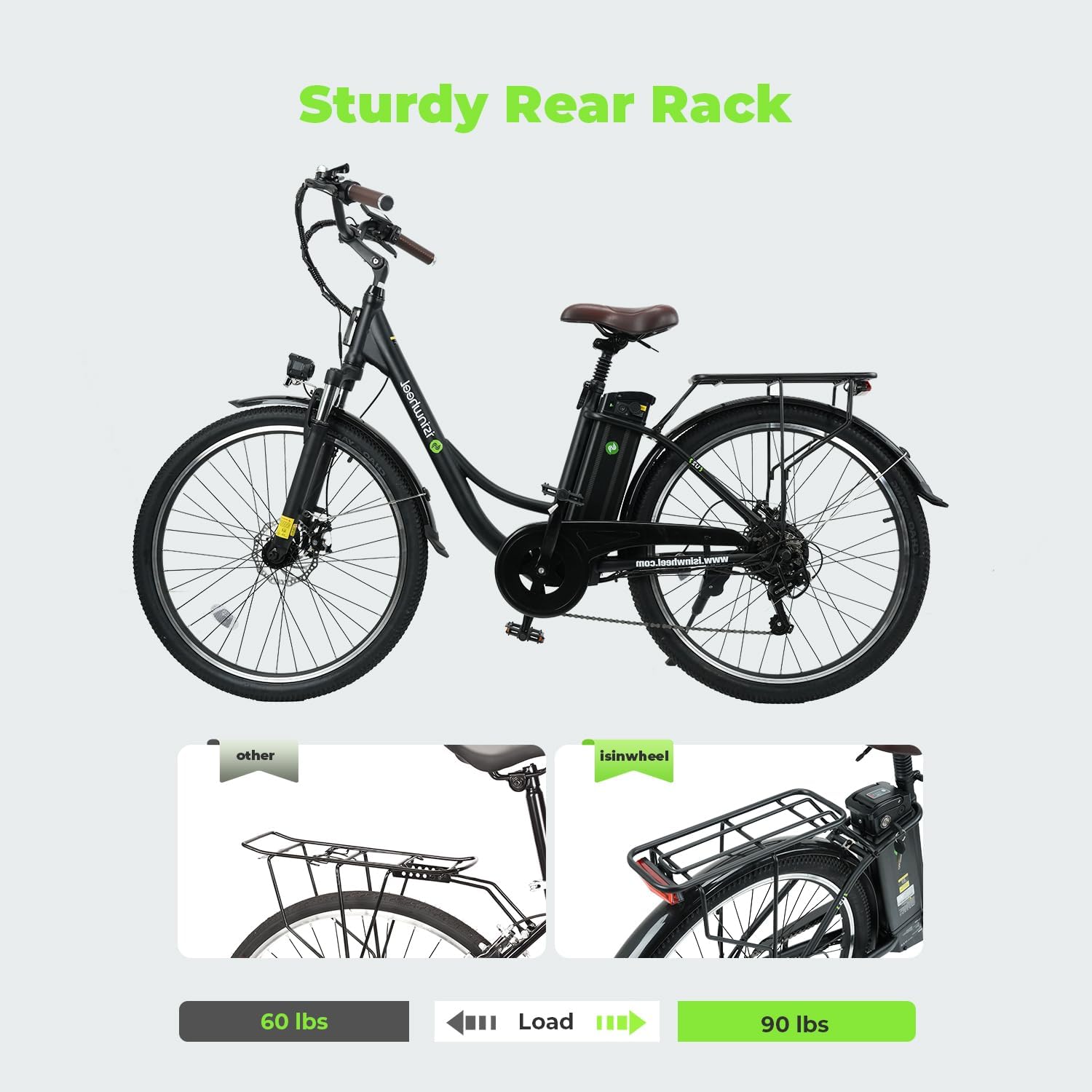
Image: Installation of the sturdy rear rack on the isinwheel U2 Electric Bike.
- Install Pedals: Identify the left (L) and right (R) pedals. The left pedal screws counter-clockwise, and the right pedal screws clockwise. Tighten them firmly with a spanner.
- Connect Cables: Ensure all electrical connections, particularly for the motor and display, are securely plugged in. Refer to the video for detailed connection points.
Assembly Video Guide
Video: A comprehensive guide to the installation and operation of the isinwheel U2 Electric Bike, demonstrating each assembly step.
5. Operating Instructions
Your isinwheel U2 Electric Bike offers three working modes: Electric bike, Assisted bike, and Normal bike.
5.1. Power On/Off
To power on the bike, insert the key into the battery lock and turn it to the "ON" position. Then, press and hold the power button on the LED smart meter until the display illuminates. To power off, press and hold the power button again.

Image: The Smart LCD Dashboard and Shimano 7-Speed Derailleur on the handlebar.
5.2. Riding Modes
- Electric Bike Mode: Use the throttle to propel the bike without pedaling.
- Assisted Bike Mode: The motor provides assistance as you pedal. Adjust the assistance level using the "+" and "-" buttons on the LED smart meter.
- Normal Bike Mode: Ride the bike like a traditional bicycle without any motor assistance.
5.3. Gear Shifting
The bike is equipped with a 7-speed Shimano gearshift. Use the twist grip shifter on the handlebar to change gears according to terrain and desired speed. This allows for efficient pedaling and comfortable riding.
5.4. Lighting System
The bike features an integrated headlight and rear brake light for enhanced visibility and safety, especially during low-light conditions. Activate the lights using the dedicated button on the handlebar controls.

Image: Detailed view of the integrated front headlight and rear brake light system.
6. Battery Management
The isinwheel U2 Electric Bike is powered by a modular 36V 13Ah removable battery.
6.1. Charging the Battery
To charge the battery, connect the charger to the charging port on the battery pack. Plug the charger into a standard wall outlet. The indicator light on the charger will change to indicate charging status (typically red for charging, green for fully charged). A full charge takes approximately 5-6 hours.

Image: The 36V/13AH Removable Battery being charged, showing both on-bike and off-bike charging options.
6.2. Battery Removal and Installation
To remove the battery, unlock it with the provided key and slide it out from its compartment. To reinstall, align the battery with the compartment and slide it in until it clicks into place, then lock it with the key.

Image: Detailed view of the LG Cells battery, highlighting its 36V 13Ah capacity and BMS Intelligent Safety features.
IMPORTANT: Do not plug metal objects into the charging port. This can cause a short circuit.
7. Maintenance
Regular maintenance ensures the longevity and safe operation of your electric bike.
- Tires: Check tire pressure regularly (recommended pressure is usually on the tire sidewall). Inspect for wear and punctures.
- Brakes: Regularly check brake pads for wear and ensure brake levers engage smoothly and effectively. Adjust as needed.
- Chain: Keep the chain clean and lubricated to ensure smooth gear changes and prevent rust.
- Fasteners: Periodically check all bolts, nuts, and quick-release levers to ensure they are tight and secure.
- Cleaning: Clean the bike with a damp cloth and mild soap. Avoid high-pressure washing directly on electrical components.
- Battery Care: Store the battery in a cool, dry place. If storing for extended periods, charge it to 50-70% every 1-2 months.

Image: The dual shock absorber system provides a more comfortable ride, as seen in this action shot.
8. Troubleshooting
| Problem | Possible Cause | Solution |
|---|---|---|
| Bike does not power on | Battery not charged; Battery not properly installed; Key not in "ON" position; Loose electrical connection. | Charge battery; Reinstall battery securely; Turn key to "ON"; Check all connections. |
| Motor not assisting | Battery low; Pedal assist level too low; Brake levers engaged; Motor connection loose. | Charge battery; Increase pedal assist level; Release brake levers; Check motor cable connection. |
| Brakes feel weak | Worn brake pads; Loose brake cable; Air in hydraulic system (if applicable). | Inspect and replace brake pads; Adjust brake cable tension; Consult a professional for hydraulic brake bleeding. |
| Unusual noises | Loose components; Dry chain; Brake rotor rubbing. | Check all fasteners; Lubricate chain; Adjust brake caliper or rotor alignment. |
For issues not listed here, please contact isinwheel customer support.
9. Specifications
| Feature | Detail |
|---|---|
| Bike Type | Electric Bike, Commuting Bike, Cruiser Bike |
| Motor Power | 750W (peak), 500W (rated) |
| Top Speed | 20-28 mph |
| Battery | 36V 13Ah Removable Li-ion Battery (468 Watt Hours) |
| Max Range | Up to 55+ miles (pedal assist) |
| Charging Time | 5-6 Hours |
| Wheel Size | 26 Inches (1.95" or 4.0" Fat Tire variants) |
| Frame Material | Carbon Steel |
| Gearshift | 7-Speed Shimano |
| Brake Style | Dual Disc Brake |
| Suspension | Front Suspension |
| Max Load | 264 LB (120 kg) |
| Bicycle Weight | 27kg (approx. 59.5 lbs) |

Image: Key dimensions and recommended rider height for the isinwheel U2 Electric Bike.
10. Warranty and Support
isinwheel provides a one-year warranty for the electric motor, battery, and charger. This warranty covers manufacturing defects and ensures peace of mind regarding your purchase.
For any issues, questions, or support needs, please contact isinwheel customer service:
- Phone: 1(888) 293-5788
- Email: support@isinwheel.com
Our support team aims to respond and resolve issues within 24 hours.

Image: isinwheel customer support is available to assist you.