
Introduction
Thank you for choosing the SIMSEN Dehumidifier. This powerful and quiet dehumidifier is designed to effectively remove excess moisture from your living spaces, creating a more comfortable and healthier environment. With its advanced semiconductor technology, large water tank, and intelligent features, it's an ideal solution for areas up to 800 square feet.
Please read this manual thoroughly before operating the unit to ensure safe and optimal performance. Keep this manual for future reference.

Figure 1: This image illustrates the dehumidifier's effectiveness in reducing humidity, showing a comparison of a humid environment versus a dry one, with humidity levels dropping from 85% to 45%.
Important Safety Instructions
- Always place the dehumidifier on a level, stable surface.
- Do not block the air inlet or outlet. Ensure at least 8 inches of clearance around the unit.
- Do not immerse the unit, power cord, or plug in water or other liquids.
- Unplug the dehumidifier before cleaning or performing any maintenance.
- Keep out of reach of children and pets.
- Do not operate the unit if the power cord or plug is damaged.
- This appliance is for indoor use only.
- The unit features an automatic shut-off function when the water tank is full. Do not attempt to bypass this safety feature.
Product Overview

Figure 2: Front view of the SIMSEN Dehumidifier, showcasing its sleek black design and the visible water tank with blue illumination.
The SIMSEN Dehumidifier is designed for efficiency and ease of use. It features a compact and portable design with ergonomic recessed handles, making it easy to move and place in various locations such as bedrooms, bathrooms, closets, kitchens, garages, and RVs.

Figure 3: Diagram illustrating the internal components, including the high-efficiency dehumidification condenser, activated carbon filter, and 95 oz water tank.
Key components include a high-efficiency dehumidification condenser, an activated carbon filter for cleaner air, and a large 94-ounce (2.8L) water tank. The unit is capable of removing up to 34 ounces of moisture per day under optimal conditions (80°F, 80% RH).
Setup
1. Unpacking
- Carefully remove the dehumidifier from its packaging.
- Check for any signs of damage during transit. If damaged, do not operate and contact customer support.
- Remove all packing materials, including any protective films or tapes.
2. Placement
- Place the dehumidifier upright on a firm, level surface.
- Ensure there is at least 8 inches (20 cm) of space around the unit for proper airflow.
- Avoid placing the unit near heat sources, direct sunlight, or in areas with extreme temperatures.
- The compact design allows placement in various spaces such as bedrooms, bathrooms, closets, kitchens, garages, and RVs.

Figure 4: The dehumidifier effectively addresses issues like wet walls, damp clothes, mirror mist, wood damage, and musty odors in various environments.
3. Power Connection
- Plug the power cord into a suitable electrical outlet.
- Ensure the voltage matches the specifications of the unit.
4. Continuous Drainage Setup (Optional)
- Locate the drainage outlet on the back of the unit.
- Connect the provided drain hose to the outlet.
- Ensure the hose is routed downwards to a suitable drain (e.g., floor drain, large bucket) to allow for continuous water flow. This eliminates the need to manually empty the water tank.
Operating Instructions

Figure 5: The control panel features an ON/OFF button, Night Lights button, Ionizer function, and Filter indicator.
1. Power On/Off
- Press the ON/OFF Button to turn the dehumidifier on or off.
2. Operating Modes
The dehumidifier offers different modes to suit your needs:
- High Power Mode: The default operating mode for maximum moisture removal.
- Silent Sleep Mode: Designed for quiet operation (approx. 35 dB), ideal for bedrooms or quiet environments. Press the mode button (if available, or cycle through power button if combined) to activate.
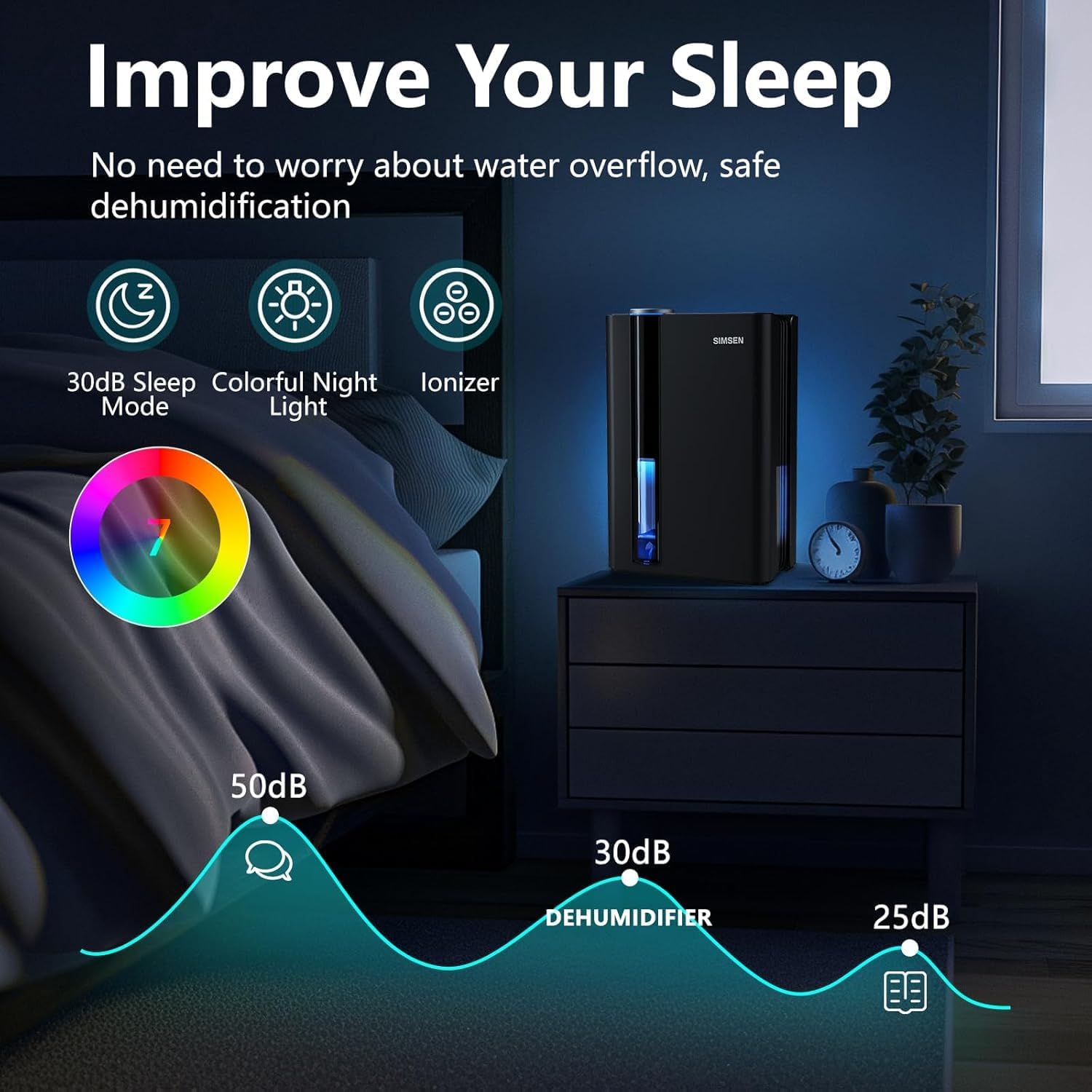
Figure 6: The dehumidifier operating in a bedroom setting, highlighting its quiet 30dB sleep mode and colorful night light feature for improved sleep.
3. Colorful Ambient Light
- Press the Night Lights Button to cycle through the automatic colorful atmosphere lights.
- You can select a specific color or turn the lights off completely by pressing the button repeatedly.
4. Ionizer Function
- The unit includes an ionizer purification function to help improve air quality. Activate it via the Ionizer Button on the control panel.
5. Automatic Shut-Off
- The dehumidifier is equipped with an automatic shut-off function. When the water tank is full, the unit will automatically turn off to prevent overflow.
- A red indicator light will flash, and an audible beep will sound to remind you to empty the tank.
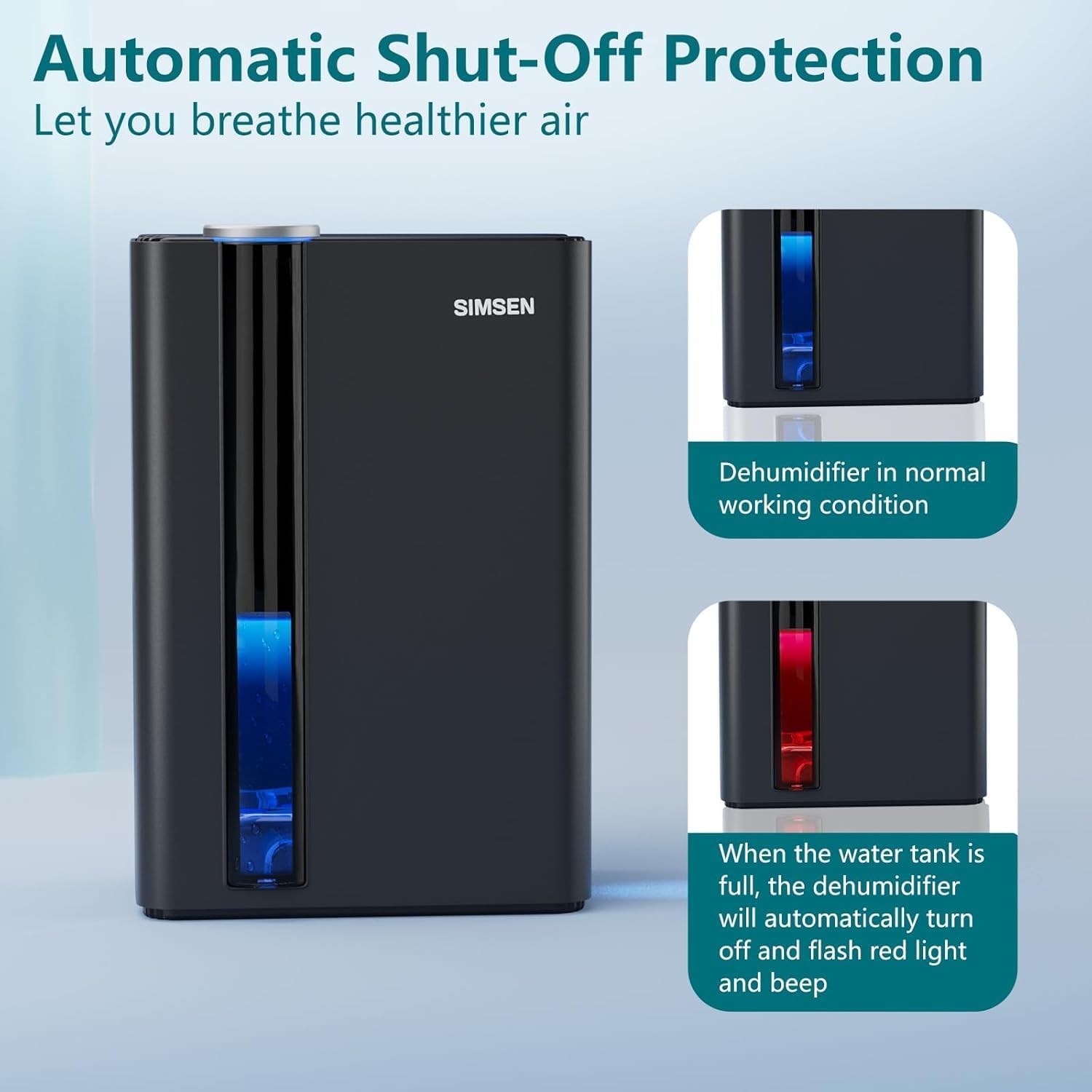
Figure 7: Visual representation of the dehumidifier in normal operation (blue light) and when the water tank is full, showing the red flashing light and beep.
Maintenance
1. Emptying the Water Tank
- When the full tank indicator lights up, carefully pull out the water tank from the unit.
- Pour out the collected water.
- Slide the empty water tank back into the dehumidifier until it clicks into place. The unit will resume operation automatically.
2. Cleaning the Air Filter
Regular cleaning of the air filter is crucial for maintaining the dehumidifier's efficiency and ensuring cleaner air output.
- Turn off and unplug the dehumidifier.
- Locate and remove the air filter (refer to the product diagram for location).
- Gently clean the filter with a soft brush or vacuum cleaner to remove dust and debris. For a more thorough cleaning, rinse it under running water (not hot water).
- Allow the filter to air dry completely before reinserting it into the unit. Do not use a dryer or direct heat.
- Reinsert the dry filter back into its slot.
3. General Cleaning
- Wipe the exterior of the dehumidifier with a soft, damp cloth.
- Do not use abrasive cleaners, solvents, or harsh chemicals, as these may damage the surface.
- Ensure the unit is completely dry before plugging it back in.
Troubleshooting
| Problem | Possible Cause | Solution |
|---|---|---|
| Dehumidifier does not turn on. | No power supply. Water tank is full or not properly inserted. | Check if the power cord is securely plugged in. Empty the water tank and ensure it is correctly reinserted. |
| No water collected or low dehumidification. | Room humidity is too low. Air filter is clogged. Temperature is too low. Unit is not placed correctly. | Dehumidifier will not collect water if humidity is below 40%. Clean the air filter. Optimal operating temperature is above 41°F (5°C). Ensure proper clearance around the unit. |
| Unit is noisy. | Unit is not on a level surface. Air filter is clogged. | Place the unit on a flat, stable surface. Clean the air filter. |
| Red indicator light flashing. | Water tank is full. | Empty the water tank. |
Specifications
| Feature | Detail |
|---|---|
| Brand | Simsen |
| Model Number | CTT15 |
| Color | Black |
| Dimensions (L x W x H) | 7.05 x 10.24 x 15.31 inches (approx. 17.9 x 26 x 38.9 cm) |
| Product Weight | 2.81 kg (6.19 lbs) |
| Water Tank Capacity | 94-95 Fluid Ounces (approx. 2.8 Liters) |
| Power Consumption | 58 watts |
| Dehumidification Area | Up to 800 Square Feet |
| Moisture Removal Rate | Up to 34 ounces (1000ml) per day (at 80°F, 80% RH) |
| Noise Level | Approx. 35 dB (in sleep mode) |
| Automatic Shut-off | Yes (when water tank is full) |
| Special Features | Reusable Filter, Colorful Night Lights, Sleep Mode, Power Mode, Ionizer |
Warranty and Support
SIMSEN products are manufactured to the highest quality standards. For warranty information, technical support, or any questions regarding your dehumidifier, please refer to the contact information provided with your purchase or visit the official SIMSEN website.
Please retain your proof of purchase for warranty claims.

