
1. Product Overview
The Fookoo HD 10" Magnetic Wireless Backup Camera System (DCX103) provides enhanced visibility for various vehicles, including SUVs, trucks, trailers, and RVs. This system features a 10-inch IPS monitor and magnetic, rechargeable cameras for easy installation and flexible use.
Key Features:
- 1-Minute DIY Installation: Magnetic base and built-in battery allow for quick attachment to metallic surfaces without drilling or wiring.
- Rechargeable 9600mAh Battery: High-capacity battery for extended continuous operation.
- Low Power Consumption: Cameras enter hibernation mode when the monitor is off, conserving battery life.
- Dual-Antenna 2.4GHz Wireless Signal: Provides stable and reliable signal transmission up to 200ft in open areas.
- 1080P 10-inch IPS Monitor: Displays sharp 1920 x 1080 resolution images with multiple split-screen modes (up to 8).
- IP69 Waterproof Cameras with Night Vision: HD cameras with 150-degree viewing angle, infrared lights (16 for rear, 15 for side), and light sensors for clear visibility in low light.
- Loop Recording & DIY Guide Lines: Monitor supports recording driving conditions and customizable parking guide lines.
- Support for up to Four Cameras: System can integrate up to four cameras for a comprehensive 360-degree view.
2. What's in the Box
Verify that all components are present in the package:
- 10-inch Monitor
- U-shaped Bracket
- Fan-shaped Bracket
- Magnetic Rear-view Camera (1 unit)
- Magnetic Side-view Cameras (2 units)
- Power Cord
- Cigarette Lighter Adapter
- Type-C Charging Cable
- Antennas
- Mounting Screws
- SD Card Cover
- Sunshade
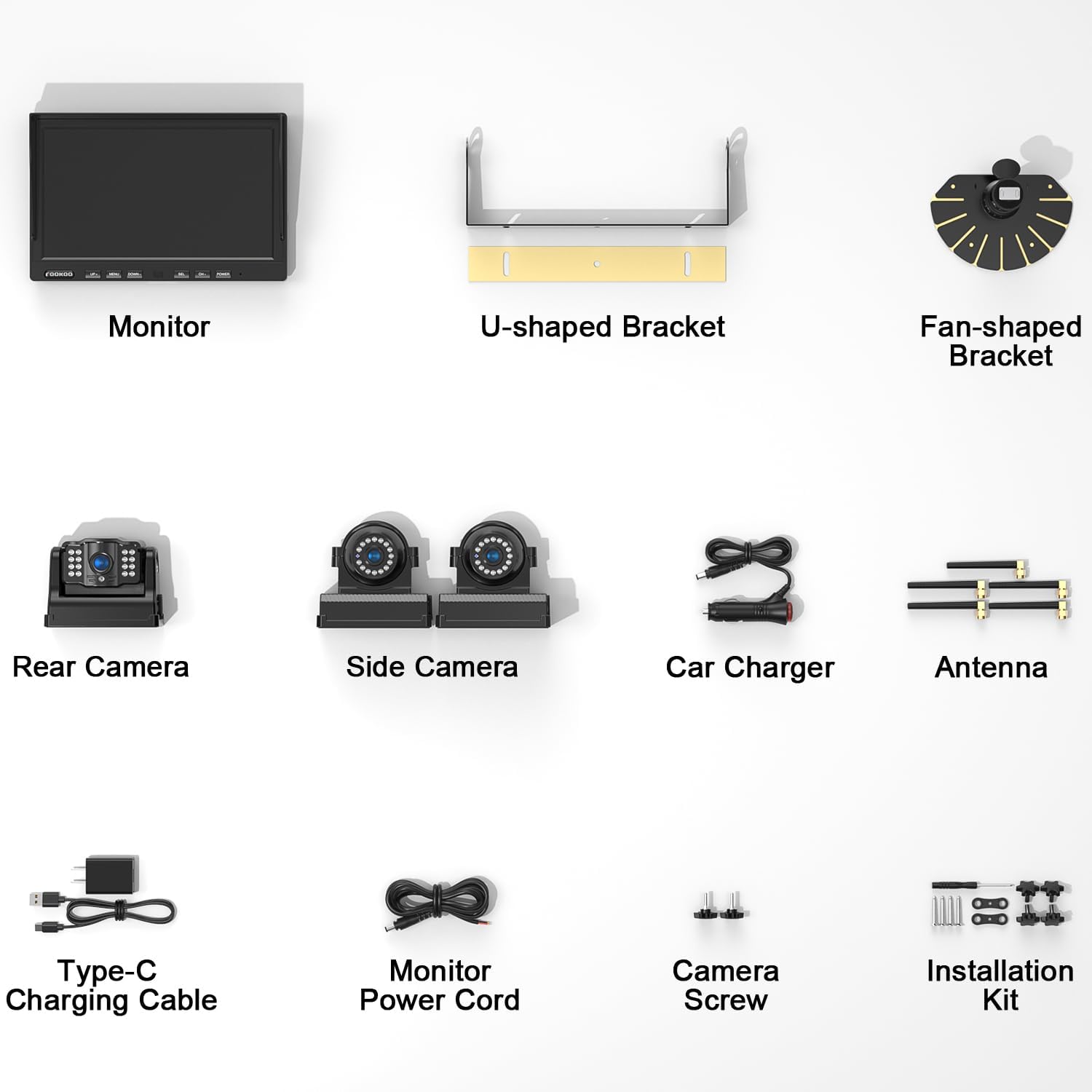
Image: All components included in the Fookoo DCX103 system package.
3. Setup and Installation
3.1 Monitor Installation
The 10-inch monitor can be installed using either the U-shaped bracket or the fan-shaped bracket, depending on your vehicle's dashboard or mounting preferences. The monitor can be powered via the cigarette lighter socket, a direct power cord connection, or a USB port (USB cable not included).

Image: Monitor mounting options and power supply methods.
3.2 Camera Installation
The magnetic cameras are designed for quick and easy installation. Simply attach the camera to any metallic surface on your vehicle or trailer. The system includes one rear-view camera and two side-view cameras. No drilling or complex wiring is required.

Image: Magnetic camera placement for rear and side views on a vehicle.
3.3 Initial Setup and Pairing
The cameras and monitor are typically pre-paired. Upon powering on the monitor, the cameras should automatically connect. If a camera does not display, navigate to the monitor's menu to initiate the pairing process. Refer to the on-screen menu for specific pairing instructions.
4. Operation
4.1 Powering On/Off
The monitor and cameras are designed for convenience. When the monitor is turned off, the cameras automatically enter a hibernation mode to conserve battery. When the monitor is turned on, the cameras will automatically activate and connect.
4.2 Monitor Functions
The 10-inch IPS monitor offers various display and recording features:
- Split Screen Modes: The monitor supports up to 8 different split-screen modes, allowing you to view feeds from multiple cameras simultaneously.
- Picture Adjustment: Adjust brightness, contrast, and other picture settings via the monitor's menu.
- Loop Recording: When enabled, the monitor records video footage to an SD card (not included), overwriting older content as needed. This can serve as a record of your driving conditions.
- Adjustable Parking Guidelines: Parking assist lines can be customized for each camera view. You can adjust their width, horizontal position, and vertical position, or disable them entirely.

Image: Monitor interface demonstrating split-screen options and picture controls.
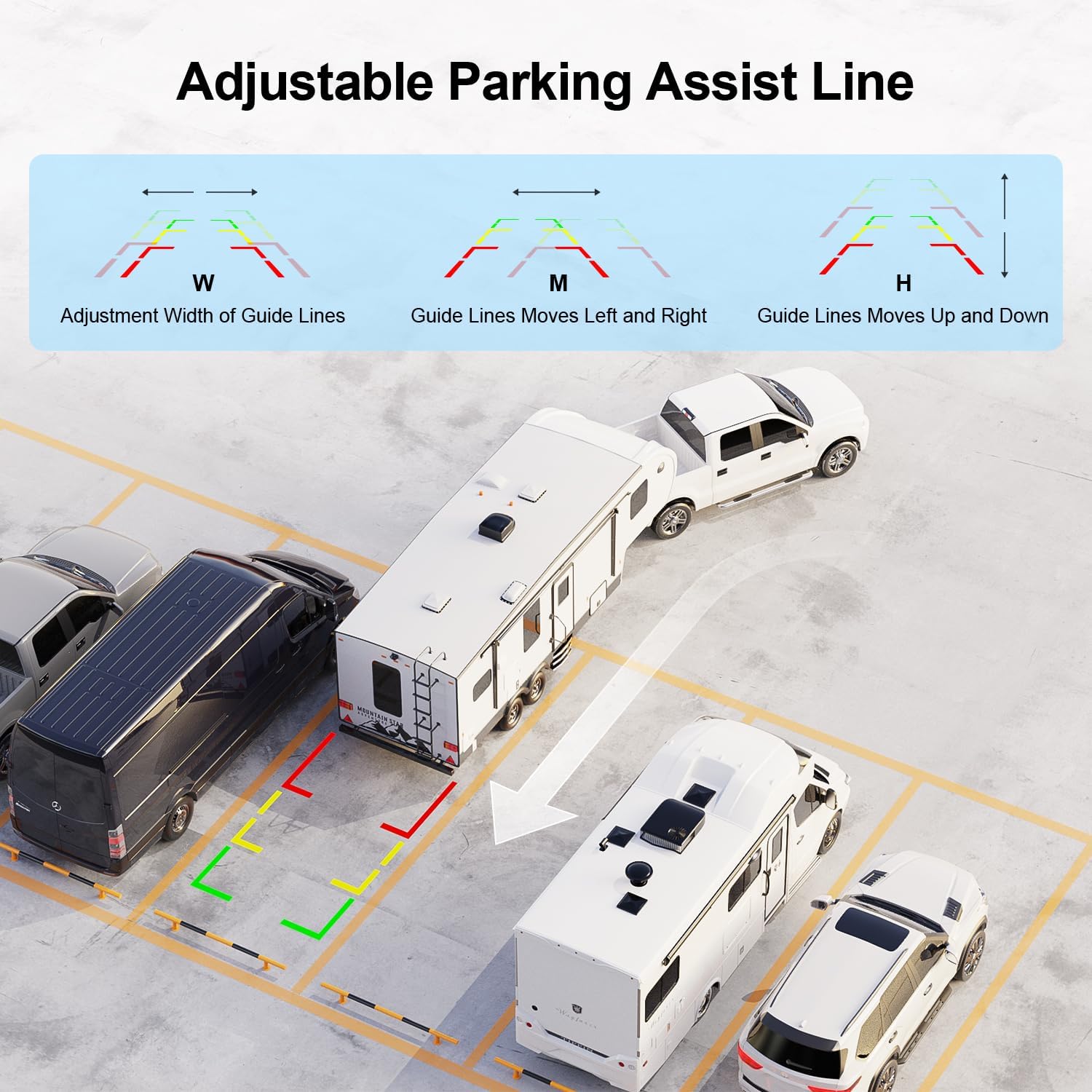
Image: Customization options for parking assist lines.
4.3 Camera Functions
The cameras are built for robust performance in various conditions:
- Night Vision: Equipped with infrared lights (16 for the rear camera, 15 for side cameras) and light sensors, the cameras automatically activate night vision in low-light conditions, providing clear black and white images.
- IP69 Waterproof Rating: The cameras are designed to withstand harsh weather conditions, ensuring durability and consistent performance.
- Wide Viewing Angle: A 150-degree viewing angle helps eliminate blind spots around your vehicle.
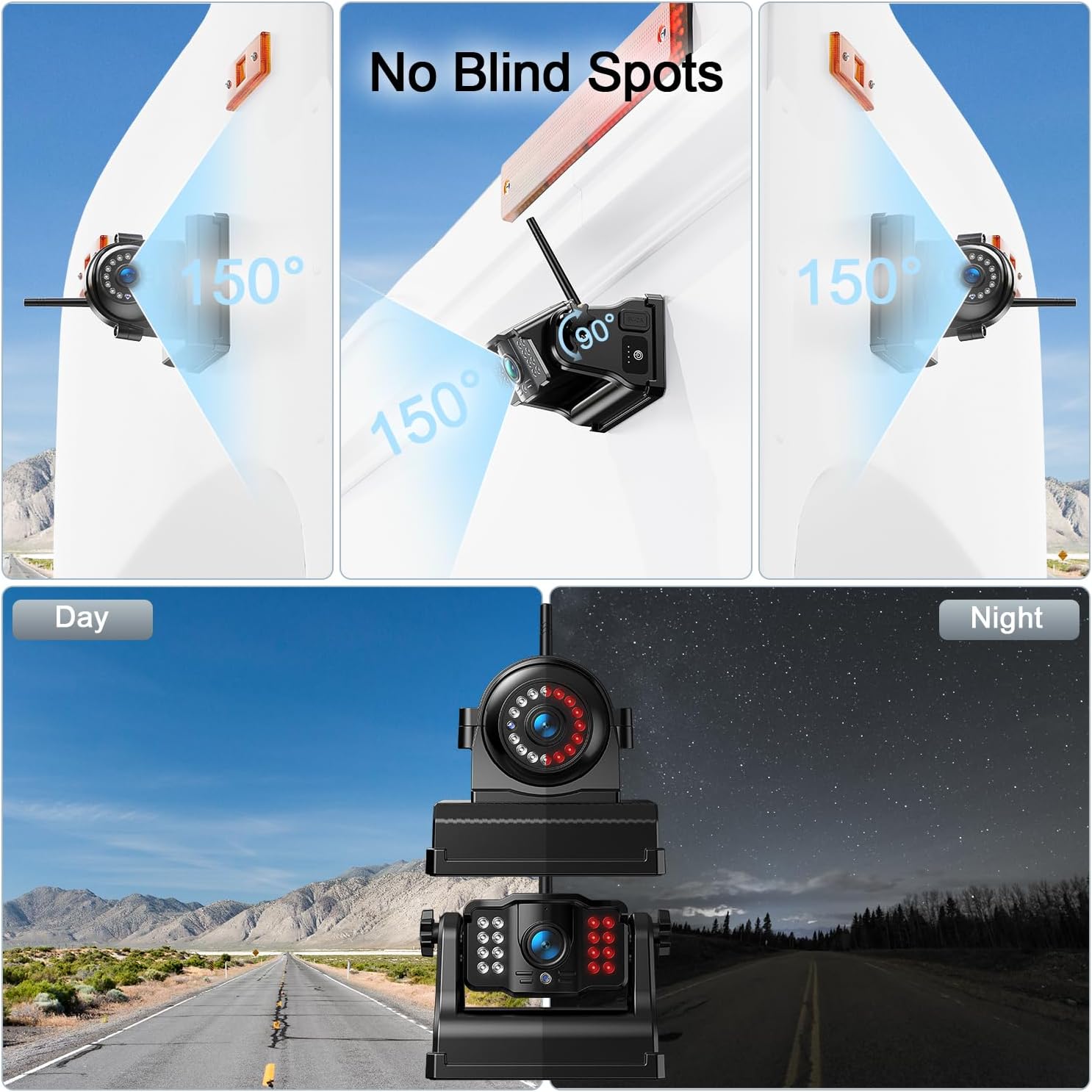
Image: Day and night vision performance of the cameras.
5. Charging and Battery Life
Each camera features a built-in 9600mAh rechargeable battery. To charge the cameras, use a 5V phone charger and the provided Type-C power cord. The cameras are designed for low power consumption, offering extended working hours and automatically entering hibernation when the monitor is off.

Image: Rechargeable camera design and battery capacity.
6. Product Specifications
| Feature | Specification |
|---|---|
| Product Dimensions | 11.81 x 9.45 x 6.69 inches |
| Item Weight | 8.09 pounds |
| Item Model Number | DCX103 |
| Display Technology | IPS LCD |
| Other Display Features | Wireless |
| Color | Arctic Black |
| Manufacturer | Fookoo |
| Screen Size | 10 Inches |
| Compatible Devices | Fookoo Wireless Magnetic Backup Camera |
| Installation Type | Surface Mount |
| Voltage | 12 Volts |
| Optical Sensor Technology | CMOS |
| Lens Type | Wide Angle, Fixed |
| Real Angle of View | 150 Degrees |
| Connector Type | Power Cord |
7. Troubleshooting
If you encounter any issues with your Fookoo HD 10" Magnetic Wireless Backup Camera System, please refer to the detailed troubleshooting section in the included printed manual. For common problems such as no signal, image flickering, or power issues, ensure all connections are secure and cameras are adequately charged. If problems persist, contact customer support for assistance.
8. Warranty and Support
Fookoo offers a 24-month replacement support and lifetime after-sales service for this product. If you find anything defective or require assistance, please reach out to Fookoo customer service. Customer satisfaction is a top priority.
9. Video Demonstration
Watch this video for a visual guide on the Fookoo Backup Camera System, including installation and real-world usage examples.
Video: Fookoo Backup Camera Demo by Rock Solid Reviews, showcasing installation and functionality.
