
1. Introduction
This manual provides detailed instructions for the installation, operation, and maintenance of your Uckazy 7-inch Android 13 Car Stereo, Model E39A13. This unit is specifically designed for BMW 5 Series (E39) vehicles manufactured between 1995 and 2002, including models 528i (1996-2000), 540i (1997-2003), M5 (1999-2003), X5 (2000-2007), 530i (2001-2003), and 525i (2003). Please read this manual thoroughly before installation and use to ensure optimal performance and safety.
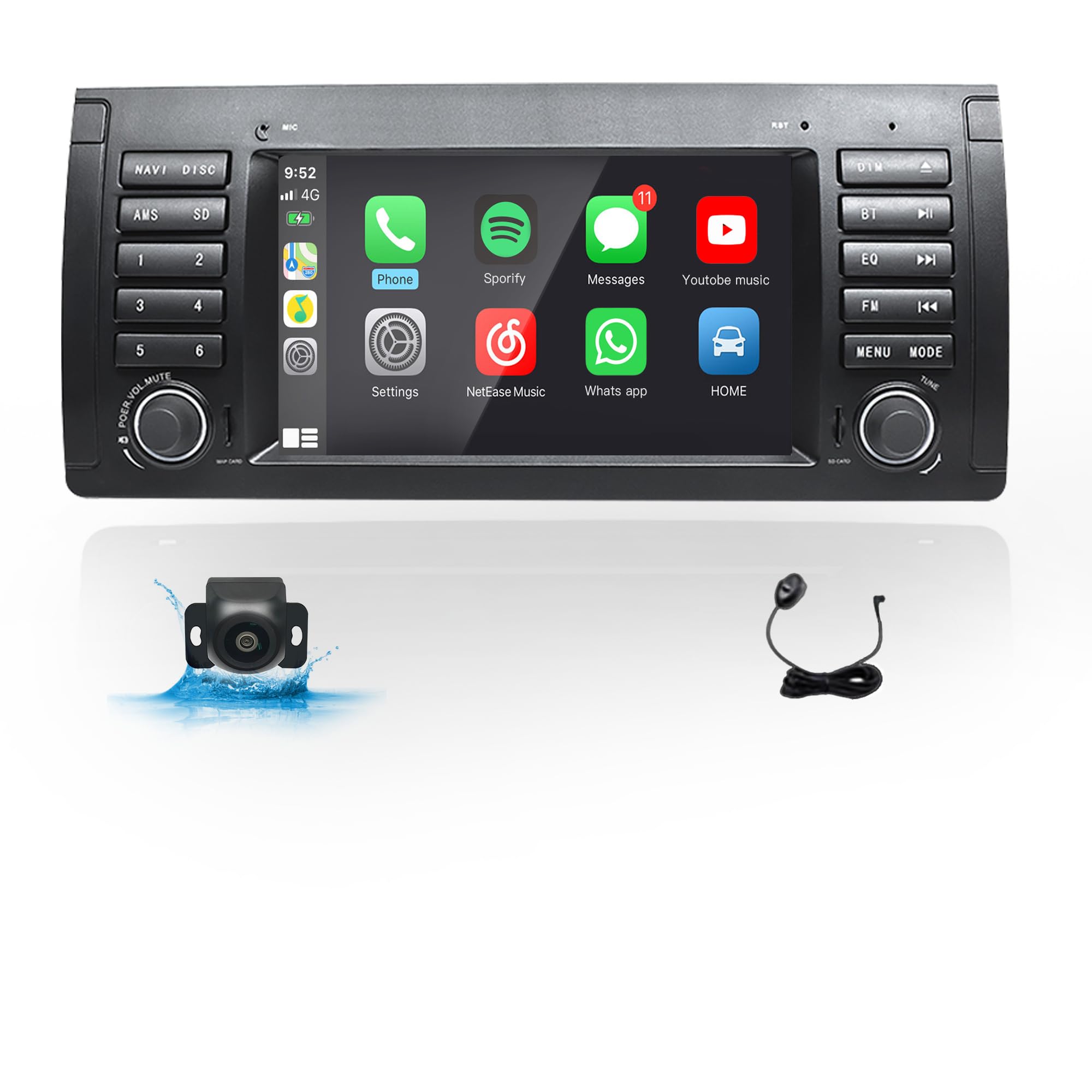
Figure 1.1: Uckazy E39A13 Car Stereo installed in a BMW E39 dashboard.
2. Key Features
- Android 13 Operating System: Powered by an MTK Quad-Core processor for smooth performance.
- 7-inch IPS Touchscreen: 1024*600 high-resolution display supporting 1080P video playback with 480 LED beads for vivid colors.
- Wireless CarPlay & Android Auto: Seamless integration with your smartphone for navigation, calls, messages, and music via Siri or Google Voice Assistant.
- Bluetooth 5.0: For hands-free calling and audio streaming.
- Built-in GPS Navigation: Pre-loaded North American maps for reliable guidance.
- WiFi Connectivity: Access to Google Play Store and online services.
- AM/FM Radio: Integrated tuner for local radio stations.
- Steering Wheel Control (SWC): Retains original steering wheel control functionality for convenience.
- Rear Reversing Camera Support: Includes a rear camera for enhanced safety during parking, with night reversing mode.
- USB Connectivity: Supports USB for media playback and data transfer.
3. Package Contents
Please verify that all items are present in the package:
- E53 Android Screen (Main Unit)
- Power Cable + Canbus Box
- RCA Cables
- GPS Antenna
- Video Input Cable
- USB Cables (x2)
- Installation Tool
- Rear Reversing Camera
- External Microphone
- User Manual

Figure 3.1: Included components of the Uckazy E39A13 Car Stereo.
4. Setup and Installation
The Uckazy E39A13 car stereo is designed for plug-and-play installation in compatible BMW 5 Series (E39) models. However, specific wiring considerations are crucial for proper functionality.
4.1 Compatibility Check
- Vehicle Fitment: This unit is designed for BMW 5 Series (E39) 1995-2002. The installation size is 283*134mm. Please confirm your car's dashboard dimensions before purchasing.
- Original System Check: If your original car has a factory navigation or amplifier system (JBL, BOSE, etc.), you will need to purchase an additional fiber optic decoder or an extension cord. Failure to do so will result in no audio output.
- Power Cable Connector:
- If your car's power cable connector is a 17-pin connector with 4 empty pins, it is NOT suitable.
- If it's a 17-pin connector without empty pins or a 40-pin connector, it can be installed directly.
- If the connector in the trunk is 17-pin or 40-pin, an extra extension harness is required for installation.
4.2 Installation Steps
Refer to the provided user manual and wiring diagrams for detailed instructions. The process generally involves:
- Carefully remove the existing factory radio unit from your dashboard.
- Connect the provided power cable and Canbus box to the vehicle's wiring harness.
- Connect the GPS antenna, USB cables, RCA cables, and video input cable to the new head unit.
- If installing the rear camera, route the video cable to the rear of the vehicle and connect it to the camera and the reverse light power source.
- Carefully slide the new Uckazy E39A13 Android Screen into the dashboard opening, ensuring all connections are secure and wires are not pinched.
- Secure the unit with screws and reattach any trim pieces.

Figure 4.1: Before and after installation in a BMW E39 dashboard.
4.3 Installation Videos
Video 4.1: Overview and installation guide for Eonon car stereo in BMW E39A13.
Video 4.2: Car Radio Stereo CarPlay Connect Instructions.
5. Operating Instructions
5.1 Wireless CarPlay & Android Auto
Connect your smartphone wirelessly to access navigation, phone contacts, emails, notifications, and music directly on the car stereo display. Use voice commands via Siri or Google Voice Assistant for safe operation.
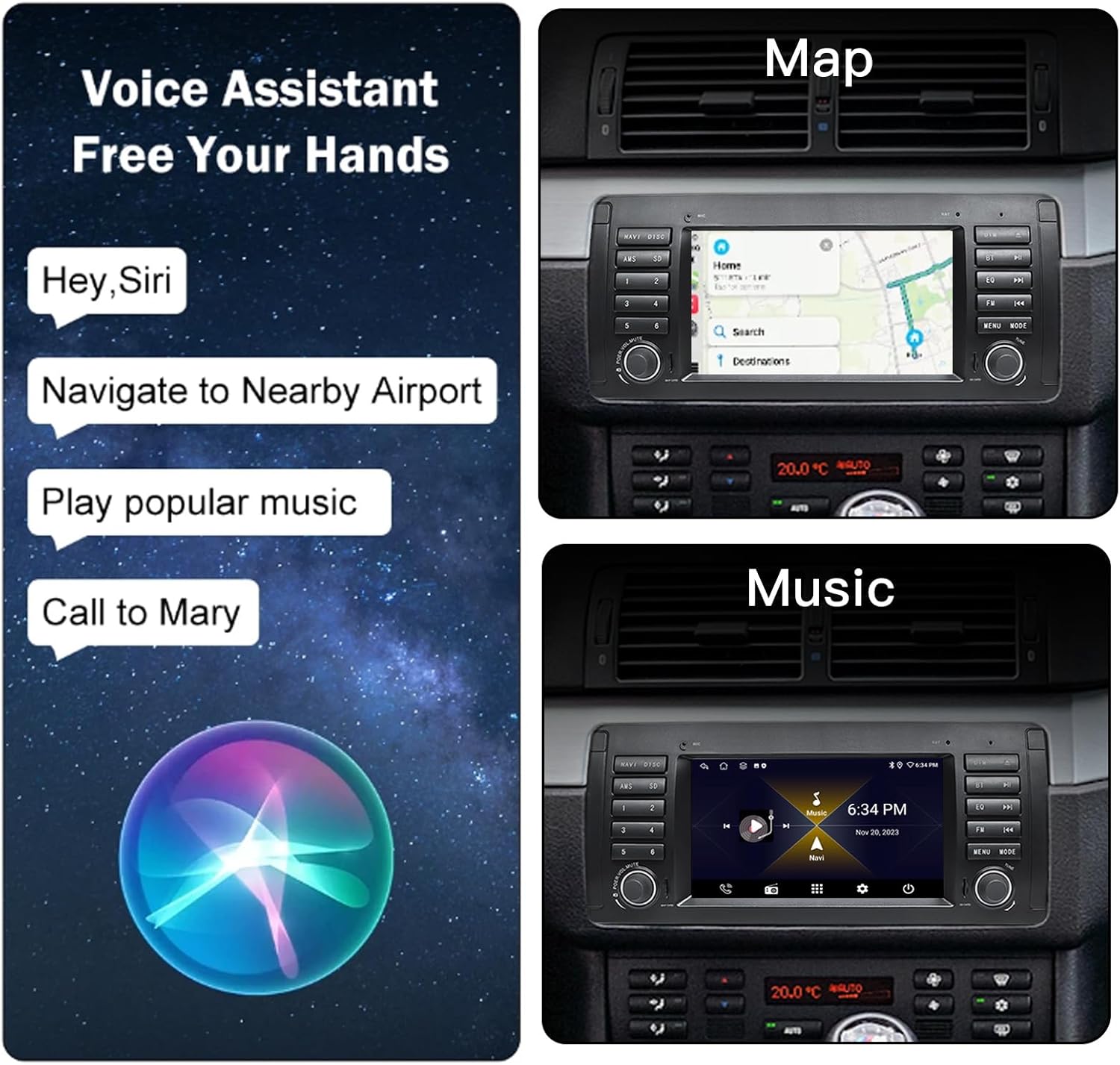
Figure 5.1: Wireless CarPlay and Android Auto functionality.
Video 5.1: E39 7-inch Apple CarPlay demonstration.
5.2 GPS Navigation
The unit comes with built-in North American maps. Access navigation directly from the main menu. The high-resolution screen provides clear and detailed map views.

Figure 5.2: GPS Navigation feature.
5.3 Bluetooth Functionality
Pair your smartphone via Bluetooth 5.0 for hands-free calling and wireless audio streaming. The external microphone ensures clear call quality.

Figure 5.3: Bluetooth 5.0 connectivity.
5.4 Voice Control
Utilize voice commands through Siri or Google Voice Assistant to control various functions like navigation, music playback, and phone calls, enhancing driving safety.

Figure 5.4: Voice control for various functions.
5.5 Steering Wheel Control (SWC)
The unit supports your vehicle's original steering wheel controls, allowing you to manage audio and calls without taking your hands off the wheel.
Video 5.2: How to set up steering wheel control.
5.6 Multimedia Playback & App Access
Enjoy 1080P video playback and access a wide range of applications from the Google Play Store, including YouTube, Netflix, and more, using the built-in WiFi.

Figure 5.5: Enjoy movies, music, and precise navigation.
Figure 5.6: Access to various apps via the App Store.
6. Specifications
| Feature | Specification |
|---|---|
| Model Name | E39A13 |
| Display Size | 7 Inches |
| Screen Resolution | 1024x600 IPS |
| Operating System | Android 13 |
| Processor | MTK Android Quad Core |
| RAM/ROM | 2GB RAM / 64GB ROM |
| Connectivity | Bluetooth 5.0, USB, WiFi |
| Special Features | Wireless CarPlay, Android Auto, GPS Navigation, AM/FM, SWC, Rear Camera Support |
| Map Type | North America |
| Audio Output Mode | Stereo |
| Item Weight | 3.65 pounds |
| Package Dimensions | 11.8 x 7.9 x 4.7 inches |
7. Troubleshooting
- No Sound: If your original car has a factory navigation or amplifier system (JBL, BOSE, etc.), ensure you have installed an additional fiber optic decoder or extension cord.
- Steering Wheel Controls Not Working: Verify that the Canbus box is correctly connected and configured according to the installation instructions.
- Connectivity Issues (Bluetooth/WiFi): Ensure your device is within range and properly paired/connected. Check network settings on the head unit.
- CarPlay/Android Auto Connection Failure: Ensure your smartphone's Bluetooth and WiFi are enabled and correctly paired. Try restarting both the phone and the head unit.
8. Warranty and Support
Your Uckazy E39A13 Car Stereo comes with a 1-year manufacturer's warranty.
8.1 Extended Protection Plans
For additional peace of mind, extended protection plans are available:
- 2-Year Protection Plan: Available for $16.99.
- 3-Year Protection Plan: Available for $23.99.
- Complete Protect: One plan covers all eligible past and future purchases for $16.99/month.
For technical support or warranty claims, please contact Uckazy customer service through your purchase platform.