
Introduction
This manual provides essential information for the safe and efficient operation, maintenance, and troubleshooting of your Tower VL30 EVO Cordless 3-in-1 Vacuum Cleaner. Please read this manual thoroughly before first use and retain it for future reference.

Image: The Tower VL30 EVO Cordless 3-in-1 Vacuum Cleaner, demonstrating its versatility as a stick vacuum, a handheld unit, and with an extended pole for high reach cleaning. Various attachments are also visible.
Important Safety Instructions
Always follow basic safety precautions when using electrical appliances to reduce the risk of fire, electric shock, or injury.
- Read all instructions before using the appliance.
- Do not use outdoors or on wet surfaces.
- Do not allow to be used as a toy. Close attention is necessary when used by or near children.
- Use only as described in this manual. Use only manufacturer’s recommended attachments.
- Do not use with damaged cord or plug. If appliance is not working as it should, has been dropped, damaged, left outdoors, or dropped into water, return it to a service center.
- Do not pull or carry by cord, use cord as a handle, close a door on cord, or pull cord around sharp edges or corners. Do not run appliance over cord. Keep cord away from heated surfaces.
- Do not unplug by pulling on cord. To unplug, grasp the plug, not the cord.
- Do not handle plug or appliance with wet hands.
- Do not put any object into openings. Do not use with any opening blocked; keep free of dust, lint, hair, and anything that may reduce air flow.
- Keep hair, loose clothing, fingers, and all parts of body away from openings and moving parts.
- Do not pick up anything that is burning or smoking, such as cigarettes, matches, or hot ashes.
- Do not use to pick up flammable or combustible liquids, such as gasoline, or use in areas where they may be present.
- Do not use without dust bag and/or filters in place.
- Turn off all controls before unplugging.
- Use extra care when cleaning on stairs.
- Do not use to pick up hard or sharp objects such as glass, nails, screws, coins, etc.
- Prevent unintentional starting. Ensure the switch is in the off-position before connecting to battery pack, picking up or carrying the appliance.
- Recharge only with the charger specified by the manufacturer.
- Do not modify or attempt to repair the appliance or the battery pack.
Product Components
Your Tower VL30 EVO Cordless 3-in-1 Vacuum Cleaner comes with the following components:
- Main Unit (Motor and Dust Bin)
- Extension Pole
- Motorised Floor Head
- Rechargeable Battery Pack
- Power Adaptor (Charger)
- Crevice Tool
- Brush Tool (or Upholstery Brush)
- Wall Mount Bracket
- Instruction Manual (this document)

Image: An illustration highlighting key features and components of the VL30 EVO, including powerful cyclonic suction, 3-in-1 design, 22.2V Li-ion battery, LED display, HEPA 13 filter, and lightweight design.
Setup and Assembly
Follow these steps to assemble your vacuum cleaner before first use:
- Attach the Extension Pole: Insert the top end of the extension pole into the main unit until it clicks securely into place.
- Attach the Floor Head: Connect the bottom end of the extension pole to the motorised floor head, ensuring it clicks firmly.
- Install the Battery: Slide the rechargeable battery pack into the designated slot on the main unit until it locks.
- Initial Charge: Before first use, fully charge the battery. Refer to the "Charging the Battery" section for instructions.
Charging the Battery
The Tower VL30 EVO is powered by a 22.2V Li-ion rechargeable battery, providing up to 40 minutes of runtime on a single charge.
- Ensure the vacuum cleaner is switched off.
- Connect the power adaptor to the charging port on the main unit.
- Plug the power adaptor into a suitable wall socket.
- The LED display will indicate charging status. A full charge typically takes approximately 4 hours.
- Once fully charged, disconnect the power adaptor.
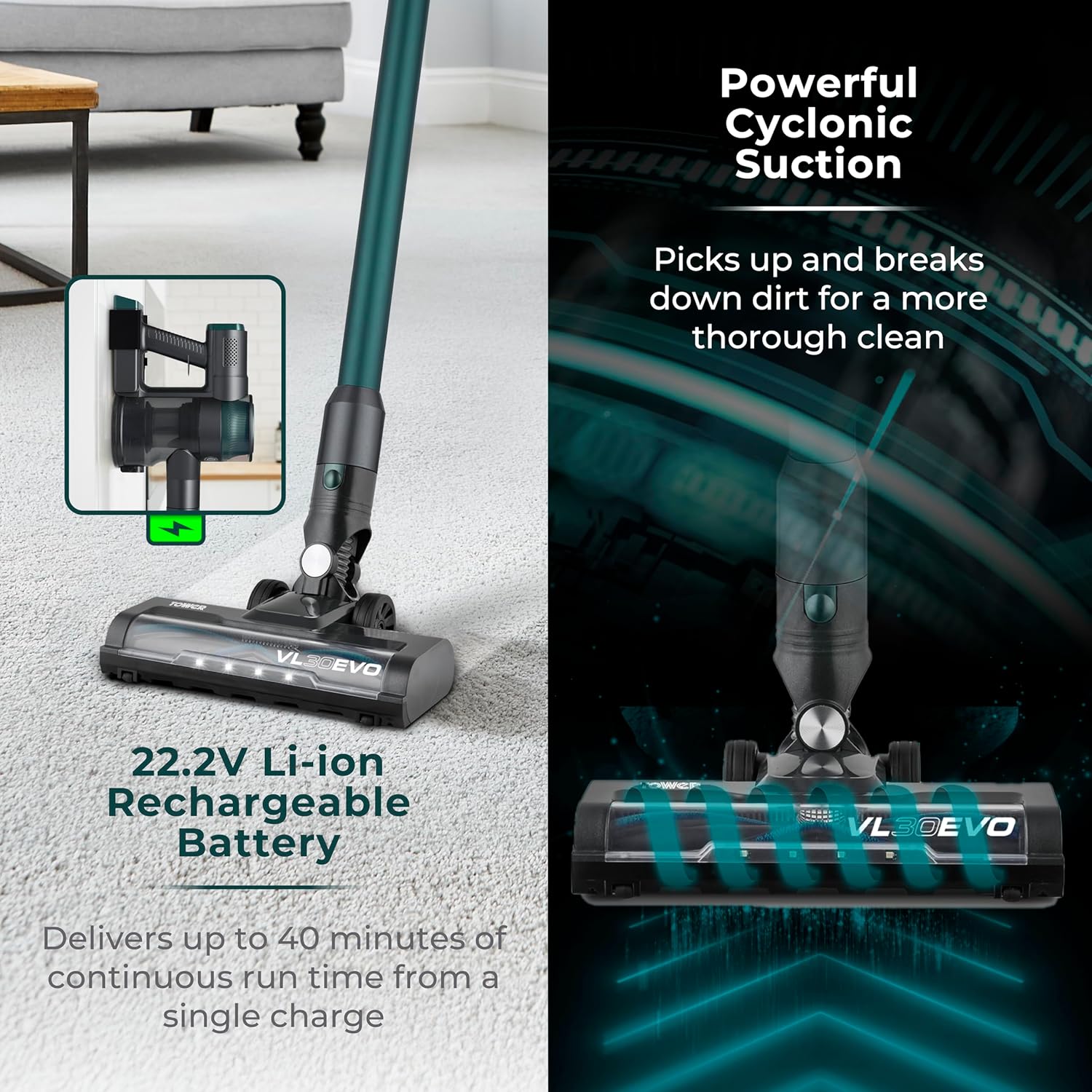
Image: The vacuum cleaner connected to its charger, illustrating the charging process. The image also highlights the powerful cyclonic suction feature.
Operating Instructions
3-in-1 Functionality
Your Tower VL30 EVO offers versatile cleaning modes:
- Stick Vacuum Mode: For general floor cleaning on carpets and hard floors. Attach the extension pole and motorised floor head.
- Handheld Mode: Ideal for cleaning cars, stairs, upholstery, and small spills. Detach the main unit from the extension pole and attach the crevice tool or brush tool directly.
- Extended Pole Mode: For reaching high areas like ceilings, curtains, or cobwebs. Use the main unit with the extension pole and a suitable attachment (e.g., brush tool) without the floor head.

Image: A visual guide demonstrating the three modes of operation: as a floor vacuum, a handheld unit for upholstery, and with an extended pole for high-reach cleaning.
Power and Suction Control
The vacuum cleaner features an LED display screen to monitor settings and battery life.
- Power On/Off: Press the power button on the handle to turn the vacuum on or off.
- Speed Settings: Use the mode selection button to switch between available speed settings (e.g., standard and boost mode). The LED display will show the selected speed and remaining battery percentage.

Image: A detailed view of the vacuum's LED display, indicating the battery percentage, low mode indicator, and the power on/off and mode selection buttons.
Maintenance
Regular maintenance ensures optimal performance and extends the lifespan of your vacuum cleaner.
Emptying the Dust Bin
Empty the 1-litre dust bin regularly, ideally after each use or when the MAX fill line is reached.
- Ensure the vacuum cleaner is switched off.
- Locate the dust bin release button, usually near the main unit.
- Press the button to detach the dust bin.
- Position the dust bin over a waste bin and open the bottom flap to release collected debris.
- Close the flap and reattach the dust bin to the main unit until it clicks securely.
Cleaning the HEPA Filter
The HEPA filter removes 99.95% of fine particles. Clean it regularly to maintain suction power.
- Ensure the vacuum cleaner is switched off and the dust bin is removed.
- Carefully remove the HEPA filter from its housing within the dust bin or main unit.
- Tap the filter gently over a waste bin to dislodge dust and debris. Do not wash the HEPA filter with water unless specified by the manufacturer.
- If washable, rinse under cold running water until the water runs clear. Allow the filter to air dry completely for at least 24 hours before reinserting. Do not use a dryer or direct heat.
- Reinsert the dry HEPA filter and reattach the dust bin.

Image: An illustration detailing the HEPA filter's location and its effectiveness in capturing 99.95% of fine particles down to 0.3 microns, promoting a healthier environment.
Cleaning the Brush Roller
Periodically check the motorised floor head's brush roller for tangled hair or debris.
- Ensure the vacuum cleaner is switched off and disconnected from the power source.
- Detach the motorised floor head from the extension pole.
- Locate the brush roller access cover, usually on the underside of the floor head. Open it using a coin or screwdriver if necessary.
- Remove the brush roller. Use scissors to cut away any tangled hair or threads.
- Clean any debris from the brush roller housing.
- Reinsert the brush roller and secure the access cover.

Image: A close-up view of the vacuum's brush roller, highlighting its larger size for improved performance, alongside an upholstery brush attachment for deeper cleaning.
Troubleshooting
Refer to the table below for common issues and their solutions.
| Problem | Possible Cause | Solution |
|---|---|---|
| Vacuum not turning on | Battery not charged; Battery not properly installed; Power button not pressed. | Charge the battery fully; Ensure battery is securely clicked into place; Press the power button firmly. |
| Loss of suction | Dust bin full; Filter clogged; Blockage in hose/nozzle; Brush roller tangled. | Empty the dust bin; Clean the HEPA filter; Check for and remove any blockages; Clean the brush roller. |
| Short runtime | Battery not fully charged; Using high power mode excessively; Battery degradation. | Ensure battery is fully charged before use; Use standard mode for general cleaning; Contact customer support if battery life significantly decreases. |
| Motorised floor head not spinning | Brush roller tangled; Obstruction in floor head; Connection issue. | Clean the brush roller; Remove any obstructions; Ensure floor head is securely attached to the pole. |
Technical Specifications
| Feature | Specification |
|---|---|
| Brand | Tower |
| Model | T513013 / VL30 EVO |
| Colour | Emerald Green |
| Product Dimensions | 22 x 25 x 107 cm |
| Item Weight | 2.3 kg |
| Capacity (Dust Bin) | 1 Litre |
| Power / Wattage | 150 Watts |
| Number of Speeds | 2 |
| Runtime | Up to 40 minutes |
| Filter Type | HEPA Filter |
| Special Features | Detachable, Cordless, Rechargeable, Extendable Pole, HEPA |

Image: A diagram illustrating the approximate dimensions of the Tower VL30 EVO Cordless Vacuum Cleaner: 107cm height, 25cm width, and 22cm depth.
Warranty and Support
Your Tower VL30 EVO Cordless 3-in-1 Vacuum Cleaner comes with a trusted Tower quality guarantee.
- Standard Guarantee: A 1-year manufacturer's guarantee is included from the date of purchase.
- Extended Guarantee: An optional 2-year extension is available upon product registration online. Please refer to the product packaging or the official Tower website for details on how to register your product.

Image: A graphic displaying the "3 Year Guarantee" logo, signifying the standard 1-year manufacturer's guarantee with an optional 2-year extension upon online product registration.
For technical support, spare parts, or warranty claims, please contact Tower customer service. Contact details can typically be found on the manufacturer's website or on the product packaging.
Please retain your proof of purchase for warranty purposes.


