
1. Introduction
Thank you for choosing the BLUETTI Premium 200 V2 Portable Power Station. This device is engineered to provide reliable and versatile power for various applications, including camping, road trips, off-grid living, and home backup. With its advanced LFP battery technology and robust design, it offers a long lifespan and efficient power delivery.
Key Features:
- High Capacity & Output: 2073.6Wh capacity with 2700W AC output (5400W peak), capable of powering up to 7 devices simultaneously.
- Extended Lifespan: Automotive-grade LiFePO4 batteries with 6000+ cycles, ensuring a 17-year lifespan, significantly longer than average.
- Rapid Charging: Features TurboBoost technology and built-in MPPT modules, allowing up to 80% charge in just 45 minutes with dual AC and DC charging.
- Compact Design: Despite its high capacity, the Premium 200 V2 is designed to be ultra-compact and portable.
- Smart Control: An upgraded app provides intuitive control and real-time power insights for seamless operation.
What's Included:
- BLUETTI Premium 200 V2 Portable Power Station
- AC Charging Cable
- Solar Charging Cable
- Grounding Screw
- User Manual (this document)

Figure 1: BLUETTI Premium 200 V2 Portable Power Station.
2. Safety Instructions
Please read and understand all safety instructions before operating the BLUETTI Premium 200 V2. Failure to follow these instructions may result in electric shock, fire, or serious injury.
- Do not disassemble, repair, or modify the unit.
- Do not place the unit near fire or expose it to heat.
- Do not use or store the unit in a bathroom or in an area exposed to water or rain.
- Do not use the unit if it is damaged or has been dropped.
- Keep the unit out of reach of children and pets.
- Ensure proper ventilation during use and charging to prevent overheating.
- Use only BLUETTI-approved accessories and charging cables.
- Avoid short-circuiting the output ports.
- Do not insert foreign objects into the ports or openings.
- Dispose of the unit and its battery according to local regulations.
3. Product Overview
The BLUETTI Premium 200 V2 features a user-friendly interface and multiple output ports to accommodate various devices. Familiarize yourself with the components before operation.
Component Identification:
- LCD Display: Shows battery level, input/output power, and operational status.
- DC Input Port: For charging via solar panels or car charger.
- AC Input Port: For charging via wall outlet.
- AC Output Outlets: Standard 120V AC outlets for household appliances.
- USB-A Ports: For charging smaller electronic devices.
- USB-C Ports: High-speed charging for compatible devices.
- Car Port (12V/10A): For powering 12V DC devices.
- Power Button: To turn the unit on/off.

Figure 2: The BLUETTI Premium 200 V2 powering devices in an outdoor setting.
4. Setup
Initial Charging:
Before first use, fully charge your BLUETTI Premium 200 V2. It is recommended to charge the unit to 100% upon receipt.
- AC Charging: Connect the provided AC charging cable to the AC input port on the unit and then to a wall outlet. The unit supports 1800W AC charging, reaching 80% in approximately 45 minutes.
- Solar Charging: Connect compatible solar panels (up to 1000W) to the DC input port using the solar charging cable. The built-in MPPT controller optimizes charging efficiency from sunlight. Full charge from solar can take approximately 2.4 hours under optimal conditions.
- Car Charging: Connect the car charging cable to the DC input port and your vehicle's 12V cigarette lighter outlet.
- Dual Charging (AC + Solar): For the fastest charging, combine AC and solar input for a maximum of 2400W. This can charge the unit to 80% in about 50 minutes.

Figure 3: Various charging methods for the power station.
5. Operating Instructions
Powering On/Off:
Press and hold the main power button for a few seconds to turn the unit on or off. The LCD display will illuminate.
Using AC Output:
Press the AC power button to enable the AC outlets. Plug your devices into the 120V AC outlets. The unit provides 2700W continuous power and 5400W peak power. For resistive loads, the Power Lifting mode can provide up to 3900W.
Using DC Output:
Press the DC power button to enable the USB-A, USB-C, and 12V car port outputs. Connect your devices to the appropriate ports.
App Control:
Download the BLUETTI app from your smartphone's app store. Connect the power station via Bluetooth to monitor real-time power insights, adjust settings, and control outputs remotely. The app supports features like peak cutting and valley filling modes for optimized energy usage.
Uninterrupted Power Supply (UPS) Function:
When connected to an AC wall outlet, the Premium 200 V2 can function as an Uninterrupted Power Supply (UPS). In case of a power outage, it automatically switches to battery power within 15ms, ensuring continuous operation for connected devices like computers or refrigerators.

Figure 4: The power station supports various everyday power needs.
6. Maintenance
Proper maintenance ensures the longevity and optimal performance of your BLUETTI Premium 200 V2.
- Cleaning: Use a dry, soft cloth to wipe the unit. Do not use abrasive cleaners or solvents.
- Storage: If storing for an extended period, charge the unit to 50-80% every 3-6 months. Store in a cool, dry place away from direct sunlight and extreme temperatures.
- Battery Care: The LiFePO4 battery is designed for durability. Avoid fully discharging the battery frequently to maximize its lifespan.
- Ventilation: Ensure the ventilation openings are clear of dust and debris to prevent overheating.
7. Troubleshooting
If you encounter issues with your BLUETTI Premium 200 V2, refer to the following common problems and solutions:
| Problem | Possible Cause | Solution |
|---|---|---|
| Unit does not turn on | Battery is completely discharged; Power button not pressed long enough. | Charge the unit using AC power; Press and hold the power button for 3-5 seconds. |
| No AC output | AC output not enabled; Overload protection activated; Device power exceeds unit capacity. | Press the AC power button; Reduce connected load; Check device wattage. |
| No DC output | DC output not enabled; Overload protection activated. | Press the DC power button; Reduce connected load. |
| Slow charging | Using low-power charging method; Environmental factors (solar). | Use AC charging or dual charging; Ensure solar panels are in direct sunlight and clean. |
| App connection issues | Bluetooth off; App not updated; Unit too far from phone. | Ensure Bluetooth is enabled on phone and unit; Update app; Move closer to the unit. |
If the problem persists after trying these solutions, please contact BLUETTI customer support.
8. Specifications
Detailed technical specifications for the BLUETTI Premium 200 V2 Portable Power Station:
| Feature | Detail |
|---|---|
| Brand | BLUETTI |
| Model Name | Premium 200 V2 |
| Battery Type | LiFePO4 (Lithium Iron Phosphate) |
| Battery Capacity | 2073.6 Watt-hours (Wh) |
| Lifespan | 6000+ cycles to 80% original capacity (approx. 17 years) |
| AC Output | 2700 Watts (Rated), 5400 Watts (Peak) |
| Power Lifting Mode | 3900 Watts (for resistive loads) |
| Total AC Outlets | 2 |
| DC Output | 1 x Car Port (12V/10A), 2 x USB-A (15W), 2 x USB-C (100W) |
| AC Charging Input | 1800 Watts Max |
| Solar Charging Input | 1000 Watts Max (12V-60V/20A) |
| Max Combined Input (AC+Solar) | 2400 Watts |
| UPS Switching Time | < 15ms |
| Product Dimensions (L x W x H) | 13.8" x 9.9" x 12.8" |
| Item Weight | 53.4 Pounds |
9. Warranty and Support
BLUETTI stands behind the quality of its products. The Premium 200 V2 Portable Power Station comes with a comprehensive warranty to ensure your peace of mind.
Warranty Information:
The BLUETTI Premium 200 V2 is covered by a 5-year warranty. This warranty covers defects in materials and workmanship under normal use. Please retain your proof of purchase for warranty claims.
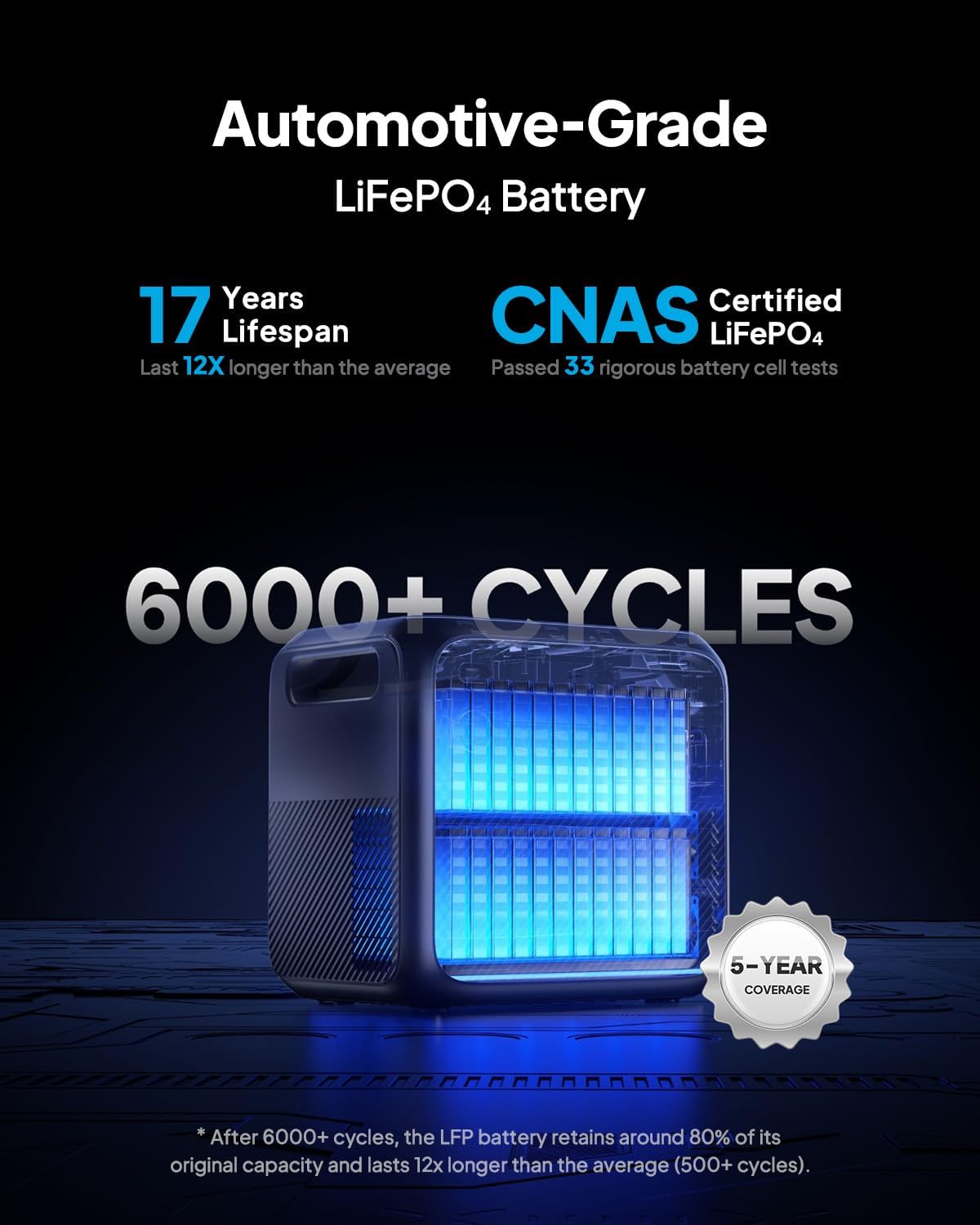
Figure 5: Automotive-grade LiFePO4 battery with 5-year coverage.
Customer Support:
BLUETTI is committed to providing excellent after-sale service. If you have any questions, require technical assistance, or need to make a warranty claim, please contact our support team through the following channels:
- Website: Visit the official BLUETTI website for FAQs, support resources, and contact forms.
- Email: support@bluetti.com
- Phone: Refer to the contact information provided on the official BLUETTI website or in your product packaging for regional support numbers.
Our widespread sales and after-service networks are available to assist you.


