
1. Introduction
This manual provides essential information for the safe and effective operation, setup, and maintenance of your ARCCAPTAIN 165A Multiprocess MIG Welder (MIG165). Please read this manual thoroughly before using the equipment to ensure proper function and to prevent injury or damage. Keep this manual for future reference.
2. Safety Information
WARNING: Welding can be dangerous. Always follow safety precautions to prevent serious injury or death.
- Electrical Shock: This equipment uses high voltage. Ensure proper grounding and inspect cables for damage before each use. Never operate in wet conditions.
- Fumes and Gases: Welding fumes and gases can be hazardous to your health. Work in a well-ventilated area or use a fume extractor.
- Arc Rays: Arc rays can burn eyes and skin. Always wear a welding helmet with appropriate shade, safety glasses, and protective clothing.
- Fire and Explosion: Welding sparks and hot metal can cause fires. Keep flammable materials away from the welding area.
- Burns: Hot metal and equipment can cause severe burns. Wear protective gloves and clothing.
- Over-current, Over-load, Overheating, Over-voltage: The ARCCAPTAIN 165A MIG Welder includes built-in protection features to extend machine lifespan. However, always operate within the specified duty cycle and current limits.
3. Package Contents
Verify that all items listed below are included in your package. If any items are missing or damaged, contact ARCCAPTAIN customer service.
- 1 x MIG165 Welder
- 1 x 6.5ft MIG Torch
- 1 x 10ft Ground Clamp
- 1 x 10ft Electronic Holder (for Stick welding)
- 1 x .030"/.035" Wire Feed Roller
- 1 x .035"/2lb Flux Cored Wire
- 1 x 0.8/.030" Conductive Nozzle
- 1 x 0.9/.035" Conductive Nozzle
- 1 x Brush & Hammer
- 1 x User Manual
- 1 x Shoulder Strap
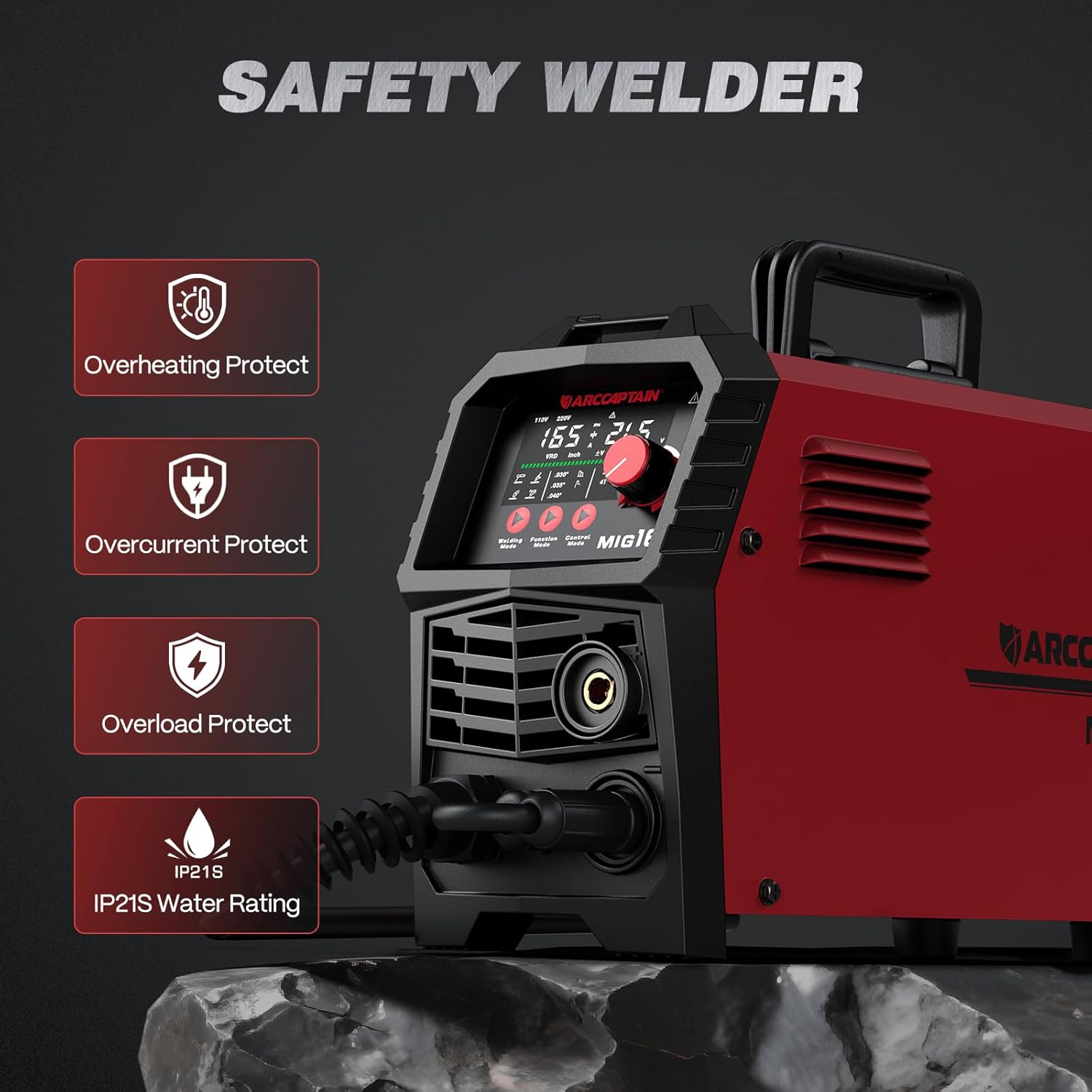
Image: The ARCCAPTAIN 165A MIG Welder with all standard accessories, including the MIG torch, ground clamp, electrode holder, flux cored wire, and various nozzles.
4. Product Features
The ARCCAPTAIN 165A MIG Welder is a versatile multiprocess machine designed for various welding applications.
- 4-in-1 Welding Modes: Supports Gas MIG, Flux Core MIG, Lift TIG, and Stick (MMA) welding. Note: A WP-17V TIG torch must be purchased separately for Lift TIG operation.
- Technical Upgrades: Features advanced MCU and IGBT technologies for precise parameter control.
- Dual Voltage Capability: Operates on both 110V and 220V power supplies, offering flexibility. Caution: Ensure the machine is off and the fan has stopped before changing voltage settings.
- Large LED Display: Provides clear and accurate data display for easy monitoring of welding parameters.
- 2T/4T Functionality: Allows seamless switching between continuous welding (4T) for long operations and trigger-controlled precision welding (2T) for fine work.
- High Performance: Delivers up to 165A output current with a 60% rated duty cycle. Equipped with an upgraded cooling fan for improved heat dissipation. Capable of welding mild steel up to 5/16 inch thick.
- Safety Protection: Includes built-in over-current, over-load, overheating, and over-voltage protection to enhance machine durability and user safety.

Image: The large LED display of the ARCCAPTAIN 165A MIG Welder, showing voltage, amperage, wire feed speed, and mode selections for clear operation.
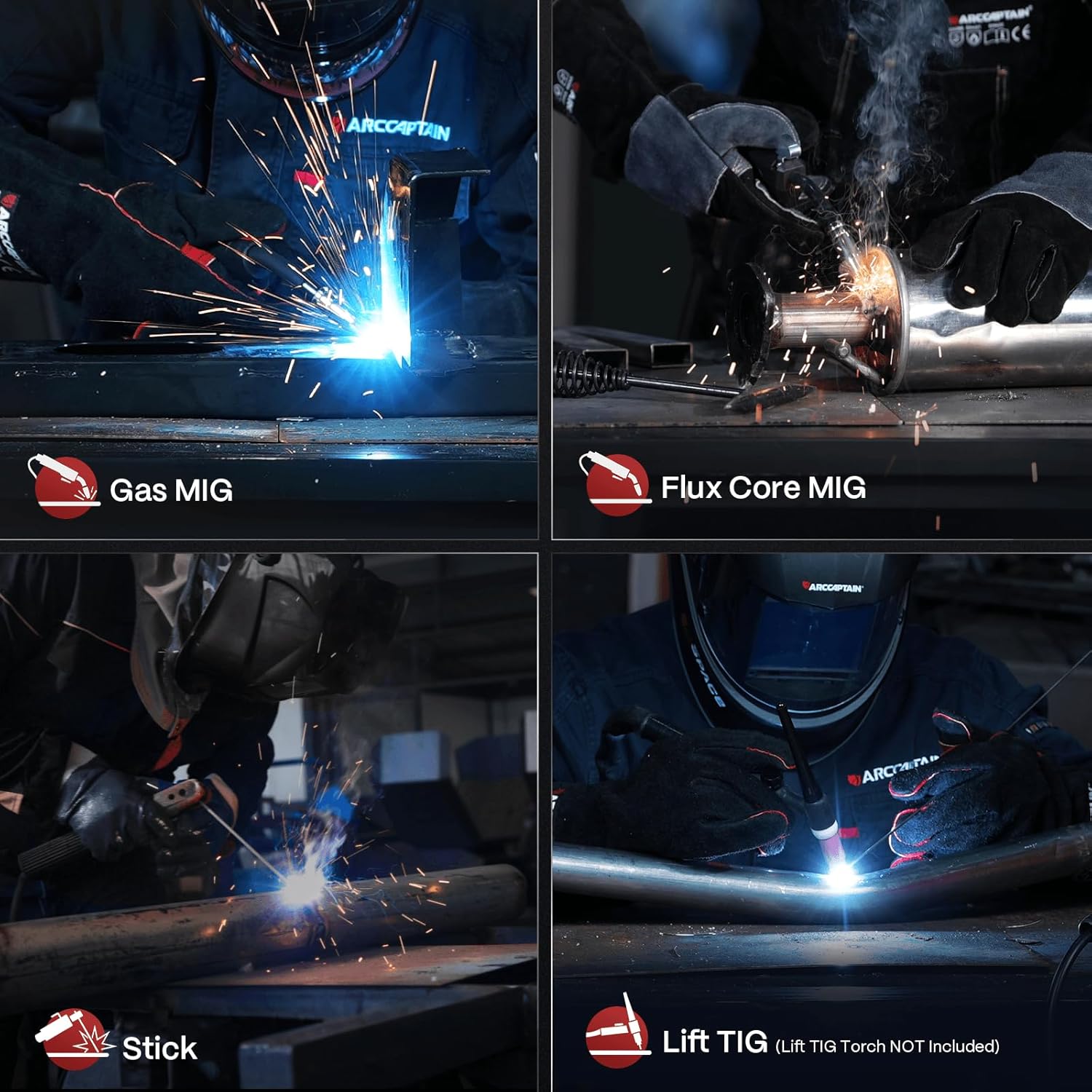
Image: Visual representation of the four welding processes supported by the machine: Gas MIG, Flux Core MIG, Stick, and Lift TIG.

Image: An illustration highlighting the safety features of the welder, including protection against overheating, overcurrent, overload, and its IP21S water resistance rating.
5. Setup
5.1 Power Connection
The welder supports both 110V and 220V input. Ensure the correct power cord is used and the voltage switch (if applicable) is set correctly for your power supply. Always turn off the machine and wait for the fan to stop before switching voltage settings.
5.2 Wire Installation (MIG/Flux Core)
- Open the wire spool compartment.
- Mount the wire spool onto the spindle, ensuring it rotates freely.
- Thread the welding wire through the wire feed mechanism and into the MIG torch liner.
- Close the wire feed roller tension arm and adjust tension appropriately for the wire diameter.
- With the torch pointed away from yourself and others, press the trigger to feed the wire through the torch until it exits the nozzle.
5.3 Gas Connection (for Gas MIG)
For Gas MIG welding, connect a suitable shielding gas cylinder (e.g., Argon/CO2 mix for steel) to the gas inlet on the rear of the machine using a gas hose and regulator. Ensure all connections are secure and leak-free.
5.4 Torch and Ground Clamp Connection
Connect the MIG torch to the appropriate connector on the front panel. Connect the ground clamp cable to the designated terminal and securely attach the clamp to the workpiece, ensuring good electrical contact.

Image: Connection diagrams illustrating the setup for Gasless MIG, Gas MIG, Stick, and Lift TIG welding, showing the placement of the torch, ground clamp, and gas cylinder (where applicable).
6. Operating Instructions
6.1 Power On and Mode Selection
Turn on the main power switch. Use the control panel to select your desired welding mode (Gas MIG, Flux Core MIG, Lift TIG, or Stick).
6.2 Parameter Adjustment
The large LED display allows for precise control over welding parameters.
- Synergy MIG Mode: For simplified setup, select Synergy MIG. Input the plate thickness and wire diameter, and the machine will automatically suggest optimal voltage and wire feed speed. Fine-tune as needed.
- Manual MIG Mode: Manually adjust current (amperage) and voltage independently to suit your specific welding requirements.
- MMA (Stick) Mode: Adjust parameters such as Hot Start (amps up initial current for easier ignition) and Arc Force (helps prevent electrode sticking and controls the molten puddle).
6.3 2T/4T Function
The 2T/4T function enhances control during MIG welding:
- 2T (Two-Touch): Press and hold the trigger to start welding; release to stop. Ideal for short welds and precise control.
- 4T (Four-Touch): Press and release the trigger to start welding; press and release again to stop. This allows for continuous welding without holding the trigger, reducing operator fatigue during long passes.

Image: The control panel of the ARCCAPTAIN 165A MIG Welder, illustrating the digital display and adjustment knobs for wire feed speed, welding current, voltage trimming, and hot start/arc force.
7. Welding Modes Overview
7.1 Gas MIG Welding
Gas Metal Arc Welding (GMAW) uses a continuously fed solid wire electrode and an external shielding gas (e.g., Argon/CO2) to protect the weld puddle from atmospheric contamination. This mode is suitable for welding various metals, including stainless steel and carbon steel, producing clean welds with minimal spatter.
7.2 Flux Core MIG Welding
Flux-Cored Arc Welding (FCAW) uses a tubular wire electrode filled with flux, which produces its own shielding gas when burned. This mode is ideal for outdoor welding or on dirty/rusty materials, as it does not require an external gas cylinder. It is commonly used for welding carbon steel.
7.3 Lift TIG Welding
Lift Tungsten Inert Gas (TIG) welding provides precise control and high-quality welds, especially on thinner materials and stainless steel. This mode requires a separate WP-17V TIG torch and an inert shielding gas (typically Argon). The arc is initiated by briefly touching the tungsten electrode to the workpiece and lifting it, minimizing contamination.
7.4 Stick (MMA) Welding
Shielded Metal Arc Welding (SMAW), or Stick welding, uses a consumable electrode coated with flux. This mode is robust and suitable for welding thicker materials, often in outdoor or less-than-ideal conditions. It is effective on various types of steel.
7.5 Recommended Welding Parameters
The following table provides general guidelines for welding parameters. Actual settings may vary based on material type, thickness, joint configuration, and operator skill.

Image: A detailed table outlining recommended current ranges for Gas MIG, Gasless MIG, MMA (Stick), and Lift TIG welding modes, categorized by material type, drive roller/electrode type, and material thickness.
8. Maintenance
Regular maintenance ensures optimal performance and extends the lifespan of your welder.
- Daily Inspection: Check all cables, connections, and the MIG torch for wear or damage. Ensure the ground clamp makes good contact.
- Cleaning: Keep the machine clean and free of dust and metal particles. Use compressed air to blow out internal components periodically, ensuring the machine is unplugged.
- Wire Feed Mechanism: Inspect the wire feed rollers for wear and ensure they are clean. Replace worn rollers as needed.
- MIG Torch: Regularly clean or replace the contact tip, gas nozzle, and diffuser. Ensure the liner is free of obstructions.
- Cooling Fan: Ensure the cooling fan vents are clear of obstructions to maintain efficient heat dissipation.
9. Troubleshooting
Refer to the following table for common issues and their potential solutions.
| Problem | Possible Cause | Solution |
|---|---|---|
| No power to the machine | Power cord unplugged, circuit breaker tripped, incorrect voltage setting. | Check power connection, reset breaker, verify voltage switch setting. |
| No arc when welding | Poor ground connection, incorrect welding mode, worn contact tip, wire feed issue. | Ensure ground clamp is secure, select correct mode, replace contact tip, check wire feed. |
| Poor weld quality (excessive spatter, porosity) | Incorrect parameters (voltage/wire speed), insufficient shielding gas (Gas MIG), dirty workpiece, incorrect stick electrode. | Adjust parameters, check gas flow/cylinder, clean workpiece, use appropriate electrode. |
| Wire not feeding | Wire tangled, wire feed roller tension incorrect, clogged liner, worn contact tip. | Untangle wire, adjust roller tension, clean/replace liner, replace contact tip. |
| Overheat protection activated | Exceeded duty cycle, blocked cooling vents, high ambient temperature. | Allow machine to cool, clear vents, reduce welding time. |
10. Specifications
| Specification | Detail |
|---|---|
| Manufacturer | ARCCAPTAIN |
| Model Number | MIG165 |
| Part Number | MIG165 |
| Item Weight | 10 pounds (approx. 4.5 kg) |
| Product Dimensions | 14.9 x 5.3 x 9.7 inches (approx. 37.8 x 13.5 x 24.6 cm) |
| Power Source | AC (110V/220V Dual Voltage) |
| Output Current | Up to 165A |
| Rated Duty Cycle | 60% |
| Material | Metal+Plastic |
| Included Components | 165A MIG Welder, MIG Torch, Ground Clamp, Electronic Holder, Wire Feed Roller, Flux Cored Wire, Conductive Nozzles, Brush & Hammer, User Manual, Shoulder Strap |
11. Warranty and Support
ARCCAPTAIN products are designed for reliability and performance. For warranty information, technical support, or service inquiries, please refer to the contact information provided with your purchase documentation or visit the official ARCCAPTAIN website. Keep your purchase receipt as proof of purchase for warranty claims.


