
1. Introduction
This manual provides essential information for the safe and effective operation, maintenance, and troubleshooting of your Generic 20V Brushless Cordless 1/4 inch Compact 3-Speed Impact Driver, Model HCB81B. Please read this manual thoroughly before use and retain it for future reference.
General Safety Information
Always wear appropriate personal protective equipment, including eye protection, hearing protection, and gloves, when operating power tools. Ensure your work area is well-lit and clear of obstructions. Disconnect the battery pack before making any adjustments, changing accessories, or storing the tool.
2. Product Overview and Components
The Generic 20V Brushless Cordless Impact Driver is designed for fastening applications, offering high torque and variable speed control. It features a compact brushless motor for efficiency and durability.

Figure 1: Generic 20V Brushless Cordless Impact Driver and Tool Bag. This image shows the impact driver from the front, highlighting its compact design and the accompanying 16-inch tool bag.
Included Components:
- 20V Brushless Cordless 1/4 in. Compact 3-Speed Impact Driver
- 16-inch Tool Bag
- Belt Clip
- Bit Holder
- Note: Battery and Charger are sold separately.

Figure 2: Impact Driver with LED Lights. This image displays the side profile of the impact driver, showing the integrated LED lights illuminating the work area.
3. Specifications
| Feature | Specification |
|---|---|
| Model Number | HCB81B |
| Voltage | 20 Volts |
| Amperage | 2 Amps |
| Maximum Torque | 2200 in. lbs. |
| Maximum Rotational Speed | 3600 RPM |
| Number of Speeds | 4 (3 speeds + Auto Mode) |
| Chuck Size | 1/4 inch Hex Collet |
| Motor Type | Brushless |
| Product Dimensions (L x W x H) | 6" x 3" x 4.75" |
| Item Weight | 3.3 Pounds |
| Special Features | Brushless Motor, Ultrabright LEDs, All-metal gears, Textured overmold grip |
4. Setup
4.1 Battery Installation (Battery Sold Separately)
- Ensure the impact driver is turned off.
- Align the battery pack with the battery port on the tool's base.
- Slide the battery pack into the port until it clicks securely into place.
- To remove, press the battery release button and slide the battery pack out.
4.2 Bit Insertion and Removal

Figure 3: Bit Insertion. This image shows the front of the impact driver with a screwdriver bit securely inserted into the 1/4 inch hex collet.
- Pull the 1/4 inch quick-change hex collet forward.
- Insert the desired hex shank bit fully into the collet.
- Release the collet; the bit should be securely held. Tug lightly on the bit to ensure it is locked.
- To remove a bit, pull the collet forward and pull the bit out.
5. Operating Instructions
5.1 Powering On/Off and Variable Speed Trigger
The tool is activated by pressing the variable speed trigger. The speed of the impact driver is controlled by the amount of pressure applied to the trigger. Releasing the trigger turns the tool off.
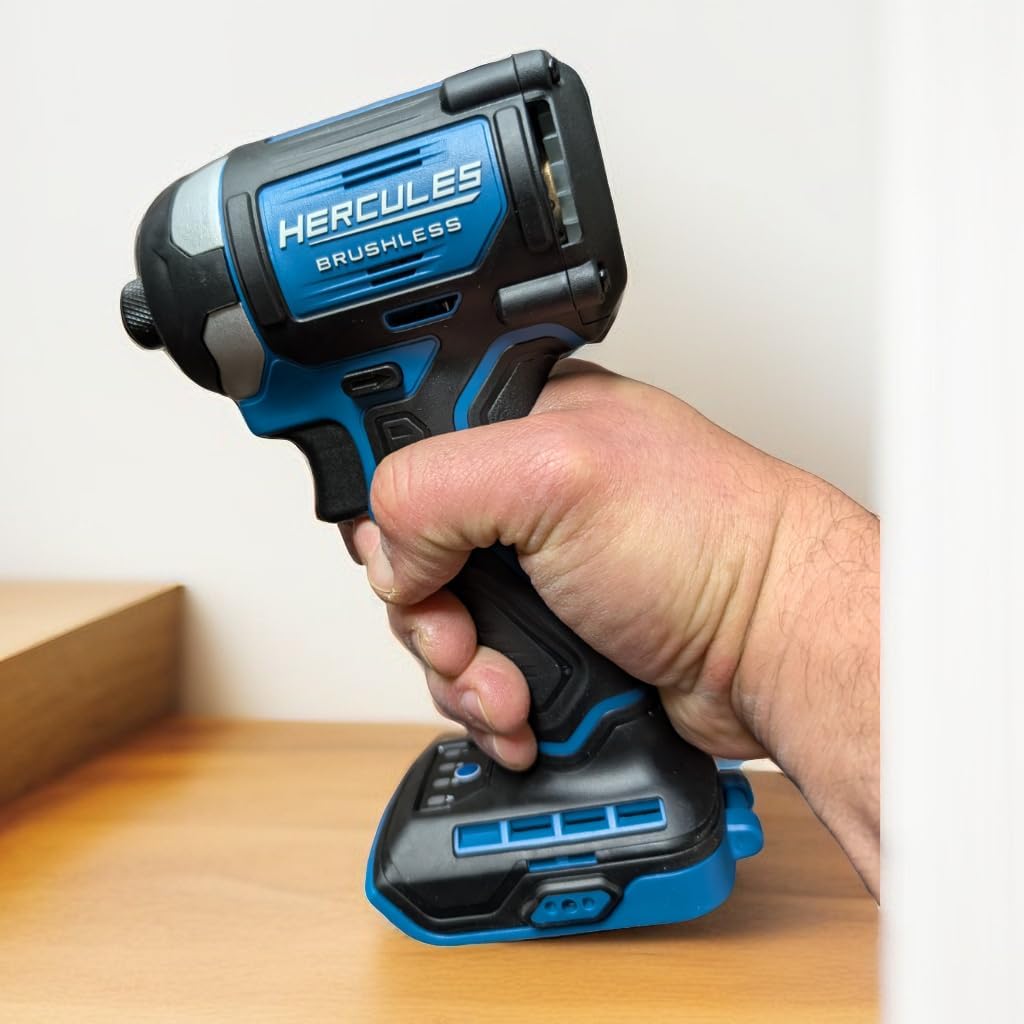
Figure 4: Ergonomic Grip. This image shows a user's hand comfortably gripping the impact driver, highlighting the textured overmold for secure handling.
5.2 Mode Selection
The impact driver features a four-mode selector:
- Speed 1: Lowest speed setting for delicate tasks or starting fasteners.
- Speed 2: Medium speed for general fastening applications.
- Speed 3: Highest speed setting for maximum torque and fast driving.
- Auto Mode: Designed for driving self-tapping metal screws. In this mode, the tool ceases impacts upon fastening completion to prevent stripping and auto-stops when loosening fasteners for enhanced control.
Use the mode selector button, typically located near the base of the handle, to cycle through the available modes. Indicator lights will show the currently selected mode.
5.3 LED Work Light
The impact driver is equipped with ultrabright LEDs that illuminate the work area when the trigger is pressed, improving visibility in low-light conditions.
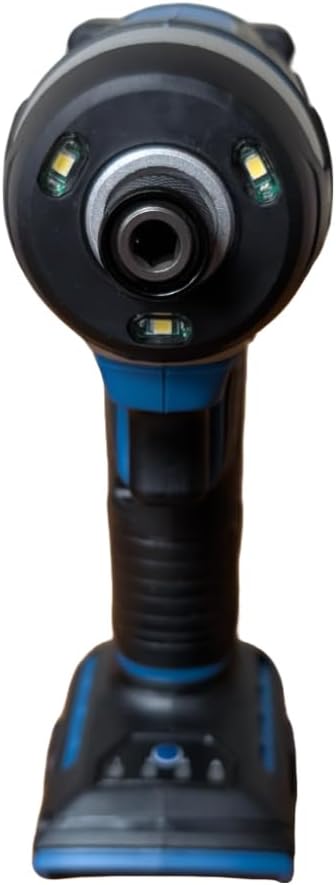
Figure 5: Front View with LEDs. This image provides a direct front view of the impact driver, clearly showing the three LED lights positioned around the 1/4 inch hex chuck.
6. Maintenance
6.1 Cleaning
- Always disconnect the battery pack before cleaning.
- Use a clean, damp cloth to wipe down the tool's exterior. Do not use harsh chemicals or abrasive cleaners.
- Keep ventilation openings clear of dust and debris to prevent overheating. Use compressed air if necessary.
6.2 Storage
- Store the impact driver in a dry, secure location, away from direct sunlight and extreme temperatures.
- Remove the battery pack from the tool before storing for extended periods.
- Store the tool in its included tool bag for protection.
7. Troubleshooting
| Problem | Possible Cause | Solution |
|---|---|---|
| Tool does not start | Battery not installed correctly or discharged. | Ensure battery is fully seated. Charge battery if necessary. |
| Reduced power or performance | Low battery charge. Incorrect mode selected. | Recharge battery. Select a higher speed mode (Speed 2 or 3). |
| Bit not holding securely | Collet not fully engaged. Incorrect bit type. | Ensure collet is pulled forward, bit is fully inserted, then release. Use only 1/4 inch hex shank bits. |
| Tool overheats | Prolonged heavy use. Blocked ventilation. | Allow tool to cool down. Clear any debris from ventilation slots. |
8. Warranty and Support
This Generic 20V Brushless Cordless 1/4 in. Compact 3-Speed Impact Driver comes with a 5-Year Warranty. For warranty claims or technical support, please refer to the contact information provided at the point of purchase or visit the manufacturer's official website.
For additional assistance, you may contact customer support through the retailer where the product was purchased.