Introduction
This manual provides essential information for the safe and effective use of your Sony ULT Field 3 Wireless Portable Bluetooth Speaker. Please read this manual thoroughly before using the product and retain it for future reference.
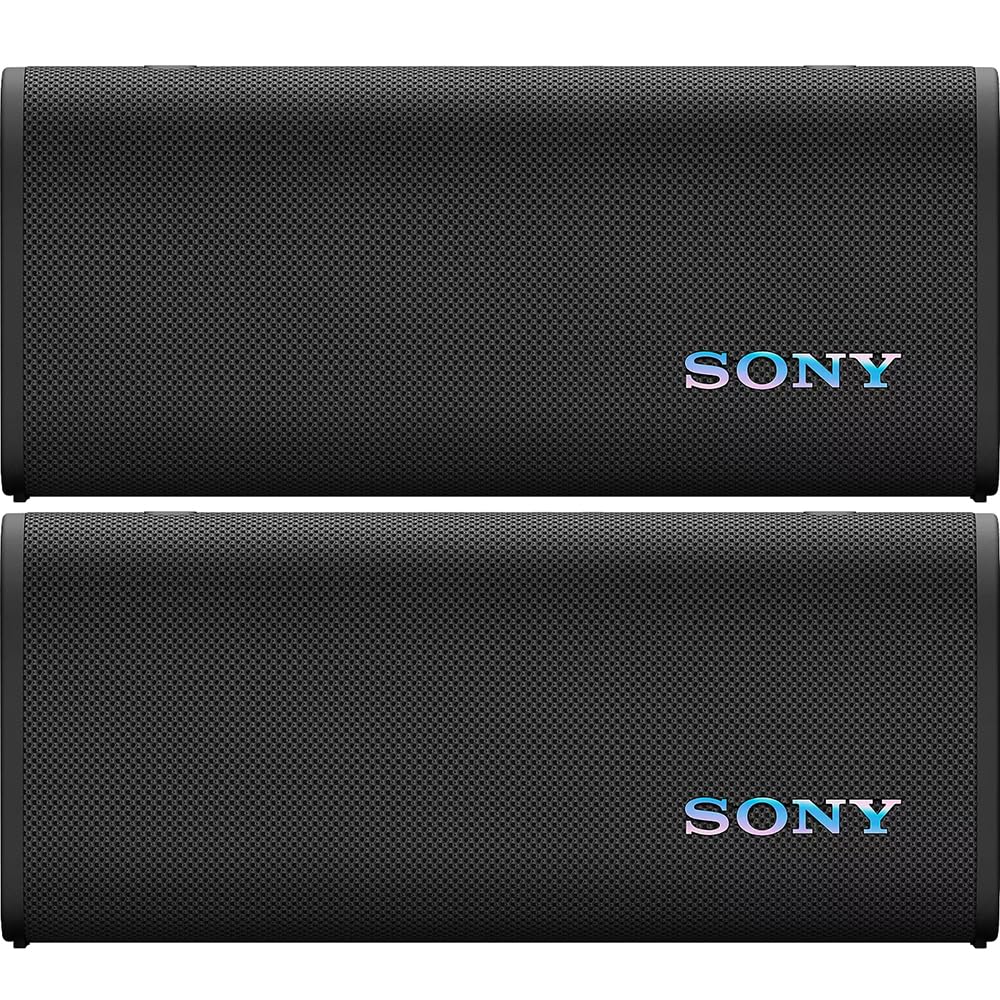
Image: Front view of the Sony ULT Field 3 Wireless Portable Bluetooth Speaker.
Setup
What's in the Box
- Sony ULT Field 3 Wireless Portable Bluetooth Speaker
- USB Type-C® Cable
- Strap belt
Charging the Speaker
Before initial use, fully charge the speaker using the supplied USB Type-C® cable. Connect the cable to the USB Type-C port on the speaker and to a compatible USB power adapter (not included).

Image: Rear view of the speaker, highlighting the USB Type-C charging port and battery indicator.
- A full charge provides up to 24 hours of playback.
- Quick charging provides up to 120 minutes of playtime from just 10 minutes of charging.
- The Battery Care function prevents overcharging, extending battery lifespan.
Powering On/Off
Press and hold the power button located on the top panel of the speaker to turn it on or off.
Bluetooth Pairing
- Ensure the speaker is powered on.
- The Bluetooth indicator will flash, indicating it's in pairing mode.
- On your device (smartphone, tablet, etc.), enable Bluetooth and search for available devices.
- Select "ULT FIELD 3" from the list of devices.
- Once connected, the Bluetooth indicator will stop flashing and remain lit.
For Android devices, the ULT Field 3 supports Bluetooth Fast Pair for quick and effortless pairing.
Multipoint Connection
The speaker can be paired with two Bluetooth devices simultaneously. It will automatically switch between devices when a call is received or playback is initiated on either device.
Operating Instructions
Controls Overview

Image: Top view of the speaker, displaying the power, Bluetooth, Connect, Play/Pause, Volume, and ULT buttons.
- Power Button: Press and hold to turn on/off.
- Bluetooth Button: Initiates Bluetooth pairing mode.
- Connect Button: Used for Party Connect and Stereo Pair functions.
- Play/Pause Button: Controls audio playback.
- Volume Buttons (+/-): Adjusts playback volume.
- ULT Button: Activates ULT Power Sound modes.
ULT Power Sound
Press the ULT button to activate enhanced bass modes. This feature boosts sound power, increases sound pressure, and provides deeply immersive bass.

Image: Close-up of the ULT button, indicating its function to boost bass.
Party Connect
Link up to 100 compatible speakers to synchronize music and create a powerful, immersive sound experience. Press the dedicated CONNECT button on each speaker to activate this feature. No app is required.
Stereo Pair
Connect two ULT Field 3 speakers wirelessly to achieve stereo sound. This provides a wider and more immersive listening experience. Use the CONNECT button to set up Stereo Pair.
Sound Customization
- 7-Band Equalizer: Customize your audio settings to your preference.
- Sony Sound Connect App: Enhance your experience with the Sony Sound Connect app. The app allows you to dial in your ideal sound, access shortcut settings, and monitor battery levels.
- Sound Field Optimization: The speaker can automatically tune sound settings based on ambient noise, ensuring clear audio in various environments.
Hands-Free Calling
The built-in microphone and Echo Cancelling technology allow for clear hands-free calls through the speaker.
Charging Other Devices
The USB Type-C port can also be used as a portable power bank to charge other devices.
Speaker Placement
The ULT Field 3 is designed for optimal sound whether placed upright or laid flat, allowing flexibility in positioning.
Maintenance
Durability and Cleaning
The speaker features an IP67 waterproof and dustproof rating, making it suitable for outdoor use. It is also salt-water resistant and shockproof, designed to withstand everyday knocks and bumps.

Image: Speaker demonstrating its water and dust resistance.
- To clean, rinse with fresh water if exposed to salt water or dirt. Ensure all ports and covers are firmly closed before rinsing.
- Avoid using abrasive cleaners or solvents.
Battery Care
The Battery Care function helps maintain the battery's health by preventing overcharging. For optimal battery life, avoid fully discharging the battery frequently.
Troubleshooting
If you encounter issues with your Sony ULT Field 3 speaker, please refer to the following common solutions:
- No Power: Ensure the speaker is charged. Connect it to a power source using the USB Type-C cable.
- No Sound: Check the volume levels on both the speaker and your connected device. Ensure the speaker is properly paired via Bluetooth.
- Bluetooth Connection Issues: Turn off and on the Bluetooth function on your device and the speaker. Try re-pairing the devices. Ensure no other devices are interfering with the Bluetooth signal.
- Poor Sound Quality: Adjust the equalizer settings via the Sony Sound Connect app. Ensure the speaker is not placed in an enclosed space that might obstruct sound.
- Speaker Not Responding: Press and hold the power button for an extended period (e.g., 10 seconds) to perform a soft reset.
For more detailed troubleshooting or persistent issues, please consult the official Sony support website or contact customer service.
Specifications
| Brand | Sony |
| Model Number | E2SNSRSULT30B (SRSULT30/B) |
| Connectivity Technology | Bluetooth |
| Audio Output Mode | Stereo |
| Speaker Type | Portable Speaker |
| Water Resistance | IP67 (Waterproof, Dustproof, Salt-water resistant) |
| Shockproof | Yes |
| Battery Life | Up to 24 Hours |
| Quick Charge | 10 minutes charge for 120 minutes playback |
| Charging Port | USB Type-C (also functions as power bank) |
| Control Method | Touch |
| Item Dimensions (D x W x H) | 3.11" x 10.08" x 4.45" |
| Item Weight | 5.3 Pounds |
| Additional Features | ULT Power Sound, Party Connect, Stereo Pair, 7-Band Equalizer, Sound Field Optimization, Echo Cancelling for calls, Multipoint Connection, Fast Pair |
Warranty Information
This Sony ULT Field 3 speaker comes with a Limited 1-year warranty from the date of purchase. Please retain your proof of purchase for warranty claims. The warranty covers manufacturing defects under normal use. It does not cover damage caused by misuse, accidents, unauthorized modifications, or normal wear and tear.
For full details regarding warranty terms and conditions, please refer to the warranty card included with your product or visit the official Sony support website.
Support
For further assistance, product updates, or to download the Sony Sound Connect app, please visit the official Sony support website:
You can also contact Sony customer service for personalized support.


