
1. Important Safety Information
Please read all instructions carefully before operating the Rubicon DX14 Electric Wheelchair. Failure to follow safety guidelines may result in injury or damage to the product.
- Always ensure the wheelchair is fully charged before extended use.
- Do not operate the wheelchair under the influence of alcohol or medication that impairs judgment.
- Avoid operating on excessively steep inclines or uneven terrain beyond the wheelchair's capabilities.
- Always use the seatbelt provided.
- Keep hands and clothing clear of moving parts.
- Store the wheelchair in a dry, safe place away from extreme temperatures.
2. Product Overview
The Rubicon DX14 Model16 is a foldable electric wheelchair designed for mobility and convenience. It features a robust aluminum alloy frame, dual motors, and a long-range lithium battery.
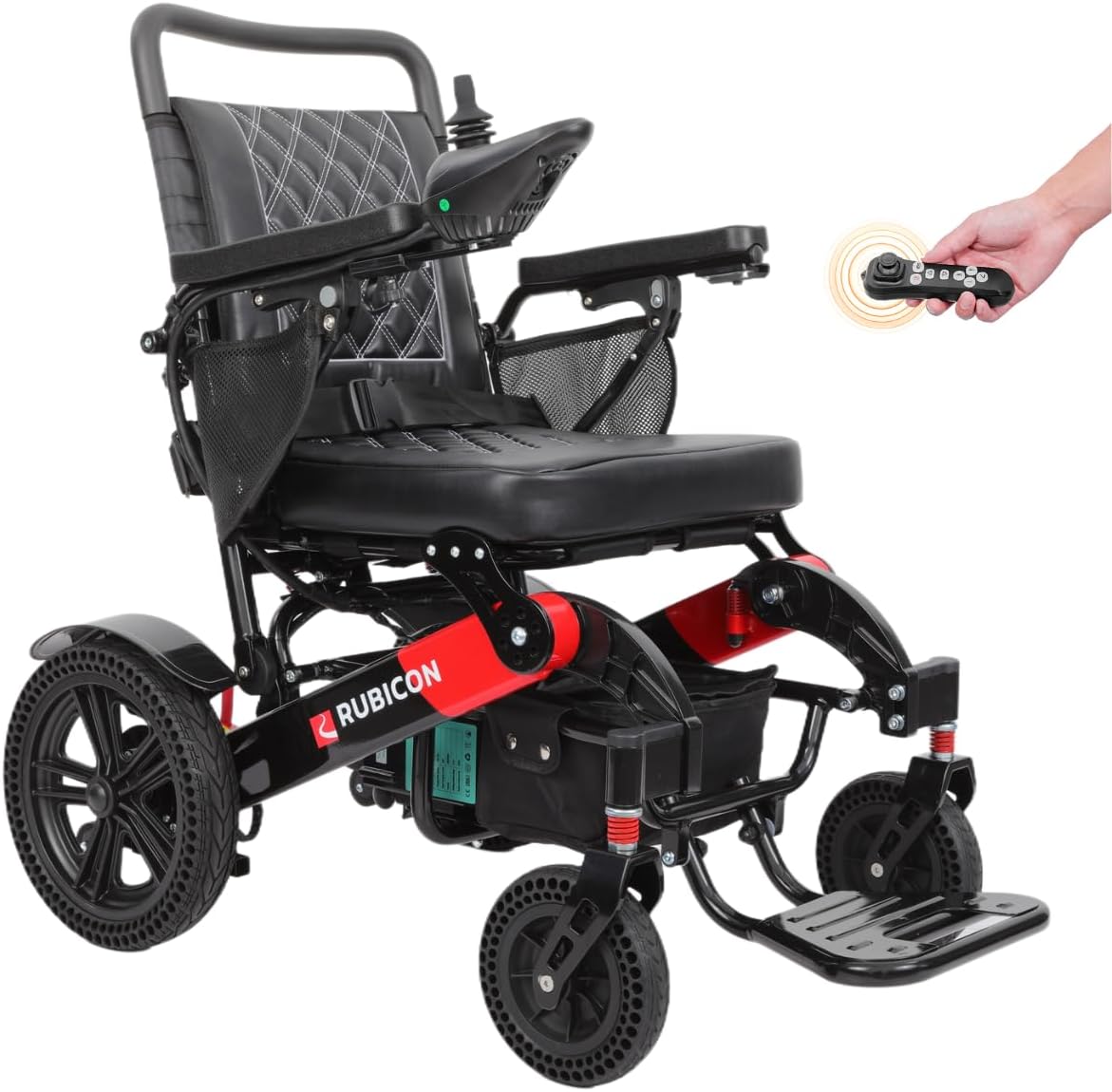
Image: The Rubicon DX14 Model16 electric wheelchair in its operational state, showcasing its design and features.
Key Features:
- Longest-Range Battery: Equipped with high-quality Lithium-Ion cells, providing an extended range of up to 30 miles. Features an off-vehicle charging cable for convenience.
- Powerful Dual Motors: Two 300 Watt motors (total 600W) offer exceptional torque and power for various terrains. Includes posi-traction capabilities and an Electromagnetic brake for safety.
- User-Friendly Design: Offers versatile operation in electric or manual mode. The joystick can be mounted on either hand and is adjustable in length. Features three storage compartments and a high-density foam seat.
- Lightweight & Heavy-Duty: Folds in 3 seconds to a compact 13 inches high. Weighs 64 lbs with a weight capacity of 330 lbs. Constructed from aircraft-grade aluminum alloy with a weatherproof coating.
- Small Turning Radius: A 32-inch turning radius and a 360-degree joystick ensure maneuverability in tight spaces.
- All-Terrain Performance: Capable of navigating grass, ramps, sand, mud, snow, and bumpy roads.
3. Setup and Assembly
3.1 Unfolding the Wheelchair
The Rubicon DX14 is designed for quick unfolding. Gently pull the backrest upwards while pushing the seat downwards until the frame locks into place. Ensure all locking mechanisms are secure before use.

Image: The Rubicon DX14 wheelchair shown in both its folded and unfolded configurations, highlighting its compact storage capability.
3.2 Joystick Installation and Adjustment
The joystick can be mounted on either the left or right armrest. Insert the joystick cable into the designated port and secure it. Adjust the length of the joystick for optimal user comfort and control.

Image: Close-up view of the 360-degree control joystick and its buttons for power, horn, speed display, speed deceleration, and speed acceleration.
3.3 Battery Charging
Connect the off-vehicle charging cable to the battery port and a standard power outlet. The battery can be charged while installed in the wheelchair or removed. An indicator light on the charger will show charging status (typically red for charging, green for fully charged).

Image: Illustration of the Rubicon DX14's long-range battery technology, emphasizing its 30-mile range and off-vehicle charging capability.
4. Operating Instructions
4.1 Powering On/Off
Press the power button on the joystick to turn the wheelchair on or off. The battery display will illuminate upon activation.
4.2 Electric and Manual Mode
To switch between electric and manual mode, locate the red lever near the rear wheels. Flip the lever to engage or disengage the motors. In manual mode, the wheelchair can be pushed like a traditional wheelchair.
4.3 Using the Joystick
The 360-degree joystick provides precise control. Push the joystick gently in the desired direction to move. The further you push, the faster the wheelchair will move. Release the joystick to engage the electromagnetic brakes and stop.
- Speed Adjustment: Use the '+' and '-' buttons on the joystick to increase or decrease the speed setting.
- Horn: Press the horn button to alert others.
Video: Demonstration of the Rubicon DX14's 360-degree joystick control and adjustable speed settings.
4.4 Bluetooth Remote Control
The Rubicon DX14 includes a Bluetooth remote control, allowing a caregiver to operate the wheelchair from a short distance. Refer to the remote control's specific instructions for pairing and usage.
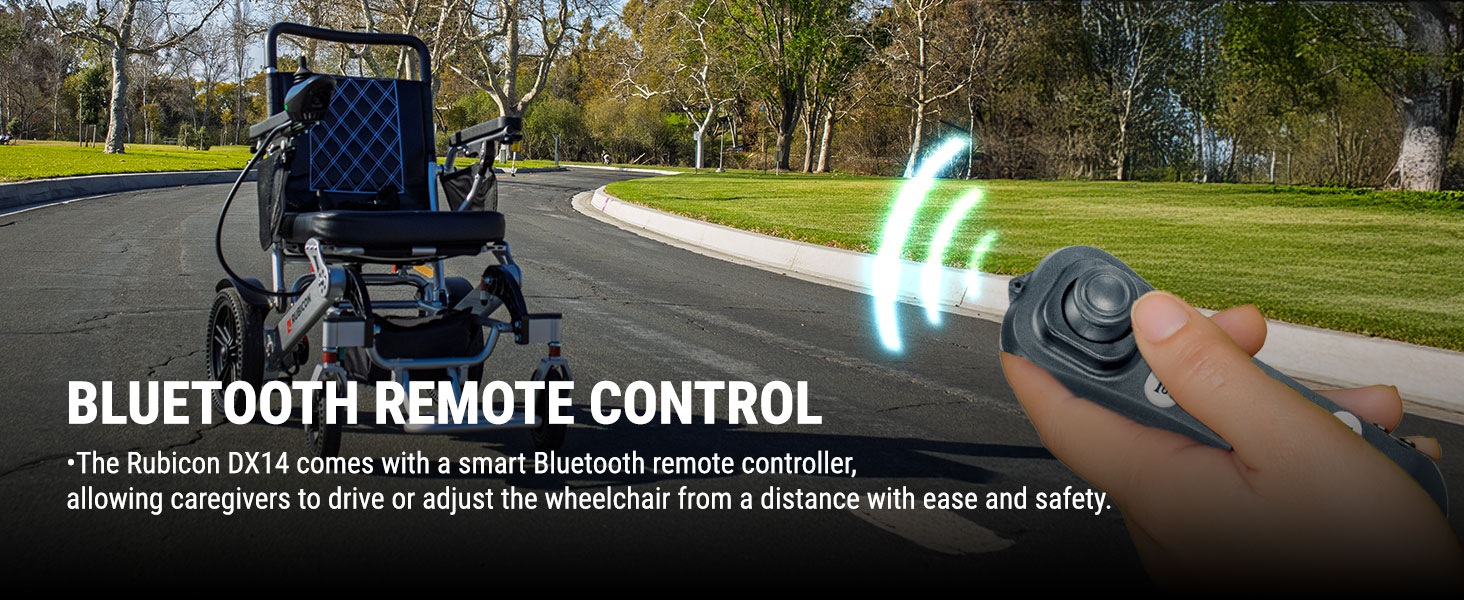
Image: The Rubicon DX14 electric wheelchair being controlled by a Bluetooth remote, illustrating its remote operation capability.
4.5 All-Terrain Driving
The DX14 is designed for various terrains. Exercise caution and reduce speed when navigating uneven surfaces like grass, mud, or bumpy roads. Avoid excessively soft or slippery surfaces.

Image: A person operating the Rubicon DX14 electric wheelchair on a paved path surrounded by grass, demonstrating its all-terrain capability.
5. Maintenance
5.1 Cleaning
Wipe down the frame and seat with a damp cloth. Do not use abrasive cleaners or immerse electrical components in water. The high-density foam seat cushion is removable for easy cleaning.
5.2 Battery Care
Charge the battery regularly, even if the wheelchair is not in frequent use, to maintain battery health. Avoid fully discharging the battery. Store batteries in a cool, dry place.
5.3 General Inspection
Periodically check all nuts, bolts, and connections for tightness. Inspect tires for wear and proper inflation (if applicable). Ensure the electromagnetic brakes are functioning correctly.
6. Troubleshooting
If you encounter issues with your Rubicon DX14, refer to the following common problems and solutions:
| Problem | Possible Cause | Solution |
|---|---|---|
| Wheelchair does not power on. | Battery discharged or not connected. | Charge the battery. Ensure battery is properly seated and connected. |
| Wheelchair moves slowly or erratically. | Low battery, joystick malfunction, or motor issue. | Charge battery. Check joystick connection. Contact support if issue persists. |
| Brakes not engaging properly. | Electromagnetic brake malfunction. | Immediately cease use and contact customer support. |
For issues not listed here or if solutions do not resolve the problem, please contact Rubicon customer support.
7. Specifications
| Feature | Detail |
|---|---|
| Model | DX14 Model16 |
| Seat Depth | 16 inches |
| Turn Radius | 32 Inches (Note: Product description states 32 inches, specifications list 22 inches. Using 32 inches as it's more prominent in features.) |
| Brake Style | Electromagnetic |
| Wheel Type | Solid |
| Material Type | Aluminum, Polyurethane |
| Frame Material | Aircraft-grade Aluminum Alloy |
| Motor Power | 2 x 300W (Total 600W) |
| Battery Type | Dual 12AH Lithium Batteries |
| Max Range | Up to 30 miles |
| Weight Capacity | 330 lbs |
| Wheelchair Weight | 64 lbs |
| Folded Height | 13 inches |
8. Warranty and Support
8.1 Warranty Information
The Rubicon DX14 comes with the following warranty:
- Frame: 1 Year
- Motor and Joystick Controller: 1 Year
- Battery: 6 Months
Please retain your proof of purchase for warranty claims.
8.2 Customer Support
Rubicon is a US-based company headquartered in California, providing Gold Standard Customer Support. For assistance, technical support, or warranty inquiries, please contact the seller, Fashion Horton, through your Amazon order details or visit the Rubicon store page for contact information.
Seller: Fashion Horton
Rubicon Store: Visit the Rubicon Store on Amazon