
Product Overview
The AIPER Scuba X1 robotic pool cleaner and Surfer S2 robotic pool skimmer are designed to work in tandem, providing a complete and automated pool cleaning experience. The Scuba X1 focuses on the submerged areas, including the floor, walls, and waterline, while the Surfer S2 efficiently removes debris from the water's surface before it can sink.
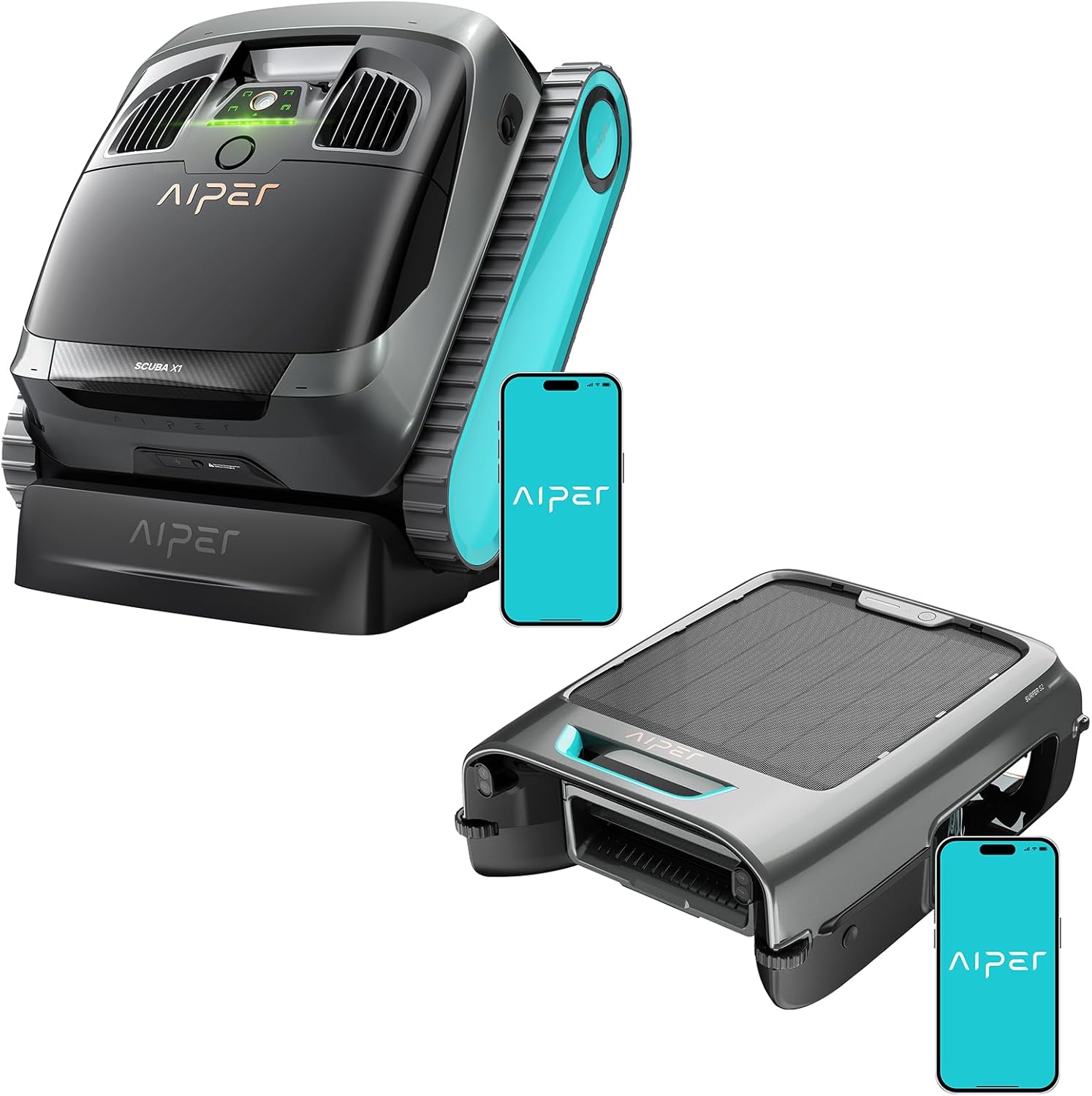
The AIPER Scuba X1 (left) and Surfer S2 (right) units, designed for comprehensive pool care.
Setup
Unboxing and Initial Placement
Carefully remove both the Scuba X1 and Surfer S2 units from their packaging. Ensure all components are present before proceeding. Place the Scuba X1 into the pool, allowing it to sink to the bottom. The Surfer S2 should be placed on the water's surface.
Video demonstrating the unboxing and initial setup of the pool cleaning robots.
App Connection
Download the AIPER App from your device's app store. Follow the on-screen instructions to connect both your Scuba X1 and Surfer S2 units to the app. This will enable seamless control, scheduling, and firmware updates for optimal performance.
Operating Instructions
Scuba X1 Cleaning Modes
The Scuba X1 offers multiple cleaning modes accessible via the unit's controls or the AIPER App:
- Floor Cleaning: Focuses on cleaning the pool floor.
- Wall Cleaning: Utilizes WavePath 3.0 technology to scrub pool walls.
- Waterline Cleaning: Provides precision cleaning along the pool's waterline.
- Standard Mode: A comprehensive cleaning cycle for general maintenance.
- Periodic Mode (App Only): Allows for automated, scheduled cleaning sessions.

The Scuba X1's dual-jet suction provides powerful cleaning performance.

The Scuba X1 performing precision waterline scrubbing.
Surfer S2 Skimming Function
The Surfer S2 operates on the water's surface, continuously skimming debris. Powered by SolarSeeker technology, it recharges using solar energy, providing up to 35+ hours of operation. The unit automatically extends along pool edges for 10 minutes after each cycle to ensure thorough surface cleaning.

The Surfer S2 utilizes solar power for continuous surface skimming.
Official product video showcasing the comprehensive pool care system.
Maintenance
Filter Cleaning
Regular cleaning of the filters is crucial for optimal performance. The Scuba X1 features Multi-Layer MicroMesh Filtration, capturing particles as small as 3µm. The Surfer S2 has a DebrisGuard Anti-Leakage system to prevent debris escape.
Video demonstrating the filter cleaning process for the pool robot.

The Scuba X1's smart filter selection allows for different filtration needs.
Chlorine Dispenser (Surfer S2)
The Surfer S2 includes a built-in chlorine dispenser. Place chlorine tablets (up to 3" diameter x 1" thick) into the dispenser. Adjust the flow rate to control chlorine levels in your pool.

The Surfer S2 features a convenient chlorine dispenser for pool sanitation.
Troubleshooting
If you encounter issues with your AIPER pool care system, consider the following common troubleshooting steps:
- Poor Cleaning Performance: Check and clean the filters. Ensure the units are fully charged. Verify there are no obstructions in the pool preventing proper navigation.
- Unit Not Moving: Confirm the unit is powered on and fully charged. Check for any debris caught in the brushes or propellers.
- App Connectivity Issues: Ensure your device's Bluetooth/Wi-Fi is enabled and the units are within range. Restart the app and the units if necessary. Check for available firmware updates in the app.
- Battery Life Shorter Than Expected: Ensure the solar panel on the Surfer S2 is clean and receiving direct sunlight. For the Scuba X1, ensure it is fully charged before each use.
Specifications
| Feature | Detail |
|---|---|
| Brand | AIPER |
| Model Name | T1 with S2 |
| Power Source | Battery Powered |
| Control Method | App |
| Product Dimensions | 19.2"L x 16.5"W x 9.6"H |
| Item Weight | 39.7 pounds |
| Battery Weight | 1152 Grams |
| Lithium Battery Energy Content | 168.48 Watt Hours |
| Material | Polypropylene |
Warranty & Support
The AIPER Scuba X1 and Surfer S2 come with a limited warranty. For specific details regarding the warranty duration and coverage, please refer to the documentation included with your product or contact AIPER customer support directly. The standard return policy allows for returns within 30 days.
For further assistance, troubleshooting, or product inquiries, please visit the official AIPER Store or contact their customer service team. Firmware updates and additional support resources are also available through the AIPER App.