
Introduction
This manual provides detailed instructions for the MOERTEK 2K Webcam (Model MO1). It covers setup, operation, maintenance, troubleshooting, and product specifications to ensure optimal performance and user experience.
Key Features
- 2K 30FPS Video: Equipped with a QHD 2K camera and a 90° wide-angle lens, this webcam delivers clear images and smooth video at 30 frames per second. Ideal for gaming, video calls, online meetings, live streaming, and recording.
- Automatic Light Correction: Adjusts brightness based on current lighting conditions for optimal optical effects regardless of the lighting situation.
- Noise Reduction Microphone: Features an advanced noise-canceling microphone with 3-meter voice pickup, ensuring your voice is clearly heard even in noisy environments, making it ideal for meetings, live streaming, and professional video calls.
- Privacy Cover: Integrated cover slides over the lens to ensure privacy when the webcam is not in use.
- USB Plug and Play: Simple plug-and-play design for user convenience, allowing immediate high-quality video capture without additional driver installation.
- Includes Tripod: Comes with a mini tripod for flexible placement options.
- Wide Compatibility: Compatible with various operating systems (Windows, macOS, Linux) and popular applications like Skype, Zoom, Google Meet, and Teams.
Setup Instructions
Package Contents
- MOERTEK 2K Webcam (Model MO1)
- Mini Tripod
- User Manual
Connecting the Webcam
Step 1: Place the Webcam
Position the webcam on top of your monitor, laptop screen, or mount it on the included mini tripod. The flexible clip allows for secure attachment to various surfaces.
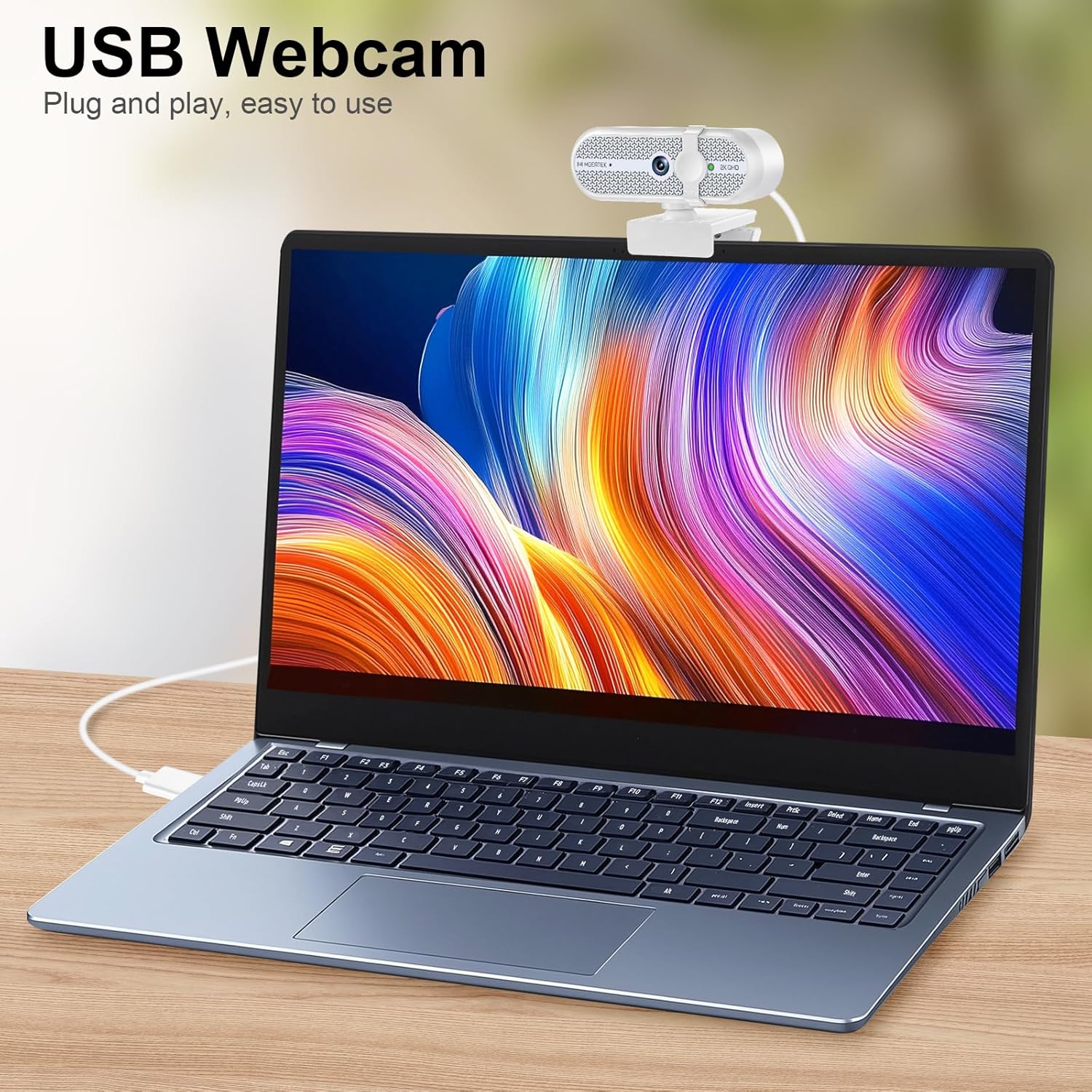
Image: MOERTEK 2K Webcam connected to a laptop via USB, demonstrating its plug-and-play functionality.
Step 2: Connect to Your Computer
Plug the USB cable from the webcam into an available USB port on your computer (PC, Laptop, Mac). The webcam is plug-and-play and typically does not require additional driver installation.
Step 3: Verify Connection
Once connected, your computer should automatically detect the webcam. You can verify this in your operating system's device manager or camera settings.
Initial Setup (Software)
Most video conferencing applications (e.g., Skype, Zoom, Google Meet, Teams) will automatically detect the MOERTEK 2K Webcam. You may need to select it as your preferred camera and microphone in the application's audio/video settings.
Operating Instructions
Video Calls and Recording
Open your desired video conferencing or recording software. Select "MOERTEK 2K Webcam" as your video input device and its integrated microphone as your audio input device.
Automatic Light Correction
The webcam features automatic light correction. It will adjust the brightness and contrast to ensure you are well-lit, even in varying lighting conditions.

Image: The webcam automatically adjusts to provide clear video in various lighting conditions.
Using the Privacy Cover
To ensure privacy when the webcam is not in use, slide the integrated privacy cover over the lens. This physically blocks the camera view.

Image: The privacy cover slides to block the camera lens when not in use.
Adjusting the Field of View
The webcam offers a 90° wide field of view, suitable for individual use or small group discussions. No manual adjustment is needed for the field of view.

Image: The 90-degree field of view captures a broad perspective.
Maintenance
Cleaning the Lens
Gently wipe the lens with a soft, lint-free cloth. Avoid using harsh chemicals or abrasive materials that could scratch the lens.
Storage
When not in use, store the webcam in a clean, dry place. Use the privacy cover to protect the lens from dust and scratches.
Troubleshooting
Webcam Not Detected
- Ensure the USB cable is securely plugged into both the webcam and your computer.
- Try plugging the webcam into a different USB port on your computer.
- Restart your computer.
- Check your operating system's device manager (Windows) or System Information (Mac) to see if the webcam is listed.
Poor Video Quality
- Ensure there is adequate lighting in your environment. While the webcam has auto light correction, sufficient ambient light improves overall quality.
- Clean the webcam lens with a soft cloth.
- Check your internet connection speed, as a slow connection can affect video streaming quality.
- Ensure your video conferencing software is updated to the latest version.
No Audio from Microphone
- Ensure the MOERTEK 2K Webcam's microphone is selected as the input device in your computer's sound settings and your video conferencing application.
- Check that the microphone is not muted in your system settings or application.
Webcam Freezes or Crashes
- Unplug the webcam and plug it back in.
- Restart the application using the webcam.
- Restart your computer.
Product Specifications
| Feature | Detail |
|---|---|
| Brand | MOERTEK |
| Model Number | MO1 |
| Video Capture Resolution | 2K (QHD) |
| Image Sensor | 1/3-inch CMOS |
| Image Capture Speed | 30 fps |
| Field of View | 90 degrees |
| Connectivity | USB (Plug and Play) |
| Microphone | Built-in, Noise Reduction, 3-meter voice pickup |
| Special Features | Automatic Light Correction, Privacy Cover, Tripod Included |
| Compatible Operating Systems | Windows, macOS, Linux |
| Product Weight | 0.19 kg |
| Color | White |
| Max Aperture | f/2.2 |
| Max Focal Length | 3 mm |
| Min Focal Length | 1 mm |
| Lens Type | Wide Angle |
| Focus Function | Autofocus |
| Aspect Ratio | 16:9 |
| Supported Image Format | JPEG |
| White Balance | Auto |
| File Format | M-JPEG |
| Image Stabilization | Yes |
| Waterproof | No |
| Recommended Use | Indoor |
Warranty and Support
Warranty Information
The MOERTEK 2K Webcam (Model MO1) comes with a 1-year limited warranty from the date of purchase. This warranty covers manufacturing defects and malfunctions under normal use. It does not cover damage caused by misuse, accidents, unauthorized modifications, or external factors.
Customer Support
For technical assistance, troubleshooting, or warranty claims, please contact MOERTEK customer support through the retailer where the product was purchased or visit the official MOERTEK website for contact information. Please have your product model number (MO1) and proof of purchase ready when contacting support.
Product Videos
MOERTEK 2K Webcam Features Overview
This video provides a comprehensive overview of the MOERTEK 2K Webcam, highlighting its 2K resolution, wide-angle lens, built-in microphone, automatic light correction, and plug-and-play functionality. It demonstrates the webcam's ease of use and suitability for various applications like video calls and live streaming.