
Introduction
Thank you for choosing the TIMU X1 Bluetooth 5.3 Wireless Earbuds. This manual provides detailed instructions for setting up, operating, and maintaining your earbuds to ensure optimal performance and longevity. Please read this manual thoroughly before use and retain it for future reference.
The TIMU X1 earbuds feature advanced Bluetooth 5.3 technology, an LED display charging case, IP7 waterproof rating, and intuitive touch controls, designed for a superior audio experience during sports, music listening, gaming, and professional use.
Safety Information
- Do not disassemble or modify the product. This may cause malfunction or electric shock.
- Keep the earbuds and charging case away from extreme temperatures, direct sunlight, and open flames.
- Avoid prolonged exposure to high volume levels to prevent hearing damage.
- Do not use the earbuds in situations where inability to hear ambient sounds could be dangerous (e.g., driving, cycling, walking in traffic).
- Clean the earbuds and charging case with a soft, dry cloth. Do not use harsh chemicals or abrasive materials.
- Dispose of the product and its battery responsibly according to local regulations.
Package Contents
Please check the package for the following items:
- TIMU X1 Wireless Earbuds (Left and Right)
- Charging Case with LED Display
- USB Charging Cable
- User Manual
- Ear Tips (S/M/L sizes)
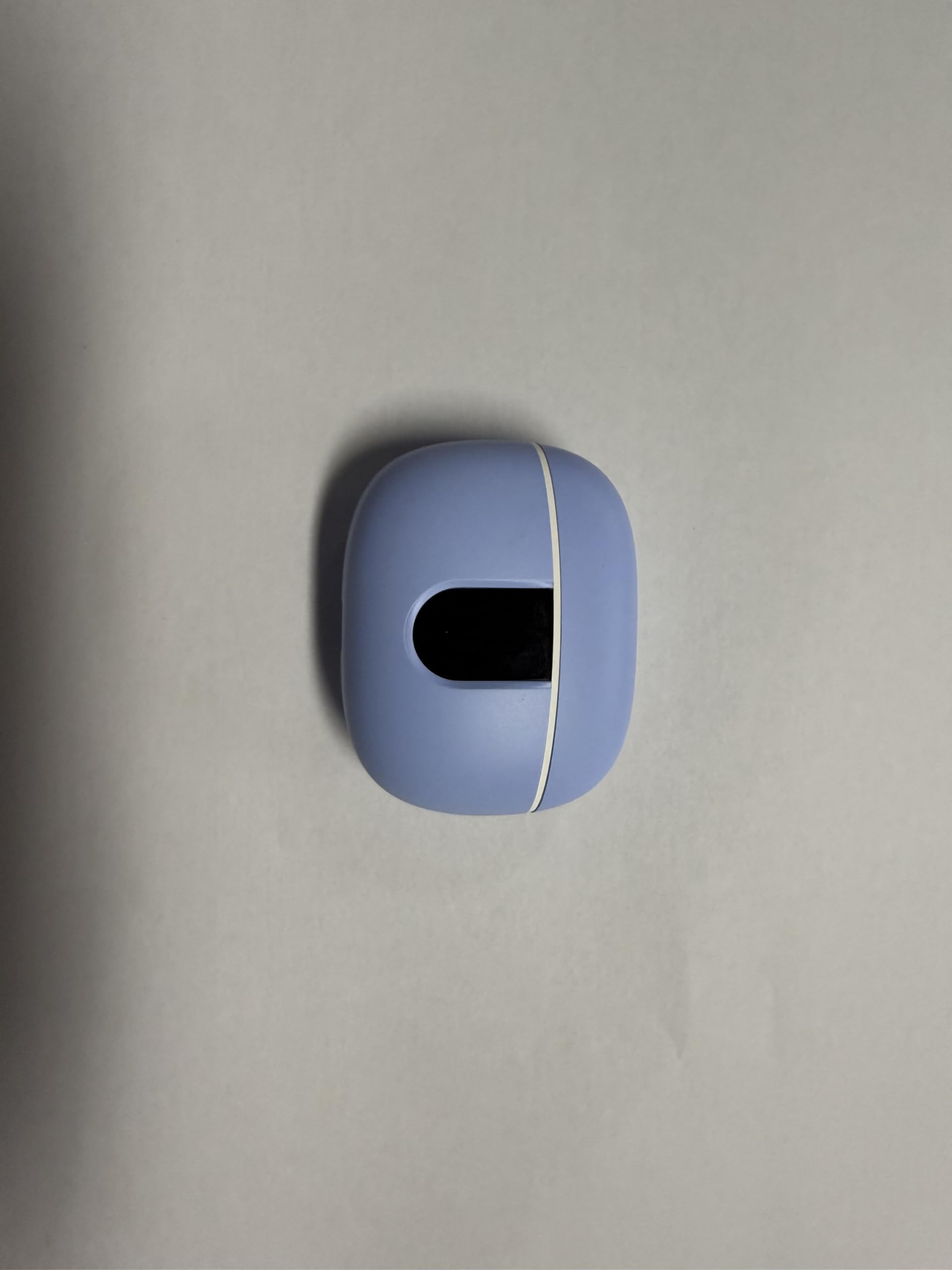
Image: The TIMU X1 wireless earbuds, charging case, and included accessories. This image illustrates all components typically found in the product packaging.
Product Overview
Earbud Diagram
Image: A close-up view of a single TIMU X1 earbud, highlighting its main components such as the touch control area, microphone, and ear tip.
- Touch Control Area
- LED Indicator Light
- Microphone
- Ear Tip
- Charging Contacts
Charging Case Diagram
Image: The TIMU X1 charging case, showing the LED display, charging port, and earbud slots.
- LED Digital Display (Battery Level)
- Earbud Charging Slots
- USB-C Charging Port
Setup
1. Charging the Earbuds and Case
Before first use, fully charge both the earbuds and the charging case.
- Charging the Case: Connect the provided USB charging cable to the charging port on the case and to a USB power adapter (not included) or computer USB port. The LED display on the case will show the battery percentage.
- Charging the Earbuds: Place the earbuds into their respective slots in the charging case. Ensure the charging contacts align. The earbuds will automatically begin charging. The LED display on the case will show charging status for each earbud.
- When fully charged, the LED display will indicate 100% for the case, and the earbud indicators will turn off or show full charge.
Image: The TIMU X1 charging case connected to a USB cable, with earbuds inside, illustrating the charging process and LED display.
2. Pairing with Your Device
The earbuds will automatically enter pairing mode when taken out of the charging case.
- Open the charging case and remove both earbuds. They will automatically power on and attempt to pair with each other.
- On your device (smartphone, tablet, laptop, etc.), go to the Bluetooth settings.
- Enable Bluetooth and search for available devices.
- Select "TIMU X1" from the list of found devices.
- Once connected, you will hear a confirmation tone, and the earbuds will be ready for use.
Note: The earbuds will automatically reconnect to the last paired device when removed from the case, if Bluetooth is enabled on the device.
Image: A smartphone screen displaying Bluetooth settings with "TIMU X1" selected for pairing, alongside the earbuds.
Operating Instructions
Power On/Off
- Power On: Remove the earbuds from the charging case. They will power on automatically. Alternatively, press and hold the touch control area on both earbuds for 3 seconds.
- Power Off: Place the earbuds back into the charging case. They will power off automatically. Alternatively, disconnect Bluetooth and they will power off after 5 minutes, or press and hold the touch control area on both earbuds for 5 seconds.
Wearing the Earbuds
Choose the ear tips that provide the best fit and seal for optimal sound quality and comfort. Gently insert the earbuds into your ear canal and rotate them slightly until they feel secure and comfortable.
Image: A person demonstrating the correct way to wear the TIMU X1 earbuds for a secure and comfortable fit.
Touch Controls
The TIMU X1 earbuds feature intuitive touch controls on each earbud. The functions may vary slightly depending on your device and application.
| Action | Left Earbud (L) | Right Earbud (R) |
|---|---|---|
| Play/Pause | Single Tap | Single Tap |
| Next Track | Double Tap | Double Tap |
| Previous Track | Triple Tap | Triple Tap |
| Volume Up | Press and Hold | N/A |
| Volume Down | N/A | Press and Hold |
| Answer/End Call | Single Tap | Single Tap |
| Reject Call | Press and Hold for 2s | Press and Hold for 2s |
| Activate Voice Assistant | Quadruple Tap | Quadruple Tap |
Maintenance
Cleaning
- Regularly clean the earbuds, especially the ear tips and charging contacts, with a soft, dry, lint-free cloth.
- Do not use alcohol, cleaning sprays, or abrasive cleaners.
- Ensure no moisture enters the earbud nozzles or charging port.
Storage
- When not in use, always store the earbuds in their charging case to protect them and keep them charged.
- Store the charging case in a cool, dry place, away from extreme temperatures.
Water Resistance (IP7)
The TIMU X1 earbuds are IP7 waterproof, meaning they can withstand immersion in water up to 1 meter for 30 minutes. This makes them suitable for sports and protection against sweat and rain.
- Do not intentionally submerge the earbuds for extended periods or in depths greater than specified.
- The charging case is NOT waterproof. Do not expose the charging case to water or moisture.
- Ensure earbuds are completely dry before placing them back into the charging case to prevent damage.
Troubleshooting
If you encounter any issues with your TIMU X1 earbuds, please refer to the following common solutions:
- Earbuds not pairing with each other: Place both earbuds back into the charging case, close the lid for 5 seconds, then remove them again. They should automatically pair.
- Earbuds not connecting to device:
- Ensure Bluetooth is enabled on your device.
- Forget "TIMU X1" from your device's Bluetooth list and try pairing again.
- Ensure earbuds are charged.
- No sound from one earbud:
- Ensure both earbuds are charged.
- Place both earbuds back in the case, close, then reopen to reset the connection.
- Charging case not charging:
- Check the USB cable and power adapter for damage.
- Ensure the charging cable is securely connected to both the case and the power source.
- Touch controls not responding:
- Ensure your fingers are clean and dry.
- Try restarting the earbuds by placing them in the case and taking them out again.
If the issue persists, please contact TIMU customer support for further assistance.
Specifications
| Model Name | X1 |
| Bluetooth Version | 5.3 |
| Connectivity Technology | Wireless (Bluetooth) |
| Water Resistance Level | IP7 Waterproof |
| Control Method | Touch |
| Earpiece Shape | In Ear |
| Material | Plastic, Silicone |
| Compatible Devices | Laptops, Desktops, Tablets, Telephones, Smart Speakers, Televisions, Motorcycles, Car Audio Systems, Cellphones |
| Special Features | Waterproof, LED Display Charging Case, Touch Control |
| Manufacturer | TIMU |
Warranty and Support
TIMU products are designed for reliability and performance. This product is covered by a standard manufacturer's warranty against defects in materials and workmanship from the date of purchase. Please refer to the warranty card included in your package for specific terms and conditions.
For technical support, warranty claims, or any questions regarding your TIMU X1 earbuds, please contact our customer service team through the retailer where you purchased the product or visit the official TIMU website for contact information.
Website: TIMU Official Store on Amazon