1. Introduction
Thank you for choosing the TIDRADIO HM060 Speaker Microphone. This accessory is designed to enhance your two-way radio communication experience by providing clear audio transmission and reception in various environments. Please read this manual carefully to ensure proper usage and optimal performance.
2. Product Overview
The TIDRADIO HM060 Speaker Microphone features a high-performance micro speaker, a noise-cancellation microphone, and an anti-interference circuit design. These features ensure clear sound transmission and reception, even in noisy surroundings. It includes a 360° rotatable stainless steel clip for convenient attachment to clothing or gear.

Image: TIDRADIO HM060 Speaker Microphone with callouts for loud and clear sound, durable and rugged shell, and sturdy and flexible cable.

Image: A hand holding the TIDRADIO HM060 Speaker Microphone, emphasizing its high quality and brighter sound output.
3. Compatibility
This speaker microphone is designed for two-way radios equipped with a Kenwood 2-pin port. This port typically consists of two audio jacks: one 2.5mm pin and one 3.5mm pin.
3.1. Compatibility Check
To confirm compatibility with your radio, please follow these steps:
- Verify that your radio has two jacks on its accessories port.
- Confirm that your radio is from one of the following compatible brands: BAOFENG, TIDRADIO, Retevis, Pxton, BTECH, Kenwood, Samcom, TYT, Radioddity, Arcshell.
If your radio meets both of these criteria, the HM060 speaker microphone is compatible.
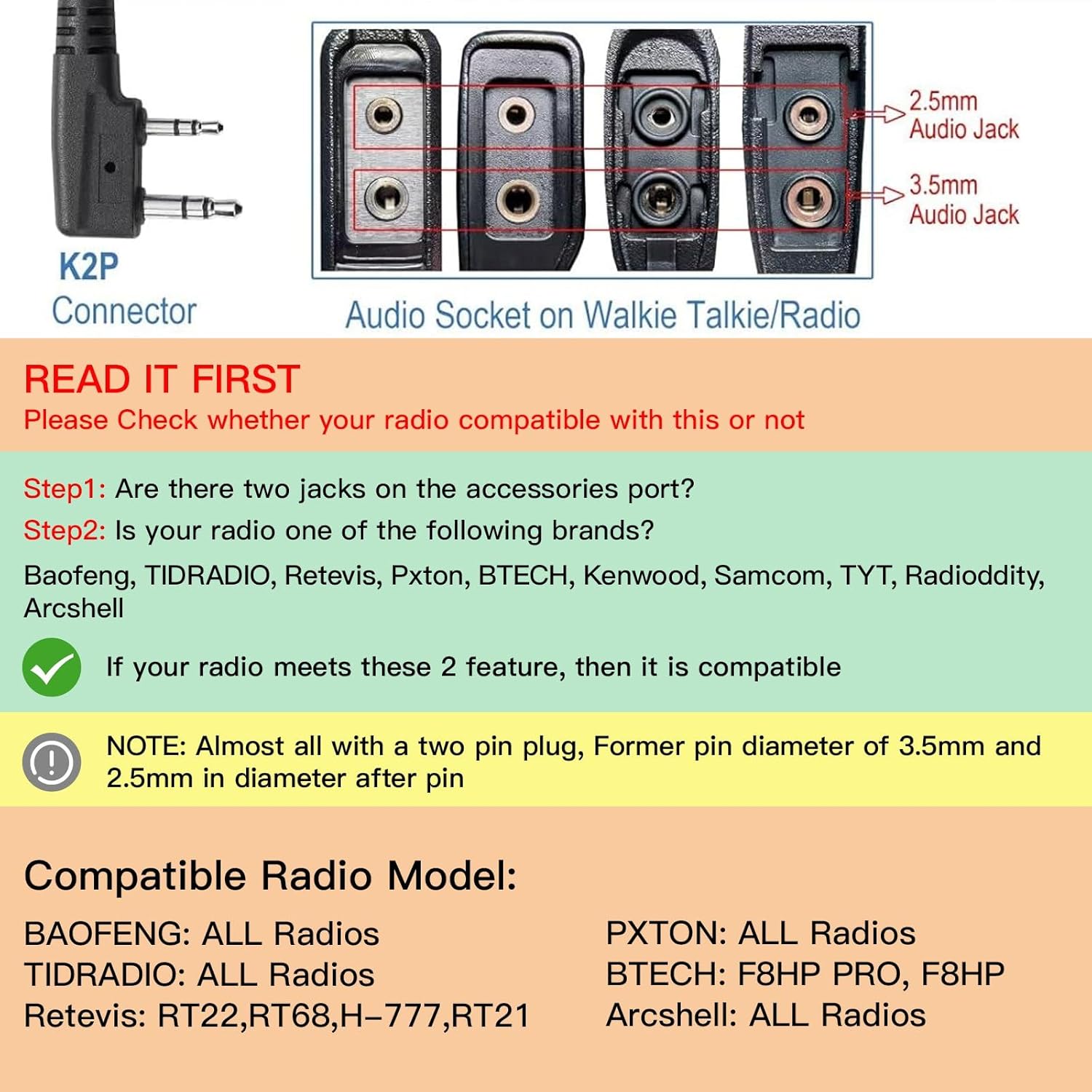
Image: Diagram showing the K2P connector (2.5mm and 3.5mm pins) and various audio socket configurations on walkie-talkies, illustrating the required Kenwood 2-pin setup.
3.2. Compatible Radio Models
The HM060 is compatible with a wide range of radios, including but not limited to:
- BAOFENG: UV-5R Series (UV-5R Mini, UV-5R, 5RM, 5RH PRO, UV-5G Plus, UV-5RA, UV-5R+, UV-5RE), BF-F8HP, BF-F8HP Pro, DM-32, UV-32, BF-480, BF-490, BF-320, BF-V6, BF-520, BF-530, BF-999, BF-888, BF-777, BF-666S, BF-777S, BF-888S, AR-152, UV-82, UV-21R, UV-K5, K6.
- TIDRADIO: TD-V2, TD-M8, TD-M8s, TD-777S, TD-H3, TD-H3 Plus, TD-H5, TD-H6, TD-H8, TD-M2, TD-M11.
- Retevis: H-777, RT21, RT22, RT22S, RT68, RT-5R, RT-5RV, RT1, RT2, RT5, RT7, RT23, RT26, RT27.
- Other Brands: Pxton (all radios with Kenwood port), BTECH (F8HP PRO, F8HP), Arcshell (all radios with Kenwood port), GMRS Radios with Kenwood port.
4. Setup
Follow these steps to connect and prepare your HM060 Speaker Microphone for use:
- Connect to Radio: Locate the 2-pin accessory port on your compatible two-way radio. Align the 2.5mm and 3.5mm pins of the HM060 speaker microphone connector with the corresponding jacks on your radio. Gently push the connector firmly into the radio's port until it is securely seated.
- Secure the Clip: Use the 360° rotatable stainless steel clip on the back of the speaker microphone to attach it to your collar, shoulder strap, or other convenient location. Ensure the microphone is positioned to pick up your voice clearly.
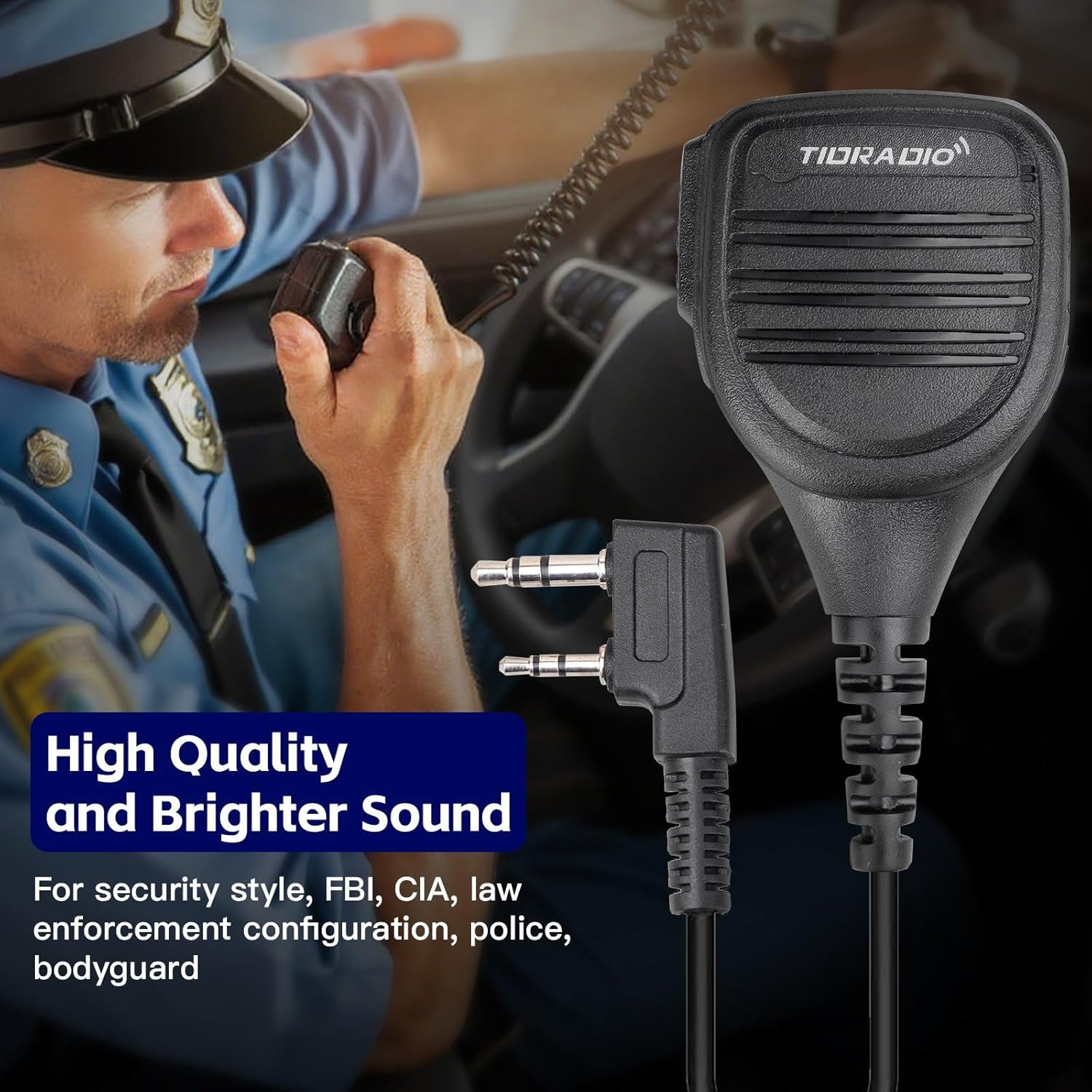
Image: The TIDRADIO HM060 Speaker Microphone connected to a two-way radio, demonstrating proper attachment.
5. Operating Instructions
Once connected, the HM060 speaker microphone functions as an external speaker and microphone for your radio.
- Receiving Audio: When your radio receives a transmission, the audio will be output through the speaker on the HM060. Adjust your radio's volume control to set the desired listening level.
- Transmitting Audio (PTT): To transmit, press and hold the Push-to-Talk (PTT) button located on the side of the speaker microphone. Speak clearly into the microphone. Release the PTT button when you have finished speaking to return to receive mode.
- Using the Headphone Jack: The speaker microphone features a 3.5mm headphone jack. You can connect an external earphone (not included) to this jack for private listening. When an earphone is connected, audio will be routed to the earphone instead of the speaker.
6. Maintenance
To ensure the longevity and optimal performance of your speaker microphone, follow these maintenance guidelines:
- Cleaning: Wipe the exterior of the speaker microphone with a soft, damp cloth. Do not use harsh chemicals or abrasive cleaners.
- Storage: Store the device in a cool, dry place away from direct sunlight and extreme temperatures when not in use.
- Cable Care: Avoid sharp bends or excessive pulling on the cable to prevent internal damage.
- Connector Care: Keep the connector pins clean and free of debris to ensure a reliable connection.
7. Troubleshooting
If you encounter issues with your HM060 Speaker Microphone, refer to the following common problems and solutions:
- No Audio from Speaker:
- Ensure the speaker microphone is fully and correctly plugged into the radio's accessory port.
- Check the radio's volume level.
- If an earphone is connected to the 3.5mm jack, disconnect it to route audio back to the speaker.
- Verify radio compatibility (see Section 3).
- Unclear or Distorted Audio:
- Ensure the microphone is positioned correctly and not obstructed.
- Check for any damage to the cable or connector.
- Adjust the radio's squelch level if applicable.
- PTT Button Not Functioning:
- Ensure the speaker microphone is securely connected to the radio.
- Test with another compatible radio if available to rule out a radio issue.
8. Specifications
| Model | HM060 |
| Connector Type | Kenwood 2-Pin (2.5mm and 3.5mm jacks) |
| Special Feature | 3.5mm headphone jack, 360° rotatable clip |
| Impedance | 50 Ohms |
| Item Weight | 5.3 ounces |
| Package Dimensions | 5.55 x 2.87 x 2.8 inches |
| Included Components | 1 X TD-HM060 Speaker Mic |
9. Warranty and Support
9.1. Warranty Information
The TIDRADIO HM060 Speaker Microphone comes with a 1-month exchange or refund policy with no reason required. Please retain your proof of purchase for warranty claims.
9.2. Customer Support
For any questions, technical assistance, or warranty claims, please contact TIDRADIO customer support through the retailer where you purchased the product or visit the official TIDRADIO website for contact information.


