Introduction
The ASUS TUF Gaming VG249QM5A is a 23.8-inch Full HD monitor designed for an enhanced gaming experience. It incorporates a 240Hz refresh rate and 0.3ms response time, alongside AMD FreeSync™ Premium and NVIDIA® G-SYNC® compatibility for smooth visuals. This monitor offers improved color performance, Gaming AI features, and convenient control via the DisplayWidget Center.
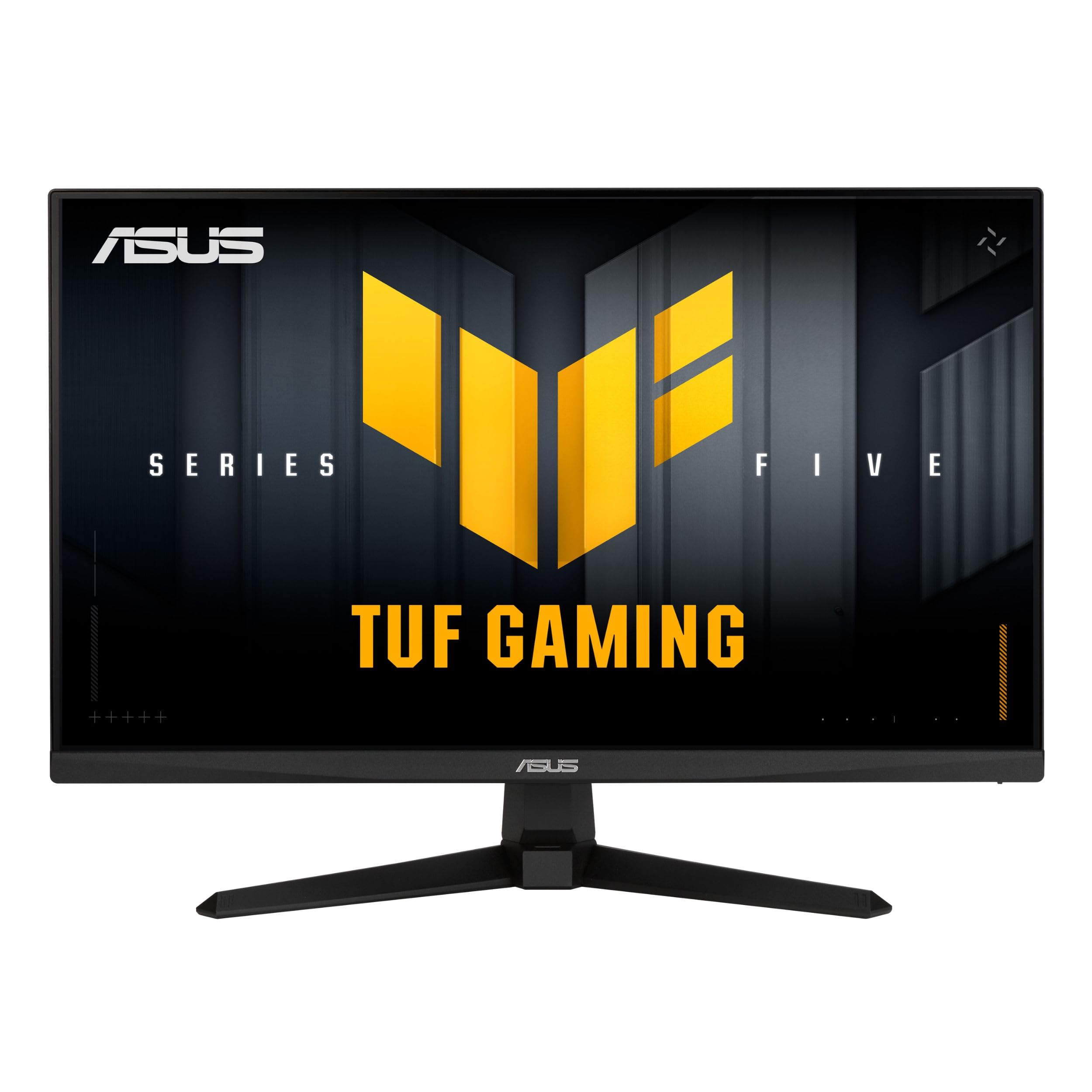
Image: Front view of the ASUS TUF Gaming VG249QM5A monitor.
What's in the Box
Verify that all the following items are present in your product packaging:
- ASUS TUF Gaming VG249QM5A Monitor
- DisplayPort cable
- L-shaped Screwdriver
- Power cord
- Quick start guide
- Warranty Card
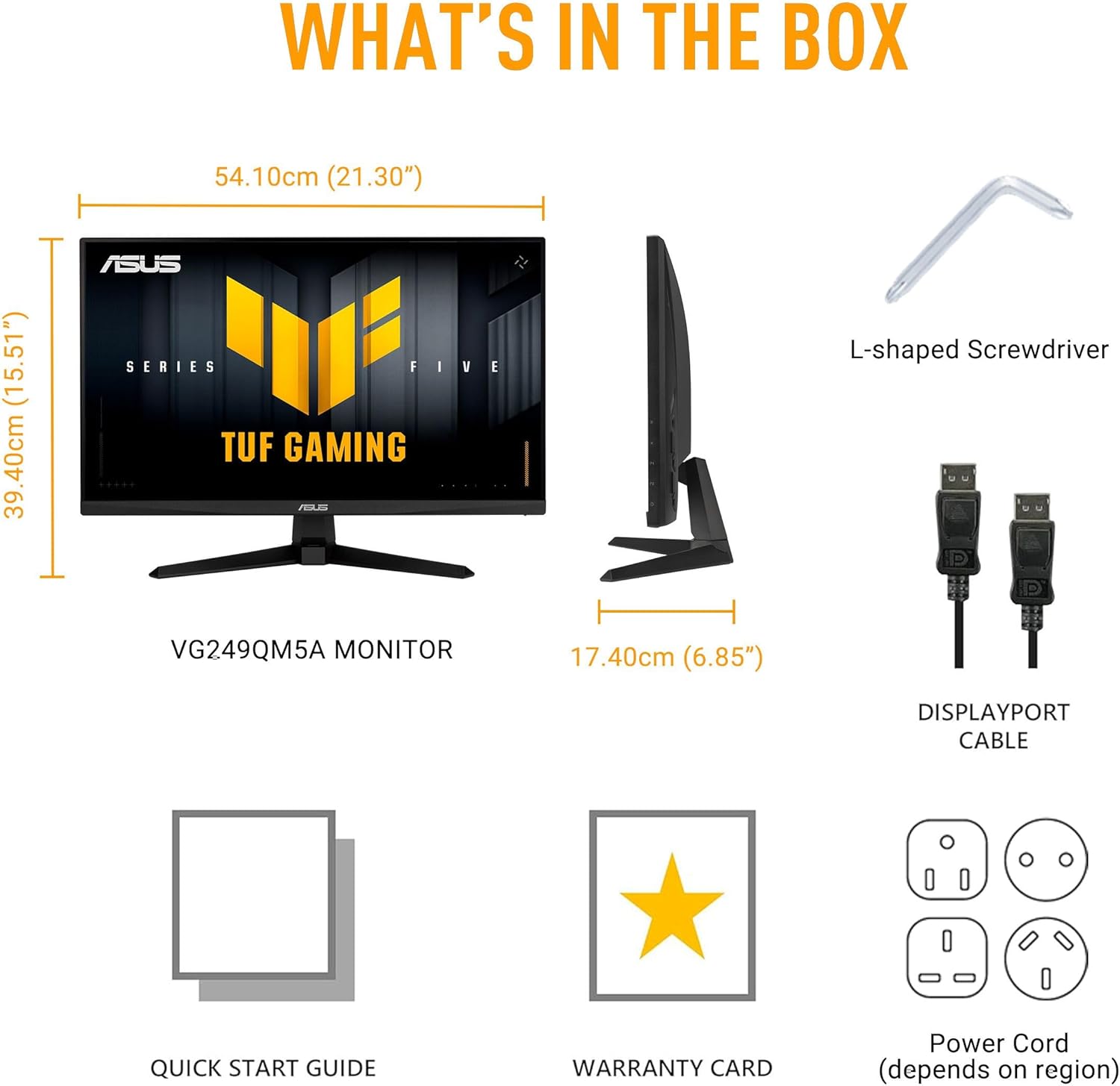
Image: Diagram showing the monitor, DisplayPort cable, L-shaped screwdriver, power cord, quick start guide, and warranty card included in the box.
Setup
1. Monitor Assembly
Carefully remove the monitor and its components from the packaging. Attach the stand base to the stand neck, then secure the assembled stand to the back of the monitor panel. Ensure all connections are firm.
2. Connecting Cables
Connect the necessary cables to the monitor and your computer:
- Power Cord: Connect one end of the power cord to the monitor's power input and the other end to a power outlet.
- DisplayPort Cable: For optimal performance, connect the included DisplayPort cable from your computer's graphics card to the DisplayPort input on the monitor.
- HDMI Cables: Alternatively, you can use HDMI cables to connect to the monitor's HDMI 2.0 ports.
- Earphone Jack: Connect your headphones or external speakers to the earphone jack for audio output.

Image: The monitor connected to a desktop computer with various cables.

Image: Close-up view of the monitor's rear ports, including two HDMI 2.0 ports, one DisplayPort, and an earphone jack.
Operating the Monitor
Key Performance Features
- Fast IPS Panel: Experience vibrant colors and wide viewing angles.
- 240Hz Refresh Rate: Provides extremely fluid visuals for fast-paced gaming.
- 0.3ms Response Time (min): Minimizes motion blur and ghosting for sharp images.
- G-SYNC Compatible & FreeSync Premium: Ensures tear-free and stutter-free gameplay by synchronizing the monitor's refresh rate with your GPU's frame rate.
- Extreme Low Motion Blur Sync (ELMB SYNC): Enables ELMB simultaneously with variable refresh rate technologies, further reducing ghosting and tearing.
- 99% sRGB Color Gamut: Delivers accurate and rich color reproduction.

Image: Infographic highlighting key upgrades including speed (0.3ms, 240Hz), fluidity (FreeSync Premium, G-SYNC, ELMB SYNC), Gaming AI, colors (99% sRGB), and simplicity (DisplayWidget Center).

Image: The monitor showcasing a high-speed gaming scene, emphasizing its fast IPS, Full HD, 0.3ms, and 240Hz capabilities.

Image: A visual comparison demonstrating improved game fluidity with Variable Refresh Rate (VRR) enabled, highlighting G-SYNC, FreeSync Premium, and ELMB SYNC.
Gaming AI Technology
The monitor includes TUF Gaming A.I. technology with AI-powered features to enhance your gaming experience:
- Dynamic Crosshair: Provides an on-screen crosshair for improved aiming accuracy.
- AI Visual: Optimizes visual settings based on game content.

Image: Demonstrations of Dynamic Crosshair (before and after) and AI Visual (before and after) features in gaming scenarios.
DisplayWidget Center
The DisplayWidget Center software allows for easy access to On-Screen Display (OSD) settings and monitor adjustments using your mouse. This provides a user-friendly interface for customizing various display parameters, managing firmware updates, and controlling multi-screen setups.

Image: A screenshot of the DisplayWidget Center interface, showing options for customizable settings, firmware update notifications, and multiscreen control.
Eye Care Features and Ergonomic Design
This monitor incorporates features designed to reduce eye strain during extended use and offers flexible positioning options:
- Anti-glare Screen: Reduces reflections from ambient light, improving visibility.
- Blue Light Filter: Adjustable levels to reduce harmful blue light emissions.
- Flicker-Free Technology: Eliminates screen flickering to minimize eye fatigue.
- Ergonomic Design: The stand allows for tilt, swivel, pivot, and height adjustments to achieve a comfortable viewing position.
Video: An official ASUS video demonstrating the eye care features (anti-glare, blue light filter, flicker-free) and ergonomic design of ASUS monitors, including adjustable stand functionality.
Maintenance
To ensure the longevity and optimal performance of your monitor, follow these maintenance guidelines:
- Cleaning the Screen: Gently wipe the screen with a soft, lint-free cloth. For stubborn marks, lightly dampen the cloth with water or a specialized screen cleaner. Avoid harsh chemicals or abrasive materials.
- Cleaning the Casing: Use a soft, dry cloth to clean the monitor casing.
- Ventilation: Ensure the monitor's ventilation openings are clear and not obstructed to prevent overheating.
- Handling: Avoid placing heavy objects on the monitor or applying excessive pressure to the screen.
- Power Off: Always power off the monitor when not in use for extended periods.
Troubleshooting
If you encounter issues with your monitor, refer to the following common troubleshooting steps:
- No Display/Power:
- Check if the power cord is securely connected to both the monitor and the power outlet.
- Ensure the power button on the monitor is pressed.
- Verify that the power outlet is functional.
- No Signal:
- Confirm that the video cable (DisplayPort or HDMI) is securely connected to both the monitor and your computer's graphics card.
- Ensure the correct input source is selected on the monitor (use the OSD menu).
- Check if your computer is powered on and not in sleep mode.
- Image Quality Issues (Blurry, Distorted, Incorrect Colors):
- Adjust the resolution and refresh rate settings on your computer to match the monitor's native resolution (1920x1080) and desired refresh rate (up to 240Hz).
- Reset the monitor's display settings to factory defaults via the OSD menu.
- Update your graphics card drivers.
- Check for physical damage to the video cable.
- Flickering Screen:
- Ensure Flicker-Free technology is enabled (if applicable via OSD or DisplayWidget Center).
- Check for external interference from other electronic devices.
If the issue persists after attempting these steps, please contact ASUS customer support.
Specifications
| Feature | Specification |
|---|---|
| Brand | ASUS |
| Model Number | VG249QM5A |
| Screen Size | 24 Inches (23.8-inch viewable) |
| Screen Resolution | 1920 x 1080 Pixels (Full HD) |
| Max Screen Resolution | 1920 x 1080 Pixels |
| Refresh Rate | 240Hz |
| Response Time | 0.3ms (min) |
| Panel Type | Fast IPS |
| Color Gamut | 99% sRGB |
| Adaptive Sync Technology | G-SYNC Compatible, FreeSync Premium |
| Aspect Ratio | 16:9 |
| Screen Surface Description | Matte |
| Connectivity | DisplayPort, HDMI 2.0 (x2), Earphone Jack |
| Item Weight | 7.5 pounds |
| Product Dimensions (LxWxH) | 6.9 x 21.3 x 15.5 inches |
| Color | BLACK |
Warranty and Support
The ASUS TUF Gaming VG249QM5A monitor typically comes with a 3-year manufacturer's warranty. Please refer to the included Warranty Card for specific terms, conditions, and registration details.
For technical support, driver downloads, or further assistance, please visit the official ASUS support website:
When contacting support, have your monitor's model number (VG249QM5A) and serial number readily available.