
1. Introduction
This manual provides essential instructions for the assembly, operation, maintenance, and troubleshooting of your IRONCK HK-P-01C Corner Pantry Cabinet. Please read this manual thoroughly before assembly and use to ensure proper function and safety. Keep this manual for future reference.
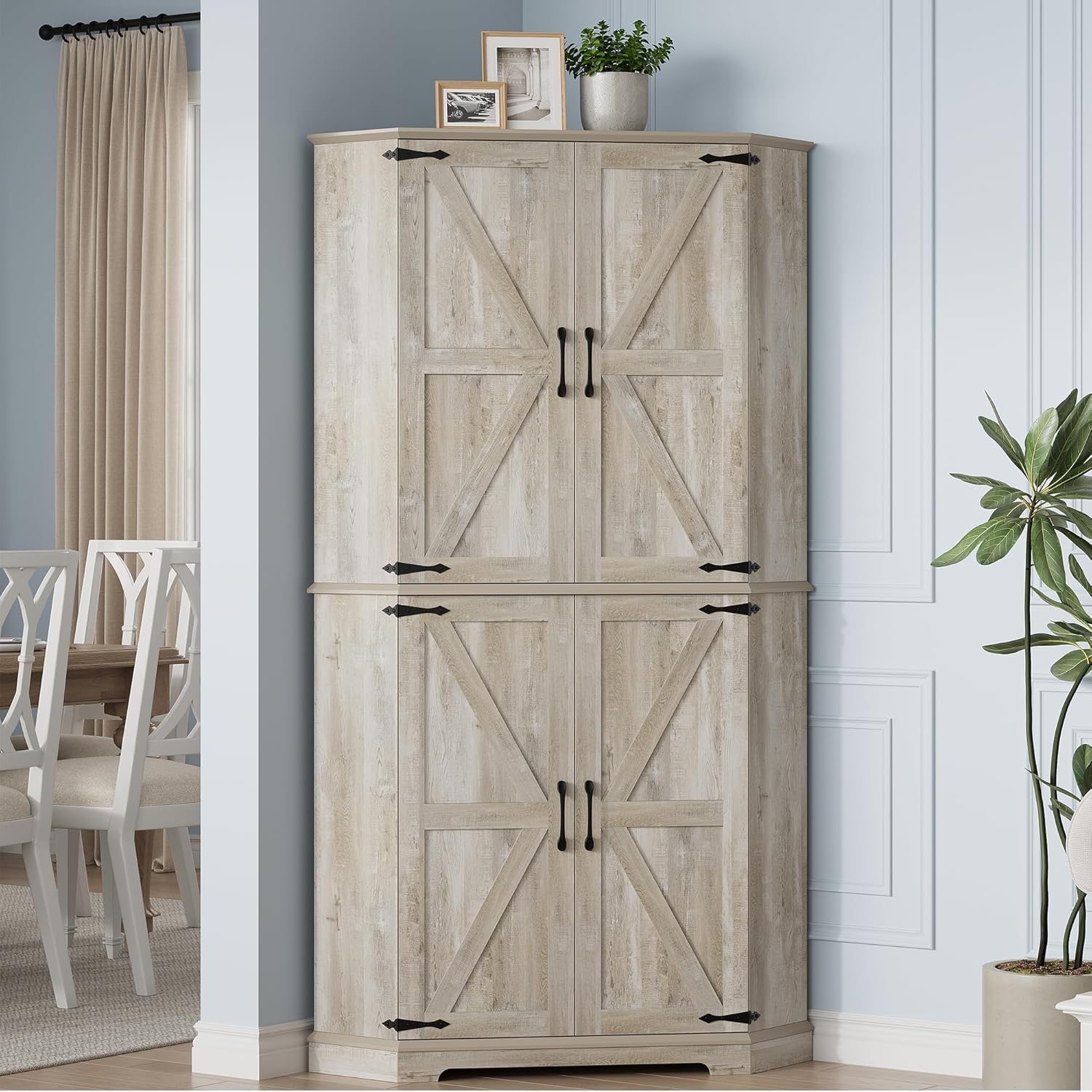
Image 1.1: The IRONCK HK-P-01C Corner Pantry Cabinet, Rustic Maple finish.
2. Safety Information
Observe the following safety guidelines to prevent injury or damage to the product:
- Two-Person Assembly: Assembly of this cabinet is recommended for two individuals due to the weight and size of components.
- Stable Surface: Assemble the cabinet on a clean, flat, and stable surface to prevent scratching or damage.
- Hardware Check: Ensure all hardware is securely tightened before use. Periodically check and re-tighten as necessary.
- Weight Capacity: Do not exceed the weight capacity of the shelves. Each adjustable shelf has a capacity of 44 lbs (20 kg).
- Anti-Tip Kit: For enhanced safety, especially in households with children or pets, secure the cabinet to the wall using an anti-tip kit (not always included, but recommended).
- Proper Placement: Place the cabinet in a corner to utilize its hexagonal design and ensure stability.
3. Package Contents
Before beginning assembly, verify that all parts and hardware are present and undamaged. Refer to the included parts list in your packaging. If any components are missing or damaged, contact customer support.
4. Setup and Assembly
Follow the step-by-step instructions provided in the separate assembly guide included with your product. General steps include:
- Unpack all components and lay them out on a protected surface.
- Assemble the base and side panels according to the diagrams.
- Install the fixed shelves and any internal dividers.
- Attach the doors, ensuring proper alignment and smooth operation.
- Secure the top section to the bottom section. This step often requires two people.
- Insert adjustable shelves at desired heights.
- Perform a final check of all connections for tightness and stability.

Image 4.1: Product dimensions, illustrating the 72-inch height and 40-inch width.

Image 4.2: Hexagonal corner design for flush wall integration.
5. Operating Instructions
The IRONCK Corner Pantry Cabinet is designed for efficient storage in kitchens and living rooms.
5.1 Adjustable Shelves
The cabinet features two adjustable shelves, allowing for customized storage configurations. To adjust a shelf:
- Empty the shelf of all contents.
- Carefully lift the shelf and remove the shelf pins from their current positions.
- Reinsert the shelf pins into the desired height holes. There are three height positions available.
- Place the shelf back onto the pins, ensuring it is level and secure.

Image 5.1: Adjustable shelves and integrated door storage for smaller items.
5.2 240° Swivel Doors
The cabinet's doors are designed to open up to 240 degrees, providing wide and unobstructed access to the interior. Gently pull the handles to open the doors. Ensure the path is clear to allow for full door swing.

Image 5.2: Illustration of the 240-degree door opening for full access.

Image 5.3: The cabinet interior with doors fully open, showcasing 6-tier storage.
6. Maintenance
Regular maintenance helps preserve the appearance and longevity of your cabinet.
- Cleaning: Wipe surfaces with a soft, damp cloth. Avoid harsh chemicals or abrasive cleaners, which can damage the distressed rustic finish.
- Spills: Clean spills immediately to prevent staining or moisture damage.
- Hardware: Periodically check all screws and fasteners to ensure they remain tight. Re-tighten if necessary.
- Environmental Conditions: Avoid placing the cabinet in direct sunlight or near heat sources, which can cause warping or fading. Maintain a stable humidity level.
7. Troubleshooting
If you encounter issues with your cabinet, refer to the following common solutions:
- Wobbly Cabinet: Ensure the cabinet is placed on a level surface. Check all assembly screws and cam locks for tightness. If an anti-tip kit is installed, verify its secure attachment to the wall.
- Doors Not Aligning: Adjust the hinges if necessary. Most hinges allow for minor adjustments to align doors. Refer to the assembly guide for specific hinge adjustment instructions.
- Damaged Parts: If parts arrived damaged or become damaged during assembly, do not proceed with assembly. Contact customer support for replacement parts.
- Missing Hardware: Double-check all packaging materials. If hardware is genuinely missing, contact customer support for replacements.
8. Specifications
| Feature | Detail |
|---|---|
| Brand | IRONCK |
| Model Name | HK-P-01C |
| Product Dimensions | 15.75"D x 40"W x 72"H (40D x 101.6W x 182.88H cm) |
| Color | Rustic Maple |
| Material | Engineered Wood (Top), Metal (Frame) |
| Item Weight | 129 Pounds (58.5 kg) |
| Number of Shelves | 6 (2 adjustable) |
| Adjustable Shelf Capacity | 44 lbs (20 kg) per shelf |
| Door Opening Angle | 240 degrees |
| Assembly Required | Yes |
9. Warranty Information
For specific warranty details, please refer to the warranty card included with your product or contact IRONCK customer support directly. Warranty terms typically cover manufacturing defects for a specified period from the date of purchase.
10. Customer Support
If you have any questions, require assistance with assembly, or need to report missing/damaged parts, please contact IRONCK customer support. Refer to the contact information provided in your product packaging or visit the official IRONCK website for support options.